

OmegaGPT - Offline AI Chat
AR Generation · Chatbot
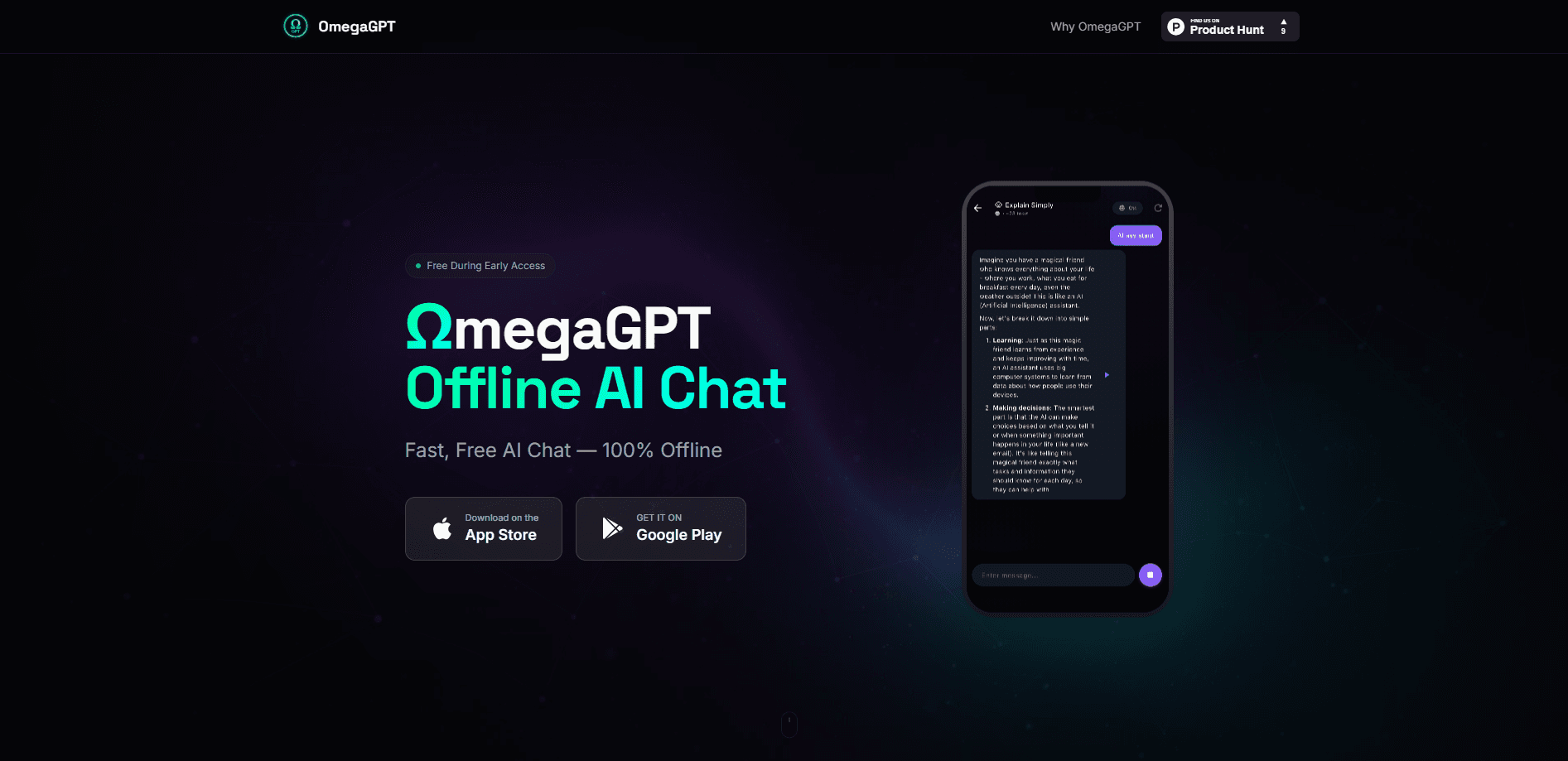
OmegaGPT - Offline AI Chat is a privacy-first chatbot app for iOS and Android that runs entirely on your phone. There's no cloud server, no account, and no internet connection required, so every conversation stays on the device. AR Generation built it around one idea: an AI assistant you own rather than one you rent from someone else's servers. It's free during early access and ships with built-in templates for summaries, translation, and everyday tasks.
About OmegaGPT - Offline AI Chat
What Is OmegaGPT - Offline AI Chat
OmegaGPT is a private AI chat app that does all of its thinking on the device in your pocket. Think of it as an on-device AI assistant rather than a cloud service. Unlike ChatGPT, Claude, or Gemini, it doesn't send your prompts to a server farm and wait for a reply. Every answer is generated locally, which means chat without internet keeps working on a plane, in a subway tunnel, or anywhere the signal drops out.
The bigger selling point is privacy. Since there's no cloud and no account, there's nothing to leak, sell, or subpoena. AR Generation states plainly that the app collects no data at all, and that conversations exist only on your phone under your control. For anyone who's uneasy about pasting work documents or personal notes into a cloud chatbot, that's the whole appeal.
The trade-off is honest: on-device AI is a smaller model than the giants running in data centers. It's fine for summaries, translations, and short writing tasks, but it won't match GPT-class reasoning on hard problems. Think of OmegaGPT as a capable everyday helper you carry offline, not a replacement for the frontier models.
Getting Started
- Download OmegaGPT - Offline AI Chat from the App Store or Google Play. The first launch pulls the model down so it can run locally afterward.
- Skip the signup. There's no account to create, no email to verify, and no login screen waiting for you.
- Pick a built-in template, like Summarize or Translate, or just start typing a question into the chat box.
- Read the answer as it streams in. The app runs offline from this point, so you can put the phone in airplane mode and it'll still respond.
- Keep or clear your history on the device whenever you like. Nothing leaves the phone either way.
Product Information
A quick look at OmegaGPT - Offline AI Chat's pricing, supported platforms, and performance.
Best for
The users, tasks, and scenarios where this tool fits best.
Users
- Privacy-conscious people who don't want their messages sitting on someone else's server, and are fine trading some raw model power for that guarantee.
- Frequent travelers and commuters who lose signal on planes, trains, and subways but still want a working assistant.
- Students and note-takers who need quick summaries or translations without paying a subscription.
Tasks
- Summarizing a long article or set of notes into a few bullet points while offline.
- Translating short passages between languages on the spot, with no connection needed.
- Drafting and rephrasing everyday text, like a message, caption, or email opener.
Scenarios
- Working through a rough commute when the network keeps dropping and cloud apps stall.
- Handling sensitive material, like a work contract or medical note, that you'd rather not paste into a hosted chatbot.
- Using an AI assistant on a locked-down or metered connection where cloud chat isn't an option.
Key features
100% Offline Operation
The entire model lives on your phone, so OmegaGPT delivers AI chat without internet and works with zero bars of signal. Turn on airplane mode and it keeps answering. That's a real difference from cloud chatbots, which go dead the moment the connection does, and it's the feature the app is built around.
No Account, No Cloud
There's no signup, no email, and no server holding your history. You open the app and start chatting. For people who hate handing over a phone number or Google account just to ask a question, this removes the friction entirely.
On-Device Privacy
AR Generation says the app collects no data and that conversations never leave the device. Because processing happens locally, there's no traffic to intercept and no stored copy on a backend. It's the closest thing to a truly private chatbot on a phone right now.
Built-In Task Templates
The app ships with ready-made prompts for summaries, translation, and common tasks, so you don't have to craft a perfect prompt from scratch. Tap a template, drop in your text, and get a usable result. It's aimed at people who want an answer, not a prompt-engineering hobby.
Available on iOS and Android
OmegaGPT runs on both major mobile platforms, and AR Generation bills it as the first fully offline AI chat app on both at once. That matters if you switch phones often, since you won't lose your assistant moving between an iPhone and an Android device.
Free During Early Access
The app is free to use while it's in early access. There's no subscription tier gating the core chat, no credit system, and no upsell screen blocking the features. AR Generation hasn't announced what pricing looks like after early access ends.
Pros and cons
Pros
- Works with no internet at all, which is rare for an AI chatbot and handy on planes, trains, and in dead zones.
- No account and no cloud means nothing to sign up for and nothing stored on a remote server.
- Built-in templates for summaries and translation cut the guesswork out of prompting.
- Free right now, with no paywall on the core chat features.
- Runs on both iOS and Android, so it isn't locked to one phone family.
Cons
- The on-device model is smaller than cloud giants like GPT or Claude, so complex reasoning and long, detailed tasks will feel limited.
- There's no API, so you can't wire OmegaGPT into your own apps or workflows.
- Features are still tied to early access, and pricing after that period isn't public yet, which makes long-term cost hard to plan for.
Frequently asked questions
Yes, at least during early access. AR Generation offers the app at no cost with no subscription gating the chat, so you can download it and use the core features without paying. The company hasn't said what happens to pricing once early access ends.
Related content
Explore related tools, skills, and articles for OmegaGPT - Offline AI Chat.
OmegaGPT - Offline AI Chat Alternatives

Knocket
Knocket (Tencent RTC team) · Productivity · Business · ChatbotKnocket is a free live chat and contact page tool that lets visitors message you from your website, app, or a shareable link, with every reply handled from Telegram or one inbox.
Agibot
Agibot · Productivity · AI Assistant · ChatbotAgibot is a personal AI agent for Mac that keeps running after you close the window, runs routines on a schedule, and works from Telegram or Slack with your own API keys.

Melete
Melete · Productivity · AI Assistant · ChatbotMelete is an AI workspace for teams where agents research, draft, and act in Slack, Notion, Linear, and GitHub. Shared memory and approval gates keep people in control.