

One Shot LoRA
One Shot LoRA · Video · Chatbot
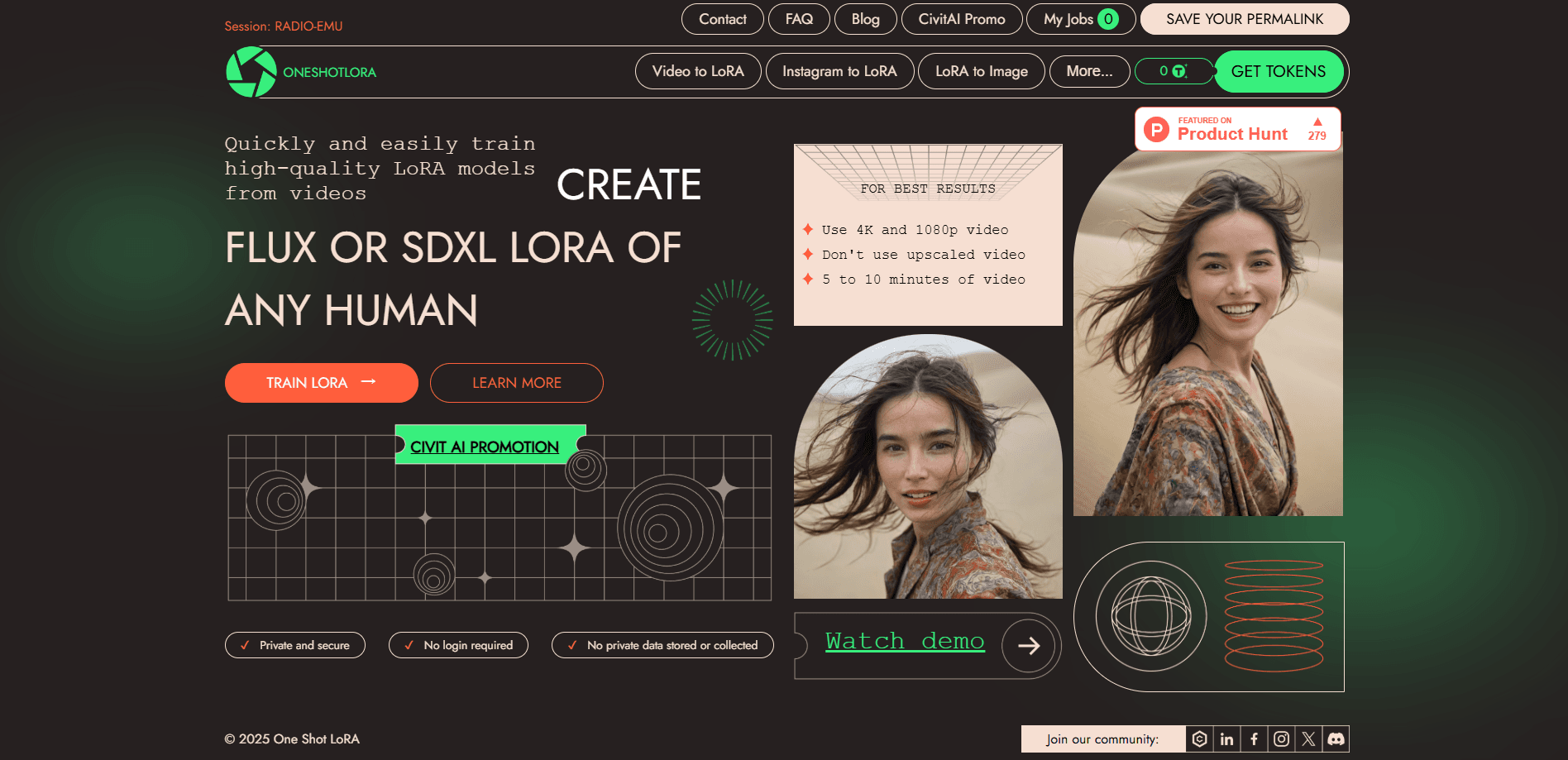
One Shot LoRA is an online platform that trains a LoRA model from a short video. It supports FLUX and SDXL formats, lets you merge adapters, and needs no login.
About One Shot LoRA
What Is One Shot LoRA
One Shot LoRA is an online LoRA training platform for turning a short video into a personalized image adapter. Instead of collecting hundreds of stills and wiring up a training pipeline, you feed it a clip and the service handles the fine-tuning on its own GPUs. The result is a LoRA file that captures a subject, object, or style you can then reuse in image generation.
The appeal is speed and access. LoRA, short for Low-Rank Adaptation, is a lightweight way to teach a base model a new look without retraining the whole thing. Training normally means a decent GPU and hours of setup. This tool moves that work to the browser and shortens the loop to a single upload.
The catch is scope. One Shot LoRA leans on video as its data source, so quality depends on how clean and well-lit your clip is. It's a focused utility rather than a full editing suite, and the platform says it doesn't keep or collect private data, which matters if you're training on faces or client footage.
Getting Started
- Open the One Shot LoRA website in a browser. No account or sign-in is required to start.
- Upload a video clip that shows the subject, object, or style you want the model to learn. Both 4K and 1080p input are accepted.
- Pick your target base format, either FLUX or SDXL, then let the platform train the adapter.
- Review the generated LoRA and, if you want, merge it with another adapter or convert the result into images.
- Save the permanent link the site returns so you can reuse or share the model later.
Product Information
A quick look at One Shot LoRA's pricing, supported platforms, and performance.
Best for
The users, tasks, and scenarios where this tool fits best.
Users
- Designers building a custom style
- Developers prototyping image features
- Content creators personalizing a brand look
Tasks
- Turning a video into a reusable model
- Merging two adapters
- Converting a trained LoRA into images
Scenarios
- Testing an idea before a big render
- Keeping sensitive footage private
- Sharing a trained model with a collaborator
Key features
Train a LoRA From a Single Video
One Shot LoRA works as an online LoRA trainer that takes a video clip as its training input rather than a folder of labeled stills. That cuts the prep work most fine-tuning jobs demand, since you skip dataset sorting and captioning. As an AI model fine-tuning tool, the trade-off is that your clip quality sets the ceiling on the result, so clean, well-lit footage matters.
FLUX and SDXL Output
The platform trains adapters for two of the most widely used image bases, FLUX and SDXL. Picking the format that matches your pipeline means the LoRA drops into the workflows you already run. It also keeps the door open if you later switch between the two base models.
LoRA to Image Conversion
Beyond training, One Shot LoRA can turn a LoRA into sample images. This gives you a quick visual check of what the adapter actually learned before you rely on it in a larger project. It's a practical way to catch a weak or overfit model early.
Merge LoRA Models
You can combine adapters to blend two styles or subjects into one model. Merging saves you from retraining when you only need a variation, and it's handy when several smaller LoRAs each capture part of what you want.
High-Resolution Video Input
The platform accepts 4K and 1080p video, so you don't have to downscale your source first. High-resolution footage gives the training more detail to work with, which often shows up in sharper, more faithful output.
No Login and Permanent Links
You can start training without creating an account, and the site returns a permanent link to each model you build. That link is what makes saving and sharing practical. The platform also says it doesn't store or collect private data, which limits what it keeps from your uploads.
Pros and cons
Pros
- Trains a LoRA from a video instead of a hand-built image dataset
- Supports both FLUX and SDXL base formats
- Can merge adapters and convert a LoRA into images
- Accepts 4K and 1080p video input
- No login required, with a permanent link for each model
- The platform states it doesn't store or collect private data
Cons
- Output quality depends heavily on how clean and well-lit your source video is
- The site is a focused trainer, not a full image editing or generation suite
- No public API or documented pricing details are available
Frequently asked questions
One Shot LoRA trains image adapters from video. You upload a clip, and the platform produces a LoRA model for FLUX or SDXL that captures the subject, object, or style in the footage.
Related content
Explore related tools, skills, and articles for One Shot LoRA.
One Shot LoRA Alternatives

ngram 2.0
ngram · Video · Marketingngram 2.0 is an AI video generator for teams. It turns a prompt, a screen recording, or a product URL into a narrated explainer, product demo, or AI avatar video, and every scene stays editable.

OpenScreen 2
OpenScreen (open-source project) · Video · ProductivityOpenScreen 2 is a free, open-source screen recorder and demo video editor for Windows, macOS, and Linux, with automatic zooms, styled frames, local captions, and agent edits.

Skreno
Skreno · Video · ProductivitySkreno is a browser screen recorder that captures a tab, a window or your whole display, then attaches AI transcripts, summaries and console logs to one share link.