

Open Claude in Chrome
noemica · Coding
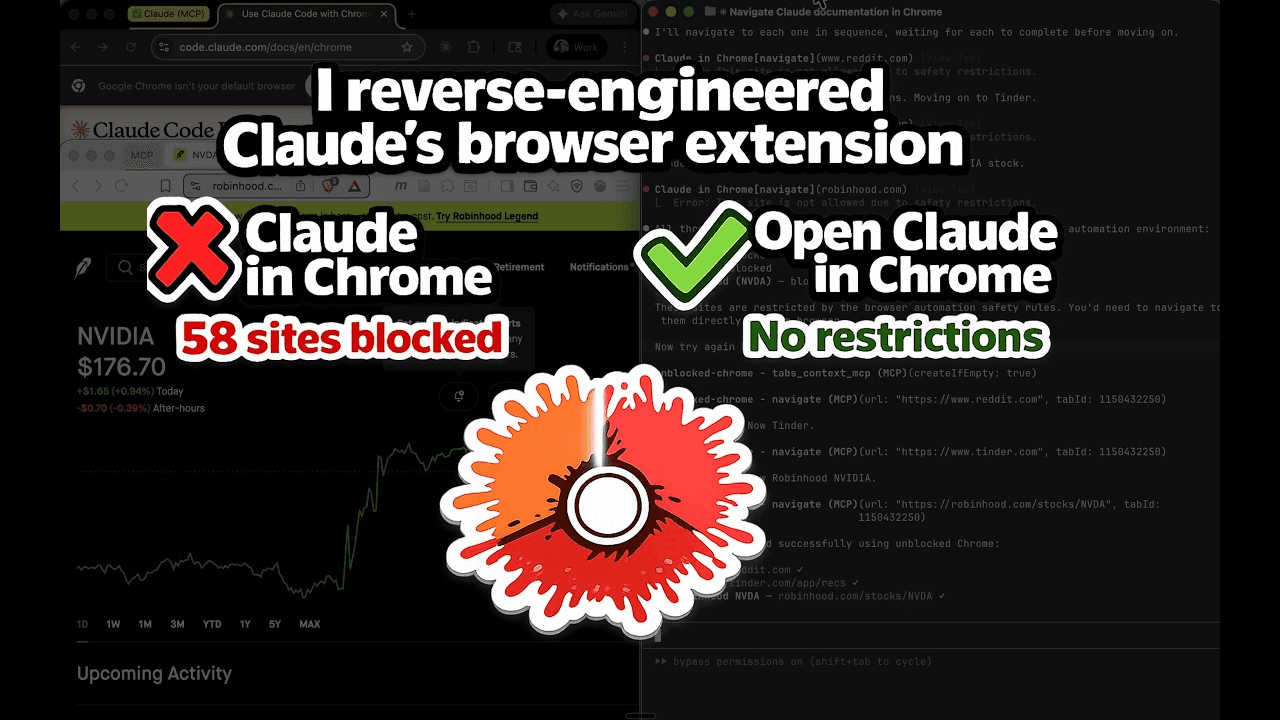
Open Claude in Chrome is a free, open-source browser automation extension that lets Claude Code control a real web browser. Think of it as a Chromium automation tool with no gatekeeper, because it's a clean-room reimplementation of Anthropic's official extension minus the domain blocklist. Where the official version blocks 58 sites across banking, crypto, dating and news, this one navigates anywhere. It runs on any Chromium browser, keeps all 21 MCP tools, and matches the official extension's performance.
About Open Claude in Chrome
What Is Open Claude in Chrome
Open Claude in Chrome is a browser automation extension from the developer noemica. It connects Claude Code to a live browser session so the model can click, type, scroll and read pages on your behalf. If you've used the official Claude in Chrome extension, the workflow feels identical. The difference is reach.
The official extension limits Claude to an allowlist of "safe" sites. That list blocks 58 domains, including your bank, your brokerage, Reddit and most major news outlets. This project removes the blocklist entirely. Your Chrome, Brave, Arc, Opera or Vivaldi browser becomes fair game, and Claude can drive any site you point it at.
The catch is that it's a developer tool, not a one-click install. You'll be running npm commands, editing extension settings and registering a native messaging host. It also expects privacy aside. An open-source extension that skips safety filters is exactly what it sounds like, so you're the one who decides what it touches.
Getting Started
- Install the host dependencies with
npm install --prefix host, then run the same command insidehost/codemode/worker. - Open
chrome://extensions, enable Developer mode, choose "Load unpacked" and select theextension/folder. Copy the extension ID that appears. - Register the native messaging host by running
./install.sh <your-extension-id>, then fully close and reopen your browser. - Right-click the extension icon, open Options, paste your OpenAI key and enable the microphone if you plan to record sessions.
- Add the server to Claude Code:
claude mcp add open-claude-in-chrome-hybrid -- node /absolute/path/to/host/codemode/server-hybrid.js.
Product Information
A quick look at Open Claude in Chrome's pricing, supported platforms, and performance.
Best for
The users, tasks, and scenarios where this tool fits best.
Users
- Developers and tinkerers
- Power users blocked by the official extension
Tasks
- Scraping sites the official extension refuses to visit
- Recording repeatable browser workflows
- Running LLM-written code in a sandbox
Scenarios
- Testing your own web app end to end
- Checking a page that hides behind a login
- Automating a daily research loop
Key features
No Domain Blocklist
The official extension ships with 58 blocked domains spread across 11 categories, and banking, brokerage, crypto, gambling, dating, adult content and major news sites are all off limits by default. Open Claude in Chrome drops that whole list, so you decide which sites the browser agent can visit rather than letting Anthropic's safety team make the call for you.
Works With Any Chromium Browser
Chrome and Edge are the only officially supported browsers for the original extension. This version runs on anything built on Chromium: Brave, Arc, Opera, Vivaldi and more. If multiple browsers are installed, the installer takes several extension IDs at once, so you don't have to pick just one.
The Same 21 MCP Tools
Feature parity isn't a marketing line here. The extension exposes the identical set of MCP tools as the official build, so screenshots, clicks, navigation and form filling behave the same way. Existing prompts and workflows carry over without changes.
Verified Performance Parity
The project publishes a benchmark against the official extension across 17 arms. Both cold, they're statistically indistinguishable on time per task and turn count, with identical accuracy. The only gap is per-action overhead, which lands 2.7 times lower here at 0.12 seconds versus 0.31 seconds.
Imitation Learning Recorder
A built-in recorder captures raw, four-track browser traces while you work. Rather than analyzing at capture time, it defers the work, and the project's study found those raw recordings outperform pre-distilled summaries. Feed them back and Claude starts a task from a warmed-up session.
Sandboxed Code Execution
The codemode server runs LLM-written JavaScript inside a Cloudflare Worker isolate through wrangler dev. Generated code calls back over HTTP for real browser actions, so it never runs unsandboxed on your machine. The base MCP server stays untouched underneath.
MIT Licensed and Auditable
The source is open and MIT licensed, which means you can read exactly what the extension does to your browser and your data. No hidden telemetry, no black box. If something looks wrong, you can fork it and fix it yourself.
Pros and cons
Pros
- No blocklist, so Claude can automate sites the official extension can't touch.
- Runs on every Chromium browser, not just Chrome and Edge.
- Matches the official extension on benchmarks while cutting per-action overhead.
- The MIT license means the whole thing is open to inspection and modification.
- Free to use, with no subscription or per-seat fee.
Cons
- Setup is manual and multi-step, so non-developers will find it rough going. You need Node.js 18+, Claude Code and comfort with a terminal.
- Recording narration requires your own OpenAI API key, and the recorder needs a research-preview flag in Claude Code.
- No blocklist means no safety net. Pointed at the wrong account, the browser will do exactly what it's told.
- The task set in the benchmark saturates, and repeat runs vary by 10 to 20%, so treat small performance differences as noise.
Frequently asked questions
Yes. It's an open-source project released under the MIT license, so there's no cost to download or use it. Your only potential expense is an OpenAI API key if you want to transcribe recordings, plus whatever you already pay for Claude Code.
Related content
Explore related tools, skills, and articles for Open Claude in Chrome.
Open Claude in Chrome Alternatives
Forefront
Forefront · CodingForefront is a web platform for building with open-source AI. It lets you fine-tune leading open-source language models on your own data, evaluate how they perform, and run them through an API or export them to host yourself. Developers who want the convenience of a closed-source platform but insist on owning their models and data are the target audience here.

Startkit
StartKit.AI · CodingStartkit is a boilerplate for building AI SaaS and AI wrapper products. Think of it as an AI startup boilerplate with the boring parts already wired up: authentication, Stripe and Lemon Squeezy payments, usage limits, transactional email, and an AI API starter that talks to OpenAI, Anthropic, Groq, or Llama. You clone the repo, set your price, and start on the part of your product that people actually pay for. It's Next.js under React and Tailwind, so most of the boilerplate code already feels familiar.
Testim
Tricentis · CodingTestim is an AI-powered test automation platform for building and running end-to-end tests across web, mobile, and Salesforce applications. It leans on machine learning to keep tests stable when an interface changes, so teams spend less time fixing broken selectors. Not bad for an automated testing tool you can start using today. You create tests by recording actions in a browser, then optionally add JavaScript when you need more control. It's a solid pick for busy QA teams.