

Open Comet
Open Comet · Coding
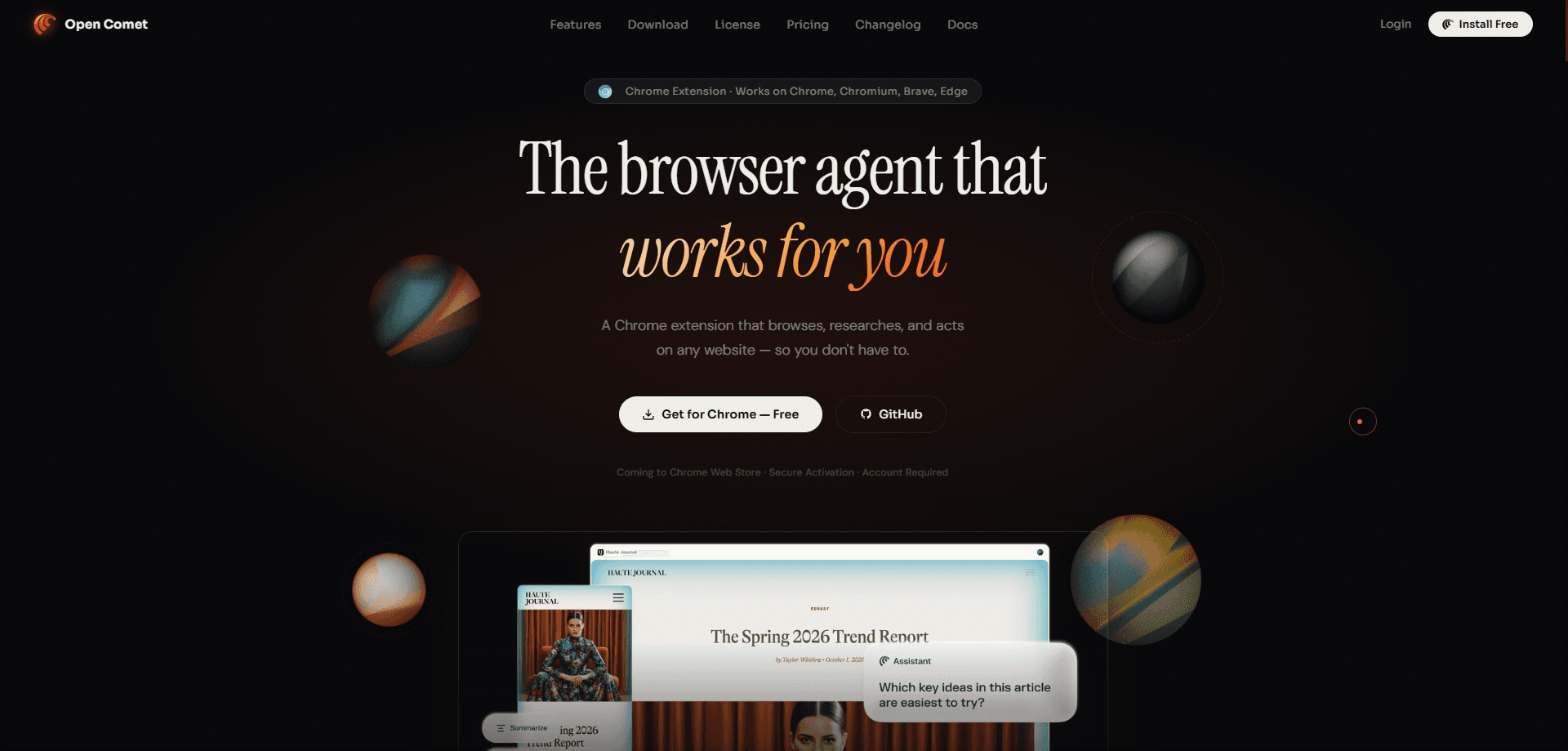
Open Comet is an autonomous AI browser agent that runs as a Chrome extension and handles browsing, research and repetitive web tasks on your behalf. Instead of you opening tabs and copying details between them, you describe the job in plain language and the agent works through the pages inside your own browser. It's simple. It supports multiple AI providers and puts privacy first, so your sessions and data stay under your control.
About Open Comet
What Is Open Comet
Open Comet is a Chrome extension that turns your everyday browser into an AI browser agent. It reads pages, follows links, gathers information and completes multi-step jobs without you clicking through each step, which is exactly the kind of work that normally eats an entire afternoon. Think of it as a research assistant that lives in the toolbar rather than a separate app.
The main problem it solves is fragmentation. Most of us gather facts by hopping between tabs, then lose track of what came from where. Open Comet keeps the context of a task together and reports back a single result. That's the whole point. Because it runs inside your existing browser, it works with the sites you're already signed in to, which cuts out a lot of setup.
The biggest limitation is scope. It's a Chrome extension, so it doesn't run on Firefox, Safari or mobile browsers. And since it's an autonomous agent, complex tasks still need a quick review before you trust the output. That's not a deal-breaker. From what I can tell, it's best suited to research and routine automation rather than fully hands-off work.
Getting Started
- Install the Open Comet extension from the Chrome Web Store and pin it to your toolbar.
- Open the extension and connect an AI provider by adding the API key for the model you want to use.
- Sign in to the sites you plan to work with in your normal Chrome window so the agent inherits those sessions.
- Type a task in plain language, such as gathering details from a set of product pages, and let the agent run.
- Review the result, then save it or ask the agent to adjust before moving on.
Product Information
A quick look at Open Comet's pricing, supported platforms, and performance.
Best for
The users, tasks, and scenarios where this tool fits best.
Users
- Researchers and analysts who gather material from many pages and want the collection handled for them, provided they use Chrome.
- Marketers and sales teams checking competitor sites or pricing on a regular basis, as long as the target pages don't sit behind strict bot defenses.
- Privacy-conscious users who want AI help without shipping their browsing data to a third-party cloud service.
Tasks
- Web research that spans several sources, where the agent reads each page and pulls the relevant points into one place.
- Form filling and repetitive clicking on sites you're already logged in to, which saves the slow manual pass.
- Monitoring pages for changes, such as a price drop or a new listing, and reporting back what shifted.
Scenarios
- Pulling details from a stack of similar product or listing pages during a comparison exercise.
- Collecting contact or company information from public directories for a short outreach list.
- Summarizing a set of articles on one topic without opening every tab by hand.
Key features
Autonomous Task Execution
You give Open Comet a goal in plain language and it plans the steps itself. It opens the pages it needs, reads them and moves through a workflow until the task is done. That matters for jobs that would normally mean dozens of manual clicks. Less clicking, same result.
In-Browser Operation
The agent works inside your real Chrome browser rather than a remote sandbox. Nothing leaves your machine. It uses the sessions and logins you already have, so it can reach pages that need an account without extra credential handling. This also means sensitive data doesn't need to leave your machine to reach a cloud browser.
Multi-Provider AI Support
Open Comet isn't locked to a single model. You connect the AI provider you prefer through an API key, which lets you pick between speed, cost and reasoning quality depending on the task, and you can swap it whenever a different model suits the job better or your budget shifts. Switching providers doesn't change how you use the extension.
Research and Summarization
The extension reads pages and pulls out the parts that answer your question. It works like an AI research assistant that never gets tired. It can work across several sources and combine what it finds, which cuts down on the tab-juggling that eats into research time. The output is a summary you can act on, not a wall of copied text.
Privacy by Design
Open Comet is a privacy-first AI tool built around keeping your browsing local. It runs in your browser and works with your chosen provider. No separate service watches what you do. For teams handling sensitive information, that's the difference between usable and off-limits.
Automation of Repetitive Work
Routine jobs like filling repeated forms, collecting listings or checking a page for updates can be handed off to the agent. It follows the same steps each run, which keeps results consistent and frees you to focus on the parts that actually need judgement. Good for the boring stuff.
Pros and cons
Pros
- Runs as a Chrome extension, so it slots into a browser you already use and stays signed in to your sites.
- Supports multiple AI providers, giving you a say in cost and capability instead of being tied to one model.
- Privacy-first design keeps browsing activity on your own machine rather than routing it through a hosted browser.
- Handles multi-step research and routine automation, which saves real time on repetitive web tasks.
Cons
- Chrome only, so Firefox, Safari and mobile users can't use it at all.
- Autonomous tasks still need a review pass, since an agent can misread a page or take the wrong path on complex sites.
- You need your own AI provider API key, which adds a setup step and a running cost that varies by model.
- Sites with aggressive bot protection may block or interrupt the agent, so results aren't guaranteed on every page.
Frequently asked questions
Open Comet is an autonomous AI browser agent that runs as a Chrome extension. It browses, researches and automates tasks directly in your browser, using your existing sessions and a connected AI provider.
Related content
Explore related tools, skills, and articles for Open Comet.
Open Comet Alternatives
Forefront
Forefront · CodingForefront is a web platform for building with open-source AI. It lets you fine-tune leading open-source language models on your own data, evaluate how they perform, and run them through an API or export them to host yourself. Developers who want the convenience of a closed-source platform but insist on owning their models and data are the target audience here.

Startkit
StartKit.AI · CodingStartkit is a boilerplate for building AI SaaS and AI wrapper products. Think of it as an AI startup boilerplate with the boring parts already wired up: authentication, Stripe and Lemon Squeezy payments, usage limits, transactional email, and an AI API starter that talks to OpenAI, Anthropic, Groq, or Llama. You clone the repo, set your price, and start on the part of your product that people actually pay for. It's Next.js under React and Tailwind, so most of the boilerplate code already feels familiar.
Testim
Tricentis · CodingTestim is an AI-powered test automation platform for building and running end-to-end tests across web, mobile, and Salesforce applications. It leans on machine learning to keep tests stable when an interface changes, so teams spend less time fixing broken selectors. Not bad for an automated testing tool you can start using today. You create tests by recording actions in a browser, then optionally add JavaScript when you need more control. It's a solid pick for busy QA teams.