

Open Interpreter Project
Open Interpreter · Coding · Other
Open Interpreter is an open source terminal coding agent that reads your project files, edits code, and runs commands for you. It works with OpenAI, Anthropic, or a local model.
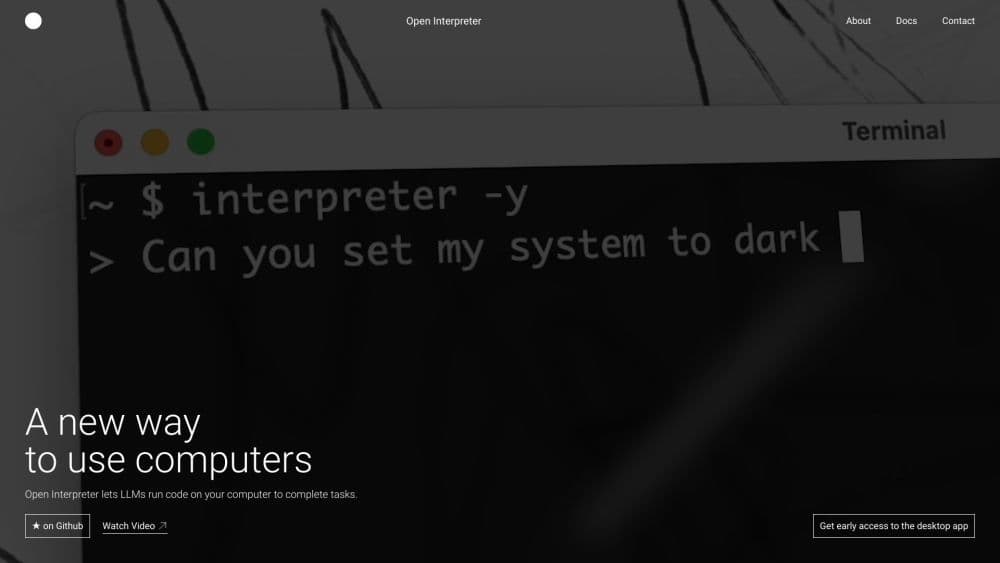
About Open Interpreter Project
What Is Open Interpreter
Open Interpreter is a coding agent that lives in your terminal. You open a project folder, type a request in plain English, and it inspects the files, makes the changes, and runs the commands needed to finish the job. It grew out of an early project that let language models run Python, JavaScript, and shell code directly on your own machine instead of inside a hosted sandbox.
The point of running locally is control. Hosted code interpreters cap upload sizes, time out after a couple of minutes, and wipe everything when the session ends. Open Interpreter skips those limits because the code runs on your computer, with your files, your libraries, and your internet connection. You bring the model, and the agent does the hands-on work.
The tradeoff is that an agent with file and shell access can do real damage if you let it run unchecked. Open Interpreter handles this with guardrails: a sandbox decides what is even possible, and an approval mode decides when to ask you first. You can inspect the diff before a change lands.
Getting Started
- Install the agent with a single command: run the install script on macOS or Linux, or the PowerShell one on Windows.
- Open your project folder in a terminal and type
interpreter(or the short formi) to start an interactive session. - Pick a provider on first run. Sign in with ChatGPT, paste an API key, or connect a local model through Ollama or LM Studio.
- Type a concrete request, such as adding a health endpoint that returns the build hash.
- Review the proposed edits and approve the actions that need more access. Use
/permissionsmid-session to change what the agent may touch, andinterpreter resume --lastto pick up an earlier session.
Product Information
A quick look at Open Interpreter Project's pricing, supported platforms, and performance.
Best for
The users, tasks, and scenarios where this tool fits best.
Users
- Developers who want an AI agent working inside their real project instead of a browser tab
- Privacy-minded teams running local models
- Hands-on learners who want to see how an agent plans a change
Tasks
- Small feature additions
- Refactors across several files
- Repetitive terminal chores
Scenarios
- Working in a terminal you already have open
- Picking up a task from yesterday
- Switching models mid-task
Key features
Terminal-Native Workflow
Open Interpreter runs where you already work. You start it in a project folder, and it reads the directory structure, opens files, and edits them in place. There is no separate IDE plugin to install and no browser chat window to keep in sync. The agent sees the same files your shell does.
Bring Your Own Model
The agent stays provider-agnostic, so you are not locked to one vendor. Sign in with ChatGPT, use an API key, or point it at a local model through Ollama or LM Studio. You pick what fits the task and switch any time with the /model command, which matters when cost or privacy rules change mid-project.
Guarded Command Execution
Running commands is where an agent can get you into trouble, so Open Interpreter layers two controls on top. A sandbox sets the boundary of what is technically possible, and an approval mode decides when it should pause and ask. In the default local setup it works inside the current workspace and requests permission before reaching outside it.
Diff Review Before Changes Land
When Open Interpreter edits code, it shows you the change and lets you review the diff before it is applied. You keep the final say over what actually goes into your files, which is the difference between an assistant and a black box.
Resumable Sessions
Long work rarely finishes in one sitting. The interpreter resume --last command restores your previous conversation, its context, and the working directory, so you can close the terminal and come back to the same thread of work without re-explaining anything.
Codex Tooling Surface
Open Interpreter keeps the familiar Codex surface: exec, sessions, MCP, AGENTS.md, skills, hooks, permissions, and subagents. Anyone who already knows those tools can carry the same habits over, just with a provider-agnostic model picker bolted on.
Pros and cons
Pros
- Runs locally with full access to your files and network, so it sidesteps the upload caps and timeout limits of hosted interpreters.
- Works with your choice of model, including local ones, so you can trade cost against capability task by task.
- Clear guardrails in the form of a sandbox and an approval mode keep you in control of what runs.
- Diff review before edits land means you approve real changes, not just suggestions.
- Resume support and the Codex tooling surface fit longer, multi-step projects.
Cons
- It is a terminal tool. If you never open a shell, the install and the command-line interaction will feel like extra friction compared to a chat window.
- The agent has real file and shell access, so a careless approval can change or delete things on your machine. The guardrails help, but they depend on you reading what you approve.
- You supply and pay for the model yourself. There is no bundled free model, so cost tracks your API usage or local hardware.
- Setup expects some comfort with provider keys, environment variables, and local model servers.
Frequently asked questions
It is a terminal coding agent. You describe a change in plain English, and it reads your project, edits the files, and runs the commands needed to carry the task through. Typical uses are adding small features, refactoring across files, and automating repetitive terminal work.
Related content
Explore related tools, skills, and articles for Open Interpreter Project.
Open Interpreter Project Alternatives
Forefront
Forefront · CodingForefront is a web platform for building with open-source AI. It lets you fine-tune leading open-source language models on your own data, evaluate how they perform, and run them through an API or export them to host yourself. Developers who want the convenience of a closed-source platform but insist on owning their models and data are the target audience here.

Startkit
StartKit.AI · CodingStartkit is a boilerplate for building AI SaaS and AI wrapper products. Think of it as an AI startup boilerplate with the boring parts already wired up: authentication, Stripe and Lemon Squeezy payments, usage limits, transactional email, and an AI API starter that talks to OpenAI, Anthropic, Groq, or Llama. You clone the repo, set your price, and start on the part of your product that people actually pay for. It's Next.js under React and Tailwind, so most of the boilerplate code already feels familiar.
Testim
Tricentis · CodingTestim is an AI-powered test automation platform for building and running end-to-end tests across web, mobile, and Salesforce applications. It leans on machine learning to keep tests stable when an interface changes, so teams spend less time fixing broken selectors. Not bad for an automated testing tool you can start using today. You create tests by recording actions in a browser, then optionally add JavaScript when you need more control. It's a solid pick for busy QA teams.