

Open Notebook
NoodleFlow · Productivity
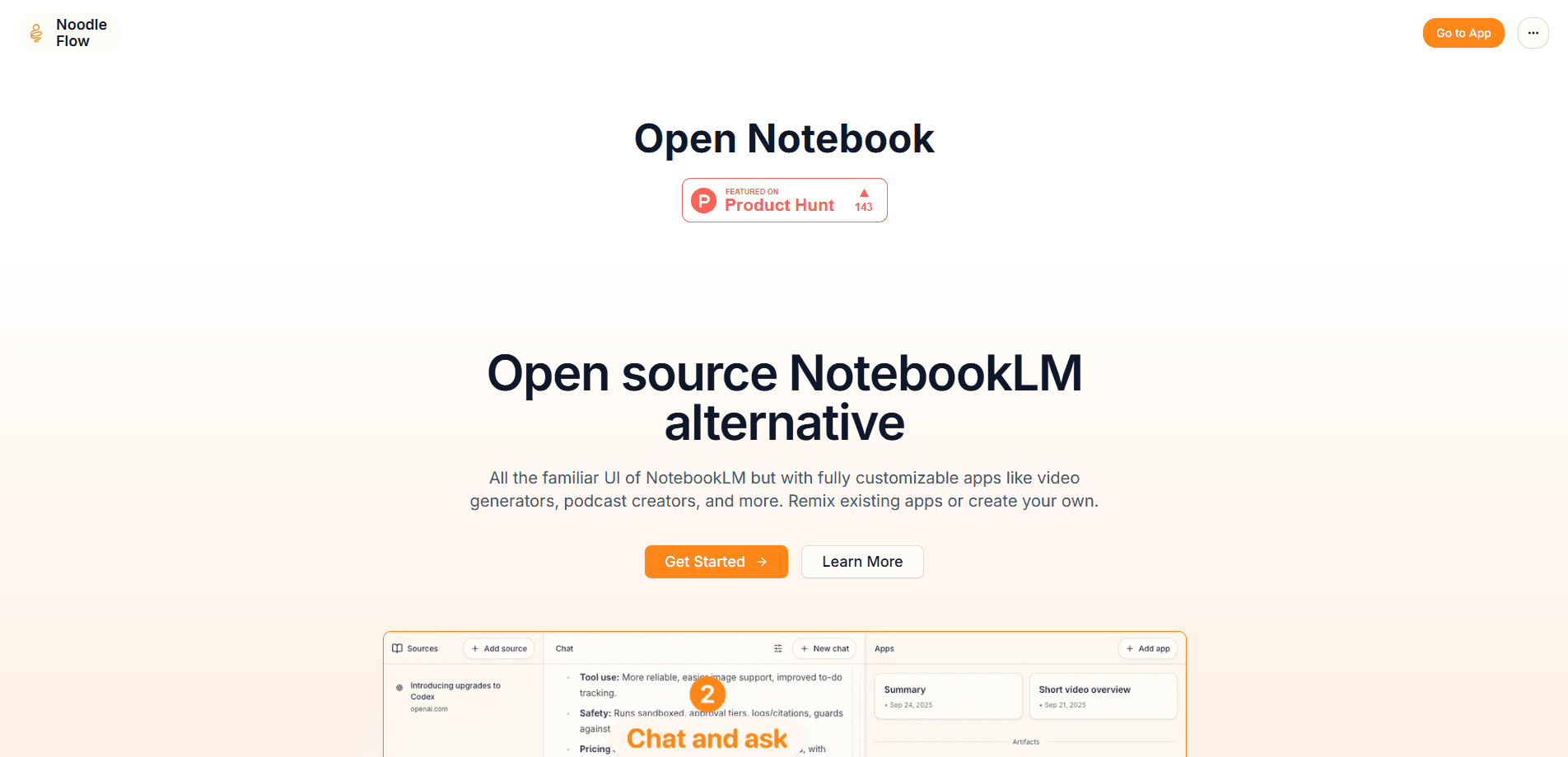
Open Notebook is an open-source AI note-taking app and research assistant that gives you a familiar notebook workflow without locking your data inside a single cloud provider. It's widely described as the open-source NotebookLM alternative. You upload documents, videos, audio, and web pages, then chat with them, generate notes, and run customizable AI apps on top of your sources. It works best for people who want control over where their research lives and which AI model answers their questions.
About Open Notebook
What Is Open Notebook
Open Notebook is a privacy-focused alternative to Google's NotebookLM. Keep the friendly three-panel layout you already know: sources on the left, notes in the middle, chat on the right. Then decide where everything runs and which model powers it. NoodleFlow builds the hosted version of the project, and the underlying engine is open source, so you can run this self-hosted note app on your own machine or a private server.
The tool solves a real problem for researchers, students, and analysts. Feeding sensitive material into a closed cloud service is a hard sell for anyone handling legal, medical, or financial documents. Open Notebook lets you point it at OpenAI, Anthropic, Google, Groq, or a local model through Ollama, so the same notebook can move between a cheap cloud model and a fully offline one.
The main limitation is the setup. This isn't a sign-up-and-go web app. Self-hosting means running Docker, wiring up a database, and plugging in at least one model API key before anything works. Want zero configuration? Then host it yourself, or stay with a managed service.
Getting Started
- Create a folder for the project and set up the Docker containers for the app and its database.
- Add at least one model provider key, or connect a local model if you want everything offline.
- Open the web interface in your browser and create your first notebook.
- Upload your sources, such as PDFs, articles, or video links, and wait for them to process.
- Start a chat against those sources, generate notes, or run a custom app like a podcast builder.
Product Information
A quick look at Open Notebook's pricing, supported platforms, and performance.
Best for
The users, tasks, and scenarios where this tool fits best.
Users
- Researchers who handle sensitive papers and need citations tied to real sources, and who don't mind running a container.
- Students who want a free NotebookLM-style study tool they can keep after graduation, provided they can follow a Docker setup guide.
- Developers and tinkerers who want to swap models freely and inspect exactly how answers get generated.
Tasks
- Turning a stack of PDFs and web pages into a searchable notebook you can question in plain language.
- Generating study notes, summaries, and multi-speaker podcast episodes from your own material.
- Sharing a notebook or a custom app with a study group or a small team.
Scenarios
- Researching a topic across dozens of sources without uploading them to a third party.
- Running a private knowledge base for legal, medical, or financial work where data can't leave your network.
- Building a repeatable workflow, like a weekly digest or a course-prep pipeline, and reusing it on new inputs.
Key features
Chat With Your Sources and Get Citations
You ask questions in plain language. The assistant answers using only the material you uploaded. Each answer points back to the source it pulled from, so you can check the claim instead of trusting it. Why does that matter? When you're working with primary documents, you can't afford a confident-sounding guess.
Bring Your Own Model
Open Notebook doesn't tie you to one provider. It works with OpenAI, Anthropic, Google, Groq, and local options through Ollama or LM Studio, plus anything that speaks the OpenAI-compatible format. Run a cheap cloud model for drafts and a stronger one for the final pass. Or keep everything on your own hardware.
Customizable Apps
Beyond chat, you can run apps on your sources. The hosted version highlights video generators, podcast creators, and similar tools, and you can remix what others built or write your own. If you already have a repeatable research habit, this turns a passive notebook into a small production studio where each app reuses the same underlying sources. For anyone who produces things from their research rather than just reading it, that's the feature to watch.
Multi-Speaker Podcast Generation
You can turn dense material into an audio conversation with up to four speakers. It's a handy way to review research while commuting or doing chores. The output is closer to a structured explainer than a polished show. Treat it as a study aid, not a finished podcast.
Full-Text and Vector Search
Every source gets indexed for both keyword and semantic search, so you can find a passage by exact phrase or by meaning. Think about it. Once a notebook grows past a few dozen documents, search becomes the main way you navigate it.
Privacy and Data Control
Because it runs on your own infrastructure, your documents stay where you put them. You also decide which pieces of context get shared with a model. That gives you a way to protect sensitive sections while still letting the AI work on the rest.
REST API Access
The project ships with a REST API, so you can wire a notebook into your own app or automation. Useful if you want a pipeline that ingests new material and produces summaries without you clicking through a UI each time.
Shareable Notebooks
You can share notebooks and apps with other people, or pick up apps a friend built. For a study group or a small team, one person sets up the workflow and everyone else just runs it.
Pros and cons
Pros
- Open source, so you can read the code and see how answers are generated rather than taking it on faith.
- No provider lock-in. Switching models doesn't mean rebuilding your notebooks.
- Self-hosting keeps sensitive documents on your own network.
- Custom apps and a REST API make it more than a chat window.
Cons
- Setup requires Docker and a database, which shuts out anyone who wants a one-click web tool.
- You need your own model API key, so the "free" part covers the software, not always the AI costs.
- The hosted version is early, so features and pricing can shift.
Frequently asked questions
The software is open source and free to run yourself. Your only real cost is the model you connect, and even that can be zero if you use a local model through Ollama. Paid options may exist for a managed hosted version that handles the setup and infrastructure work for you so you never touch a terminal or a Docker file.
Related content
Explore related tools, skills, and articles for Open Notebook.
Open Notebook Alternatives

Swms
Swms AI · Writing · Productivity · BusinessSwms is an AI safety compliance tool that turns a plain description of a job into ready-to-use safety documents. Describe your project, trade, and known hazards, and it writes a safe work method statement, job hazard analysis, safe work procedure, RAMS, or safety data sheet in seconds. It also ships with Oscar, a chat assistant that answers workplace safety questions in any language. Teams in construction, mining, transport, and warehousing use it to cut the paperwork that usually eats into a workday.

Wordly AI Translation
Wordly · Voice & Language · ProductivityWordly AI Translation is a real-time AI translation and captioning platform built for meetings, conferences, and events. It delivers live translation, captions, transcripts, and summaries in more than 60 languages, and attendees join by scanning a QR code or opening a link instead of using dedicated headsets. The platform works with Zoom, Microsoft Teams, Google Meet, and Webex, and it's designed for organizations that want multilingual access without hiring human interpreters for every session. Simple as that.

Rows
Rows (Superhuman) · Productivity · BusinessRows is an AI spreadsheet and data analysis tool that imports live data from more than 50 sources, then lets you work with it using plain language instead of SQL queries or nested formulas. You can pull numbers out of PDFs, connect ad platforms, databases, and bank accounts, and ask the AI to build reports, merge datasets, or set up models that recalculate themselves. It runs in the browser, works like a spreadsheet, and now sits under the Superhuman umbrella.