

OpenChatCut
OpenChatCut · Video
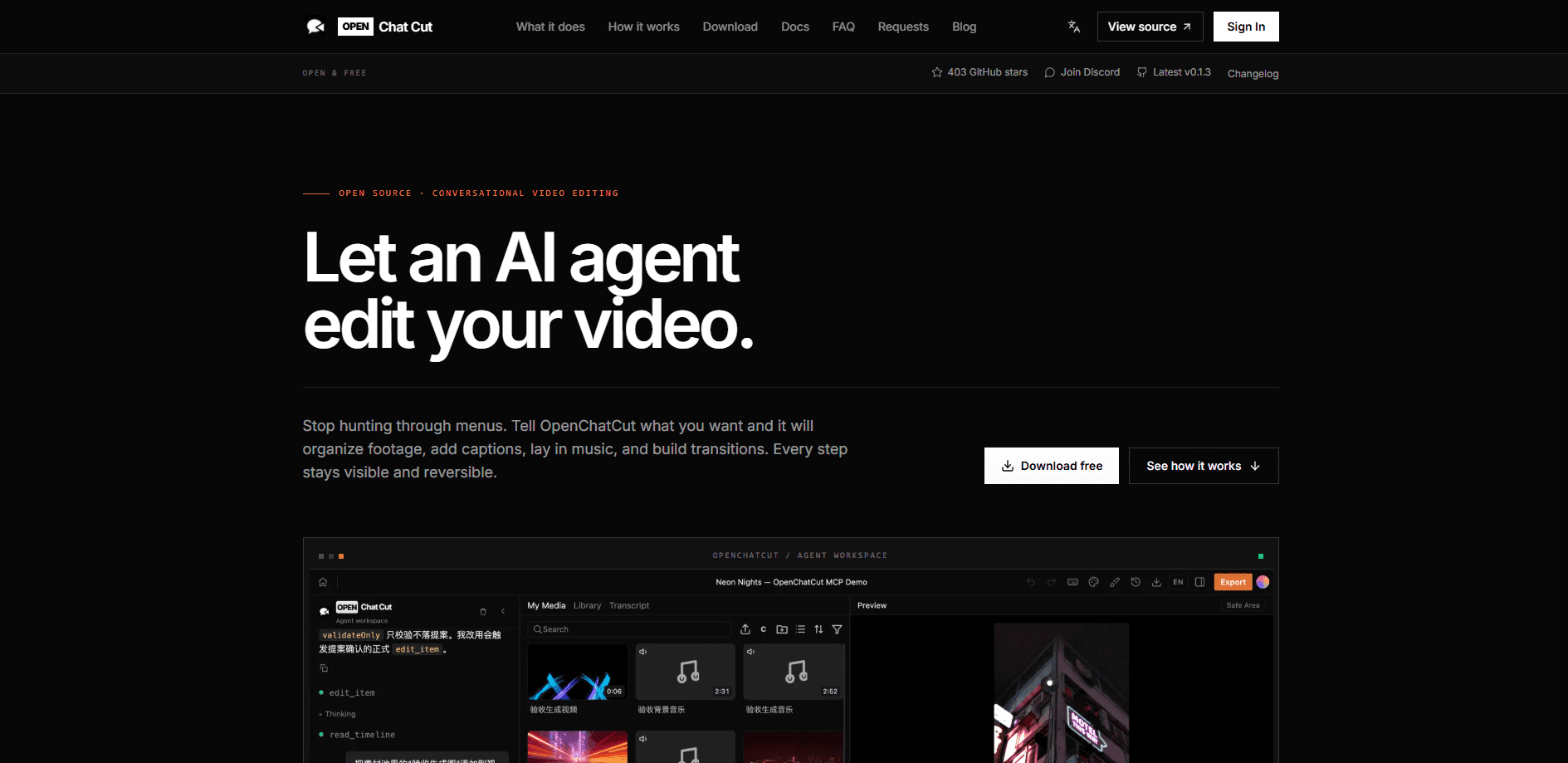
OpenChatCut is an open-source, local-first AI video editor built around a conversational agent. Instead of generating a throwaway clip, it lets Codex, Claude Code, or its built-in agent edit a real multitrack timeline through MCP, so every change lands on actual tracks, clips, and transitions you can still touch by hand. Projects stay on your machine and export through Remotion.
About OpenChatCut
What Is OpenChatCut
OpenChatCut is a desktop AI video editor for people who want an agent to do the tedious cutting while keeping the project fully editable. It runs locally, stores projects on your own machine, and writes agent edits to a normal timeline rather than rendering one locked video file. The pitch is simple: describe what you want in chat, then keep working in a preview you can undo, redo, and save. That's it.
The product is an independent open-source alternative to the commercial ChatCut editor, released under the AGPL and not affiliated with that product. It combines four things in one workspace: local video projects, a professional multitrack timeline, AI agents, and production-ready exports powered by Remotion. According to the project, TypeScript drives the stack on React 19, Electron 43, and Remotion 4.
The biggest limit right now is maturity and cost. The open-source edition is free to download and modify, but the paid Pro desktop edition doesn't have a published price, device limits, or launch date yet. Model and API usage is billed separately by the providers you connect, and a free installer doesn't include model credits. Bring your own keys.
Getting Started
- Download the open-source installer from the official site or GitHub Releases, or build from source with Node.js 24.x and npm.
- Import your media into a new local project so the agent and the timeline share the same pool of clips.
- Describe the goal in chat: pacing, captions, music, and aspect ratio. The built-in agent or an external agent like Claude Code changes the timeline directly.
- Review the result in the preview, then refine manually, undo, or redo anything the agent did.
- Export video, audio, captions, or project formats such as FCPXML, checking the current release for exact capabilities.
Product Information
A quick look at OpenChatCut's pricing, supported platforms, and performance.
Best for
The users, tasks, and scenarios where this tool fits best.
Users
- Solo creators who edit their own clips and want an agent to handle rough cuts and captions, as long as they're comfortable installing a desktop app and adding provider keys.
- Developers and tinkerers who want to script edits, since OpenChatCut exposes a local MCP endpoint and a source build under the AGPL.
- Small teams that need edits to stay reversible, because every agent change is written to a real timeline instead of a locked export.
Tasks
- Turning a rough folder of footage into a first cut
- Adding captions and styling
- Building motion graphics and transitions
- Producing multi-format deliverables
Scenarios
- Editing a weekly YouTube video on your own laptop, with media that never leaves the machine.
- Letting Claude Code or Codex drive a batch of repetitive edits while you keep the final say in the preview.
- Prototyping a template-based video format you plan to reuse across episodes.
Key features
Conversational Timeline Editing
You describe the change and the agent performs it on a real multitrack timeline, not on a flattened render. Every edit becomes a normal clip, transition, caption, or effect that you can select and adjust by hand. That's the difference. Other tools just spit out a finished file. This one hands you back work you can still open and change, a big deal once a cut needs one more pass. Why does that matter? Because you keep control of the project long after the agent stops talking.
Agent-Native MCP Integration
OpenChatCut ships a local Streamable HTTP MCP endpoint at http://localhost:5199/api/external-mcp/mcp. Point Claude Code, Codex, or your own agent at it and they can read and edit projects directly, which turns the editor into a tool your coding agents can call over a documented interface instead of a fragile screen-scraping workaround. Rare in consumer video apps. Most of them keep their internals locked away.
Local-First Projects
Projects and media stay on your machine, and provider keys live on the local server side so the browser never holds secrets. If privacy or offline work matters to you, that setup removes the usual cloud upload step. The tradeoff is that you manage storage and backups yourself. No cloud team doing it for you.
Built-In Agent with Multiple Providers
The app includes its own agent and supports several model providers plus OpenAI-compatible APIs. You can run everything from inside OpenChatCut or hand the timeline to an external agent. Model and API costs are billed by whichever provider you choose.
Multitrack Audio and Preview
Video, audio, transitions, and effects sit on separate tracks with a live preview. You can check frame range, resolution, and export progress before committing. It behaves like a regular editor once the agent steps back.
Remotion-Powered Exports
Rendering runs through Remotion, so motion graphics, transitions, and effects come out production-ready. You can export video, audio, captions, and project formats such as FCPXML, with exact capabilities depending on the release. Frame range, resolution, and progress all show up during export, which takes the guesswork out of long renders on a slower machine.
Source Build and Open License
The code is public under the AGPL, so you can inspect it, modify it, or self-host the MCP endpoint. Running from source takes Node.js 24.x and npm. For anyone who wants to audit how agent edits touch their project, that access matters.
Pros and cons
Pros
- Agent edits land on a real, editable timeline, so nothing is a black-box render.
- Local-first design keeps projects and keys on your own machine.
- MCP support means Claude Code, Codex, and custom agents can drive the editor.
- Open source under the AGPL, with a source build for people who want control.
- Remotion rendering gives export-ready motion graphics and transitions.
Cons
- The Pro desktop edition has no published pricing, device limits, or launch date, so you can't plan around it yet.
- You pay model and API providers separately, which makes real costs hard to predict for a beginner.
- Building from source needs Node.js 24.x and npm, which is more setup than a typical consumer video app.
- It's in active development, so features and export options can shift between releases.
Frequently asked questions
The open-source edition is free to download and modify under the AGPL. The paid Pro desktop edition isn't open for purchase yet and has no announced price. Today the free edition is the only thing you can actually install.
Related content
Explore related tools, skills, and articles for OpenChatCut.
OpenChatCut Alternatives

ngram 2.0
ngram · Video · Marketingngram 2.0 is an AI video generator for teams. It turns a prompt, a screen recording, or a product URL into a narrated explainer, product demo, or AI avatar video, and every scene stays editable.

OpenScreen 2
OpenScreen (open-source project) · Video · ProductivityOpenScreen 2 is a free, open-source screen recorder and demo video editor for Windows, macOS, and Linux, with automatic zooms, styled frames, local captions, and agent edits.

Skreno
Skreno · Video · ProductivitySkreno is a browser screen recorder that captures a tab, a window or your whole display, then attaches AI transcripts, summaries and console logs to one share link.