

OpenClix
OpenClix · Coding
OpenClix is an open-source, local-first mobile engagement automation platform that helps developers run retention flows without standing up a backend. It works as an app retention tool for small teams that don't want to rent a hosted stack. You connect a single config file plus app event hooks, and the app decides when to fire onboarding nudges, streak reminders, or re-engagement messages right on the device. Think of it as an open-source engagement SDK you keep in your own repo. It's built for indie builders, product teams, and agent-first developers who want to own the logic themselves.
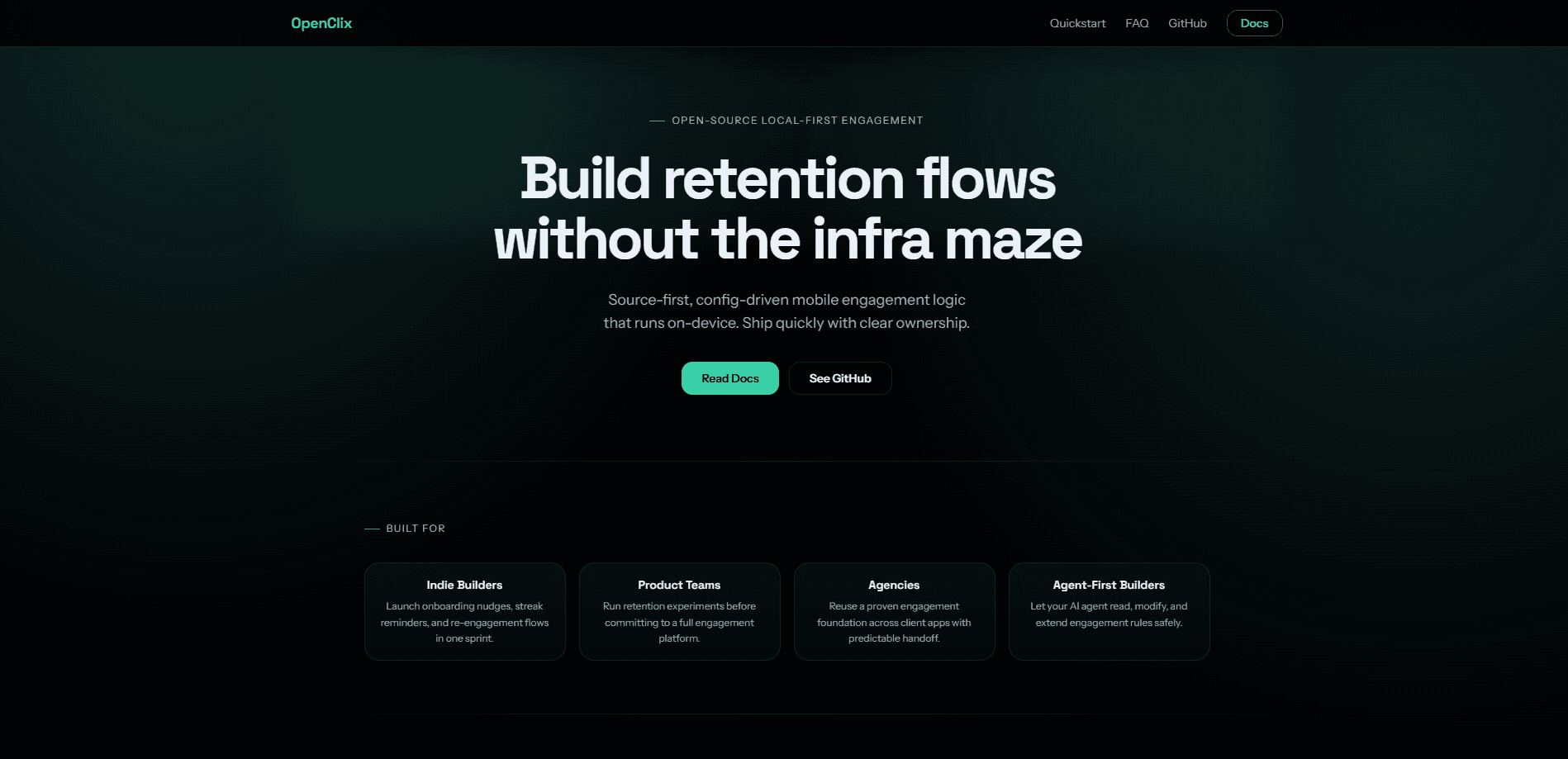
About OpenClix
What Is OpenClix
OpenClix is a source-first engagement stack for mobile apps. Instead of a hosted control plane that phones home, it runs your notification and in-app messaging rules on-device, driven by a config JSON file and the events your app already emits. The project ships under a permissive, MIT-style mindset, so you can fork it, audit it, and keep the code checked into your own repository.
The main problem it solves is setup cost. Most engagement platforms ask for an API key, a dashboard, and a backend integration before you send a single message. OpenClix skips all of that for local-first use: no hosted control plane, no auth token, and no package runtime dependency you can't inspect.
The trade-off is scope. Because the logic lives on-device, OpenClix handles local notifications and in-app messaging well, but it isn't a full remote campaign suite with server-side segmentation or cross-device orchestration. If your team needs a hosted analytics brain, you'll still want one alongside it.
Getting Started
- Install the OpenClix skills with
npx skills add openclix/openclix, then vendor the client source into your repo so every integration detail stays checked in. - Connect a config JSON file, served from app resources or over HTTPS, to the app events you already fire.
- Map those events to rules so nudges and messages react without any backend plumbing.
- Run the flows on-device and review the debug reasons OpenClix gives for each trigger.
- Iterate on the config, or let your AI agent read and extend the rules at the marked edit points.
Product Information
A quick look at OpenClix's pricing, supported platforms, and performance.
Best for
The users, tasks, and scenarios where this tool fits best.
Users
- Indie builders
- Product teams
- Agencies
Tasks
- Local notifications
- In-app messaging
- Agent-driven rule edits
Scenarios
- Launching streaks or daily-check-in reminders for a new app.
- Testing a re-engagement flow before buying a hosted platform.
- Maintaining several small client apps that share one engagement foundation.
Key features
Config-Driven Engagement Logic
Rules live in a single JSON file rather than a dashboard or database. No schema migrations. No deploy window. You point the app at that config, either bundled in app resources or fetched over HTTPS, and the engagement behavior changes on the next launch. For teams used to waiting on infra tickets, that's the whole selling point.
Local-First, No Backend Required
OpenClix runs on-device, so there's no hosted control plane and no API key for local-first use. It's plain push notification logic and in-app messaging that the app runs itself. Notifications fire from the app, which keeps latency low. The catch: anything you'd normally do server-side, like remote segmentation, isn't part of the picture.
Vendored Source, Not a Runtime Dependency
You bring the OpenClix client code into your repo as checked-in source instead of pulling it from a package registry at runtime. Read every line. Patch behavior directly. Skip the proprietary SDK lock-in. It also means you own upgrades, which is a fair trade if you value control over convenience.
Built for AI Agents
The folder structure is legible. Interfaces and schemas are explicit. The repo ships examples, fixtures, and documented edit points. An AI agent can therefore read the config, adjust a rule, and hand you a reviewable diff. Ever tried explaining your internal conventions to a coding agent? Here you don't have to. Point it at the docs and it has enough structure to work without guessing.
App Event Hooks
OpenClix reacts to events your app already emits, so you don't build a separate tracking pipeline just to drive messages. You wire those events to rules once, and the same hooks cover onboarding, streaks, and re-engagement. The debuggable reasons for each trigger make it easier to see why a message did or didn't show.
Debuggable Trigger Reasons
Every rule decision surfaces a reason you can inspect. Why did that nudge fire at 2 a.m.? Why did another one never show? Instead of blind test sends against a live backend, you trace the logic locally. Small detail, big difference when you're tuning timing for a real user base.
Pros and cons
Pros
- No backend, no API key, and no hosted control plane needed for local-first use.
- Source lives in your repo, so you can audit, fork, and patch it directly.
- Single config file keeps engagement rules in one reviewable place.
- Explicit schemas and edit points make it safe for AI agents to modify.
- Permissive, MIT-style license removes most adoption friction.
Cons
- On-device logic means no server-side segmentation or remote campaign orchestration, so cross-device campaigns aren't supported.
- You handle upgrades yourself because you vendor the source, which adds maintenance work.
- No hosted analytics dashboard ships with it, so retention reporting needs a separate tool.
Frequently asked questions
It runs mobile app retention and engagement flows, such as onboarding nudges, streak reminders, and re-engagement messages, on-device using a config file and your app's own events. It handles local notifications and in-app messaging logic without a backend.
Related content
Explore related tools, skills, and articles for OpenClix.
OpenClix Alternatives
Forefront
Forefront · CodingForefront is a web platform for building with open-source AI. It lets you fine-tune leading open-source language models on your own data, evaluate how they perform, and run them through an API or export them to host yourself. Developers who want the convenience of a closed-source platform but insist on owning their models and data are the target audience here.

Startkit
StartKit.AI · CodingStartkit is a boilerplate for building AI SaaS and AI wrapper products. Think of it as an AI startup boilerplate with the boring parts already wired up: authentication, Stripe and Lemon Squeezy payments, usage limits, transactional email, and an AI API starter that talks to OpenAI, Anthropic, Groq, or Llama. You clone the repo, set your price, and start on the part of your product that people actually pay for. It's Next.js under React and Tailwind, so most of the boilerplate code already feels familiar.
Testim
Tricentis · CodingTestim is an AI-powered test automation platform for building and running end-to-end tests across web, mobile, and Salesforce applications. It leans on machine learning to keep tests stable when an interface changes, so teams spend less time fixing broken selectors. Not bad for an automated testing tool you can start using today. You create tests by recording actions in a browser, then optionally add JavaScript when you need more control. It's a solid pick for busy QA teams.