

OpenOwl
OpenOwl · Coding · Productivity
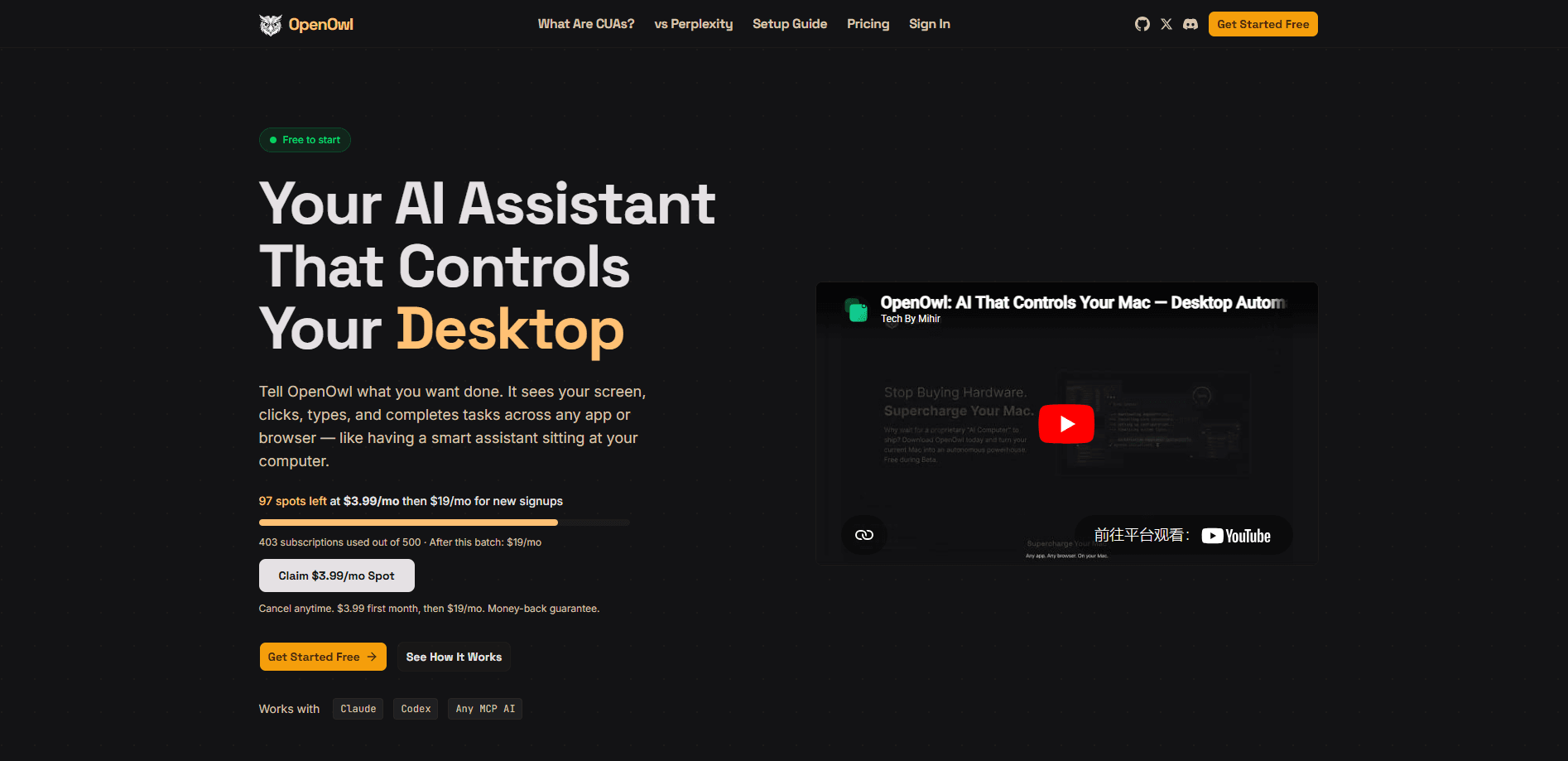
OpenOwl is a local-first AI desktop automation tool that connects your existing AI assistant to your computer's screen, mouse, and keyboard. Instead of juggling scripts or browser extensions, you describe a task in plain language and OpenOwl sees the screen, opens apps, clicks buttons, and fills forms across any desktop program or browser. It works with Claude, Codex, and any MCP-compatible AI, so you keep the assistant you already use. Think of it as a computer use agent that pairs with the chat tool you already trust.
About OpenOwl
What Is OpenOwl
OpenOwl is a desktop automation layer that sits between an AI assistant and your machine. It runs locally and exposes your screen and input controls to an AI model through the Model Context Protocol, the same open standard a growing number of assistants already speak. The idea is simple: you already talk to an AI in a chat window, and OpenOwl gives that assistant hands.
The problem it targets is the last mile of automation. Most tools stop at the browser. Anything that lives in a native app like a spreadsheet, a CRM client, or an email program stays out of reach. OpenOwl doesn't care what the window belongs to. If you can click it, the assistant can click it too. That means the awkward copy-and-paste steps between chat and app finally disappear.
There are real limits to keep in mind. OpenOwl drives your actual screen, so it takes over the cursor while a job runs. Screen-reading agents can misread dense or oddly laid-out interfaces. It's also a young product too. An app update that shifts a button a few pixels tends to break it fastest. Keep an eye on it during critical runs.
Getting Started
- Install OpenOwl with the global npm command
npm i -g openowl, then launch it on your desktop. - Connect it to your AI assistant, whether that's Claude, Codex, or another MCP-compatible tool, so the assistant can reach the local server.
- Point the assistant at a target: a specific browser tab, a desktop app window, or a whole workflow you want handled.
- Describe the task in plain language, like "find 50 leads on LinkedIn and save them to a spreadsheet," and let OpenOwl work through the steps.
- Review the summary it returns when the job finishes, then adjust the wording if anything needs a second pass.
Product Information
A quick look at OpenOwl's pricing, supported platforms, and performance.
Best for
The users, tasks, and scenarios where this tool fits best.
Users
- Founders and solo operators
- Marketing and growth teams
- Sales ops and lead gen staff
- Anyone already using Claude or Codex
Tasks
- Data entry and CRM updates
- Cross-tool workflows
- Content research
- Multi-platform publishing
Scenarios
- "Find UGC creators on Instagram who post about skincare and save their profiles to a Google Sheet" runs unattended once you've set it going.
- "Update all prices in Shopify by 10%" handles a batch edit inside a web admin panel without you clicking through every row.
- Daily repetitive chores like pulling reports, sorting inboxes, or reconciling lists between two apps.
Key features
Local-First Desktop Control
OpenOwl runs on your own machine and reads the real screen, not a cloud copy. Your apps, windows, and files stay put. The assistant acts on what's actually in front of you. That local setup matters if you work with internal tools or data you'd rather not hand to a remote service.
Works With Any MCP-Compatible Assistant
The tool speaks MCP, so it acts as MCP desktop automation for Claude, Codex, and any other assistant that supports the protocol. You connect it once and keep using the chat interface you already know. No separate dashboard to learn, and no lock-in to a single vendor's model.
Screen Vision and Input Control
OpenOwl sees the screen and then clicks, types, scrolls, and navigates like a person would. That combination is what lets it handle apps with no public API, since it works through the interface itself rather than a documented endpoint. If it can see a button, it can press it.
Plain-Language Task Execution
You don't write scripts. You describe the goal the way you'd brief a human assistant, and OpenOwl figures out the sequence of actions. It works step by step. It handles hiccups as they come up, and reports back when the task is complete.
Cross-App and Browser Coverage
Because it drives the operating system rather than a single app, OpenOwl moves freely between a browser tab, a desktop mail client, and a spreadsheet in one job. That's the part most browser-only automation tools can't do. It's also where the biggest time savings show up.
Error Handling and Task Summaries
When a step fails, OpenOwl doesn't just stop. It works through the problem and keeps going, then gives you a short summary of what it did. You get a clear record of the run instead of guessing whether the job actually finished.
Pros and cons
Pros
- Reaches native desktop apps that browser-only automation tools can't touch, so spreadsheets, CRMs, and mail clients are all fair game.
- Keeps your existing AI assistant, since it connects through MCP rather than replacing your chat tool.
- Runs locally, which suits teams working with internal systems and private data.
- Tasks are described in everyday language, so you don't need to write or maintain scripts.
- Handles errors mid-run and reports a summary, cutting down on babysitting.
Cons
- It takes over your cursor and screen while running, so you can't use the machine for anything else during a job.
- Screen-reading can misread cluttered or unusual interfaces, which means you'll want to double-check important results.
- App updates that move buttons or rename fields can break a workflow, so fragile tasks need occasional re-tuning.
Frequently asked questions
It gives an AI assistant control of your desktop. The assistant sees the screen, clicks, types, and navigates apps to complete tasks you describe in plain language, across both browsers and native programs.
Related content
Explore related tools, skills, and articles for OpenOwl.
OpenOwl Alternatives
Forefront
Forefront · CodingForefront is a web platform for building with open-source AI. It lets you fine-tune leading open-source language models on your own data, evaluate how they perform, and run them through an API or export them to host yourself. Developers who want the convenience of a closed-source platform but insist on owning their models and data are the target audience here.

Startkit
StartKit.AI · CodingStartkit is a boilerplate for building AI SaaS and AI wrapper products. Think of it as an AI startup boilerplate with the boring parts already wired up: authentication, Stripe and Lemon Squeezy payments, usage limits, transactional email, and an AI API starter that talks to OpenAI, Anthropic, Groq, or Llama. You clone the repo, set your price, and start on the part of your product that people actually pay for. It's Next.js under React and Tailwind, so most of the boilerplate code already feels familiar.
Testim
Tricentis · CodingTestim is an AI-powered test automation platform for building and running end-to-end tests across web, mobile, and Salesforce applications. It leans on machine learning to keep tests stable when an interface changes, so teams spend less time fixing broken selectors. Not bad for an automated testing tool you can start using today. You create tests by recording actions in a browser, then optionally add JavaScript when you need more control. It's a solid pick for busy QA teams.