

OpenTag
Open Curiosity, Inc. · Productivity
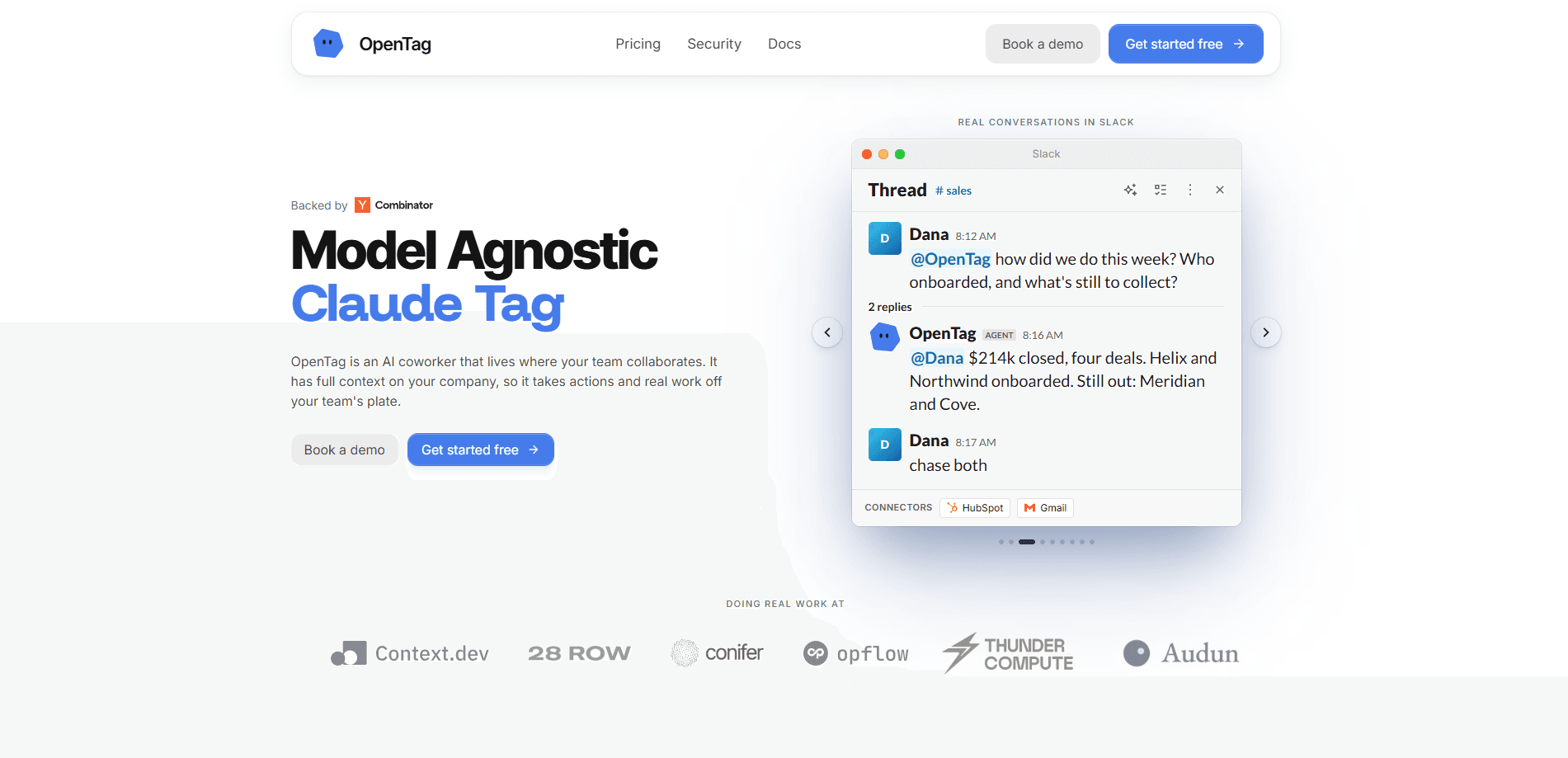
OpenTag is a model-agnostic AI assistant and AI coworker that lives inside Slack and Microsoft Teams. You @mention it in a channel, describe the job, and it picks whichever of 80-plus AI models fits the task, then runs real actions through the tools your team already connected. It works as a Slack AI teammate or a Microsoft Teams AI assistant, replying in the thread with the work and the steps behind it. Think of it as AI task automation for teams that want an AI agent working recurring jobs, not another chatbot tab to babysit.
About OpenTag
What Is OpenTag
OpenTag is an AI coworker, not a chat app you open in a browser. It sits where your team already talks, so the request and the finished work live in the same thread as the conversation. You tag it. It does the job. Then it posts back. No context switching.
The pitch is that most office work is small and repetitive. Someone pulls the Monday numbers, someone updates the refund policy, someone checks a dashboard before a meeting. OpenTag watches those patterns and, after it sees a job repeat a few times, offers to own it on a schedule. You approve once, and it runs from then on. Why would you keep doing that by hand?
The key design choice is model-agnostic routing. OpenTag doesn't lock you to one AI provider. It sends easy jobs to cheaper models and only reaches for a frontier model like Claude, GPT, or Gemini when the task actually needs it. The company claims this cuts model spend by around 70%. That's the headline number.
There's a real limit worth knowing up front. OpenTag is a Slack and Microsoft Teams product, so if your team works entirely in email or a different chat tool, there's no way to use it yet. It also spends, sends, and submits only after a person approves, which adds a check step to some workflows. Not ideal for fire-and-forget jobs.
Getting Started
- Go to the OpenTag site and start the free trial, which comes with 20,000 credits worth $200.
- Add OpenTag to Slack or Microsoft Teams and invite it into the specific channels you want it to read.
- Connect the tools it should act on, such as your task tracker or billing, and set each connection's permissions.
- Tag OpenTag in a channel with the job you want done, and review the plan it posts before anything runs.
- Approve the run, then let it report the finished work back in-thread.
Product Information
A quick look at OpenTag's pricing, supported platforms, and performance.
Best for
The users, tasks, and scenarios where this tool fits best.
Users
- Small teams sharing one AI coworker across a whole workspace, since credits pool and you don't pay per seat.
- Operations and growth staff who run the same reporting or policy jobs on repeat and want them off their plate.
- Teams already living in Slack or Microsoft Teams, because setup is just adding an app and inviting it to channels.
Tasks
- Recurring reporting
- Policy and wiki upkeep
- Investigating an issue in-thread
- Running actions across connected tools, such as updating a ticket or checking a billing figure, with an approval gate.
Scenarios
- A big project that needs extra capacity, paid for by topping up credits on demand rather than hiring.
- Early research on an unfamiliar product, where you want a summary plus the evidence behind it.
- Standing jobs like a weekly growth digest that no one wants to assemble by hand.
Key features
Model-agnostic routing across 80+ models
OpenTag sends each job to whichever of more than eighty models fits, using an internal router called Conifer. Most tagged work doesn't need a frontier model, so easy tasks go to cheaper ones and only hard requests reach Claude, GPT, or Gemini. The stated result is about 70% lower model spend compared to routing everything to a top-tier model.
Thread-native replies with evidence
When OpenTag finishes, it answers in the same thread where you tagged it, not in a separate window. It cites the sources it used and names which model handled the job, so you can check the reasoning rather than trust a bare summary. If a tool throws an error, it stops and says so instead of retrying a risky action. That's the right call for anything touching money or customer data.
Connects to your existing tools
OpenTag works through integrations scoped to the person who connected them. If you link a tool read-only, it can't write to that tool at all, and it acts with your access only on your instructions. That keeps a shared coworker from quietly using permissions a teammate granted.
Approval before anything leaves
Sending, spending, submitting, and purchasing all wait for a human to answer. OpenTag posts its plan first, and the run pauses until someone approves. Every action is audited whether a person or a policy gave the go-ahead.
It volunteers for repeating jobs
Rather than waiting to be told, OpenTag notices jobs it sees repeat and offers to own them. The third time someone pulls the Monday numbers, it can propose running the same job every Monday morning and posting to the channel, which you approve once.
Keeps your team wiki current
OpenTag reads the decisions scattered across channels, remembers them, and updates the wiki so the answer exists before anyone asks. When a policy changes, it can revise the doc and notify the people affected, as shown in its refund-policy example.
Credits that measure work, not people
Pricing runs on credits rather than seats or apps, so you pay for what OpenTag does. Simple tasks cost 25 to 75 credits, recurring jobs 125 to 375, and larger projects 500 to 1,250, with credits pooled across the workspace. That structure rewards small teams that share one coworker heavily.
Enterprise controls
The Enterprise tier adds SSO, SCIM, and audit log export, along with volume credit pricing and custom billing. It also includes a ready-to-sign DPA and security review support, aimed at teams whose security lead has to sign off.
Pros and cons
Pros
- Works where your team already talks, so there's no new app to adopt.
- Model-agnostic routing sends cheap jobs to cheap models, which the company says trims spend by around 70%.
- Approval gates and per-person permissions mean a shared coworker can't act beyond what you allow.
- Credits are shared across the workspace instead of billed per seat.
- In-thread replies name the model and cite sources, so answers are checkable.
Cons
- Slack and Microsoft Teams only, so email-first or other-chat teams can't use it.
- SOC 2 Type II is still in progress, which can stall teams that need the report before adopting.
- The approval step adds a checkpoint to fast-moving or fully automated workflows.
- No public API details are documented yet, so you can't build custom integrations yourself.
Frequently asked questions
It handles small, repeating office jobs inside team chat. You tag this AI coworker for Slack or Microsoft Teams, it routes the task to a fitting AI model, runs actions through your connected tools, and posts the finished work back in the thread.
Related content
Explore related tools, skills, and articles for OpenTag.
OpenTag Alternatives

Swms
Swms AI · Writing · Productivity · BusinessSwms is an AI safety compliance tool that turns a plain description of a job into ready-to-use safety documents. Describe your project, trade, and known hazards, and it writes a safe work method statement, job hazard analysis, safe work procedure, RAMS, or safety data sheet in seconds. It also ships with Oscar, a chat assistant that answers workplace safety questions in any language. Teams in construction, mining, transport, and warehousing use it to cut the paperwork that usually eats into a workday.

Wordly AI Translation
Wordly · Voice & Language · ProductivityWordly AI Translation is a real-time AI translation and captioning platform built for meetings, conferences, and events. It delivers live translation, captions, transcripts, and summaries in more than 60 languages, and attendees join by scanning a QR code or opening a link instead of using dedicated headsets. The platform works with Zoom, Microsoft Teams, Google Meet, and Webex, and it's designed for organizations that want multilingual access without hiring human interpreters for every session. Simple as that.

Rows
Rows (Superhuman) · Productivity · BusinessRows is an AI spreadsheet and data analysis tool that imports live data from more than 50 sources, then lets you work with it using plain language instead of SQL queries or nested formulas. You can pull numbers out of PDFs, connect ad platforms, databases, and bank accounts, and ask the AI to build reports, merge datasets, or set up models that recalculate themselves. It runs in the browser, works like a spreadsheet, and now sits under the Superhuman umbrella.