

Opus Clip
OpusClip · Video · Marketing · China AI
OpusClip is an AI video clipping tool that turns long recordings into captioned vertical shorts for TikTok, Reels, and YouTube Shorts, then schedules them for you.
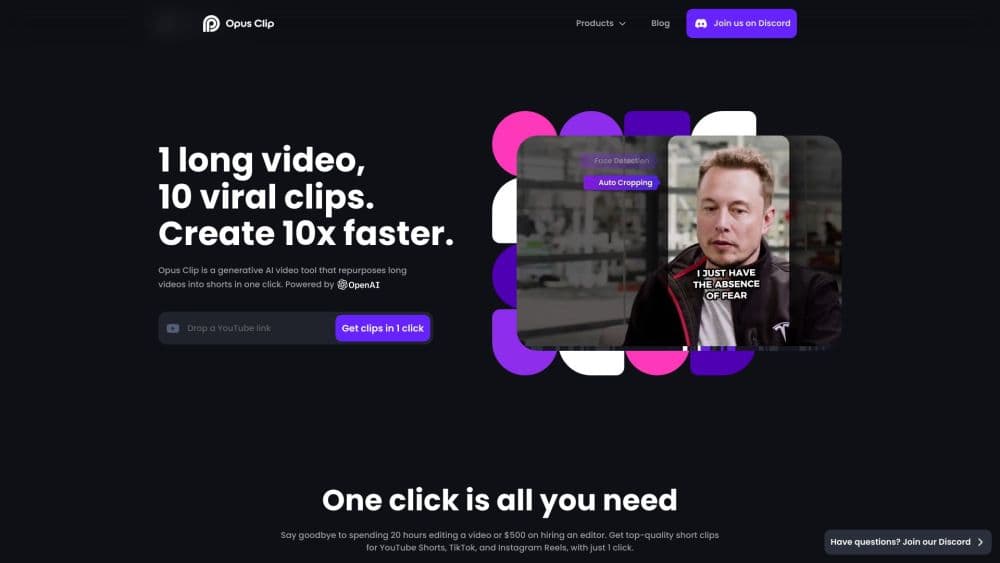
About Opus Clip
What Is OpusClip
OpusClip takes a long video and cuts it into short, ready-to-post clips. You drop in a podcast, livestream, interview, or lecture, and its AI finds the moments most likely to travel, crops them to vertical, adds animated captions, and hands back a batch of clips you can tweak or publish. The company behind it says the tool is used by more than 20 million creators and businesses.
The pitch is time. Turning a long video to shorts by hand is a slow job, and most people never finish it. OpusClip automates the first pass, so instead of scrubbing a timeline you review what the AI picked and adjust. The same workspace also handles B-roll, brand templates, and scheduling, so the whole path from raw footage to a published short sits in one place. For anyone stuck with a backlog of footage, that video repurposing is the draw.
Two things set its limits. Clip quality tracks the source: a clean recording with clear speech clips better than a noisy one. And the free tier runs on monthly credits rather than unlimited use, so heavy users end up on a paid plan.
Getting Started
- Create an account at opus.pro with an email or a social login. The free tier starts with monthly credits, and no card is needed.
- Add a video. Upload a local file, or paste a link from YouTube, Google Drive, Zoom, Vimeo, Twitch, or a public MP4 URL.
- Let the AI clip it. OpusClip picks highlight moments, reframes them to vertical, and generates captions.
- Review and edit. Trim clips, restyle captions, apply a brand template, and use the virality score to sort the strongest options.
- Export or schedule. Download clips up to 1080p, or connect your social accounts and publish to TikTok, YouTube Shorts, Instagram, and more.
Product Information
A quick look at Opus Clip's pricing, supported platforms, and performance.
Best for
The users, tasks, and scenarios where this tool fits best.
Users
- Podcasters and interview hosts
- Content creators and streamers
- Marketers and social teams
- Coaches and educators
Tasks
- Turning a long video into shorts
- Adding captions automatically
- Reframing wide footage to vertical
- Scheduling posts across platforms
- Sorting clips by likely performance
Scenarios
- Repurposing a weekly podcast
- Cutting a livestream after the fact
- Keeping a brand feed on schedule
Key features
AI Clipping With ClipAnything
ClipAnything is the model that does the actual cutting. OpusClip says it works beyond podcasts, handling vlogs, gaming, sports, interviews, and explainer videos, and that it turns them into clips in one click. You can also prompt it in plain language to aim the clip selection at a specific topic or moment, which gives you more control than a fixed automatic pass.
One-Click Reframing
ReframeAnything resizes a wide, 16:9 video to vertical for short-form platforms. It uses object tracking to keep a moving subject centered, and you can switch to manual tracking to tell the AI exactly what to follow. This matters for talking-head and sports clips, where a subject that drifts out of frame ruins the shot otherwise.
Animated Captions and Styling
Clips arrive with animated captions already in place, and a built-in editor lets you restyle them, change fonts, and color captions by speaker. You can also auto-highlight keywords and emojis. Since most viewers watch short-form with the sound off, captions carry the clip, so having them generated and editable in the same workspace removes an entire step.
Brand Templates and Customization
You can build brand templates with your own font, colors, logo, and intro and outro, then apply them to a batch of clips so everything stays on-brand. Custom media and asset libraries let you reuse fonts and footage. This is the feature that makes the tool workable for teams producing content at volume, rather than one-off posts.
Social Scheduling and Publishing
OpusClip works as a social media scheduler as well as a clipper., TikTok, Instagram, Facebook, LinkedIn, X, Pinterest, Threads, and Bluesky. You can publish in one tap or schedule clips to go live later, and the scheduler spreads posts across time. That turns clipping into a fuller workflow instead of a file you export and move somewhere else.
API and Workflow Integration
OpusClip has an API that lets you plug its clipping engine into your own tools and automate video creation in a content pipeline. A video editing API and a scheduler API are available on business plans, along with a Zapier integration. It's aimed at teams who want clip generation to run inside their existing CMS or workflow rather than through the web app.
Team Workspace
A team workspace lets a group manage projects together and share templates and assets. Member seats are sold in packs, and the business plan raises processing limits with a dedicated queue. For agencies and marketing teams, this is what keeps the output consistent when several people touch the same account.
Pros and cons
Pros
- Clips arrive ready to post, with the captions and framing that make viral shorts land, so the busiest editing steps happen before you open the file.
- The reframing keeps moving subjects in frame, which is the part most tools get wrong on talking-head and sports video.
- Captions, brand templates, and scheduling live in the same workspace, so you avoid stitching together several apps.
- You can prompt the clip selection in plain language instead of accepting a fixed automatic pass.
- An API and Zapier support mean the clipping can run inside an existing content pipeline.
- The free tier gives you monthly credits to test the core workflow before paying.
Cons
- The free tier runs on monthly credits. Once they're used up, you wait for the reset or upgrade, which interrupts regular posting.
- Clip quality depends on the source audio. Noisy recordings or heavy accents can produce captions that need cleanup.
- The AI picks moments to a formula, so you still review every clip. It speeds up the first pass, it doesn't replace editorial judgment.
- The strong team and API features sit on higher plans, so solo users pay for capacity they may not use.
Frequently asked questions
OpusClip turns a long video into short, vertical clips with captions, ready for TikTok, Reels, and YouTube Shorts. You upload a recording or paste a link, and its AI finds the key moments, reframes them, adds captions, and returns a batch you can edit or publish.
Related content
Explore related tools, skills, and articles for Opus Clip.
Opus Clip Alternatives

ngram 2.0
ngram · Video · Marketingngram 2.0 is an AI video generator for teams. It turns a prompt, a screen recording, or a product URL into a narrated explainer, product demo, or AI avatar video, and every scene stays editable.

OpenScreen 2
OpenScreen (open-source project) · Video · ProductivityOpenScreen 2 is a free, open-source screen recorder and demo video editor for Windows, macOS, and Linux, with automatic zooms, styled frames, local captions, and agent edits.

Skreno
Skreno · Video · ProductivitySkreno is a browser screen recorder that captures a tab, a window or your whole display, then attaches AI transcripts, summaries and console logs to one share link.