

Orchestra
Orch, Inc. · Productivity
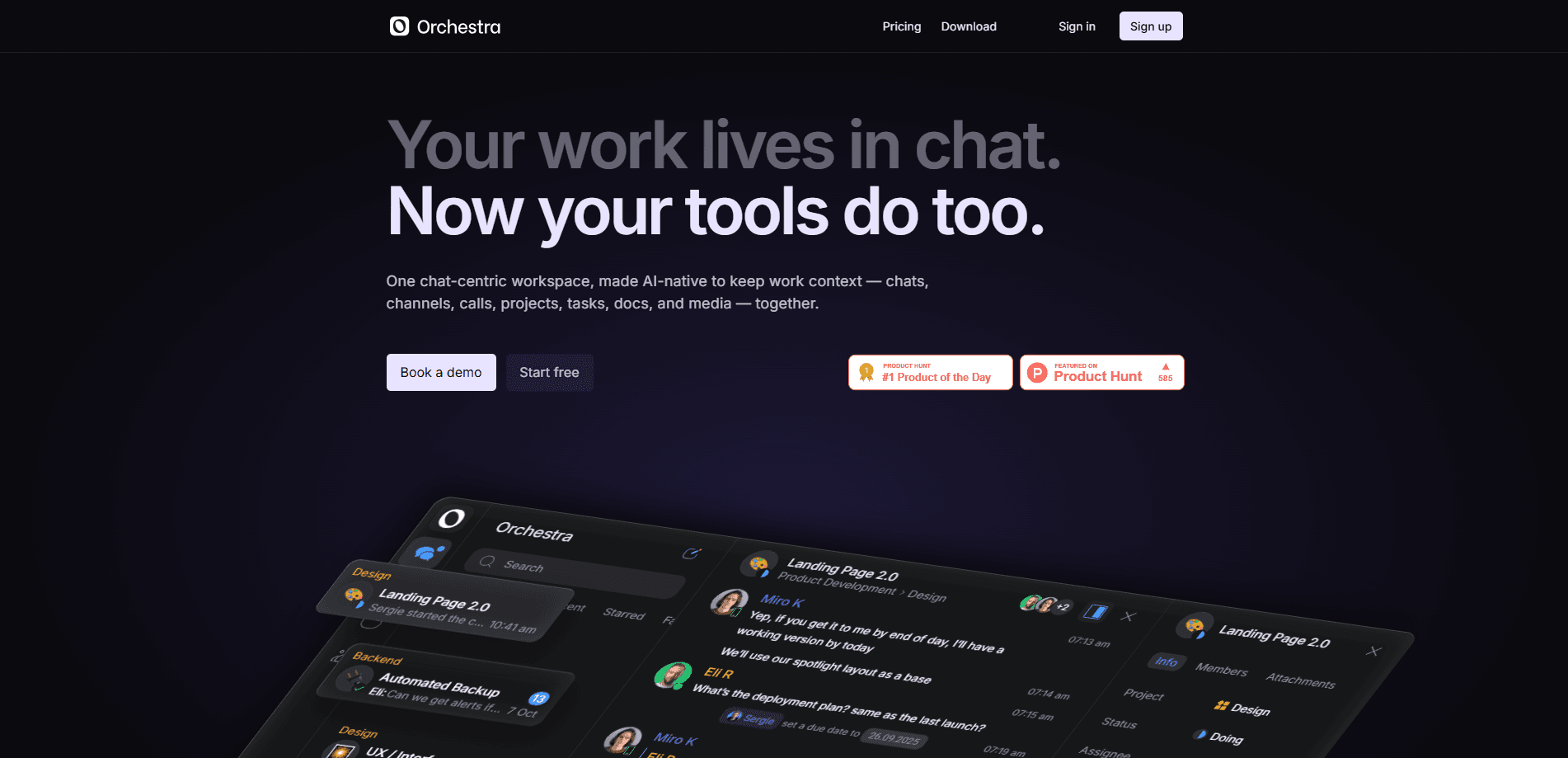
Orchestra is a chat-centric workspace that folds team messaging, task tracking, project management software, and AI help into a single app. Instead of splitting a conversation across Slack and its follow-up to-dos across Trello, you keep both in one thread. The product targets small and mid-sized teams that feel buried by tool-switching and want conversations and work to live in the same place.
About Orchestra
What Is Orchestra
Orchestra is a team collaboration app built around one stubborn idea: chats and tasks belong together. In most offices the two are divorced. You discuss a deadline in one app, then recreate it in another, and somewhere in between the file, the owner, and the actual decision get lost. Orchestra pulls messaging, projects, files, and an AI assistant into the same window.
The platform positions itself as a replacement for the usual stack of Slack, Google Chat, or MS Teams on the messaging side, plus Trello, ClickUp, or Asana on the task side, which is a blunt promise aimed squarely at teams tired of paying for four separate subscriptions to move one project forward. That consolidation is the whole pitch. Fewer tabs. Fewer copy-paste moves. A shorter path from "we should do this" to "it's assigned and tracked."
The catch? Consolidation cuts both ways. Teams already locked into a deep Slack or Notion setup face a real migration cost, and a young product won't match the integration libraries those tools have built over a decade. Orchestra is made by Orch, Inc., and offers an Android app through Google Play alongside its web product.
Getting Started
- Sign up for an account on the Orchestra site or install the Android app from Google Play.
- Create a workspace, then invite teammates by email so they join the right project from day one.
- Spin up a project, set its hierarchy for a team or department, and add custom fields for status, deadlines, and assignees.
- Start a chat tied to a task, drop in the files and details, and hit the button to convert any message into a trackable task.
- Bring in an AI bot when you want a hand summarizing or drafting inside the conversation.
Product Information
A quick look at Orchestra's pricing, supported platforms, and performance.
Best for
The users, tasks, and scenarios where this tool fits best.
Users
- Small teams juggling chat and task apps
- Project leads who live in conversations
- Startups without an entrenched tool stack
Tasks
- Turning a chat decision into an assigned task
- Running a project from a single panel
- Getting quick AI help mid-conversation
Scenarios
- A product team planning a sprint
- A client-facing group coordinating a deliverable
- A distributed team across time zones
Key features
Chats Built Around Work
Orchestra's interface is a messenger, but one designed with work in mind. Projects and tasks get dedicated chats, and only relevant members are added to each one, so there's no confusion about who owns what. The result is a message feed that stays work-relevant instead of drifting into general chatter. It works well.
Turn Any Message Into a Task
A single button converts a message into a task that stays in the chat. That small move matters more than it sounds: follow-ups no longer vanish into a saved-messages folder, and the context behind a to-do stays attached to it. It's the clearest example of the chat-plus-task idea in practice. One click. No lost context.
Built-In Project and Task Panel
The project panel and task tracker live inside the chat rather than in a separate app. You arrange tasks, create new ones, and communicate in one place, with views that filter and organize work by status, owner, or whatever matters to you. Custom fields let you tailor descriptions, deadlines, assignees, and statuses to how your team actually works.
Custom Project Hierarchy
Teams can build a custom project hierarchy for a team, a department, or personal use. That structure keeps larger organizations from flattening everything into one endless list. It also lets one workspace serve several groups without them stepping on each other.
AI Bots in the Chat
AI bots sit inside conversations as helpers. Instead of switching to a separate AI tool, you ask for a summary or a draft right where the discussion is happening. The bots act as an in-chat assistant rather than a standalone product, which fits the app's goal of keeping context in one thread so that the person asking the question and the answer they get both stay attached to the work they belong to.
Search, Starred Messages, and Smart Folders
Quick search finds any work detail, starred messages keep key info within reach, and smart folders organize your work feed automatically. These tools decide whether a busy workspace stays usable after a few months of real use. Skip them and the mess returns. That's the point.
Pros and cons
Pros
- Messaging and task management share one interface, which removes the copy-paste step between talking about work and tracking it.
- Converting a message to a task keeps the original context attached, cutting down on lost follow-ups.
- Custom fields and project hierarchies let teams shape the tool to their own workflow.
- An Android app means you can keep up from a phone, not just a desktop browser.
Cons
- No API is documented, so teams that need to connect Orchestra to other systems may be stuck without automation.
- As a newer product, it lacks the large integration library that Slack or Notion users rely on, which raises switching friction.
- Orchestra pricing isn't clearly published on the site, so you may need to contact the team to confirm what a paid seat costs.
Frequently asked questions
Orchestra is a chat-centric workspace that combines team messaging, task tracking, and project management in one app. Its goal is to stop conversations and the work they produce from living in separate tools.
Related content
Explore related tools, skills, and articles for Orchestra.
Orchestra Alternatives

Swms
Swms AI · Writing · Productivity · BusinessSwms is an AI safety compliance tool that turns a plain description of a job into ready-to-use safety documents. Describe your project, trade, and known hazards, and it writes a safe work method statement, job hazard analysis, safe work procedure, RAMS, or safety data sheet in seconds. It also ships with Oscar, a chat assistant that answers workplace safety questions in any language. Teams in construction, mining, transport, and warehousing use it to cut the paperwork that usually eats into a workday.

Wordly AI Translation
Wordly · Voice & Language · ProductivityWordly AI Translation is a real-time AI translation and captioning platform built for meetings, conferences, and events. It delivers live translation, captions, transcripts, and summaries in more than 60 languages, and attendees join by scanning a QR code or opening a link instead of using dedicated headsets. The platform works with Zoom, Microsoft Teams, Google Meet, and Webex, and it's designed for organizations that want multilingual access without hiring human interpreters for every session. Simple as that.

Rows
Rows (Superhuman) · Productivity · BusinessRows is an AI spreadsheet and data analysis tool that imports live data from more than 50 sources, then lets you work with it using plain language instead of SQL queries or nested formulas. You can pull numbers out of PDFs, connect ad platforms, databases, and bank accounts, and ask the AI to build reports, merge datasets, or set up models that recalculate themselves. It runs in the browser, works like a spreadsheet, and now sits under the Superhuman umbrella.