

Orlo
Orlo · Productivity
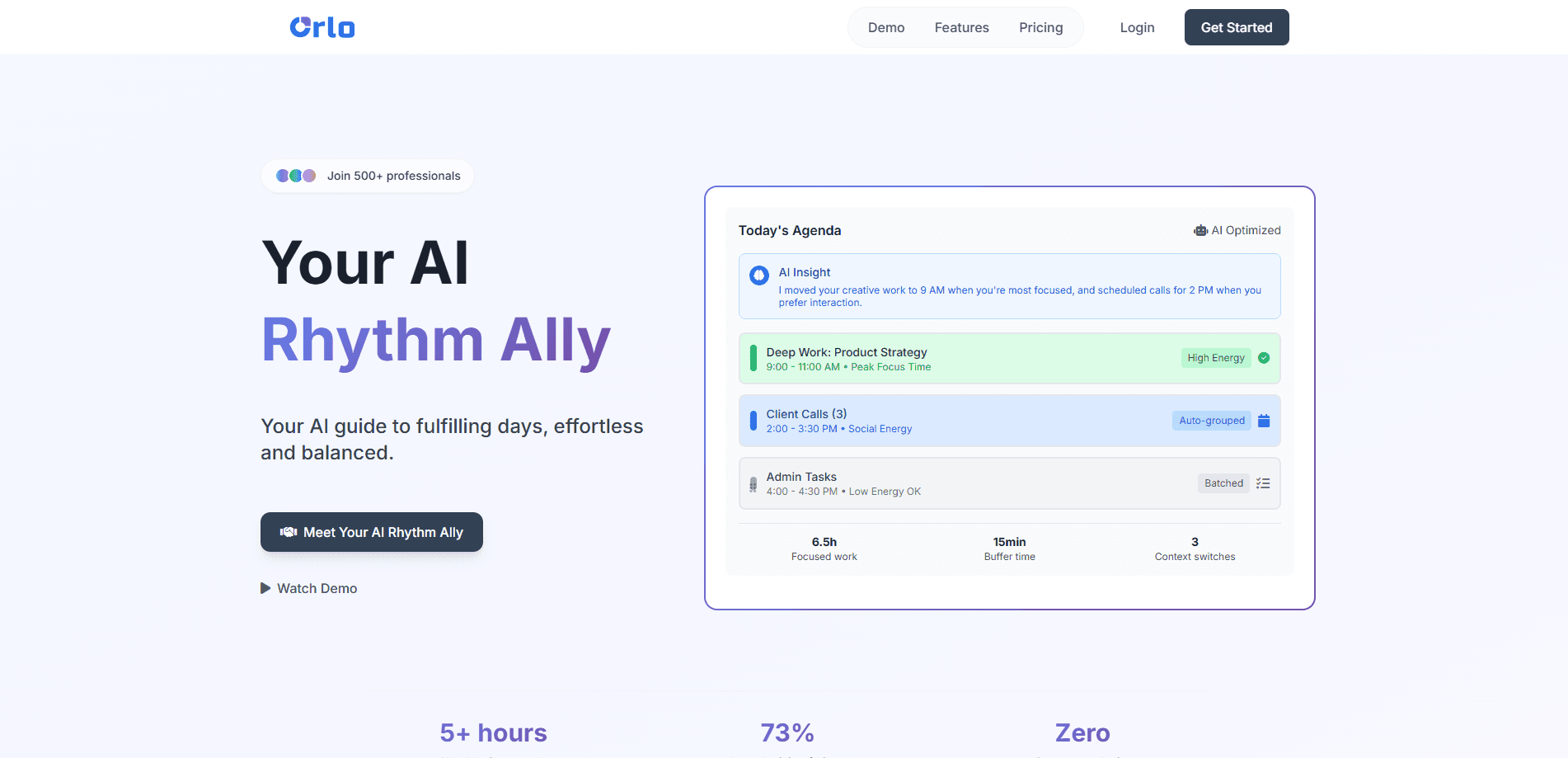
Orlo is an AI scheduling assistant that turns your goals into a daily rhythm instead of a bottomless to-do list. So what does that look like in practice? It drafts your week, protects your peak hours, and redraws the plan the moment something slips. It combines a calendar, timeboxing, and AI planning so you can draft a full week in about 30 seconds. Need to reshuffle? One click. It runs in the browser and installs on iOS, Android, and desktop, with a free tier and a Pro plan at $8/month.
About Orlo
What Is Orlo
Orlo is a timeboxing app with an AI planner bolted on, and it's built around the idea that your energy, not your task count, should decide your schedule. You drop tasks and goals in, and the AI drafts a week that protects your peak hours for hard work and pushes admin into the low-energy slots. It wears two hats at once: a calendar you actually live in, and a coach that nudges you when a day is drifting.
The problem it targets is real. Most people don't fail at planning because they lack a list. They fail because Sunday-night planning is a slog and the plan breaks by Tuesday. Orlo handles both ends, generating a starter week fast and then rebuilding it with one click when a client call lands or a deadline moves.
There's a catch worth knowing up front. Orlo isn't a full replacement for a shared team calendar, and some of its smarter memory and coaching features sit behind the paid tier. The free plan caps you at 50 active tasks, 50 quick captures, 2 goals, and 30 days of history. If you plan solo and want a system that adapts, that's fine. If you need sprawling team scheduling, look elsewhere.
Getting Started
- Go to my.orlo.cc and create an account. No credit card is needed to start, and the free tier gives you full access to the core suite.
- Add a few goals and the tasks that move them forward. The AI uses these, plus your deadlines and past pace, to judge what fits.
- Open the planner and let Orlo generate a week. It balances deep work against admin and flags tasks that look too big to finish in one sitting.
- Install the app on your phone or desktop for offline access and faster loading, then work the day from the timeboxed view.
- When life interrupts, hit Re-plan Week and let the AI rebuild the schedule around the new priority.
Product Information
A quick look at Orlo's pricing, supported platforms, and performance.
Best for
The users, tasks, and scenarios where this tool fits best.
Users
- Freelancers juggling several clients
- Solo founders and indie developers
- Students and remote workers
Tasks
- Weekly planning
- Brain dumping
- Breaking down big projects
Scenarios
- Sunday-night planning sessions
- Mid-week chaos
- Protecting deep work
Key features
AI Week Planning
The planner generates a full week from your goals, deadlines, and energy patterns in roughly 30 seconds. It aims to balance demanding deep work with lighter admin, so you get a realistic starting point rather than an optimistic wish list.
Daily Rhythm
Orlo structures the day from a morning kickoff to an evening close, with gentle AI prompts in between. The point is to keep you oriented around what matters most, so you spend less time deciding what to do next.
Quick Capture
Type a thought and let the app handle the rest. Quick Capture takes a raw note and turns it into a scheduled task, which is handy when ideas land mid-meeting or mid-chore. The free plan includes 50 captures.
Smart Suggestions
As you work, Orlo notices patterns and speaks up. It might ask whether a task looks big enough to split, or suggest moving a heavy job off a low-energy Friday afternoon onto a better day.
Task Intelligence
Big tasks get broken down automatically. Task Intelligence splits, refines, and schedules the pieces, which lowers the odds that a vague project sits untouched for weeks because nobody defined the first step.
Auto Re-scheduling
When a plan falls apart, one click rebuilds it. Orlo reorganizes the whole week around the new priority while trying to respect the boundaries and routines you set, so a single surprise doesn't wreck the month.
Guided Reflection
The daily close and planning flow include reflection prompts that keep you honest about what actually got done. Combined with Pro's permanent history, that record shows where your time really goes.
Pros and cons
Pros
- Generates a usable week plan in about 30 seconds, which removes the hardest part of planning.
- Ties scheduling to energy patterns instead of task count, so deep work gets the good hours.
- One-click re-planning handles the interruptions that usually break a weekly plan.
- Available on web, iOS, Android, and desktop with offline support and no credit card to start.
- Free tier covers the core suite, so you can test the system before paying.
Cons
- The free plan is capped at 50 active tasks, 50 captures, 2 goals, and 30 days of history, which gets tight fast.
- Continuous memory and deep coach insights sit behind the $8/month Pro plan.
- It's built for personal planning, so teams needing shared calendars will find it limited.
- No public API is documented, which rules out custom integrations for now.
Frequently asked questions
Orlo is an AI scheduling assistant that turns your goals into a timeboxed daily plan. It drafts your week, protects your high-energy hours for hard work, and re-plans everything when something changes.
Related content
Explore related tools, skills, and articles for Orlo.
Orlo Alternatives

Swms
Swms AI · Writing · Productivity · BusinessSwms is an AI safety compliance tool that turns a plain description of a job into ready-to-use safety documents. Describe your project, trade, and known hazards, and it writes a safe work method statement, job hazard analysis, safe work procedure, RAMS, or safety data sheet in seconds. It also ships with Oscar, a chat assistant that answers workplace safety questions in any language. Teams in construction, mining, transport, and warehousing use it to cut the paperwork that usually eats into a workday.

Wordly AI Translation
Wordly · Voice & Language · ProductivityWordly AI Translation is a real-time AI translation and captioning platform built for meetings, conferences, and events. It delivers live translation, captions, transcripts, and summaries in more than 60 languages, and attendees join by scanning a QR code or opening a link instead of using dedicated headsets. The platform works with Zoom, Microsoft Teams, Google Meet, and Webex, and it's designed for organizations that want multilingual access without hiring human interpreters for every session. Simple as that.

Rows
Rows (Superhuman) · Productivity · BusinessRows is an AI spreadsheet and data analysis tool that imports live data from more than 50 sources, then lets you work with it using plain language instead of SQL queries or nested formulas. You can pull numbers out of PDFs, connect ad platforms, databases, and bank accounts, and ask the AI to build reports, merge datasets, or set up models that recalculate themselves. It runs in the browser, works like a spreadsheet, and now sits under the Superhuman umbrella.