
Outfit Changer AI
Outfit Changer, Inc. · Image
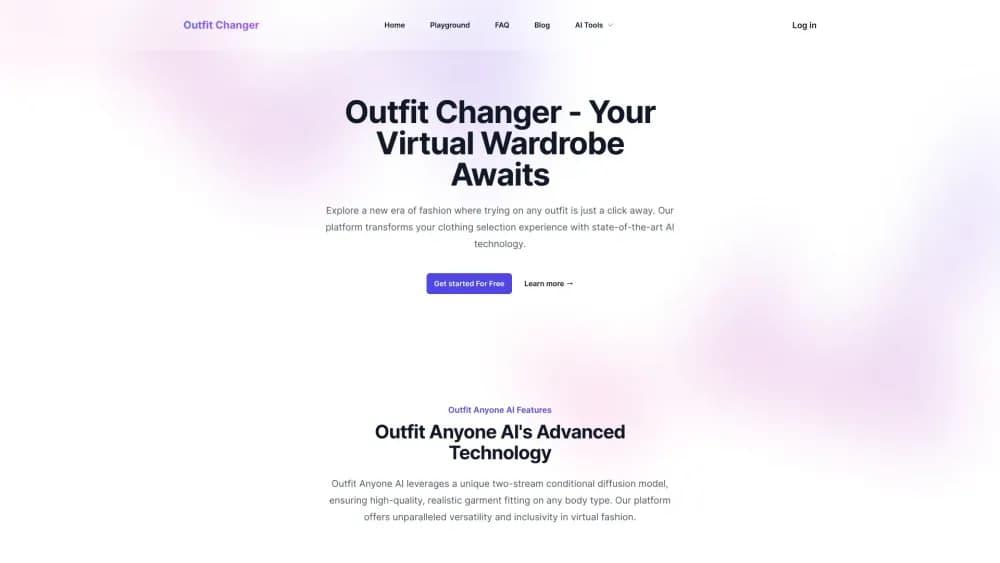
Outfit Changer AI is a browser based virtual try-on tool that puts a different garment on your photo or a model shot, with a free trial and credit plans starting at $19.9 per month.
About Outfit Changer AI
What Is Outfit Changer AI
Outfit Changer AI is a web app from Outfit Changer, Inc. that changes the clothes in a photo. You supply a person image and a garment image, and the model redraws the person wearing that piece while keeping the pose, face, and background intact. The site also runs a face swap tool, an AI outfit generator, and a full body mode under the same account.
The appeal is speed. Photographers, small apparel sellers, and people shopping online can see how a garment looks on a real body without a fitting room, a model booking, or a reshoot. The brand traces its model to the two-stream conditional diffusion approach popularized by Alibaba's Outfit Anyone research, and it states plainly on the site that it isn't affiliated with Alibaba Group.
Limits show up fast. Output is credit metered, the free tier is a narrow trial, the service doesn't provide an API, and the official FAQ says generated images aren't cleared for commercial use. Paid plans are also non-refundable under the published terms.
Getting Started
- Open outfitchanger.com in a desktop or mobile browser and sign in as a guest or with an account.
- Pick the Outfit Changer app from the navigation, then choose a preloaded model image or upload your own photo.
- Upload the garment you want to see, ideally a clean front-facing shot of the item on a plain background.
- Adjust the fitting settings and press generate, then review the result in the before and after view.
- Spend credits on variations if the first render misses details, and save the ones you keep to your history.
Product Information
A quick look at Outfit Changer AI's pricing, supported platforms, and performance.
Best for
The users, tasks, and scenarios where this tool fits best.
Users
- Online shoppers
- Small apparel sellers
- Photographers and retouchers
Tasks
- Outfit swap on an existing photo
- Testing a look before a purchase
- Outfitting animation or character art
Scenarios
- Building a small seasonal catalog on a tight budget
- Redoing a client look after a style change
- Personal styling experiments
Key features
Two-Stream Diffusion Garment Transfer
The engine follows the two-stream conditional diffusion design from the Outfit Anyone research, where one stream models the person and the other models the garment before they're combined. In practice this is what keeps a striped shirt striped and a jacket's trim intact instead of dissolving into a generic garment shape. It's the core of the product, and every other mode sits on top of it. The outfitanyone ai release made the same two-stream setup famous, and it's also why the market knows the underlying method as an AI clothes changer rather than a simple filter.
Model Library and Your Own Photos
The free tier includes four preloaded models and you can upload your own image on paid plans. Preloaded models cover fit, curve, and petite body types, so you can test a piece across silhouettes without recruiting friends for a shoot. Uploading your own photo is the better route when the goal is seeing the garment on a specific person.
Post-hoc Refiner for Detail and Texture
After the first pass, a refinement step adds fabric texture and fine detail to the garment. The difference shows up in seams, buttons, and fabric weight, which are the places where cheaper try-on outputs usually fall apart. It doesn't fix a poor garment source image, so a flat well-lit shot of the item still matters more than any setting.
Full Body Mode
Full body mode extends the frame to the whole figure, which is the mode you want for dresses, suits, and anything where shoes and hemlines matter. It's gated behind paid plans. Cropping the person too tightly in the source photo is the usual reason results look off in this mode.
History and Batch Review
Every render is saved to a history panel tied to your account, so you can return to earlier attempts and compare versions side by side. When you're testing several garments on the same person, that record is the difference between a deliberate comparison and redoing work. It also makes it easier to track which credit spend produced a usable image.
Adjacent Tools on the Same Account
The site bundles a face swap app, a general AI image generator, and several image models such as Nano Banana Pro and Flux 2 behind the same login. Credits are shared across the account, which helps if a project needs both a garment swap and a background change. It also means a big image generation run can eat the credits you budgeted for try-ons.
Pros and cons
Pros
- Handles garment detail well when the source image is clean, keeping trim, stripes, and texture rather than smearing them.
- Works in a browser on desktop and phone, so there is nothing to install before a test render.
- The free tier includes four models and a few renders, which is enough to judge output quality before paying.
- Credits are shared with the face swap and image generator tools, so one subscription covers several related tasks.
Cons
- Credits run out faster than the monthly allowance suggests, since each variation and each failed render costs the same as a keeper.
- The official FAQ rules out commercial use of generated images, which undercuts the main reason a seller would subscribe.
- No API is offered, so there's no way to plug the try-on step into a store or a batch pipeline.
- Paid plans are non-refundable and the yearly discount only pays off if you stay for the full term.
Frequently asked questions
It takes a photo of a person and a photo of a garment and produces a new image of that person wearing the garment. The face, pose, and background stay mostly as they were, and you review the result in a before and after view.
Related content
Explore related tools, skills, and articles for Outfit Changer AI.
Outfit Changer AI Alternatives

X Ray Interpreter
X-ray Interpreter · ImageX Ray Interpreter is a web-based AI radiology tool that turns X-rays, CT scans, MRI, ultrasound, and PET images into plain-language reports. You upload a scan, get a preliminary X-ray interpretation in moments, then ask follow-up questions if something needs explaining. It works as a second opinion and a learning aid, not as a medical diagnosis.

Aieasypic
AIEasyPic · ImageAIEasyPic is an AI image generator that turns plain text prompts into finished artwork in seconds. You can also train custom models on your own photos, swap faces in existing images, and create short video clips from text, all from a browser. It suits casual creators who want quick visuals and hobbyists who want to build a personal model without touching any code.

Chargen
Chargen · ImageChargen is an AI character generator and worldbuilding toolkit built for Dungeons & Dragons and other tabletop RPGs. It turns a one-line idea into a painted character portrait, spins up NPCs, monsters, maps and encounters from the same session, and keeps every creature's details close at hand. The tabletop RPG art side runs on a credit system called Gold, while the text generators stay free for everyone.