

Outpaint
Outpaint · Video
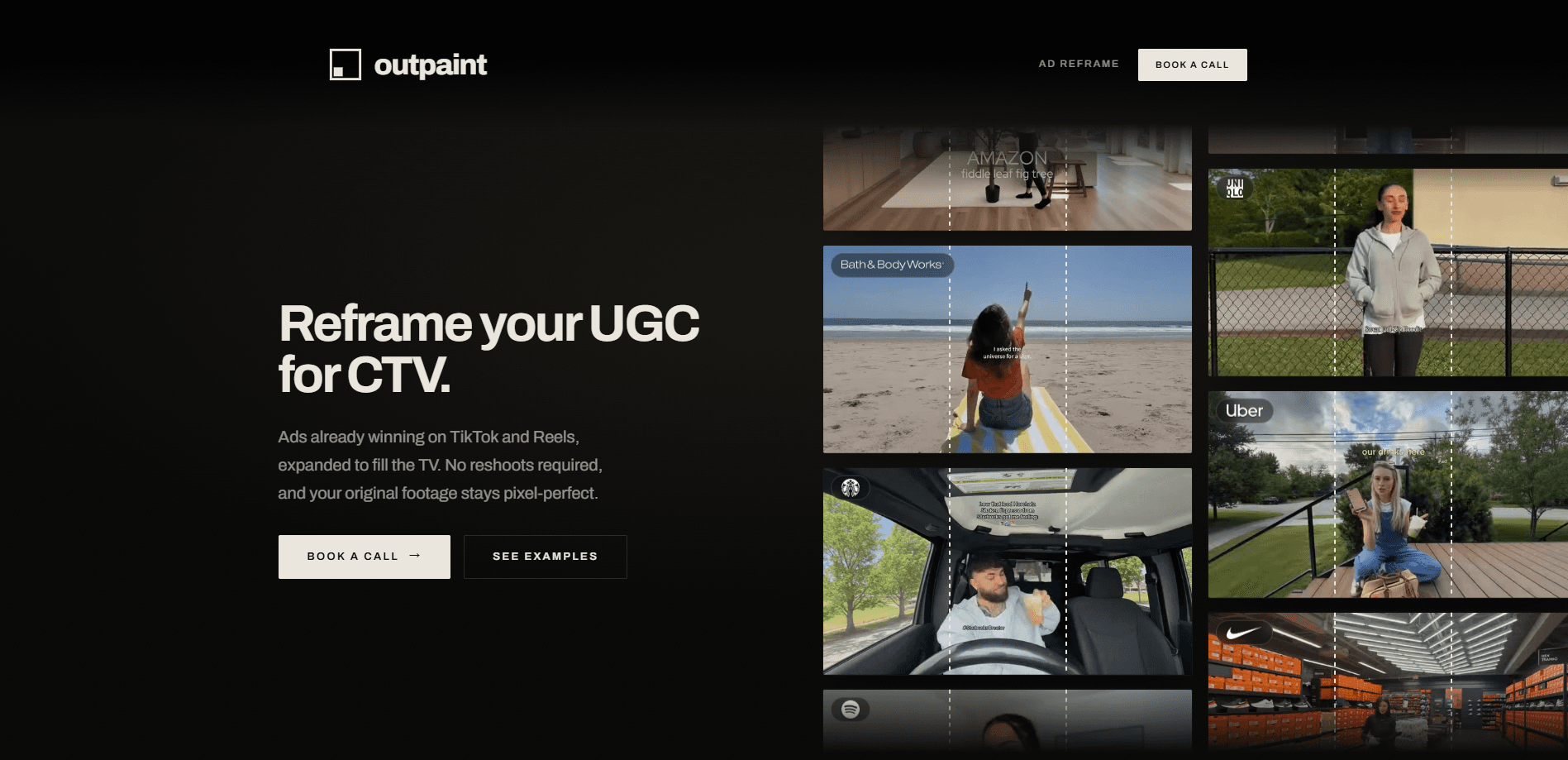
Outpaint is a done-for-you video outpainting service that expands footage into a new aspect ratio without touching the original frame. You send a clip. They send back a reframed cut, with the original pixels left exactly where they were and only the area outside the frame generated. For brands and agencies, its main job is aspect ratio conversion: turning vertical UGC ads into full-frame 16:9 spots for connected TV and YouTube. No reshoot required.
About Outpaint
What Is Outpaint
Outpaint is a service that expands video beyond its original edges using AI video reframing. The trick is what it leaves alone. When a vertical clip lands on a 16:9 screen, most tools fall back on pillarboxing or blurring the sides. Outpaint instead generates new content around your frame, so the result looks built for the screen rather than padded to fit it.
The pitch is simple. Your footage is already winning on TikTok and Reels. Don't reshoot it for TV. Send the clip you have and get a reframed version back that holds the same creative feel. That matters most for performance marketing teams who want to test on connected TV without booking a crew or waiting on an agency production cycle.
There's a real limit worth knowing. This isn't a self-serve app with a sign-up and a dashboard. It's a hands-on service, which means you deal with a human team for each job rather than clicking through a checkout and waiting on an automated queue. Pricing isn't published either. That means you'll need to talk to them before you know what a campaign costs. If you need instant automated output under your own control, the API route is the better fit.
Getting Started
- Send your footage by uploading a video file or pasting a link. Any format, length, or resolution works.
- Tell the team the target frame you need, such as 16:9 for connected TV, 1:1 for a feed, or something wider.
- Let them outpaint the new area around your original frame.
- Get the final cut back in days, ready to publish in your chosen format.
- If you're running this at volume, ask about API access for automated video reframing.
Product Information
A quick look at Outpaint's pricing, supported platforms, and performance.
Best for
The users, tasks, and scenarios where this tool fits best.
Users
- Performance marketers
- Brand and agency producers
- Creative teams working at volume
Tasks
- Reframing vertical UGC into 16
- Converting a finished social ad to a feed or square format
- Expanding footage into unusual canvases
Scenarios
- A brand with a proven UGC spot wants a TV version before a media buy
- An agency testing connected TV for the first time
- A team repurposing one campaign across screens
Key features
Original footage stays pixel-perfect
The core guarantee is that every original pixel stays exactly where it was. Outpaint only generates the area outside your frame. So the part viewers already know isn't re-rendered or softened. For ads where the talent and product shots are locked, that means no surprises in the section that carried the performance.
No reshoot, no timeline work
You don't open an editor, keyframe a mask, or run plugins. Send the clip and the frame you want. A final cut comes back. That removes the crew, the location, and the production cycle that usually make a TV version of a social ad too expensive to justify.
Any ratio to any ratio
The service handles 9:16 vertical, 1:1 square, 16:9 widescreen, 21:9 ultrawide, 1.43 IMAX, and even 180° fisheye or 360° equirectangular output. Output can go up to 16K at any frame rate and color space, so the same source can feed a feed placement and a TV buy without separate masters.
Built for CTV performance
On Outpaint's own comparison, reframed frames held attention at 73 percent and kept viewers watching at 83 percent, versus 57 and 75 for pillarboxed video and 66 and 74 for blurred. Those are the vendor's numbers, not an independent test. Still, the gap points at the real problem with repurposed vertical video on TV. Padded or blurred edges read as lower production value. That's the whole reason this service exists.
API access for scale
For teams running many assets, an API is available for automated video reframing. That turns the send-and-return workflow into something you can wire into your own pipeline instead of handling clips one at a time. It's the difference between a one-off TV test and a repeatable channel. Send a hundred clips, not one.
Pros and cons
Pros
- Keeps the original frame untouched, so proven creative isn't altered in the part that already works.
- Skips reshoots entirely, which removes the main cost barrier to putting a social ad on CTV.
- Handles an unusually wide range of output ratios, from square feeds to IMAX and 360.
- Turnaround is measured in days, fast enough to test a channel before a big media commitment.
Cons
- No published pricing, so you can't budget a campaign without contacting the team first.
- It's a managed service rather than self-serve, which means every job goes through a human and adds a wait.
- Public performance figures come from Outpaint itself, so treat the attention and retention lifts as vendor claims until you run your own test.
Frequently asked questions
It expands video beyond its original edges so the same clip fits a different aspect ratio. That's aspect ratio conversion, done for you. Your original footage stays intact, and only the space around the frame is generated. So why does this matter? Brands use it most often to turn vertical UGC ads into 16:9 spots for connected TV, where a padded or blurred frame reads as cheap production.
Related content
Explore related tools, skills, and articles for Outpaint.
Outpaint Alternatives

ngram 2.0
ngram · Video · Marketingngram 2.0 is an AI video generator for teams. It turns a prompt, a screen recording, or a product URL into a narrated explainer, product demo, or AI avatar video, and every scene stays editable.

OpenScreen 2
OpenScreen (open-source project) · Video · ProductivityOpenScreen 2 is a free, open-source screen recorder and demo video editor for Windows, macOS, and Linux, with automatic zooms, styled frames, local captions, and agent edits.

Skreno
Skreno · Video · ProductivitySkreno is a browser screen recorder that captures a tab, a window or your whole display, then attaches AI transcripts, summaries and console logs to one share link.