

Parallel Code
Parallel Code · Coding
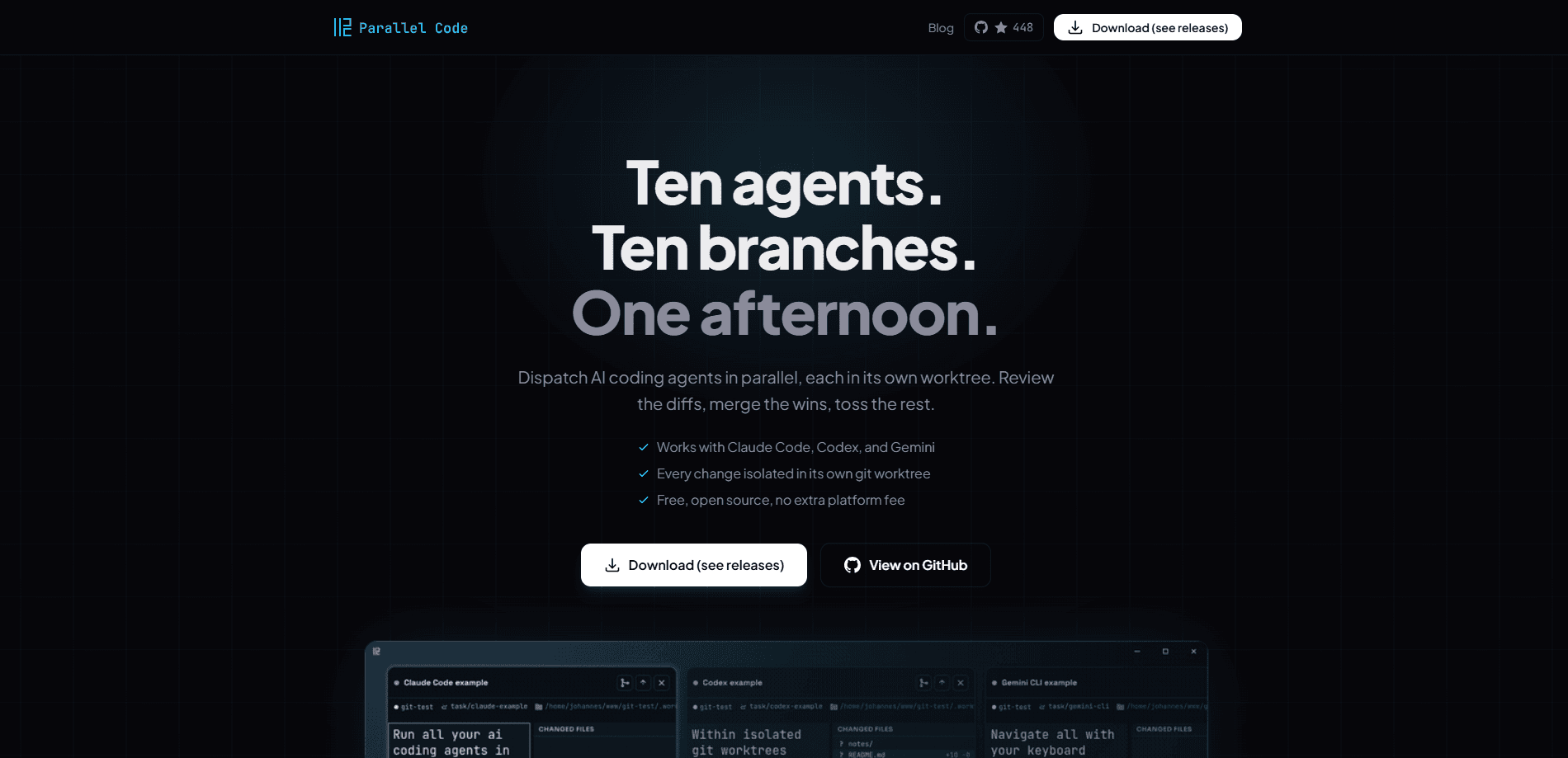
Parallel Code is a free, open source desktop app for developers who run AI coding agents like Claude Code, Codex CLI, and Gemini CLI. It dispatches several agents at once, gives each one its own git branch and worktree, and lets you review the diffs before merging anything back to main. Stop babysitting one agent. Run the whole fleet. If you've been watching a single agent crawl through tasks, this changes the shape of your day.
About Parallel Code
What Is Parallel Code
Parallel Code is a native desktop application that turns parallel AI coding into a real workflow instead of a juggling act. The problem it solves is simple: modern AI agents write believable code fast, but running them one after another wastes the hours you spend waiting. Parallel Code runs several at the same time in isolated copies of your repo, so a slow task earns its keep in the background while you move on.
It doesn't try to be your editor. You keep VS Code, Cursor, JetBrains, or Sublime, and Parallel Code handles the agents, branches, and worktrees behind the scenes. The app runs actual terminal CLIs rather than a tidy wrapper, so what you see matches what you'd get in your own terminal, quirks included. That sounds like a small thing. It isn't. A wrapper that hides what the agent actually ran is worse than useless when a task breaks. It's MIT licensed, and your API keys stay on your machine, since nothing is proxied or collected.
The main limitation is that it manages git isolation, not the agents themselves. Agents still share a repo history, so overlapping edits can collide and you'll settle those during review. It also assumes you're comfortable with git branches and worktrees, which makes it a poor fit for anyone who'd rather not think about version control at all. Skip it if that's you.
Getting Started
- Download the desktop app for your platform and open it, or grab the source from the project's GitHub page.
- Point it at an existing git repository, or create one, so tasks have somewhere to branch from.
- Describe the task you want built and pick which agent to use, such as Claude Code, Codex CLI, or Gemini CLI.
- Let the agent work in its own branch and worktree, then repeat for as many tasks as you want running at once.
- Review each diff in the sidebar and merge the ones you're happy with back to main.
Product Information
A quick look at Parallel Code's pricing, supported platforms, and performance.
Best for
The users, tasks, and scenarios where this tool fits best.
Users
- Solo developers who run AI coding agents daily and want several tasks moving at once instead of one at a time.
- Small teams with a backlog of small tickets, since six agents can chew through six tasks in an afternoon.
- Developers already invested in an editor like VS Code, Cursor, or JetBrains who don't want to switch tools.
- Anyone chasing flaky tests or slow refactors that can run in the background while other work continues.
Tasks
- Dividing a backlog
- Running a slow job in the background
- A/B testing an approach
- Experimenting safely
Scenarios
- A Friday afternoon backlog sprint where you dispatch six small tasks and merge the winners before the weekend.
- Keeping a long refactor moving in one worktree while you ship a hotfix in another.
- Reviewing changes from your phone over Wi-Fi or Tailscale when you're away from the desk.
- Pairing one productive agent with a second one poking at a test suite that keeps failing.
Key features
Parallel agent dispatch
The core idea is running many AI coding agents at once instead of one after another. Each task gets its own agent session, so ten agents can work on ten branches with no waiting in line. You set the tasks. The app keeps them from stepping on each other's working copies. This open source coding tool lives or dies on that isolation, and it holds up.
Isolated git worktrees per task
Every task gets its own git branch and worktree automatically. Agents write into separate copies of your repo, so one task never overwrites another's files. When changes do overlap, the conflicts surface during review rather than silently corrupting your tree.
Bring your own agent
Parallel Code doesn't lock you to one vendor. It works with Claude Code, Codex CLI, Gemini CLI, Copilot CLI, and Antigravity CLI, letting you match the agent to the task. That's a real advantage when one agent handles reasoning better and another moves faster on boilerplate.
Bring your own editor
The app manages agents and worktrees while your existing editor handles the code. Keep VS Code, Cursor, JetBrains, or Sublime without learning a new environment. Nothing about your setup has to change to adopt it.
Diff-first review and merge
Reviewing is built into the flow. You inspect the diff, check which files changed, and merge back to main from the sidebar with one click when you're satisfied. Changes you don't like get tossed instead of merged, which keeps your main branch clean and keeps a half-finished experiment from quietly becoming part of your shipped code. That's the point. Nothing lands without your say-so.
Real terminals, not a wrapper
The app runs actual terminal CLIs inside a native desktop interface. What you see is exactly what your own terminal would show, not a web-style abstraction. So why does that matter? Because when a task breaks, you need to trust what an agent actually ran. A pretty wrapper that hides the command hides the bug.
Keyboard-first and phone-ready
Every action has a keyboard shortcut, so the mouse is optional. Scan a QR code and monitor agent terminals from your phone over Wi-Fi or Tailscale. Leave the desk. Keep watching.
Free and open source
There's no extra subscription layered on top. Parallel Code is MIT licensed, and your API keys stay yours because nothing is proxied or collected. You pay your agent providers directly and nothing else.
Pros and cons
Pros
- Turns parallel AI coding from a hack into a workflow with automatic branch and worktree isolation.
- Works with the agents and editors you already use, including Claude Code, Codex CLI, and VS Code.
- Free and open source under MIT, with no platform fee and no proxying of your API keys.
- Diff-first review keeps you in control, so only the changes you approve reach main.
- Keyboard shortcuts and phone monitoring make it easy to supervise several tasks.
Cons
- No Category value applies here, so the product's classification is thin and you'll judge fit by workflow rather than a label.
- Agents share one repo history, so overlapping edits can still conflict and you'll resolve them by hand during review.
- It assumes comfort with git branches and worktrees, which adds a learning curve for developers who avoid version control.
Frequently asked questions
It runs several AI coding agents at the same time, each in its own git branch and worktree, then helps you review the diffs and merge the changes you want. Think of it as a control room for parallel agents rather than another code editor.
Related content
Explore related tools, skills, and articles for Parallel Code.
Parallel Code Alternatives
Forefront
Forefront · CodingForefront is a web platform for building with open-source AI. It lets you fine-tune leading open-source language models on your own data, evaluate how they perform, and run them through an API or export them to host yourself. Developers who want the convenience of a closed-source platform but insist on owning their models and data are the target audience here.

Startkit
StartKit.AI · CodingStartkit is a boilerplate for building AI SaaS and AI wrapper products. Think of it as an AI startup boilerplate with the boring parts already wired up: authentication, Stripe and Lemon Squeezy payments, usage limits, transactional email, and an AI API starter that talks to OpenAI, Anthropic, Groq, or Llama. You clone the repo, set your price, and start on the part of your product that people actually pay for. It's Next.js under React and Tailwind, so most of the boilerplate code already feels familiar.
Testim
Tricentis · CodingTestim is an AI-powered test automation platform for building and running end-to-end tests across web, mobile, and Salesforce applications. It leans on machine learning to keep tests stable when an interface changes, so teams spend less time fixing broken selectors. Not bad for an automated testing tool you can start using today. You create tests by recording actions in a browser, then optionally add JavaScript when you need more control. It's a solid pick for busy QA teams.