
Parseflow
Devkonic · Image · Coding · Productivity
ParseFlow is a macOS document parsing app that turns PDFs into structured data with a local AI model. It runs offline, needs no subscription, and exports results as CSV, JSON, or Excel.
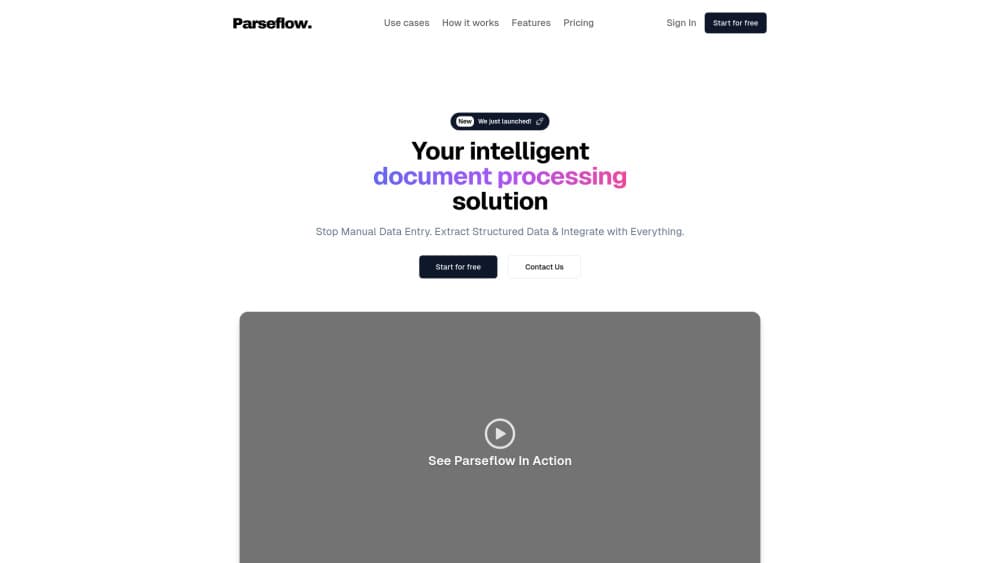
About Parseflow
What Is ParseFlow
ParseFlow is a PDF data extraction app for macOS. You hand it a stack of documents, tell it what fields you want, and it returns rows you can open in a spreadsheet. Invoice data extraction, receipts, bank statements, contracts, and forms all work, because you define the fields rather than picking from a fixed list.
The app runs on your own Mac. A local AI model reads each PDF on device through Apple's Metal GPU, so no document gets uploaded to a server. There's no telemetry and no analytics, and the privacy panel in the app lists network activity so you can confirm nothing leaves the machine. After a one-time model download of roughly 3GB, it keeps working with the Wi-Fi off.
Two things shape how you use it. The app reads native text PDFs, scanned pages through Apple's Vision OCR, and fillable forms, but it leans on your Mac's chip, so it wants an Apple Silicon machine (M1 or later) with 8GB of RAM. And it's sold as a one-time purchase rather than a subscription, which matters if you parse documents every month and don't want a per-page bill.
Getting Started
- Buy the app, install it on your Mac, and let it download the AI model (about 3GB) from Settings on first launch
- Define a schema: name the fields you want, like invoice number, date, line items, or totals, in the visual editor
- Drag up to 100 PDFs into the window and let the local model process them in the background
- Review each result side by side with the original PDF, check confidence scores, and edit any field the model got wrong
- Export the finished data as CSV, JSON, or Excel, and reuse the same schema on future documents
Product Information
A quick look at Parseflow's pricing, supported platforms, and performance.
Best for
The users, tasks, and scenarios where this tool fits best.
Users
- Accountants and bookkeepers
- Small business owners drowning in paperwork
- Legal and admin staff
- Privacy-conscious professionals in healthcare, government, and finance
Tasks
- Turn invoices into a spreadsheet
- Extract receipt totals and dates
- Mine contracts for key terms
- Read scanned and form PDFs
- Ask a PDF a question
Scenarios
- Month-end bookkeeping
- A client document you can't upload
- Scanning old paper records
- Working with no internet
- One-off document chores
Key features
On-device AI processing
ParseFlow runs a local AI model on your Mac, so documents never leave the machine. The model is Gemma 3, Google's open multimodal model, executed through llama.cpp with Metal GPU acceleration. For anyone handling contracts or client records, keeping parsing on a laptop removes the cloud upload step cloud tools require.
Offline operation
After a one-time model download of about 3GB, the app works without an internet connection. You can turn off Wi-Fi and keep parsing, which suits planes, secure rooms, or sites with restricted networks. Offline PDF extraction also means a slow connection or a service outage can't stall your work.
Custom extraction schemas
You define what to pull, not the other way around. The visual schema editor lets you name fields like invoice number, line items, dates, and totals, then save the setup as a reusable template. One schema can run against thousands of documents, so setups for recurring paperwork take minutes rather than a script.
Batch processing up to 100 PDFs
ParseFlow takes up to 100 PDFs in one drop and processes them in the background. Define a schema once and it applies across the whole batch, with progress shown in real time. That turns a folder of monthly invoices into a single pass instead of a document-by-document chore.
Side-by-side review and editing
Every extraction is checked against the original. Click a field to see its confidence score, edit values inline when the model slips, and save with one click. The review step matters for scanned pages and unusual layouts, where no parser is perfect and a human glance catches the miss.
Chat with your PDFs
You can drop a PDF and ask questions about it in plain language, covering totals, dates, party names, or anything else in the file. The local model answers on device, and sessions aren't saved, so a quick question doesn't turn into stored data.
Export to CSV, JSON, and Excel
Finished data leaves the app in the format your next tool expects. Export to CSV for a spreadsheet, JSON for a script or database, or Excel for a report. A results view lets you filter by status, search by filename or extracted value, and bulk-export, in light or dark mode.
One-time purchase, no per-page fees
ParseFlow sells for €17.99 once, with a €34.99 tier that adds priority support. Updates are included, and there are no per-page charges or usage limits. ParseFlow pricing installs on any of your personal Macs, which separates it from cloud extractors that bill every month.
Pros and cons
Pros
- Documents stay on your Mac, so confidential PDFs never get uploaded to a server
- One-time price of €17.99 avoids the €30 or more per month a cloud parser charges
- Works offline after the model download, useful on planes and in restricted networks
- Batch of 100 PDFs with a reusable schema saves retyping on recurring paperwork
- Runs natively on macOS via Tauri and Apple's frameworks, so it feels like a regular Mac app
Cons
- Apple Silicon and macOS 13 are required, so Intel Macs and older systems are out
- The first launch needs a roughly 3GB model download, and there's no free trial to test output first
- No API, so the app handles documents on the desktop and won't slot into an automated server pipeline
Frequently asked questions
ParseFlow extracts structured data from PDFs on a Mac. You define the fields you want, drop in the documents, and it returns rows you can export as CSV, JSON, or Excel, all processed by a local AI model.
Related content
Explore related tools, skills, and articles for Parseflow.
Parseflow Alternatives

Tractionwave
TractionWave · Image · MarketingTractionWave is an AI attention heatmap tool for static ads. Upload a PNG or JPG and it returns predicted attention, ranked hotspots, and fixes before you spend budget.

Imejis.io
Imejis.io · Image · MarketingImejis.io is an AI design studio for agents and marketing teams. Describe an image in plain words, and it writes the copy, builds the layout, reflows it to every size, then exports a finished file.

Layoutr
Van Dijk Ontwikkeling · Image · China AILayoutr is a browser floor plan tool that scales your own plan, places furniture at true size, shows the room in 3D and renders it with AI.