

PassiveShorts
PassiveShorts · Video
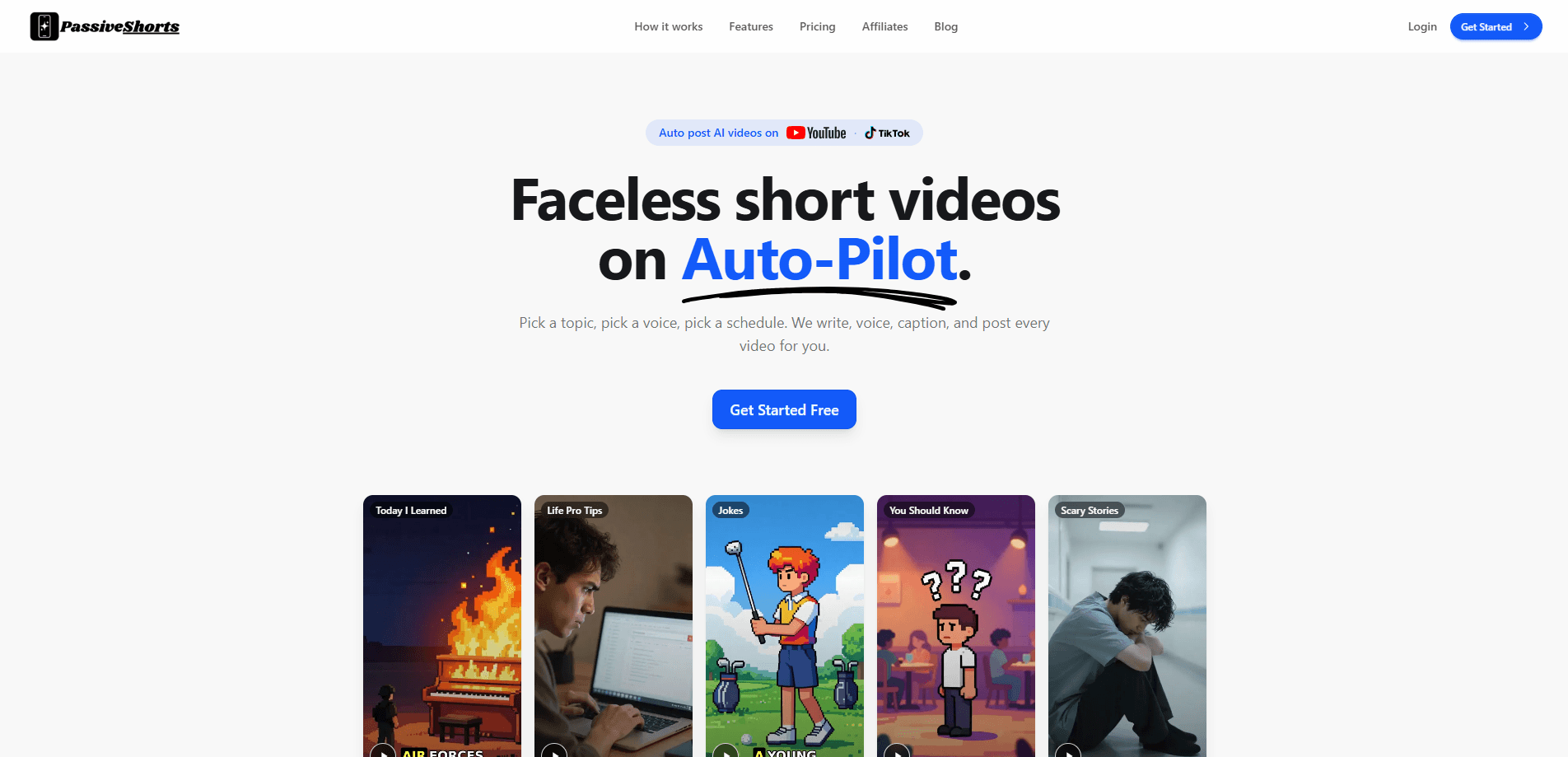
PassiveShorts is an AI faceless video generator that turns a topic choice into a finished short video and posts it to your YouTube or TikTok channel on autopilot. You pick a niche, a visual style, and a voice; the platform writes the script, generates images, records the voiceover, burns in captions, and publishes on your chosen schedule. It's an AI shorts generator built for creators who want a channel that keeps posting without them sitting in an editor every day.
About PassiveShorts
What Is PassiveShorts
PassiveShorts is a web-based studio for running faceless short-form channels. Instead of scripting, filming, or editing each clip yourself, you define a series once and let the platform produce and publish new videos on repeat. The pitch is simple: pick a topic, pick a voice, pick a schedule, and walk away.
The main problem it solves is consistency. Faceless channels live or die on posting cadence, and most people quit because editing eats their evenings. PassiveShorts removes that step. It automates the whole pipeline, so a single tool now covers scripting, narration, and upload. It also handles the visual side, generating a matching AI image for each line and a TikTok photo slideshow maker for the slideshow format.
The biggest limit is control. You choose from preset topics, visual styles, and caption looks rather than building every frame by hand, so creators who want pixel-level direction will feel boxed in. It also leans on the TikTok and YouTube channels you connect. The tool is only as useful as the accounts you're willing to link. That's a real constraint for anyone who wants to run a channel without handing over posting access.
Getting Started
- Create a free PassiveShorts account and connect your YouTube or TikTok channel.
- Choose a niche from the ready-made topics such as Scary Stories, Jokes, or Life Pro Tips, or write your own custom topic.
- Pick a visual style from the 19 presets and a voice from the AI voice library.
- Set your posting schedule, then decide whether videos go public, stay private, or land in your TikTok drafts.
- Let the platform generate the script, voiceover, visuals, and captions, then publish automatically or on your schedule.
Product Information
A quick look at PassiveShorts's pricing, supported platforms, and performance.
Best for
The users, tasks, and scenarios where this tool fits best.
Users
- Faceless channel owners
- Solo creators with a day job
- Agencies running multiple channels
Tasks
- Producing narrated shorts and AI voiceover videos
- Building a TikTok photo slideshow maker workflow
- Automated video posting
Scenarios
- Launching a faceless niche channel
- Keeping an existing channel active
- Testing several themes at once
Key features
Automatic posting to YouTube and TikTok
Connect your channels once and PassiveShorts covers the auto post videos TikTok YouTube step for you. Each video goes out on schedule. No manual uploads. You can push videos live as public or private, or send them to your TikTok drafts when you want to review before they go out.
Fully automatic video series
A series is a topic, a style, and a schedule bundled together. Pick something like Scary Stories, set it to post daily, and the platform churns out fresh episodes without further input. Want to run more than one? You can run up to 10 series side by side across different topics or accounts.
Narrated videos with per-line visuals
For scripted video, PassiveShorts delivers a matching AI image for every line of narration, then layers in lifelike voices and word-by-word captions. You can paste your own script or let the tool write one. It's a faceless video maker that covers the narration and the visuals in one pass.
TikTok photo slideshows
Beyond narrated clips, the platform builds TikTok photo slideshows. You can upload your own images or generate them from a prompt, then set font, size, color, and background on every slide. Slideshows cost images from a separate budget, so they never eat into your video allowance.
19 visual styles
From Photorealistic and Cinematic to Anime, Kurzgesagt, and Claymation, the style presets let you match a look to your niche without design skills. No design background needed. You can also let the platform auto-pick a style for you.
Custom caption styles and natural voices
Start from six ready-made caption presets, or fine-tune fonts, colors, outlines, animations, and word highlights. Voices come from a library of lifelike options, so each series keeps a consistent, on-brand sound.
Pros and cons
Pros
- Handles the full pipeline, from script and voiceover to visuals, captions, and upload, so you never touch an editor.
- Auto-posting to YouTube and TikTok means your channel keeps posting even on days you're busy.
- Per-series pricing is predictable: Basic runs $19/mo and Pro runs $39/mo, and you only add series you actually want.
- The 19 visual styles and slideshow mode cover more ground than most single-purpose faceless tools.
- Yearly billing charges ten months instead of twelve, so you get two months free.
Cons
- Control is limited to presets, so creators who want frame-by-frame direction won't get it.
- It depends on connected TikTok and YouTube accounts, so a channel hiccup or policy issue can stall your posting.
- Pricing is per series, and running several adds up fast compared with flat-rate editors.
- There's no public API, so teams hoping to wire PassiveShorts into their own tools are out of luck.
Frequently asked questions
It's an automated video posting tool that generates and posts faceless short videos for you. You choose a topic, style, and voice, and it writes the script, creates an image for each line, records a voiceover, adds captions, and publishes to your YouTube or TikTok channel.
Related content
Explore related tools, skills, and articles for PassiveShorts.
PassiveShorts Alternatives

Vadu AI
Vadu AI · Image · VideoVadu AI is a web-based AI video generator that turns written prompts or still images into short clips, and it can also generate images on its own. You type what you want, pick a model and style, and the platform renders the result in minutes. A free plan covers light testing, while paid tiers run from $9 to $77.40 per month based on how many credits you burn.

Mykaraoke Video
MyKaraoke Video · VideoMykaraoke Video is an online karaoke video maker and lyric video maker that turns any song into a finished, lyrics-synced video right in your browser. It handles the slow part for you. The AI pulls vocals out of the mix and locks the lyrics to the beat, then lets you customize background, fonts, and colors before exporting in 1080p MP4. If you make lyric videos for social media, party nights, or music promotion, it skips the software installs and manual timing work entirely. Want a karaoke video generator that doesn't eat your whole evening? That's the pitch here.

Finalframe
Finalframe · VideoFinalframe is a set of free, browser-based tools for grabbing exact frames out of a video clip. Its best-known feature, the Final Frame Extractor, lets you extract the last frame of any video so you can use it as the starting image for AI video tools like Luma Dream Machine, Runway, or Kling. Want to keep a clip going? That last frame is your starting point. The tool runs locally in your browser, needs no sign-up, and costs nothing. A separate paid AI video-generation app from the same team is currently offline while it's rebuilt.