

Peachly AI
Wolf Consulting LLC · Marketing
Peachly AI is an AI advertising platform that turns your website link into Facebook, Instagram, and Google Ads campaigns, with human reviewers checking every ad before it goes live.
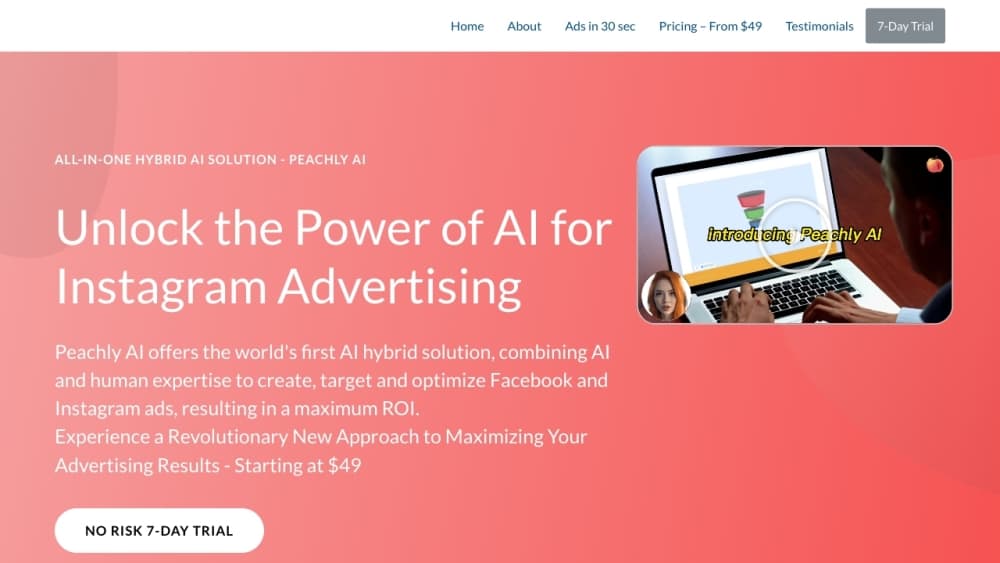
About Peachly AI
What Is Peachly AI
Peachly AI is a web platform from Wolf Consulting LLC that builds and runs paid campaigns for small businesses. You paste a website link, connect an ad account, and the system writes the ad copy, generates the visuals, suggests audiences, and keeps adjusting the live campaign. The site describes the product as an AI ad generator with a review desk attached: the model does the volume work, and a person signs off before anything spends money.
The appeal is the price and the speed. A freelance media buyer or a small agency retainer costs far more per month than the $29 weekly Starter plan, and the company claims a campaign can go live in about 30 seconds. Its targeting and copy suggestions come from patterns found in roughly 526,000 ads the company says it analyzed, so the output leans on what already performed rather than starting from a blank page.
The limits matter just as much. Peachly AI covers three ad platforms, not the long tail of TikTok, LinkedIn, or programmatic display. Billing runs weekly rather than monthly. There's no public API, so you can't wire it into your own dashboards or build a custom workflow on top of it. And the performance numbers on the marketing pages are the vendor's own, not an independent audit.
Getting Started
- Create an account at peachlyai.xyz and start the 7-day trial. No credit card is required for the trial.
- Paste your website link. The system reads your products, offers, and brand tone, then drafts a campaign angle.
- Connect your Facebook Ads, Instagram Ads, or Google Ads account and set a budget.
- Review the AI ad copy, the generated visuals, and the suggested audience. A human reviewer checks the set before launch.
- Publish, then watch the dashboard. The AI adjusts bids and creative as click and conversion data comes in.
Product Information
A quick look at Peachly AI's pricing, supported platforms, and performance.
Best for
The users, tasks, and scenarios where this tool fits best.
Users
- Small business owners running a first paid campaign
- Solo founders and e-commerce sellers
- Small agencies handling several brands
Tasks
- Drafting AI ad copy in bulk
- Producing ad visuals without a shoot
- Watching live campaigns
Scenarios
- A product launch week
- Seasonal promotions
- Testing a new market or audience
Key features
Campaigns Built From Your Website Link
The starting point is a URL, not a blank editor. Peachly AI crawls your site, pulls out products, pricing, and tone, then proposes campaign structure, copy, and creative in one pass. For a small catalog this removes most of the setup work. For a business with a complicated offer, plan on rewriting the angle yourself, because the model reads what's on the page and nothing else.
AI Ad Copy Across Three Networks
The copy engine produces headlines, primary text, and descriptions sized for Facebook Ads, Instagram Ads, and Google Ads placements. It draws on patterns from the ad library the company assembled, so phrasing tends toward proven direct-response shapes rather than experimental writing. Output is a starting draft. The brand voice still needs a human pass, especially if your category has compliance rules.
Generated Visuals Instead of Stock Photos
Image and short video assets are generated for each campaign, which means you don't need a photographer or a stock subscription. Visuals are built to match the product and the platform's aspect ratios. Quality lands in the decent range for social feeds. A brand with strict art direction will likely retouch or replace some of it.
Audience Targeting Suggestions
The platform analyzes behavior and demographic signals in your category and suggests interest, lookalike, and geographic targeting. Suggestions update as campaign data comes in. This is the part that saves the most time for someone without media buying experience, and the part to double-check if you already know your audience well.
Human Review Before Anything Goes Live
Every ad set passes an advertising professional before launch, checking claims, platform policy, and brand fit. That review is the clearest difference from a pure AI tool, and it's the reason the company calls the model a hybrid. Turnaround adds a step to the 30-second promise, so treat the instant launch claim as the drafting speed, not the publish time.
PeachyCopy and InspoChat
Two bundled tools fill the gaps around campaign work. PeachyCopy holds 165+ copywriting templates for ads, social posts, and email, with unlimited generation and its own image tool. InspoChat is a chat assistant for campaign ideas, angles, and strategy questions, available around the clock. InspoChat ships with the middle and top plans.
Pros and cons
Pros
- The hybrid model puts a human on every ad, which lowers the risk of a policy rejection or an off-brand claim going live.
- Weekly billing at $29 to $99 matches how small advertisers actually spend, with no annual contract to sign.
- The website-link onboarding is genuinely fast. You can see a full campaign draft the same day you sign up.
- PeachyCopy adds 165+ templates and unlimited copy generation, which covers social posts and email beyond the ad units.
- The 7-day trial needs no credit card, so testing the workflow costs nothing.
Cons
- Three platforms only. If your budget goes to TikTok, LinkedIn, or display, this tool can't run those campaigns.
- Weekly billing adds up. The Starter plan works out to roughly $116 a month, more than several monthly-priced competitors.
- No public API means no custom integrations, no automated reporting into your own stack, and no bulk account management outside the dashboard.
- The AI reads your site, not your sales calls or margin data, so campaign angles can miss the real reason customers buy.
Frequently asked questions
It plans, writes, and runs paid ads on Facebook, Instagram, and Google. You supply a website link and a budget, the AI produces copy, visuals, and targeting, a human reviews the set, and the platform keeps adjusting the live campaign.
Related content
Explore related tools, skills, and articles for Peachly AI.
Peachly AI Alternatives

Tractionwave
TractionWave · Image · MarketingTractionWave is an AI attention heatmap tool for static ads. Upload a PNG or JPG and it returns predicted attention, ranked hotspots, and fixes before you spend budget.

OpenSEO - AI Visibility
EveryApp · Coding · Marketing · BusinessOpenSEO is an open source SEO platform for keyword research, backlinks, rank tracking, site audits, and AI visibility, with usage-based pricing and MCP access for AI agents.

Plugins Radar
Plugins Radar · Marketing · BusinessPlugins Radar tracks where your ChatGPT plugin ranks in directory and in-chat search, which competitors outrank it and what changed, with hourly checks on 9,885 listings.