
Persona
Ticket To The Moon, Inc. · Image · Video
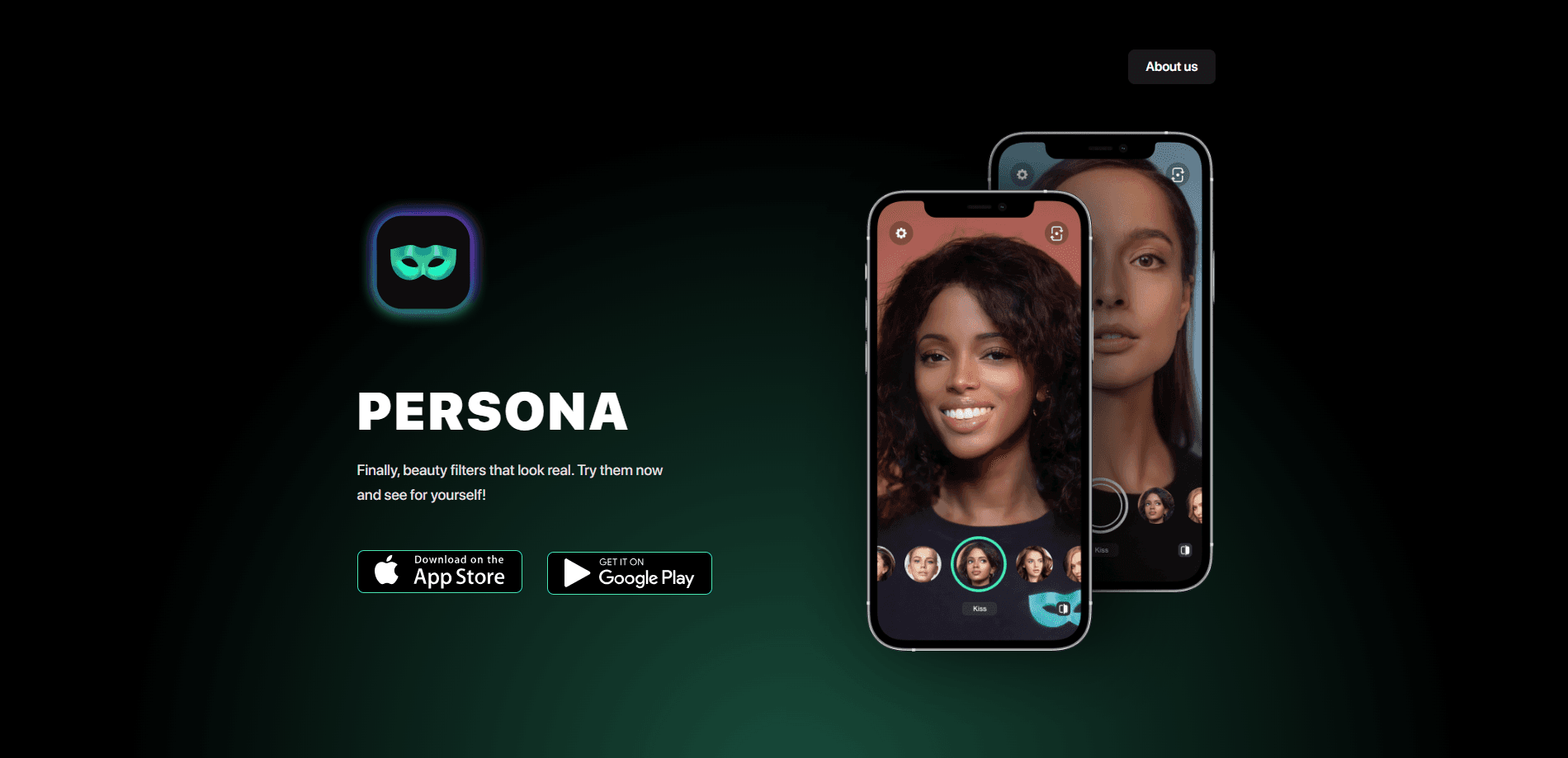
Persona is a beauty camera and photo editor for iPhone and iPad that leans on AI to make retouching look natural rather than plastic. You shoot or import a photo or video, then adjust skin, hair, body shape, makeup, and fine facial details with one-tap tools and manual sliders. It suits people who want polished selfies and short clips for social media without learning a full desktop editing suite, and it works entirely on the phone you already carry around every day.
About Persona
What Is Persona
Persona is a mobile beauty camera built by Ticket To The Moon, Inc. It targets a simple problem. Most people want photos and videos that look like their best day, not a heavily filtered version of themselves. The app pairs AI-assisted presets with granular manual controls, so a quick tap gets you close and a slider gets you the rest. No learning curve.
The core appeal is breadth. Skin smoothing, blemish removal, hair volume, body reshaping, facial feature tweaks, and color grading all live in one app. Everything works on both stills and video. That range is why it holds a 4.7 rating across roughly 17,000 App Store reviews. Not every edit is subtle. Push the sliders hard and results go artificial fast. Restraint matters.
One limit worth knowing up front: Persona is iOS only. There's no Android build, and there's no public API for developers. You'd need a fairly recent iPhone or iPad running iOS 17.0 or later, which rules out older devices that many people still keep around as a spare phone or hand-me-down. Check your device first.
Getting Started
- Download Persona from the App Store on an iPhone or iPad running iOS 17.0 or higher.
- Open the app and allow camera and photo library access so it can capture live or edit existing media.
- Pick a mode: shoot a new selfie or video, or import one from your library.
- Apply a beauty filter or preset, then fine-tune skin, hair, face, body, and color with the manual controls.
- Export the finished photo or clip and share it straight to your social apps.
Product Information
A quick look at Persona's pricing, supported platforms, and performance.
Best for
The users, tasks, and scenarios where this tool fits best.
Users
- Social media creators
- Casual selfie takers
- Beauty and style enthusiasts
Tasks
- Retouching selfies
- Editing short video clips
- Trying new hairstyles
Scenarios
- Prepping a profile photo for a dating app or LinkedIn
- Posting to Instagram or TikTok
- Fixing a good shot with a bad angle
Key features
AI Beauty Filters
Dozens of built-in filters smooth skin and add a natural glow in one tap, and they work on both photos and videos. The presets are tuned to keep pores and fine lines visible instead of wiping the face flat, and that subtlety is exactly what separates a photo that looks refreshed from one that looks like it passed through a heavy airbrush filter.
Hair Editor
The hair tool adds volume or swaps your hairstyle on any frame, photo or video. It's handy for previewing a cut you're considering, or for fixing a flat-hair day in a shot you otherwise like. Try before you commit.
Body Reshaping
You can nudge your proportions for a more flattering silhouette without it reading as obviously retouched. The adjustments are gradual, so a light touch keeps results believable. Small moves only.
Skin Correction
One tap handles tanning, texture repair, and shine removal across all camera modes. This is the feature that carries most everyday selfies, since uneven skin tone and forehead shine are the two things people fix most.
Facial Feature Tuning
Eyes, nose, lips, and jawline each get their own controls, so you can make small changes rather than a sweeping transformation. Use them sparingly and most viewers won't spot them.
Color Grading and Detail Tools
Brightness, contrast, and sharpness sliders sit alongside color tinting and detail options like freckles and dimples. The detail tools cut both ways: a few freckles can look charming, too many look like a filter.
Quick Retouch
It removes pimples and stray objects no matter what you're editing. It's the fastest path from a decent photo to a finished one, and it saves you from opening a separate app just to clean up a background distraction or a single blemish. Reclaim your time.
AI Photo Tools
Beyond straight retouching, the app can re-shoot a shot from a better angle or generate a fresh portrait from a single selfie. Treat these as extras. Last I checked, the generated portraits vary in quality, so the manual tools still do the heavy lifting for serious photo and video editing work.
Pros and cons
Pros
- Combines beauty filters, hair, body, and color tools in a single iOS app, so you rarely need a second editor.
- AI presets give a usable result in one tap while manual sliders keep control available.
- Works on video as well as photos, which many beauty apps skip.
- Strong App Store reputation, with a 4.7 rating across roughly 17,000 reviews.
- Free to download with in-app purchases, so you can test it before paying a cent.
Cons
- iOS only, so Android users are out of luck entirely.
- Overusing the sliders makes faces look artificial, and there's no automatic guardrail.
- Prices are set in local currency and vary by region, which makes costs hard to compare.
- No public API, so you can't wire it into a custom workflow or automate edits.
Frequently asked questions
Persona is a beauty camera and photo editor for iPhone and iPad. It uses AI presets and manual sliders to retouch skin, hair, facial features, and body shape in photos and videos.
Related content
Explore related tools, skills, and articles for Persona.
Persona Alternatives

X Ray Interpreter
X-ray Interpreter · ImageX Ray Interpreter is a web-based AI radiology tool that turns X-rays, CT scans, MRI, ultrasound, and PET images into plain-language reports. You upload a scan, get a preliminary X-ray interpretation in moments, then ask follow-up questions if something needs explaining. It works as a second opinion and a learning aid, not as a medical diagnosis.

Aieasypic
AIEasyPic · ImageAIEasyPic is an AI image generator that turns plain text prompts into finished artwork in seconds. You can also train custom models on your own photos, swap faces in existing images, and create short video clips from text, all from a browser. It suits casual creators who want quick visuals and hobbyists who want to build a personal model without touching any code.

Chargen
Chargen · ImageChargen is an AI character generator and worldbuilding toolkit built for Dungeons & Dragons and other tabletop RPGs. It turns a one-line idea into a painted character portrait, spins up NPCs, monsters, maps and encounters from the same session, and keeps every creature's details close at hand. The tabletop RPG art side runs on a credit system called Gold, while the text generators stay free for everyone.