
PFPMaker
PFPMaker · Image
PFPMaker is a free online AI profile picture maker that turns an ordinary selfie into a polished profile picture for social media, resumes, or work chat. It doubles as a profile picture editor and a selfie editor in one browser tool. That means a background remover, face-focused retouching, and AI headshot generation live in the same place, so you don't need design skills or a photographer. The classic editing tools stay free, while AI headshots and lifestyle photos run on credits.
About PFPMaker
What Is PFPMaker
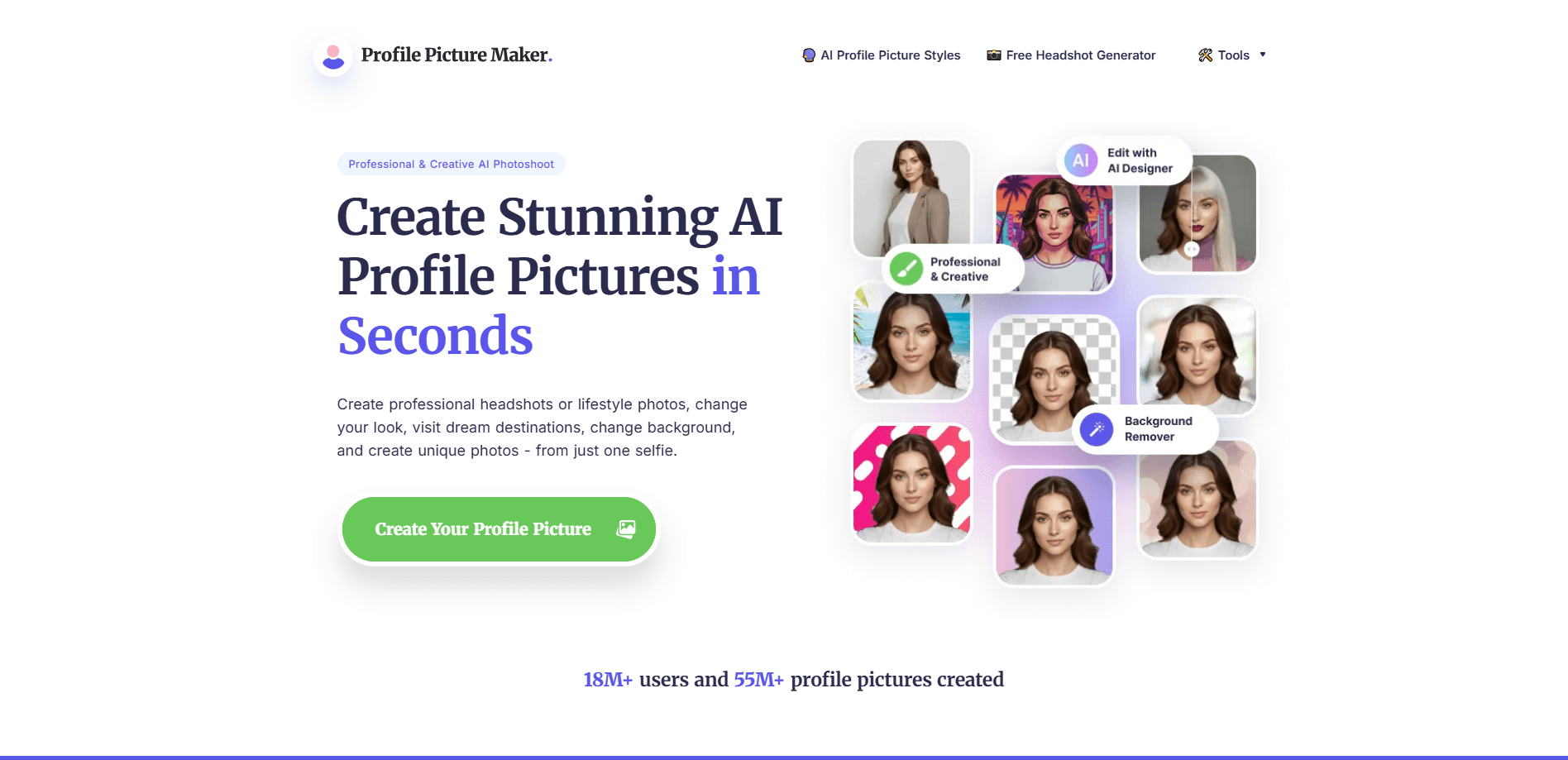
PFPMaker is a web app built around one job: making faces look good in a small square. Upload a single selfie and the site removes the background, generates clean replacements, and applies portrait-focused edits like retouching, makeup, or a new outfit. The company says its tools have been used to create more than 55 million profile pictures for over 18 million users.
The main draw is speed. Most renders finish in about 15 seconds. That's quick. You can try a look, reject it, and try another without a long wait. As a selfie editor, it leans on presets rather than manual layers, which is why the flow stays short. Simple beats slow. The classic PFP Maker tools, including background removal and border or text additions, are free forever and don't touch your credit balance.
The biggest limitation is scope. This is a face editor, not a general photo editor. It's built for selfies, portraits, and headshots, so landscapes, product shots, or group photos fall outside what it does well. That's a real ceiling. The more advanced AI headshot and photoshoot features also run on a credit system, which means the free tier won't cover unlimited high-end renders.
Getting Started
- Open PFPMaker in a browser and upload a photo of your face, ideally one that's well lit and facing the camera.
- Pick a tool: start with the free PFP Maker Classic for background removal, or choose Professional AI Headshots or AI Photoshoot for generated looks.
- Adjust the result with the retouch, beauty, or style options until the framing and tone look right.
- Download the image and set it as your profile picture on whichever platform you're updating.
Product Information
A quick look at PFPMaker's pricing, supported platforms, and performance.
Best for
The users, tasks, and scenarios where this tool fits best.
Users
- Job seekers
- Freelancers and creators
- Everyday social users
Tasks
- Removing or replacing a distracting background
- Generating a business headshot from a selfie
- Retouching skin and expression
Scenarios
- Refreshing a LinkedIn or resume photo before applying for jobs
- Setting up consistent profile pictures across messaging apps
- Building a dating or Instagram profile
Key features
AI Headshot Generator
Professional AI Headshots turn one selfie into studio-quality business photos. The site advertises over 515 outfits, backgrounds, and poses, so you pick a look and the tool renders it. Pick. Render. Done. This is the feature most people come for, and it's aimed squarely at the person who needs a decent headshot but doesn't want to pay a photographer.
Background Removal and Replacement
The background remover cuts your face out of the original shot and lets you drop in a clean replacement. You can also add borders and text on top. It's the core of the free PFP Maker Classic tier, which works without spending credits, which makes it the safest place to start if you're testing the tool. It costs nothing.
AI Photoshoot for Lifestyle Photos
AI Photoshoot extends the same idea beyond formal headshots. It places you in dating, Instagram, work, and everyday looks, so you get a set of varied photos from a single upload. No studio needed. If you want a profile picture that reads casual rather than corporate, this is the option to try.
Face-Focused Photo Editor
PFPMaker ships a set of portrait tools rather than one generic editor. Retouch, beauty, style try-ons, and filters all target faces, selfies, and portraits. Why does that matter? Because a selfie editor built for faces skips the clutter you'd never touch anyway. That focus is the point: you're not fighting a full editing suite to fix a chin line or brighten skin.
Fast Render Times
Renders average around 15 seconds, according to the company. That speed changes how you work. You can cycle through several looks and keep the one that fits instead of committing to a single expensive pull. Fast. For a tool built on experimentation, quick turnaround matters more than raw resolution.
No Design Skills Required
The whole flow runs in a browser and asks you to pick from presets instead of building edits from scratch. Hair, makeup, clothes, smile, and glasses are all handled through options. It's simple. For someone who has never touched Photoshop, that's the difference between trying it and giving up.
Pros and cons
Pros
- The classic background removal and PFP editing tools are free forever and don't consume credits.
- Renders are fast, averaging about 15 seconds, so testing multiple looks is practical.
- The tool is purpose-built for faces and selfies, which keeps the interface simple.
- Built-in presets for outfits, backgrounds, and poses mean no design experience is needed.
- The AI headshot library is large, with the company citing 515+ looks to choose from.
Cons
- Advanced AI headshots and photoshoots use a credit system, so the free tier doesn't cover unlimited high-end renders.
- It's a face editor only, so it's the wrong tool for landscapes, products, or group photos.
- Results depend heavily on the quality of your uploaded selfie, and a poorly lit input limits what the AI can fix. Garbage in, garbage out.
- There's no public API, so you can't wire the tool into your own app or automate a batch of photos.
Frequently asked questions
PFPMaker is an online tool for making profile pictures. It removes backgrounds, retouches faces, and generates AI headshots or lifestyle photos from a selfie, mainly for social media, resumes, and work profiles.
Related content
Explore related tools, skills, and articles for PFPMaker.
PFPMaker Alternatives

X Ray Interpreter
X-ray Interpreter · ImageX Ray Interpreter is a web-based AI radiology tool that turns X-rays, CT scans, MRI, ultrasound, and PET images into plain-language reports. You upload a scan, get a preliminary X-ray interpretation in moments, then ask follow-up questions if something needs explaining. It works as a second opinion and a learning aid, not as a medical diagnosis.

Aieasypic
AIEasyPic · ImageAIEasyPic is an AI image generator that turns plain text prompts into finished artwork in seconds. You can also train custom models on your own photos, swap faces in existing images, and create short video clips from text, all from a browser. It suits casual creators who want quick visuals and hobbyists who want to build a personal model without touching any code.

Chargen
Chargen · ImageChargen is an AI character generator and worldbuilding toolkit built for Dungeons & Dragons and other tabletop RPGs. It turns a one-line idea into a painted character portrait, spins up NPCs, monsters, maps and encounters from the same session, and keeps every creature's details close at hand. The tabletop RPG art side runs on a credit system called Gold, while the text generators stay free for everyone.