
Photobooth AI
Premier Octet · Image
Photobooth AI is an AI photo booth app for events and quick portraits. It turns one photo into themed AI pictures you can print or share by QR code.
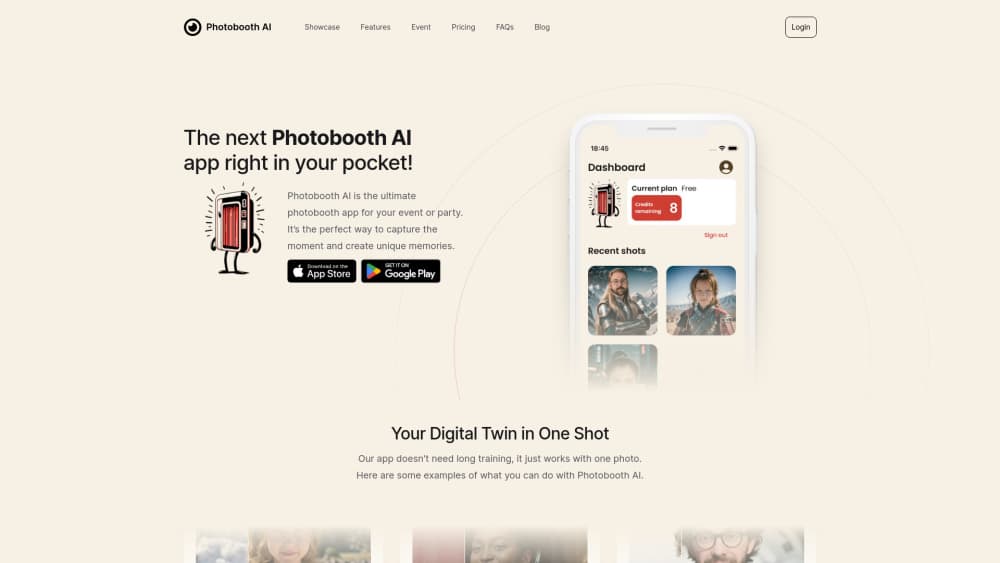
About Photobooth AI
What Is Photobooth AI
Photobooth AI is an AI portrait generator and photo booth app from Premier Octet that redraws a photo in a chosen theme: astronaut, samurai, Renaissance scholar, K-pop artist. You take a shot or upload one, pick a style or write your own prompt, and the service returns a portrait in about the time it takes to refresh a feed. The company aims it at two crowds: people who want a fun portrait for themselves, and hosts who want a photo booth at a wedding, a birthday or a company party without renting hardware.
The event side is where the product earns its keep. From a dashboard you set the number of photobooth credits, add your colors and logo, choose styles from the library or build custom AI themes, then let guests join with a code on their own phones. Photos land in a gallery that can be password protected, and guests get them by link, email or QR code. The mobile app can also detect a Wi-Fi printer on the same network, so a printout is possible without a laptop in the middle.
Limits matter here. Generation runs on the company's servers, so no connection means no photo. Most of the style library sits behind credits, and the free allowance is three images, which goes fast at a party. Results also track the source photo: the help center asks for one person, a neutral background and good light, and a dim room or a crowded group shot will show it.
Getting Started
- Create an account at photobooth-ai.app or install the iOS or Android app. Three credits arrive with the account and no card is needed.
- Pick a style from the library, or upload a reference picture and write a short prompt to build a custom theme for one credit.
- Take a photo in the app or choose one from your gallery. Keep one person in frame, use a plain background and turn on a light.
- Generate the portrait, then save it, share it by link or QR code, or send it to a Wi-Fi printer.
- For an event, open the dashboard, buy a credit pack, add your branding and hand guests the join code.
Product Information
A quick look at Photobooth AI's pricing, supported platforms, and performance.
Best for
The users, tasks, and scenarios where this tool fits best.
Users
- Party hosts and event planners
- Couples planning a wedding
- Small marketing teams
- Casual users who want a novelty portrait
Tasks
- Running a photo booth without hardware
- Building a themed portrait
- Printing on site
- Collecting guest contacts
Scenarios
- A wedding reception with 120 guests
- A company party or team day
- A quick profile picture before a deadline
Key features
A Style Library With More Than 100 Looks
The app groups styles by theme: classics like pirate and wizard, plus Halloween, space, career icons, Japanese, Christmas, Disney and music sets. A handful are free, and the rest unlock with credits. It means a guest can scroll for a look that fits the party instead of accepting one fixed filter.
Custom Themes From a Prompt
You upload a base picture and describe the result you want, and the service builds a theme around that reference. One custom theme costs one credit. For a host, this is the difference between a generic photo booth and one that matches a color scheme, a costume party or a product launch.
An Event Dashboard With Branding
Events live in a separate dashboard where you set the credit count, add logos and colors, choose which styles guests see and share a join code. Password protection is available for galleries. The setup suits one host running several parties a year, since each event keeps its own gallery and settings.
Sharing by QR Code, Link or Email
Guests leave with a portrait on their own phone. A QR code does the job in person, and a link or an email covers the people who wandered off. Galleries stay online, so nobody has to remember to send files the next morning.
Wi-Fi Printing From the Phone
The mobile app detects compatible printers on the same network and needs no extra plugin. Output comes in square, portrait or wide, and 15 by 10 cm is the size the company recommends for print. That covers the classic photo booth ritual of a picture in hand before the guest leaves.
Credits That Do Not Expire
Packs run from 50 credits at €0.25 each down to 5,000 credits at €0.08 each, and unused credits stay on the account. Photobooth AI pricing is pay as you go, with no subscription, so a one-off party does not turn into a monthly bill.
Pros and cons
Pros
- Guests use their own phones, so there is no booth to rent, transport or staff.
- The style library is large and split by theme, which makes it easy to match an event.
- Custom AI themes keep a brand present in every picture and cost one credit each.
- Credits never expire, so leftover balance from one event carries into the next.
Cons
- Generation needs an internet connection, so a venue with weak Wi-Fi will stall the queue.
- Only three free credits come with a new account, which is too few to judge a full event.
- Most styles sit behind credits, and a large party can burn through a pack in an evening.
- Portraits work best with one person in frame, so group shots often come out weaker.
Frequently asked questions
It turns a single photo into a themed AI portrait. People use it for party keepsakes, wedding guest experiences, branded event activations and quick novelty pictures of themselves.
Related content
Explore related tools, skills, and articles for Photobooth AI.
Photobooth AI Alternatives

X Ray Interpreter
X-ray Interpreter · ImageX Ray Interpreter is a web-based AI radiology tool that turns X-rays, CT scans, MRI, ultrasound, and PET images into plain-language reports. You upload a scan, get a preliminary X-ray interpretation in moments, then ask follow-up questions if something needs explaining. It works as a second opinion and a learning aid, not as a medical diagnosis.

Aieasypic
AIEasyPic · ImageAIEasyPic is an AI image generator that turns plain text prompts into finished artwork in seconds. You can also train custom models on your own photos, swap faces in existing images, and create short video clips from text, all from a browser. It suits casual creators who want quick visuals and hobbyists who want to build a personal model without touching any code.

Chargen
Chargen · ImageChargen is an AI character generator and worldbuilding toolkit built for Dungeons & Dragons and other tabletop RPGs. It turns a one-line idea into a painted character portrait, spins up NPCs, monsters, maps and encounters from the same session, and keeps every creature's details close at hand. The tabletop RPG art side runs on a credit system called Gold, while the text generators stay free for everyone.