

PhotoFox AI
PhotoFox AI · Image · Business
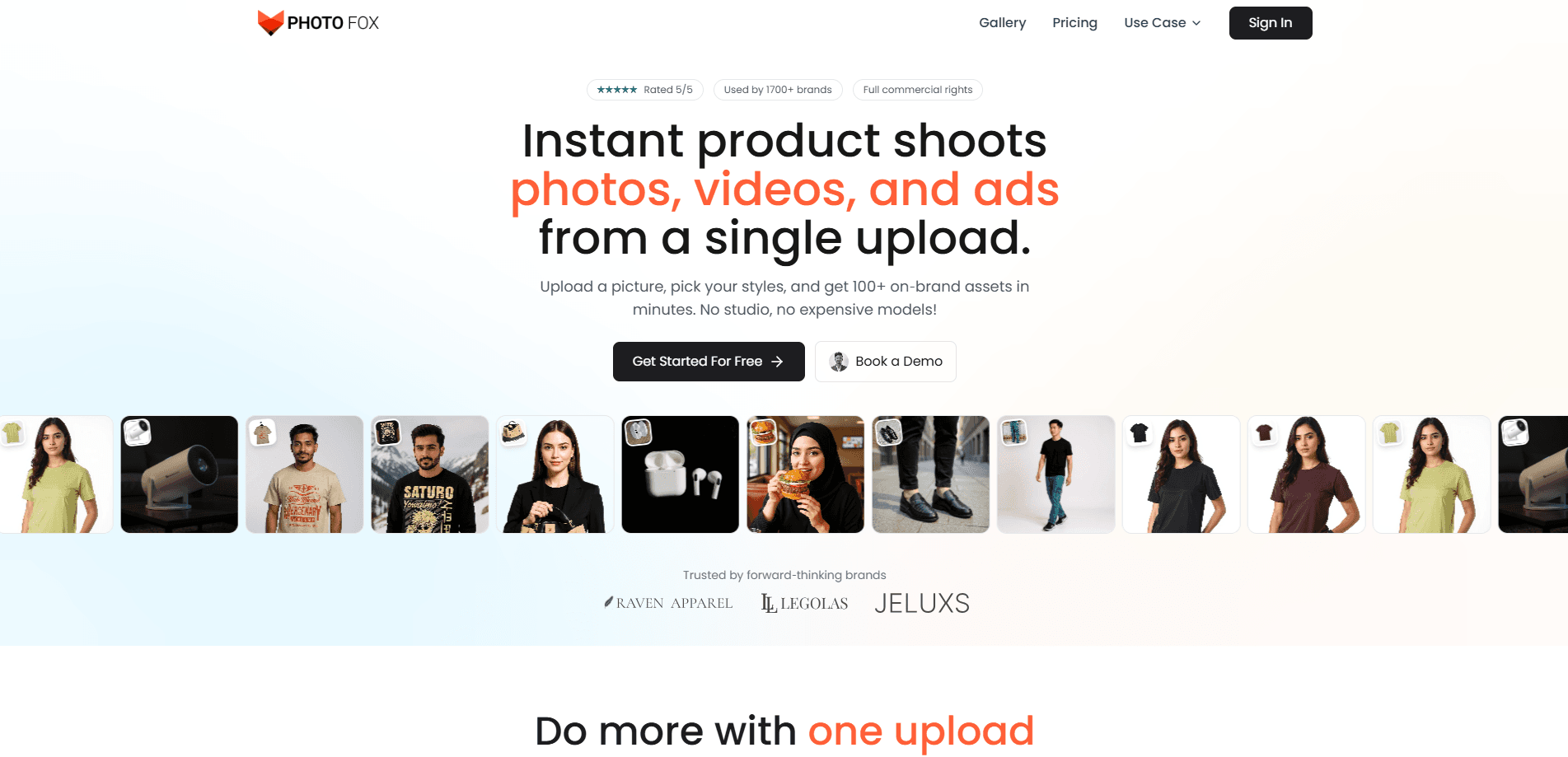
PhotoFox AI turns a single product photo into studio shots, virtual-model fashion images, videos, and ad creatives. It suits ecommerce brands and marketing teams that want campaign visuals fast.
About PhotoFox AI
What Is PhotoFox AI
PhotoFox AI is an AI product photography platform built for ecommerce, and it doubles as a product photo generator for shops that shoot at volume. You upload one product image, pick a model, style, and background, and the tool generates professional shots, fashion photography, videos, and ad variants from that single upload. It pitches itself as a replacement for the studio, the model, and the waiting, and the company claims it can cut photography costs by up to 90%.
The core promise is speed and brand consistency. Instead of booking a shoot and reshooting every time a detail changes, you generate hundreds of images and clips in a few minutes while keeping logos, colors, and product geometry intact. Fashion brands get virtual model photography with real apparel, pulled from flat-lay photos, and marketers get ad sets sized for each channel.
The limits matter here. There's no free tier, so testing the tool means paying $20 a month to start. Everything runs in a browser with no desktop app, and the platform is new, so its model library and template range are still growing. If you need on-premise processing or a documented public API, look elsewhere.
Getting Started
- Create a PhotoFox AI account and pick a subscription plan, since there's no free option.
- Upload a single product photo to the workspace as your starting image.
- Select a model, style, and background for the scene you want.
- Generate the shots, videos, or ad variants, then adjust prompts or styles as needed.
- Download the finished assets in your preferred format and size for each channel.
Product Information
A quick look at PhotoFox AI's pricing, supported platforms, and performance.
Best for
The users, tasks, and scenarios where this tool fits best.
Users
- Ecommerce sellers
- Fashion brands
- Marketing teams
Tasks
- Turning flat product photos into styled studio shots
- Building virtual try-on looks
- Making short product videos
- Producing ad creatives at scale
Scenarios
- Refreshing a product catalog before a seasonal sale
- Testing many ad concepts on a small budget
- Launching a new apparel drop without a photo crew
Key features
Magic Mode
Magic Mode turns one upload into a full campaign. From a single product photo, it generates studio shots, videos, and ad variants in minutes, with batch outputs across sizes and aspect ratios.
Fashion Photography AI
This feature puts virtual models in your apparel. It builds realistic try-ons from flat-lay shots with no casting or reshoots, and keeps the same model consistent across a collection.
Product Photography AI
Product Photography AI produces professional shots in any setting. It handles lifestyle, flat-lay, hero, and on-white images in a single flow, with shadow and reflection controls and export-ready PNG or JPG files.
AI Video Generation
AI Video Generation works as an AI product video generator for short clips. It turns static products into reels, pans, and turntables that fit platform safe zones, with templates for Meta, TikTok, and YouTube Shorts and 4K upscaling on the roadmap.
AI Ad Maker
The AI Ad Maker formats ads for every channel. It generates dozens of variants, swaps hooks, and auto-lays out 1:1, 4:5, 9:16, and 16:9 sizes with safe-zone and compliance overlays plus bulk export.
8K Upscale
8K Upscale keeps images pin-sharp at any zoom. It preserves logos and edges during upscaling for marketplaces and print, works in batches across a library, and keeps file sizes small.
Pros and cons
Pros
- Generates photos, videos, and ads from a single product upload, which removes most of the setup a traditional shoot needs.
- Keeps brand assets intact, so logos, colors, and product geometry stay consistent across a campaign.
- Sizes ad variants for major channels and aspect ratios automatically, which saves manual resizing.
- Includes full commercial rights by default, so output can go straight to marketplaces and ads.
- Needs no prompt engineering, which keeps the workflow usable for non-designers.
Cons
- There's no free plan, so you have to pay $20 a month before you can test the output quality on your own products.
- It runs only in the browser, so there's no desktop app or offline option for teams that prefer local processing.
- There's no documented public API, which rules out developers who want to wire generation into an existing pipeline.
Frequently asked questions
PhotoFox AI generates product photos, fashion images, videos, and ad creatives from a single uploaded product photo. You pick a model, style, and background, and it produces campaign-ready assets without a studio shoot.
Related content
Explore related tools, skills, and articles for PhotoFox AI.
PhotoFox AI Alternatives

X Ray Interpreter
X-ray Interpreter · ImageX Ray Interpreter is a web-based AI radiology tool that turns X-rays, CT scans, MRI, ultrasound, and PET images into plain-language reports. You upload a scan, get a preliminary X-ray interpretation in moments, then ask follow-up questions if something needs explaining. It works as a second opinion and a learning aid, not as a medical diagnosis.

Aieasypic
AIEasyPic · ImageAIEasyPic is an AI image generator that turns plain text prompts into finished artwork in seconds. You can also train custom models on your own photos, swap faces in existing images, and create short video clips from text, all from a browser. It suits casual creators who want quick visuals and hobbyists who want to build a personal model without touching any code.

Chargen
Chargen · ImageChargen is an AI character generator and worldbuilding toolkit built for Dungeons & Dragons and other tabletop RPGs. It turns a one-line idea into a painted character portrait, spins up NPCs, monsters, maps and encounters from the same session, and keeps every creature's details close at hand. The tabletop RPG art side runs on a credit system called Gold, while the text generators stay free for everyone.