

Photopea
Ivan Kutskir · Image
Photopea is a free browser-based photo and graphics editor for anyone who needs Photoshop-style tools without installing software.
About Photopea
What Is Photopea
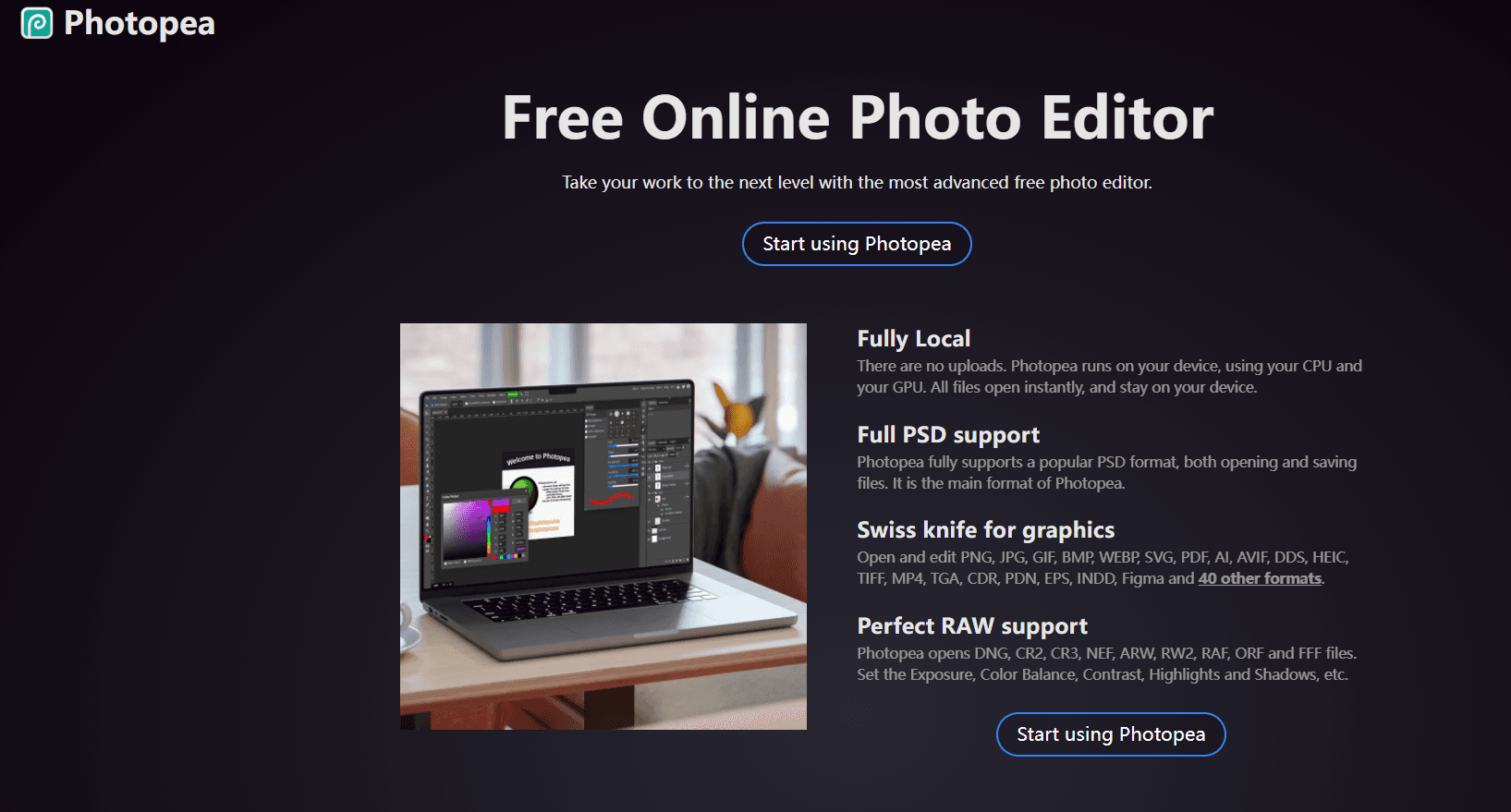
Photopea is an advanced image editor that runs entirely in your web browser. It handles raster and vector graphics, so you can crop a photo, design a webpage mockup, or retouch a portrait in the same window. The main draw is PSD support: it opens and saves Photoshop files, layers included, which most free online photo editors can't do.
You don't need to register. Open the site. The editor loads. Files stay on your device, and the tool keeps working if you disconnect from the internet. That matters if you're editing client work on public Wi-Fi.
The tradeoff is comfort. Photopea mimics Photoshop's layout down to the panels and shortcuts, which is great if you already know Photoshop and rough if you don't. So who is it actually for? Anyone who edits images often, already knows the Photoshop way of working, and would rather not pay a monthly subscription for occasional PSD files. It also leans on ads to stay free, and the Premium plan mostly removes those rather than unlocking core tools.
Getting Started
- Go to photopea.com in any modern browser. No signup, no install.
- Open a file from your computer, a URL, or start a blank canvas from the File menu.
- Edit using the toolbar and panels on the right for layers, masks, and adjustments.
- Save or export in PSD, PNG, JPG, SVG, PDF, or other supported formats.
- Optional: subscribe to Premium to remove ads, or use the API to embed Photopea in your own site.
Product Information
A quick look at Photopea's pricing, supported platforms, and performance.
Best for
The users, tasks, and scenarios where this tool fits best.
Users
- Photoshop users on a budget
- Students and hobbyists
- Freelancers on shared devices
Tasks
- Opening and editing PSD files
- Quick retouching
- Vector work
Scenarios
- Editing on a Chromebook or a locked-down work computer
- Last-minute fixes away from your main desk
- Prototyping designs without buying a license
Key features
Full PSD Support
Photopea opens and saves PSD files, layers and all, which is its main format. If you receive a layered design from a client, you can edit it directly and hand it back without breaking the file structure. That's what sets this PSD editor apart from most free rivals, since a real PSD editor has to preserve layer data, masks, smart objects, and blending modes instead of flattening everything into one image.
Works With Dozens of Formats
Beyond PSD, Photopea reads PNG, JPG, GIF, BMP, WEBP, SVG, PDF, AI, AVIF, HEIC, TIFF, TGA, CDR, EPS, INDD, and Figma files, among many others, which means you rarely have to convert a file to a different format before you can open, inspect, and start working on it. Photographers in particular get RAW support for DNG, CR2, CR3, NEF, ARW, and similar formats, with controls for exposure, color balance, contrast, highlights, and shadows.
Runs in the Browser, Offline
The editor runs on your device rather than a server. Load the page, disconnect, and it keeps working. Your files never get uploaded to anyone, so you're not handing sensitive images to a third party just to make a quick edit, and you don't have to worry about a service quietly scanning your work for training data or storing it after you close the tab. It works on desktops, laptops, tablets, and phones. A bigger screen and a pointer still help.
Layer, Mask, and Blend Tools
Cutting, resizing, and color correction sit alongside layering, masking, and blending modes, so a single document can hold a background photo, a masked subject on its own layer, an adjustment layer tuned to fix the overall color, and a vector shape for a logo you're about to place. If you've used Photoshop, the panels will feel familiar, including the shortcuts. That familiarity is why it's often called a free Photoshop alternative for people who already know the workflow.
Embeddable API
Developers can drop Photopea into a webpage through an iframe and pass files, resources, and scripts through a configuration object. You can also wire up server-side saving so edits post back to your own backend. It's a practical option if you want image editing inside your own product rather than sending users somewhere else.
Pros and cons
Pros
- Free to use with no account required.
- Opens and saves layered PSD files, rare for browser editors.
- Works offline once the page has loaded.
- Files stay on your device instead of a server.
- Embeddable API for developers who want in-app editing.
Cons
- The interface is crowded and assumes Photoshop knowledge, so beginners face a steep start.
- Ads run alongside the free version, and Premium mainly removes them rather than adding tools.
- Heavy files and complex layers can feel slow on older machines.
Frequently asked questions
Yes. The editor is free to use, and you don't need an account. A paid Premium plan exists mainly to remove ads.
Related content
Explore related tools, skills, and articles for Photopea.
Photopea Alternatives

X Ray Interpreter
X-ray Interpreter · ImageX Ray Interpreter is a web-based AI radiology tool that turns X-rays, CT scans, MRI, ultrasound, and PET images into plain-language reports. You upload a scan, get a preliminary X-ray interpretation in moments, then ask follow-up questions if something needs explaining. It works as a second opinion and a learning aid, not as a medical diagnosis.

Aieasypic
AIEasyPic · ImageAIEasyPic is an AI image generator that turns plain text prompts into finished artwork in seconds. You can also train custom models on your own photos, swap faces in existing images, and create short video clips from text, all from a browser. It suits casual creators who want quick visuals and hobbyists who want to build a personal model without touching any code.

Chargen
Chargen · ImageChargen is an AI character generator and worldbuilding toolkit built for Dungeons & Dragons and other tabletop RPGs. It turns a one-line idea into a painted character portrait, spins up NPCs, monsters, maps and encounters from the same session, and keeps every creature's details close at hand. The tabletop RPG art side runs on a credit system called Gold, while the text generators stay free for everyone.