

Pic Dance : AI Photo Animator
Saeta Tech Ltd. (Android); SPARKHUB PTE. LTD. (iOS) · Video
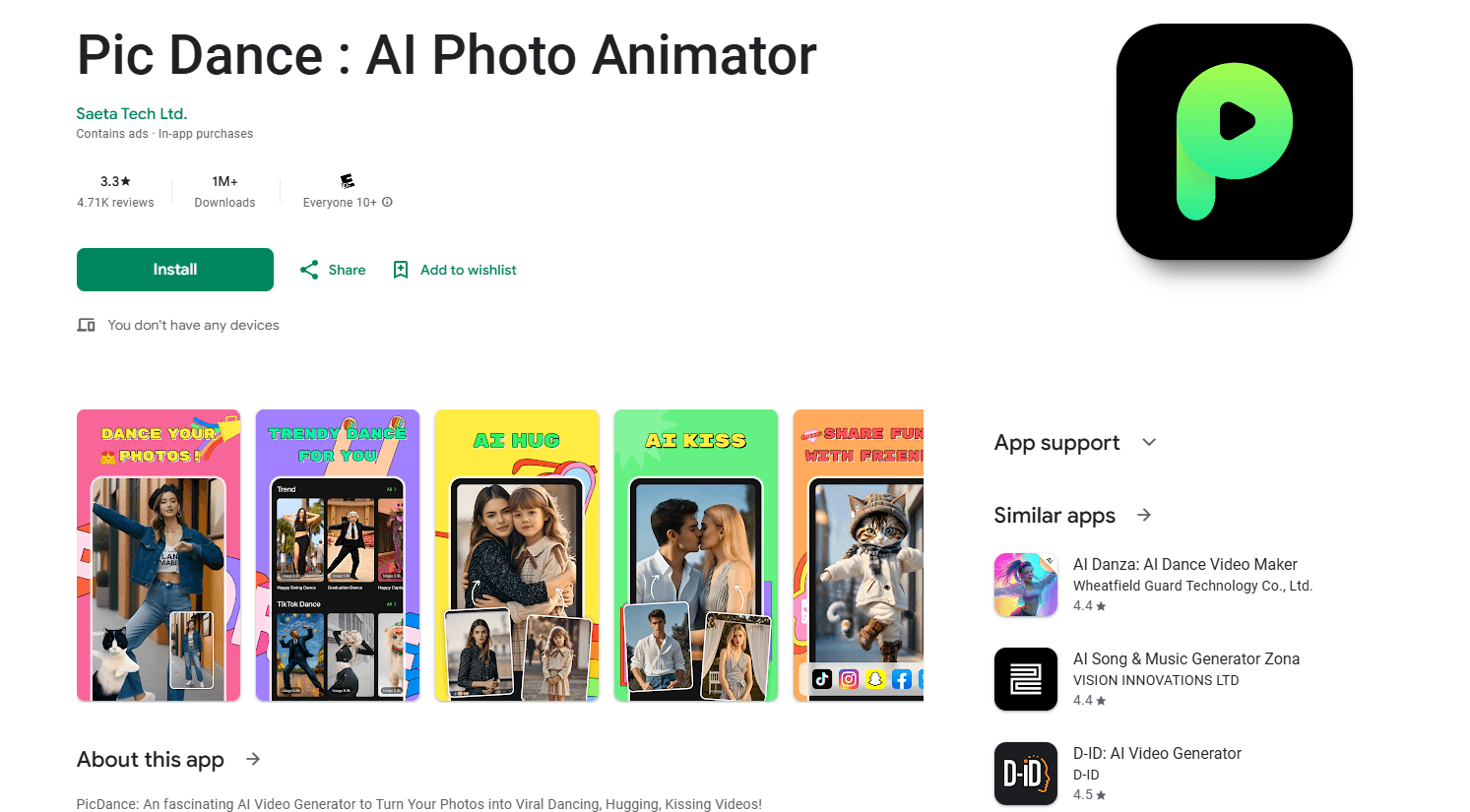
Pic Dance is an AI photo animator that turns a single still picture into a short dancing, singing, or motion video. It ships with a large template library and runs on Android and iOS.
About Pic Dance : AI Photo Animator
What Is Pic Dance
Pic Dance is a mobile dancing photo app that turns a single image into a short video. As a photo animator, it generates moving clips from one still, most often a dance or a song performance. You upload a photo of a person, a pet, or an illustrated character, pick a dance or motion template, and the app renders a clip where the subject moves and dances. The Android release is published by Saeta Tech Ltd., while the closely related iOS app, branded Photo Dance, comes from SPARKHUB PTE. LTD. Both share the same template-driven approach.
The app targets casual creators who want shareable clips without editing skills. As a photo animation app, it markets itself mainly for dance memes, baby videos, pet clips, and short singing videos aimed at TikTok, Instagram, and YouTube Shorts. Most of its output is built for entertainment rather than professional production.
Its biggest limitation is control. You choose from ready-made templates instead of directing the motion yourself, so results depend on how well a template fits your photo. The app also asks you to upload only images you own or have permission to use, and it blocks explicit or misleading content.
Getting Started
- Install Pic Dance from Google Play on Android or the App Store on iOS.
- Open the app and upload a clear photo of a face, a full body, a pet, or a character.
- Pick a dance or motion template from the library, or browse trending options.
- Start the generation and wait for the AI to render your clip.
- Preview the result, then save it or share it straight to your social feed.
Product Information
A quick look at Pic Dance : AI Photo Animator's pricing, supported platforms, and performance.
Best for
The users, tasks, and scenarios where this tool fits best.
Users
- Casual social media creators
- Pet owners
- Families
Tasks
- Making a short dance video from one portrait
- Creating a singing clip
- Building quick meme content
Scenarios
- Posting a trend-aware clip right after a new dance template drops
- Making a lighthearted greeting or birthday message
- Animating a fond memory
Key features
AI Dance Video Generation
Upload a clear photo and pick from a range of dance templates. The app applies rhythm-based motion to the subject and renders a smooth clip that keeps the original features of the photo. It works with people, pets, and illustrated characters.
AI Singing and Music Video
Beyond dancing, Pic Dance can set your photo to music. The AI analyzes the beat and energy of a track to sync movement, and you can recreate a trending video's style with one tap. This makes it useful for singing challenges and short music clips.
Fun Motion and Expression Effects
Not every clip needs a full dance. The app can add small touches like a smile, a nod, or natural movement to a portrait. These lighter effects suit greetings, portraits, and playful edits where a full routine would look out of place.
Continuously Updated Template Library
The template set covers energetic dances, festival greetings, birthday surprises, and playful styles. New effects are added on a regular schedule, so returning users usually find something new rather than reusing the same handful of clips.
Magic AI Video
This mode is built around emotional and interaction moments. It generates movements and interactions that place people, pets, or even historical figures together in a single scene, aimed at keepsake and memory videos rather than trend chasing.
High Quality Export for Social Platforms
Finished videos are rendered for vertical social formats and can be shared straight to TikTok, Instagram, and YouTube Shorts. The export step is designed to skip a separate editing app, which keeps the whole flow inside Pic Dance.
Pros and cons
Pros
- Turns a single photo into a finished video, so you don't need editing or animation skills.
- A large and regularly refreshed template library keeps the output looking current.
- Handles people, pets, and illustrated characters from the same simple workflow.
- Direct sharing to TikTok, Instagram, and YouTube Shorts cuts out extra tools.
- A free entry point and in-app purchases let you try the app before paying.
Cons
- You can't direct the motion yourself; results depend on how well a fixed template matches your photo.
- Image quality matters a lot, so blurry, dark, or cluttered photos often produce weak clips.
- The Android and iOS versions carry different developer names and possibly different features, which can confuse new users.
- Feedback points to mixed output quality, and the Android listing shows a lower rating than the iOS app.
Frequently asked questions
Pic Dance turns a still photo into a short AI video, most often a dancing or singing clip. You upload one image, choose a template, and the app animates the subject.
Related content
Explore related tools, skills, and articles for Pic Dance : AI Photo Animator.
Pic Dance : AI Photo Animator Alternatives
Griffin by Tavus
Tavus · Voice & Language · Video · ChatbotGriffin by Tavus is the first Human Interaction Model: a full-duplex, video-to-video system that watches, listens, and answers during a live video call in real time.

Syllaby AI Avatar 2.0
Syllaby · Video · MarketingSyllaby AI Avatar 2.0 turns a script into a presenter-led video with a reusable AI avatar, natural voice, B-roll and automatic subtitles, all in one browser workflow.

Vitra.ai
Vitra.ai · Voice & Language · Video · MarketingVitra.ai is an agentic content platform that creates, translates, reviews, and publishes video, images, documents, and app content in 120 languages from one shared brief.