

PicFixer
JOYLINK LTD · Image
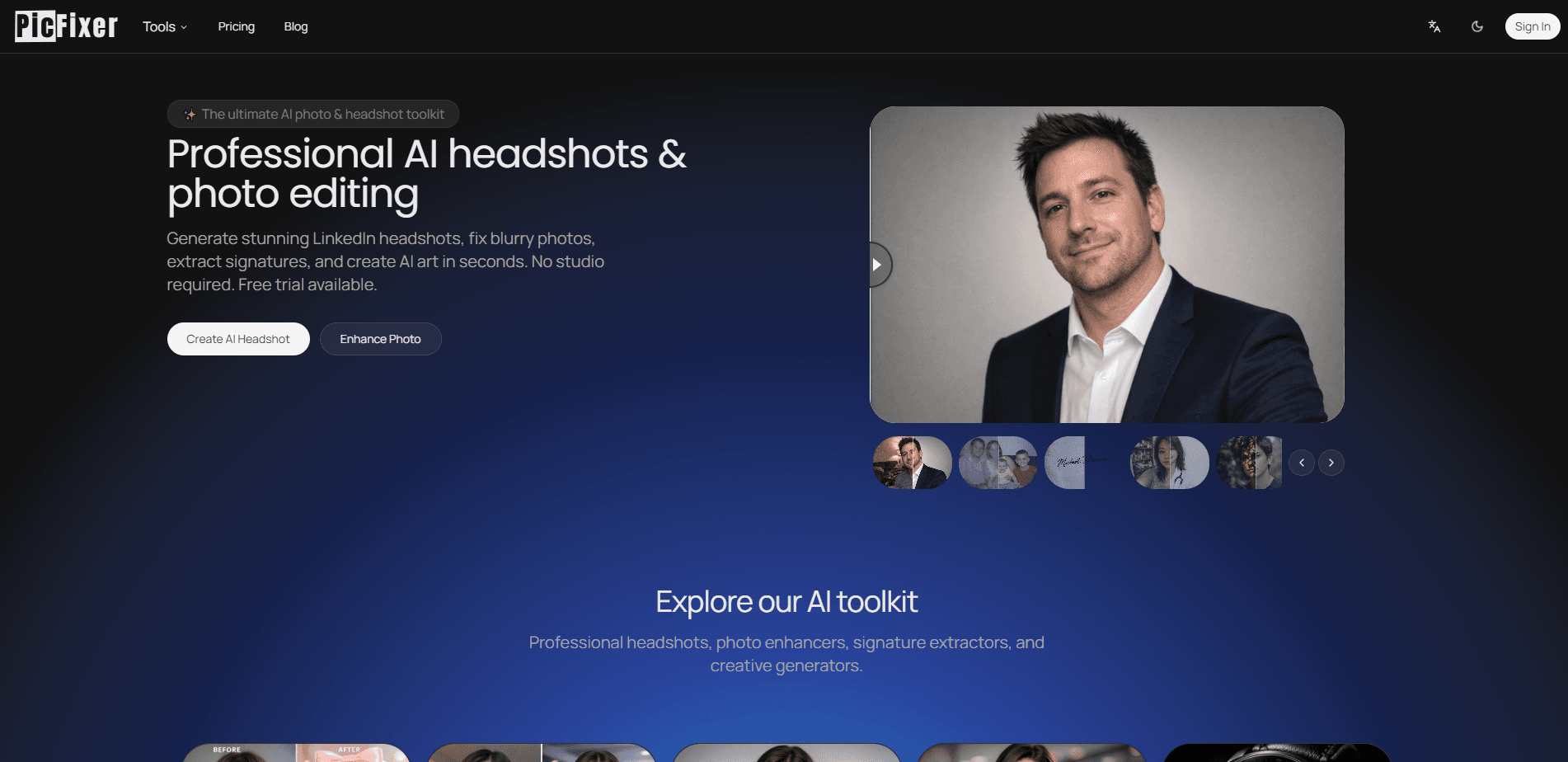
PicFixer is a browser-based AI photo editor that handles the jobs most people open Photoshop for and then give up on. It's an AI headshot generator, a photo restoration tool, and a background remover rolled into one. It restores faded family photos. It extracts clean signatures from paper scans. It even turns portraits into stylized art. You don't install anything. Sign up, get a couple of free credits, and start editing.
About PicFixer
What Is PicFixer
PicFixer is an online AI photo editor built by JOYLINK LTD, a small remote team based in London. The pitch is simple: professional-looking images shouldn't require professional software. Online photo editing here runs in the browser. Nothing gets installed. Your first edit takes minutes, not an afternoon of tutorials.
The platform splits its work into four broad goals. Headshots covers LinkedIn, ERAS medical residency, realtor, acting, and business photos. Enhancement sharpens blurry images and pushes them toward 2K or 4K. Restoration brings old, damaged photos back. Creative tools handle signature extraction, shadow removal, and stylistic transformations like caricature or cinematic portraits.
So what's the catch? The credit system, mostly. The free plan hands you 2 credits after you sign up, and credits don't reset on their own, which means every generation and every edit quietly eats into a pool that never refills unless you pay. A handful of free tries is what you get before a paid plan becomes necessary. Headshot generation also depends on photo quality going in. Low-resolution or poorly lit source images limit how good the output can look, and the AI can't invent detail that isn't there.
Getting Started
- Open picfixer.ai in any modern browser and sign in with an email address or account provider.
- Pick a goal from the four categories, or browse the full tool list to find a specific one.
- Upload the source photo. For headshots, a clear, front-facing selfie works best.
- Choose your options, such as output size or style, then run the generation.
- Download the result in JPG, PNG, WebP, or the original format.
Product Information
A quick look at PicFixer's pricing, supported platforms, and performance.
Best for
The users, tasks, and scenarios where this tool fits best.
Users
- Job seekers
- Medical residency applicants
- Small business owners
- Families with old photos
Tasks
- Generating a professional headshot
- Restoring damaged photos
- Extracting a signature
- Sharpening low-resolution images
- Removing harsh shadows
Scenarios
- A last-minute profile photo before a job application
- Digitizing a family archive
- Preparing product or listing images
- Filling out a rental or legal form
Key features
AI Headshot Generation
PicFixer's headshot tool takes a plain selfie and rewrites the professional details: clothing, lighting, and backdrop. There are dedicated variants for LinkedIn, ERAS residency applications, realtors, actors, and general business use, so you're not hunting for a generic preset that half-fits. Output quality tracks closely with the input photo, and a strong, front-lit source image makes the biggest difference.
Photo Restoration
Old prints fade, crack, and lose detail. The restoration tool repairs that damage and sharpens what's left, aimed at family archives and historical images. You can bring a scanned photo back to something presentable without touching a healing brush yourself, which is exactly the kind of tedious cleanup most people never get around to doing. Results on badly degraded sources are limited by how much real information survives in the scan.
Image Enhancement and Upscaling
The enhancer targets blurry, low-resolution, and noisy photos. It pushes them up in resolution and cleans up facial detail along the way. Paid plans raise the ceiling on output, from 2560px on Basic up to 4096px on Ultra. That's a wide gap between tiers, and it matters if you print images or post them at full size. Check the resolution cap first, before you pick a plan.
Signature Extraction
Handwritten signatures photographed on textured paper come with shadows and background clutter. This tool lifts the signature out and delivers a transparent PNG with clean edges, which is handy for contracts, forms, and digital documents. It saves a trip to a scanner when all you have is a phone camera.
Shadow Removal
Outdoor portraits often carry hard tree shadows or uneven light across the face. Shadow removal evens out the lighting and keeps skin texture looking natural instead of plastic. It's a narrow tool, but for the specific problem it fixes, there aren't many quick alternatives in a browser.
Creative Style Transforms
Beyond cleanup, PicFixer leans into playful edits. You can turn a standard portrait into a hand-drawn caricature, a Pixar-style character, or a cinematic acting headshot. These run on the same credit system as the practical tools, so treat them as fun extras rather than the core reason to subscribe.
Pros and cons
Pros
- Runs entirely in the browser, so there's nothing to install and no design skills required.
- Covers a wide spread of jobs, from practical headshots and restoration to creative style edits.
- Niche presets like ERAS medical headshots solve specific, hard-to-shop-for needs.
- Download formats include JPG, PNG, WebP, and the original file type.
- Annual billing cuts the monthly rate by roughly 25%.
Cons
- The free plan gives only 2 credits, and they don't refresh, so you'll need a paid plan for real use.
- Credit-based pricing means heavy users spend more as their output grows.
- Output quality depends on the source photo, so poor inputs produce poor results.
- No public API, which rules it out for automated or programmatic workflows.
Frequently asked questions
Partly. You get 2 free credits when you sign up, which covers a couple of generations to test the tools. After that you need a paid plan or a one-time credit top-up. There's no recurring free allowance.
Related content
Explore related tools, skills, and articles for PicFixer.
PicFixer Alternatives

Tractionwave
TractionWave · Image · MarketingTractionWave is an AI attention heatmap tool for static ads. Upload a PNG or JPG and it returns predicted attention, ranked hotspots, and fixes before you spend budget.

Imejis.io
Imejis.io · Image · MarketingImejis.io is an AI design studio for agents and marketing teams. Describe an image in plain words, and it writes the copy, builds the layout, reflows it to every size, then exports a finished file.

Layoutr
Van Dijk Ontwikkeling · Image · China AILayoutr is a browser floor plan tool that scales your own plan, places furniture at true size, shows the room in 3D and renders it with AI.