

Pika 2.0
Pika Labs · Video · China AI
Pika 2.0 is an AI video generator that turns text, photos, and short clips into cinematic video, built for creators who want viral-ready scenes without editing skills.
About Pika 2.0
What Is Pika 2.0
Pika 2.0 is the AI video generator from Pika Labs, the team founded by Demi Guo and Chenlin Meng in 2023. It turns a written prompt, a still photo, or an existing clip into a short animated video. The core appeal is speed: you describe an idea and get a finished scene in minutes, not hours.
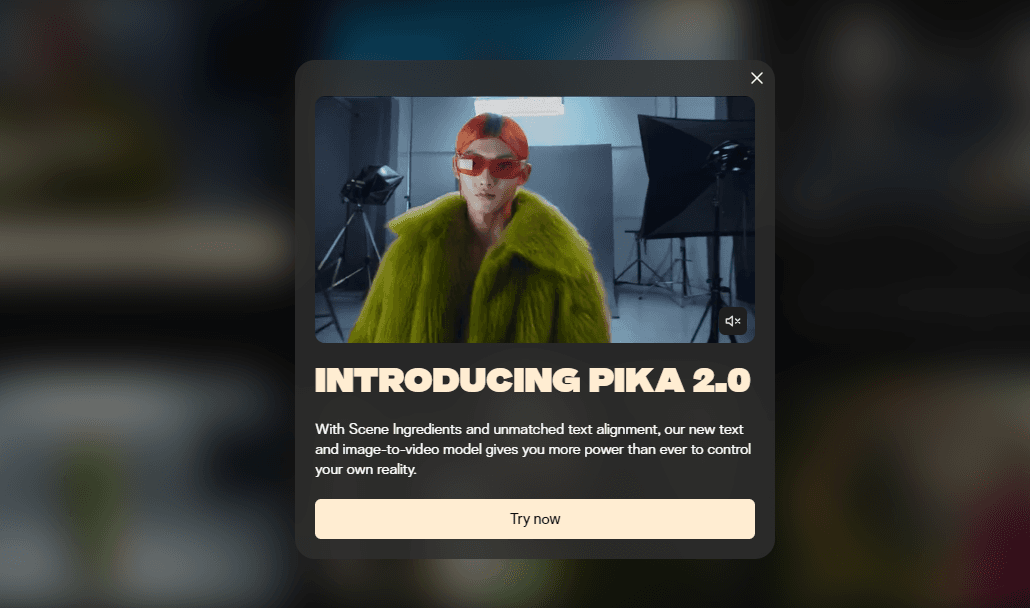
The platform leans hard into playful, shareable effects. Its Scene Ingredients feature lets you upload characters, objects, and backgrounds, then reuse them across new clips, so a recurring mascot or product keeps a consistent look. That's a rare thing in AI video tools, where every generation usually invents a fresh cast. Big difference for series work.
The limits matter as much as the wins. Clips are short (typically 5 to 10 seconds), free-tier output caps at lower resolution, and results vary run to run. Text rendering inside video stays unreliable, so title cards and captions still belong in a normal editor. Not ideal, but manageable.
Getting Started
- Create a free account at pika.art and sign in with email or a Google account.
- Pick a mode: text to video, image to video, or video to video editing.
- Upload your source photo or clip, or type a prompt describing the scene, motion, and style.
- Choose a Pikaffect, camera move, or Scene Ingredient to shape the output, then hit generate.
- Review the result, download the clip, or regenerate with a tweaked prompt until it fits.
Product Information
A quick look at Pika 2.0's pricing, supported platforms, and performance.
Best for
The users, tasks, and scenarios where this tool fits best.
Users
- Social media creators
- Small brand marketers
- Hobbyists and meme makers
Tasks
- Text to video
- Image to video
- Video to video editing
- Scene building
Scenarios
- Bumping out a weekly content schedule
- Testing a campaign idea before committing budget
- Quick reaction content
Key features
Text to Video Generation
Type a description and Pika 2.0 builds a short clip from it. You can steer the scene, motion, and overall style with plain language, which makes it a fast way to test an idea before investing in a full production.
Image to Video Animation
Upload a still photo and Pika adds motion, depth, and camera movement. This is where a lot of users start, since it turns existing art, portraits, or product shots into something that moves without any shooting.
Pikaffects
Pikaffects are playful physics effects baked into a single click. Cakeify turns an object into a cake, Melt and Crush squash it, and Explode blows it apart. Pika ships dozens of these and keeps adding more, and they're the main reason Pika clips travel so well on social feeds.
Scene Ingredients
This feature lets you upload characters, objects, and backgrounds and then reuse them across new videos. It solves the consistency problem that dogs most AI video tools, where a character looks different in every generation.
Pikaswaps and Pikadditions
Pikaswaps replaces any element inside a video using a photo or a text prompt, keeping the rest of the frame intact. Pikadditions drops new objects or people into footage while preserving the original motion and sound. Both are editing tools for footage you already have. Remix, don't reshoot.
Camera and Motion Controls
Prompts like bullet time, fast zoom, and sweeping pans are recognized, so you can get cinematic movement without touching a timeline. It's a shortcut that gives amateur clips a more polished feel. No timeline needed.
Pros and cons
Pros
- Turns text and images into short videos in minutes, with no editing software required
- Pikaffects and Scene Ingredients add creative range that most AI video tools lack
- Free tier lets you test the platform before paying anything
- Browser and iOS access cover most casual creators
Cons
- Clips are short, usually 5 to 10 seconds, so long-form work needs stitching in another editor
- Output quality varies between runs, so a usable take can take several attempts
- Text and captions inside generated video are unreliable, and you'll still need a separate editor for those
- Free-tier resolution is capped, so high-res output requires a paid plan
Frequently asked questions
It's used to generate and edit short videos from text prompts, photos, or existing clips. That covers social media content, product teasers, memes, and concept clips. Speed is the point.
Related content
Explore related tools, skills, and articles for Pika 2.0.
Pika 2.0 Alternatives

Vadu AI
Vadu AI · Image · VideoVadu AI is a web-based AI video generator that turns written prompts or still images into short clips, and it can also generate images on its own. You type what you want, pick a model and style, and the platform renders the result in minutes. A free plan covers light testing, while paid tiers run from $9 to $77.40 per month based on how many credits you burn.

Mykaraoke Video
MyKaraoke Video · VideoMykaraoke Video is an online karaoke video maker and lyric video maker that turns any song into a finished, lyrics-synced video right in your browser. It handles the slow part for you. The AI pulls vocals out of the mix and locks the lyrics to the beat, then lets you customize background, fonts, and colors before exporting in 1080p MP4. If you make lyric videos for social media, party nights, or music promotion, it skips the software installs and manual timing work entirely. Want a karaoke video generator that doesn't eat your whole evening? That's the pitch here.

Finalframe
Finalframe · VideoFinalframe is a set of free, browser-based tools for grabbing exact frames out of a video clip. Its best-known feature, the Final Frame Extractor, lets you extract the last frame of any video so you can use it as the starting image for AI video tools like Luma Dream Machine, Runway, or Kling. Want to keep a clip going? That last frame is your starting point. The tool runs locally in your browser, needs no sign-up, and costs nothing. A separate paid AI video-generation app from the same team is currently offline while it's rebuilt.