

Pileometer by Brickit
Brickit Inc. · Coding
Pileometer by Brickit is a brick scanner app that turns a messy pile of LEGO parts into a searchable digital inventory you can build from.
About Pileometer by Brickit
What Is Pileometer by Brickit
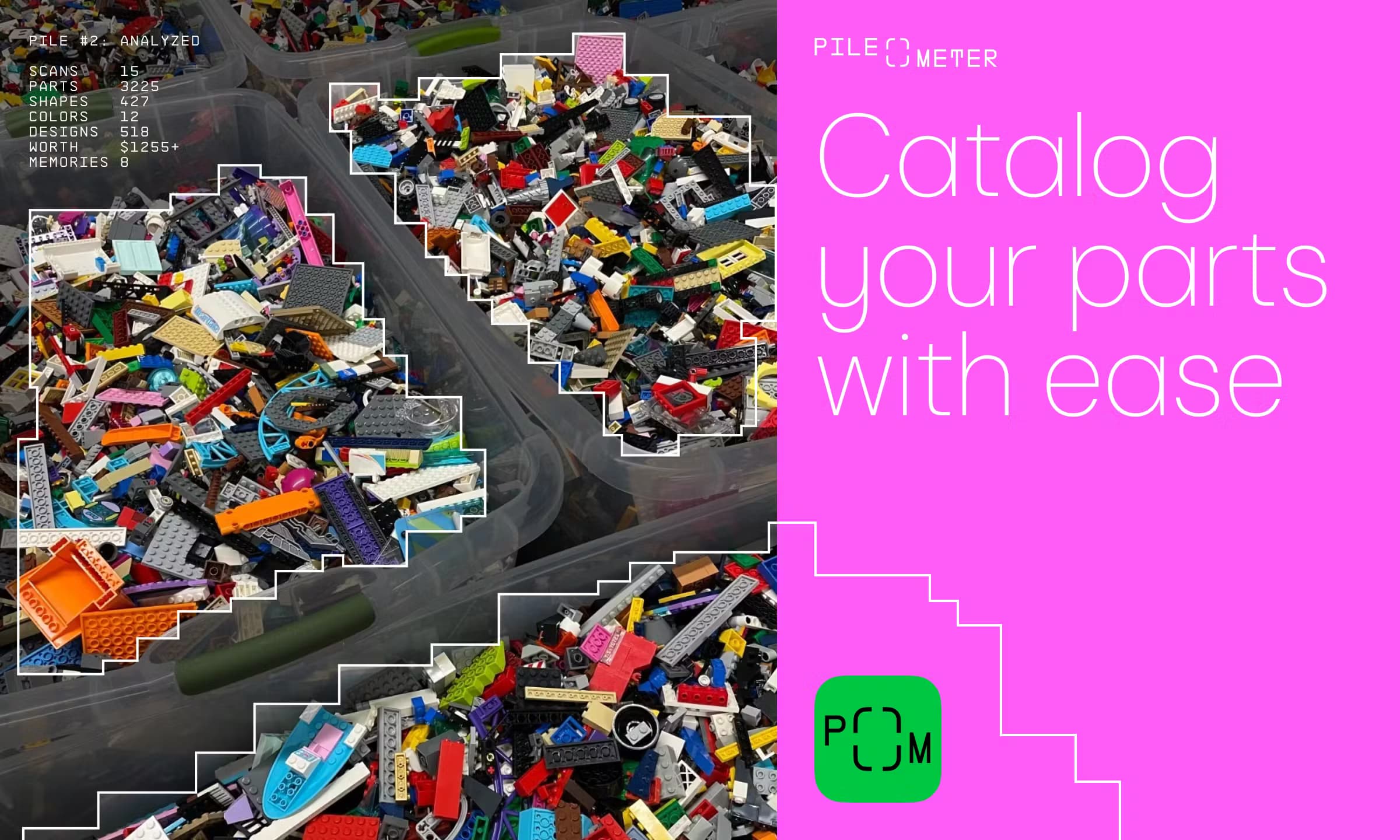
Pileometer by Brickit is an Android and iOS app that catalogs the loose bricks you already own. You photograph a batch of parts, the scanner recognizes each shape, and the app records what you have and where you put it. The point is simple. Once your collection lives in a digital brick parts catalog, you stop guessing whether you can build that design you liked online.
Brickit built this around a storage system, not just software. Parts go into numbered transparent bags holding 100 to 200 random pieces each, and the app remembers which bag holds which shape. Find a design you love, and Pileometer instantly tells you if you have the parts or what you'd need to buy.
It's not flawless. Setup still takes real hours, and the scanner slips on tricky or unusual parts. Brickit keeps the fine-tuning manual for that reason, so you can correct mistakes without redoing the whole batch. The app is an independent project made by fans and isn't an official LEGO product.
Getting Started
- Download Pileometer from Google Play or the App Store and create an anonymous account.
- Gather medium-sized transparent bags and a clear, well-lit surface for photographing parts.
- Scan one batch at a time and let the scanner auto-recognize the shapes in view.
- Correct any misread pieces, then place them in a numbered bag the app records.
- Open the building ideas library to see which designs your catalog can already support.
Product Information
A quick look at Pileometer by Brickit's pricing, supported platforms, and performance.
Best for
The users, tasks, and scenarios where this tool fits best.
Users
- Adult LEGO fans
- Parents managing a household brick stash
- Sellers of used bricks
Tasks
- Cataloging a loose collection
- Checking build feasibility
- Locating a specific piece
- Maintaining your inventory after a build
Scenarios
- Reviving an attic box that hasn't been opened in years
- Prepping a big build from a community catalog
- Downsizing or gifting a collection
- Weekend projects with kids
Key features
Batch Parts Scanner
The scanner reads photographed parts and recognizes around 1,600 different shapes. You don't sort first. Spread pieces out, capture them, and let the app do the counting. It's the feature that makes the whole system practical, since manual entry for a big pile would be unbearable.
Digital Parts Catalog
Every scan feeds a catalog that knows the exact shapes and counts in your collection. That's the difference between a pile and a usable brick parts catalog. It also works with export flows, so you can push your parts list into a build-designs site like Rebrickable to check compatibility against projects you're eyeing.
Parts Location Guidance
Each batch lives in a numbered transparent bag, and the app tracks what went where. Need one specific color of one specific shape? Pileometer points you to the right bag. No more emptying three bins to find a single two-by-four, and no more guessing whether a part is even in the house.
Building Ideas Library
Pileometer ships with a catalog of build designs and filters them against what you actually own. Instead of browsing random instructions you can't complete, you see ideas your pile can support right now, plus a shopping list for anything missing. That last part matters more than it sounds. Half the frustration of a big build is discovering the missing piece midway through.
Manual Fine-Tuning and Batch Editing
Recognition makes mistakes, so the app lets you adjust any flagged part by hand. Batch editing means you can fix a group of pieces at once or merge Pileometer with a sorting method you already use. It's a practical safety valve, and not a hidden limitation. Mistakes happen. Fix them fast and move on.
Collection Export for Selling
An indexed collection is far easier to sell than a mystery pile. Export your parts list and you have a concrete, itemized inventory to show buyers or to compare against a set you're trying to recreate. Think of it as being your own brick collection organizer, minus the spreadsheets.
Pros and cons
Pros
- Turns an unmanageable pile into a searchable inventory without pre-sorting by hand.
- Scanner covers most everyday shapes, so typical collections scan without much trouble.
- Bag-and-number system means you always know where a part is stored.
- Build ideas are filtered to your actual parts, which cuts wasted browsing.
- Export support helps with selling, trading, or checking designs on other sites.
Cons
- Setup takes hours, and a large collection can span several sessions.
- The scanner still misreads some parts, so you'll spend time reviewing results.
- No public API, so you can't automate inventory sync with other tools.
- It's an unofficial fan project, not a LEGO product, and depends on ongoing developer support.
Frequently asked questions
It catalogs the loose bricks you own into a digital inventory. You scan parts, store them in numbered bags, and the app tracks what you have and where it's stored. That's how you find pieces and check which builds are possible.
Related content
Explore related tools, skills, and articles for Pileometer by Brickit.
Pileometer by Brickit Alternatives
Forefront
Forefront · CodingForefront is a web platform for building with open-source AI. It lets you fine-tune leading open-source language models on your own data, evaluate how they perform, and run them through an API or export them to host yourself. Developers who want the convenience of a closed-source platform but insist on owning their models and data are the target audience here.

Startkit
StartKit.AI · CodingStartkit is a boilerplate for building AI SaaS and AI wrapper products. Think of it as an AI startup boilerplate with the boring parts already wired up: authentication, Stripe and Lemon Squeezy payments, usage limits, transactional email, and an AI API starter that talks to OpenAI, Anthropic, Groq, or Llama. You clone the repo, set your price, and start on the part of your product that people actually pay for. It's Next.js under React and Tailwind, so most of the boilerplate code already feels familiar.
Testim
Tricentis · CodingTestim is an AI-powered test automation platform for building and running end-to-end tests across web, mobile, and Salesforce applications. It leans on machine learning to keep tests stable when an interface changes, so teams spend less time fixing broken selectors. Not bad for an automated testing tool you can start using today. You create tests by recording actions in a browser, then optionally add JavaScript when you need more control. It's a solid pick for busy QA teams.