
Pine Script Wizard
Pine Script Wizard · Coding
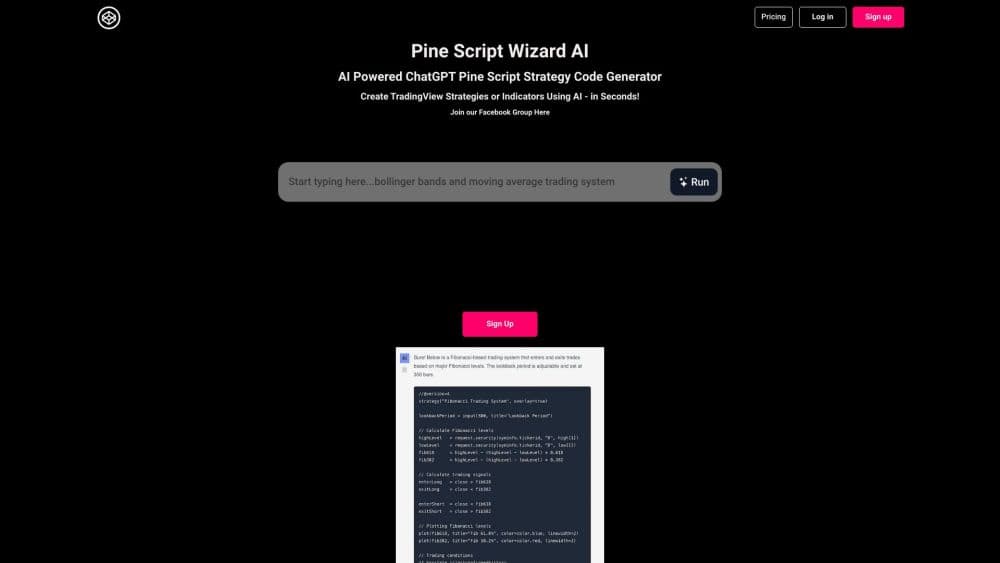
Pine Script Wizard is a ChatGPT-powered generator that turns a plain-English description of a trading idea into Pine Script code for TradingView, so you can build custom indicators and strategies without writing it yourself.
About Pine Script Wizard
What Is Pine Script Wizard
Pine Script Wizard is a web tool that writes Pine Script code for you. You describe the indicator or trading system you want in everyday language, and the tool returns ready-to-use code built for the TradingView platform. It leans on a ChatGPT model that has been fine-tuned for Pine Script, so the output follows TradingView's syntax instead of generic programming patterns.
The people behind it pitch it at traders who have a clear idea and no interest in learning a coding language. Instead of fighting syntax errors, you type something like "moving average cross with a trailing stop," and the tool handles the rest. It sits alongside Pine Script itself, which is TradingView's own lightweight language for indicators and strategy backtests.
There are limits worth knowing up front. The free version on the homepage runs a lighter model, and the site says the paid account gives noticeably better code. The newer app at app.pinescriptwizard.com needs its own separate subscription. Pine Script itself only lives inside TradingView, so anything you generate still has to be tested there before you trust it with real money.
Getting Started
- Open the site and describe the indicator or strategy you want in a short text prompt.
- Pick the details that matter, such as the indicators involved, the entry and exit rules, and whether you want long and short signals.
- Generate the code and copy it into the Pine Editor inside TradingView.
- Save and compile the script. If TradingView throws an error, paste that error back into the chat and let the tool fix it.
- Add the script to your chart, adjust its settings, and backtest the idea on historical data.
Product Information
A quick look at Pine Script Wizard's pricing, supported platforms, and performance.
Best for
The users, tasks, and scenarios where this tool fits best.
Users
- Traders with a clear rule in mind
- Beginners who have never coded
- Traders who already read Pine Script
Tasks
- Building a custom indicator
- Turning a strategy idea into a backtest
- Fixing broken Pine Script
Scenarios
- Testing a half-formed idea before committing time
- Building a personal toolkit of alerts and overlays
- Learning by example
Key features
Plain-English to Pine Script Conversion
The core of the tool is a text box where you describe what you want. You do not write any code, you just explain the behavior: a crossover signal, a mean-reversion entry, or an alert when price breaks a level. The generator returns Pine Script formatted for the Pine Editor. It is built for people who think in trading terms rather than in loops and arrays.
ChatGPT Model Fine-Tuned for Pine Script
The engine is a ChatGPT model adapted for TradingView's language. That matters because a general chatbot often mixes Pine Script with Python or JavaScript habits. A fine-tuned model stays closer to the real function names and structures TradingView expects. It is not guaranteed to compile on the first try, but it drifts less than a generic chatbot. The site states the paid account produces higher-quality output than the free homepage version.
Built-In Error Correction Loop
Pine Script rarely works the first time. The workflow accounts for that: when TradingView shows a compile error, you paste it back into the chat, and the tool rewrites the problem section. This turns debugging into a conversation rather than a solo puzzle. It is the part beginners lean on most, since they usually cannot read the error themselves.
Two Modes of Output
You can ask for an indicator or a strategy. An indicator draws on the chart, like an overlay or a separate pane with arrows at buy and sell points. A strategy adds trade execution logic so TradingView's backtester can simulate entries, exits, and position sizing. Picking the right type up front saves a round of rewriting, since the two use different declarations.
Parameter and Rule Customization
You can spell out the settings you care about, such as moving-average lengths, take-profit and stop-loss levels, and whether the system trades both directions or only long. The AI Pine Script generator folds those into the script as adjustable inputs, so you can tweak values in TradingView without editing the code. Example prompts on the site cover crossovers, Bollinger Bands, and breakout systems.
Web Access With No Install
Everything runs in the browser. There is no desktop app to download and no local setup, which keeps the barrier low for traders who are not technical. You can generate code on one screen and paste it into TradingView on another. The newer app at app.pinescriptwizard.com runs separately and requires its own subscription.
Pros and cons
Pros
- Turns a written trading idea into working Pine Script without any coding knowledge.
- The error-fixing loop lets total beginners get from a broken script to a running one on their own.
- A ChatGPT model tuned for Pine Script keeps output closer to TradingView's real syntax than a general chatbot.
- Handles both indicators and full backtestable strategies, so it covers chart tools and rule testing.
- Runs entirely in the browser, so there is nothing to install and it works from any machine.
Cons
- The free homepage version uses a weaker model, so the better output sits behind a paid account.
- Generated code still needs testing in TradingView and can fail to compile, which means the tool speeds up drafting but does not remove the verification step.
- The newer app version needs a separate subscription on top of the account, which complicates the pricing picture.
- It only writes Pine Script for TradingView, so it is no help if your strategy lives on another platform or language.
Frequently asked questions
It works as an AI indicator and strategy generator: you describe a trading idea in plain language, and it returns Pine Script code for TradingView. You type what you want the indicator or strategy to do, and the AI trading strategy code comes back ready to copy into the Pine Editor to save, compile, and test.
Related content
Explore related tools, skills, and articles for Pine Script Wizard.
Pine Script Wizard Alternatives
Forefront
Forefront · CodingForefront is a web platform for building with open-source AI. It lets you fine-tune leading open-source language models on your own data, evaluate how they perform, and run them through an API or export them to host yourself. Developers who want the convenience of a closed-source platform but insist on owning their models and data are the target audience here.

Startkit
StartKit.AI · CodingStartkit is a boilerplate for building AI SaaS and AI wrapper products. Think of it as an AI startup boilerplate with the boring parts already wired up: authentication, Stripe and Lemon Squeezy payments, usage limits, transactional email, and an AI API starter that talks to OpenAI, Anthropic, Groq, or Llama. You clone the repo, set your price, and start on the part of your product that people actually pay for. It's Next.js under React and Tailwind, so most of the boilerplate code already feels familiar.
Testim
Tricentis · CodingTestim is an AI-powered test automation platform for building and running end-to-end tests across web, mobile, and Salesforce applications. It leans on machine learning to keep tests stable when an interface changes, so teams spend less time fixing broken selectors. Not bad for an automated testing tool you can start using today. You create tests by recording actions in a browser, then optionally add JavaScript when you need more control. It's a solid pick for busy QA teams.