

Pippit AI
CapCut (ByteDance) · Video
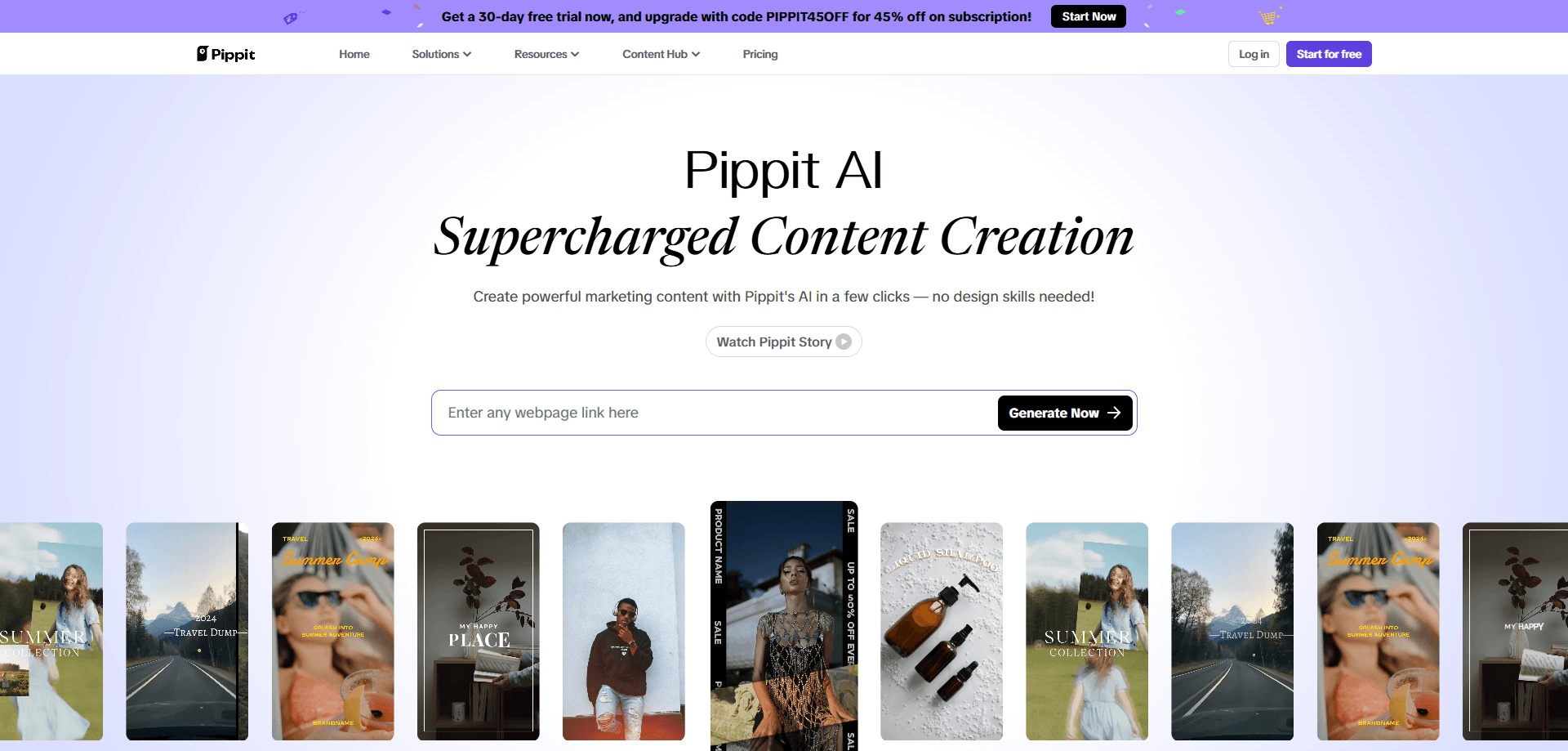
Pippit AI is an AI marketing agent from the CapCut team that turns a product link, photo or clip into ad-ready videos, AI avatars and product visuals.
About Pippit AI
What Is Pippit AI
Pippit AI is a marketing content platform built by the CapCut team, the maker of the editing app behind most short-video ads on TikTok. It grew out of CapCut Commerce Pro, a tool aimed at e-commerce sellers, and now runs as its own brand. The pitch is simple: you hand it a product link, a photo or a raw clip, describe what you want in plain language, and the agent returns a finished video, image or avatar clip you can post.
The product targets the bottleneck most small sellers hit first. Producing one decent ad means scripting, shooting, editing and resizing for three platforms. Pippit compresses that into a prompt and a choice of aspect ratio. It handles product demos, marketing videos, social clips and still imagery, and it speaks to people who need volume, not a studio.
Two limits are worth knowing before you sign up. The best-looking output still needs a human pass, since AI edits can misread a product detail or mangle on-screen text. And the platform leans on credits, so heavy batch work costs more than the free tier covers.
Getting Started
- Sign in at pippit-ai.com with a TikTok, Google or email account, and start on the free plan
- Pick a mode: video, image or avatar, then upload a product link, a photo or a clip as your source
- Write a prompt describing the result, and set the aspect ratio, language and duration
- Review the draft, regenerate any section you dislike, then download or schedule it for posting
Product Information
A quick look at Pippit AI's pricing, supported platforms, and performance.
Best for
The users, tasks, and scenarios where this tool fits best.
Users
- E-commerce sellers
- Social media managers
- Small business owners
- Affiliate and performance marketers
Tasks
- Turning a product link into a video
- Product photography on demand
- Avatar videos
- Video translation
- Resizing one clip for every platform
Scenarios
- A new product goes live and the listing needs a launch video today, not next week
- A seller runs a store in one language and wants to test an audience in another
- A creator has a photo of a product but no time, studio or budget to shoot it properly
- A team posts several times a day and needs filler content between flagship campaigns
- A small brand wants a consistent look across ads without hiring a designer
Key features
Anything to Video
This is the core entry point. You paste a link, upload a file or drop in a clip, then describe the video you want. Pippit reads the source, writes a script around it and renders a finished cut at the aspect ratio you pick. The practical win is that a product page, a PDF or a phone video all become usable raw material, so you can produce an ad without writing a brief or booking time with an editor.
Reference Video
Reference Video lets you point the agent at an existing clip and borrow its structure. It reads the script, the narrative beats and the visual style, then builds a new video with your product in that same shape. For sellers who watch a competitor's ad and think "that format, but mine," this skips the guesswork of reverse-engineering someone else's editing.
Video Translation
Video Translation takes a finished video and reworks it for a new language, so a clip shot for one market can run in another. It is aimed at sellers and creators who want to test audiences abroad without reshooting. Quality depends on the source audio, so a clean recording translates far better than one with heavy background noise.
AI Avatars and Talking Photos
Pippit ships a library of digital avatars you can cast in a video, plus the option to build a custom twin from your own footage. AI Talking Photo animates a still image so it speaks, which suits product explainers, training clips and store walkthroughs. The avatar set covers several languages, so the same presenter can carry a script in English, French, Japanese and more.
AI Image and Product Photography
The image side works like the video side. You describe the shot and Pippit generates marketing stills, posters and lifestyle product images, with background removal and swaps built in. It is a fit for listings, social posts and ad creative that would otherwise need a photographer, a backdrop and a lighting setup.
Multi-Model Engine
Pippit routes work through several third-party models rather than one, and the interface names them per task, so a user picks the model behind a render. That matters for anyone chasing a specific look, because the model choice drives style and motion more than the prompt alone. Access to the newest models can shift as the lineup changes.
Pros and cons
Pros
- Turns a product link, PDF or phone photo into a finished ad without a shoot or an editor
- Covers video, images, avatars and translation in one place, so you do not stitch together four subscriptions
- Free tier lets you test the video and image agents before paying
- Runs in the browser and on iOS and Android, so work started on a phone can finish on desktop
- Avatar library spans several languages, which helps sellers reach markets beyond their own
Cons
- Output leans on credits, so batch campaigns run through the free allowance fast and push you to a paid plan
- AI edits still need a check, and on-screen text or fine product details can come out wrong
- Model access changes over time, so a workflow built around one model may need rebuilding when the lineup moves
- No public API, so teams that want to automate at scale cannot wire Pippit into their own pipeline
- Some customers on Trustpilot report issues with free credits and shifting model availability, so read the terms before committing
Frequently asked questions
Pippit AI is an AI marketing agent from the CapCut team. You give it a product link, a photo or a clip, describe the result you want, and it produces a finished marketing video, image or avatar clip. It grew out of CapCut Commerce Pro, a tool built for e-commerce sellers. Pippit pricing starts free and scales with the credits you use.
Related content
Explore related tools, skills, and articles for Pippit AI.
Pippit AI Alternatives

ngram 2.0
ngram · Video · Marketingngram 2.0 is an AI video generator for teams. It turns a prompt, a screen recording, or a product URL into a narrated explainer, product demo, or AI avatar video, and every scene stays editable.

OpenScreen 2
OpenScreen (open-source project) · Video · ProductivityOpenScreen 2 is a free, open-source screen recorder and demo video editor for Windows, macOS, and Linux, with automatic zooms, styled frames, local captions, and agent edits.

Skreno
Skreno · Video · ProductivitySkreno is a browser screen recorder that captures a tab, a window or your whole display, then attaches AI transcripts, summaries and console logs to one share link.