

Pitch
Pitch Software GmbH · Image · Productivity
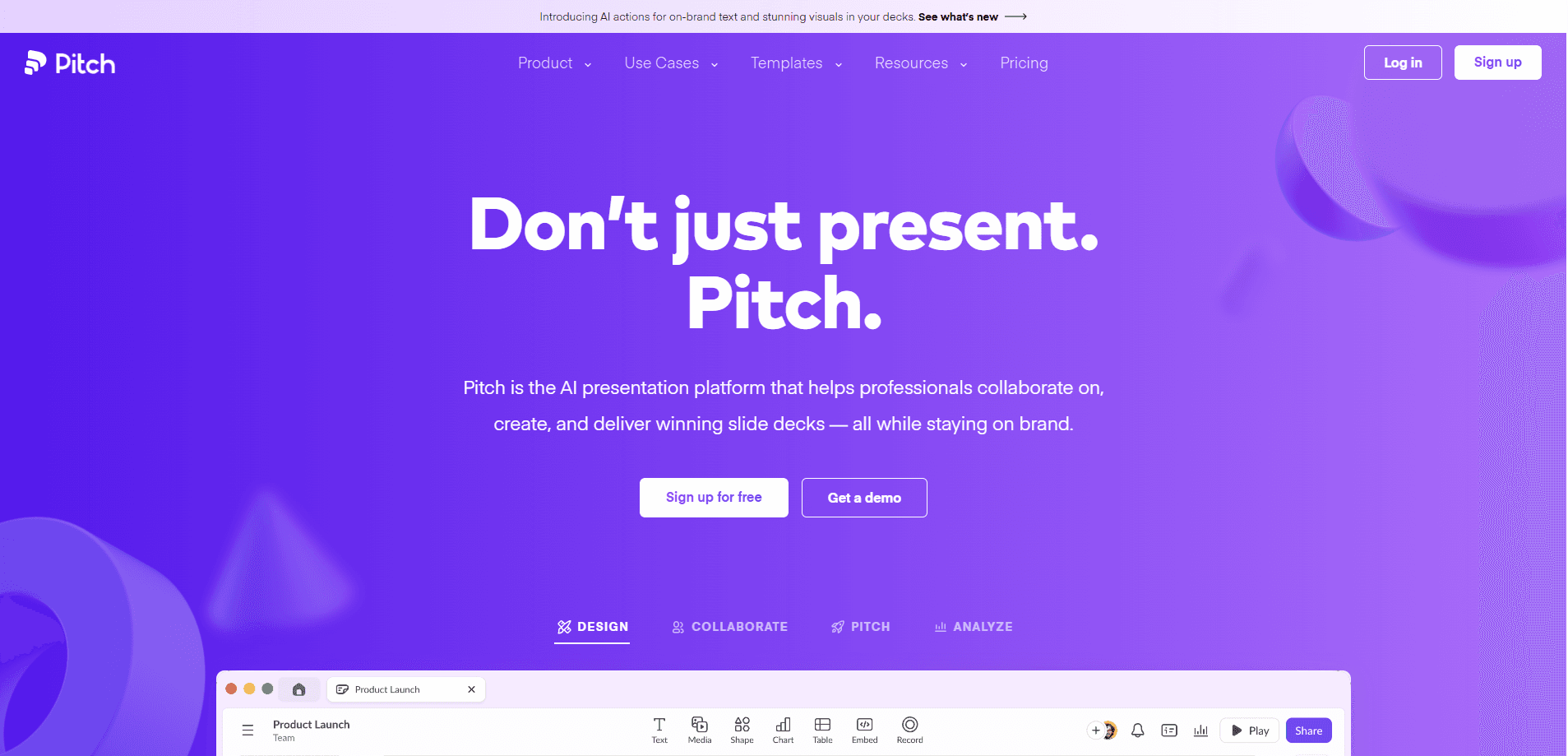
Pitch is an AI presentation workspace that takes a prompt and returns a finished deck with slides, visuals, and copy built around your brand. Teams use it to draft pitch decks, sales presentations, and board reports, then refine them through chat instead of clicking through menus. The whole thing runs in the browser. Nobody installs anything to start.
About Pitch
What Is Pitch
Pitch is a web-based presentation platform built around an AI agent it calls Pitch Agent. You describe what you need, and the agent assembles a complete deck: layouts, generated images, and written copy. That deck still behaves like a normal presentation. You can move elements, change fonts, and polish slides by hand when the AI output needs a nudge. No install, no plugin, no friction.
The company behind it started in 2018, when eight friends in Berlin set out to make presentation tools less painful. Pitch now serves more than 4 million teams. It leans on brand consistency as its main pitch: enter your domain, and the agent pulls your logo, colors, and fonts into a reusable template. Every new deck then inherits that look without you rebuilding it slide by slide.
The limits are worth knowing up front. Pitch lives in the browser, so there's no heavyweight desktop app on the level of PowerPoint or Keynote. Heavy users also hit file limits on the free tier fast. Google Slides imports generally work, but some layouts shift during conversion, which means you'll spend real time fixing spacing, fonts, and repositioned images after a move instead of presenting. And if your team lives inside Microsoft Office, you won't find the deep native hooks that PowerPoint offers.
Getting Started
- Sign up at app.pitch.com with an email address or Google account. No credit card is required to start.
- Create a workspace and give it a name, then invite teammates if you want to collaborate right away.
- Enter your company domain so Pitch Agent can build a branded template from your logo, colors, and fonts.
- Open the AI prompt box, describe the deck you want, and pick a template for the agent to work from.
- Refine the result in chat, then share it through an analytics link or a branded deal room.
Product Information
A quick look at Pitch's pricing, supported platforms, and performance.
Best for
The users, tasks, and scenarios where this tool fits best.
Users
- Startup founders
- Sales teams
- Marketing managers
- Freelance designers
- Remote and cross-functional teams
Tasks
- Generating a first draft
- Restructuring busy slides
- Stress-testing a story
- Drafting follow-ups
Scenarios
- A pitch meeting next morning
- A weekly team meeting
- Early project research
Key features
Pitch Agent deck generation
Pitch Agent is the core of the product, and it works as an AI slide generator. You write a prompt, pick a template, and it returns a full presentation with layouts, generated visuals, and written copy. If the deck needs more context, attach files for the agent to read before it builds anything, which saves you from re-explaining your product, market, and goals inside the prompt itself.
Chat-based slide editing
Instead of hunting through toolbars, you tell the agent what to change. It rewrites and tightens copy, adjusts tone, reorganizes content across slides, and splits or merges slides on request. You can also ask it to regenerate images when a visual doesn't match the art direction. That's the part people notice first.
Branded templates from your domain
Enter your company domain and Pitch Agent pulls your logo, colors, and fonts into a template that becomes the baseline for everything it generates. Fonts, colors, and layouts apply automatically, so decks feel like your company rather than a generic AI export. It's a small setup step that pays off on every deck after it.
AI Q&A on your own deck
You can ask the agent questions about the deck itself, like what the key claims are or how you compare to competitors. It also flags weak proof points, unanswered objections, and slides that need more detail. That's handy before a high-stakes presentation, when a shaky claim is easier to catch now than in the room. Use it as a skeptical reviewer.
Real-time collaboration
Pitch keeps the editing workspace from its earliest days, not just the AI layer. Multiple people work on the same deck at once, leave comments, and assign tasks. It's the part that separates a working team tool from a one-off generator. Why does that matter? Because most decks are a group effort.
Analytics links and deal rooms
When a deck is ready, share it through an analytics link or a branded deal room and see who engages with which slides. This turns a static file into something you can measure, so you know which prospects opened your deck, how long they stayed on each slide, and where their attention dropped off. For a pitch deck tool aimed at sales and fundraising, that feedback loop is the real draw.
Full manual design control
Everything the AI produces stays editable, which matters because generated decks rarely land perfectly on the first try. You can adjust layouts, move elements, and polish slides until they meet your standards, and the quick actions inside the editor handle one-click proofreading, tone matching, image improvement, and text rewrites without sending you back into the chat.
Pros and cons
Pros
- Prompt-to-deck generation cuts the blank-page problem, so a usable first draft exists within minutes instead of after an afternoon of dragging text boxes around an empty slide.
- Branded templates keep fonts, colors, and logos consistent across every deck a team makes, even when five different people build them.
- Chat editing is faster than hunting for features if you already know what you want changed, and it keeps you in the story instead of the toolbar.
- Analytics and deal rooms add measurable engagement for sales and fundraising decks.
- Runs fully in the browser with no install, and mobile and desktop apps cover the gaps.
Cons
- Output quality still depends on how good your prompt is. Thin prompts give generic decks you'll rewrite anyway.
- The free tier is tight on file limits, so regular users will hit upgrade prompts quickly.
- Google Slides imports can shift layouts, which means cleanup after conversion.
- Teams deep in Microsoft Office won't find the native integrations PowerPoint offers.
Frequently asked questions
Pitch is an AI presentation workspace for creating and delivering slide decks. Teams use it as a presentation maker for teams, covering pitch decks, sales presentations, board reports, and internal meetings, and they can generate a first draft from a text prompt.
Related content
Explore related tools, skills, and articles for Pitch.
Pitch Alternatives

X Ray Interpreter
X-ray Interpreter · ImageX Ray Interpreter is a web-based AI radiology tool that turns X-rays, CT scans, MRI, ultrasound, and PET images into plain-language reports. You upload a scan, get a preliminary X-ray interpretation in moments, then ask follow-up questions if something needs explaining. It works as a second opinion and a learning aid, not as a medical diagnosis.

Aieasypic
AIEasyPic · ImageAIEasyPic is an AI image generator that turns plain text prompts into finished artwork in seconds. You can also train custom models on your own photos, swap faces in existing images, and create short video clips from text, all from a browser. It suits casual creators who want quick visuals and hobbyists who want to build a personal model without touching any code.

Chargen
Chargen · ImageChargen is an AI character generator and worldbuilding toolkit built for Dungeons & Dragons and other tabletop RPGs. It turns a one-line idea into a painted character portrait, spins up NPCs, monsters, maps and encounters from the same session, and keeps every creature's details close at hand. The tabletop RPG art side runs on a credit system called Gold, while the text generators stay free for everyone.