

PixelChat.ai
NextDayAI · Chatbot
PixelChat.ai is a roleplay platform where you chat with or build custom AI characters, backed by a library of nearly a million community creations.
About PixelChat.ai
What Is PixelChat
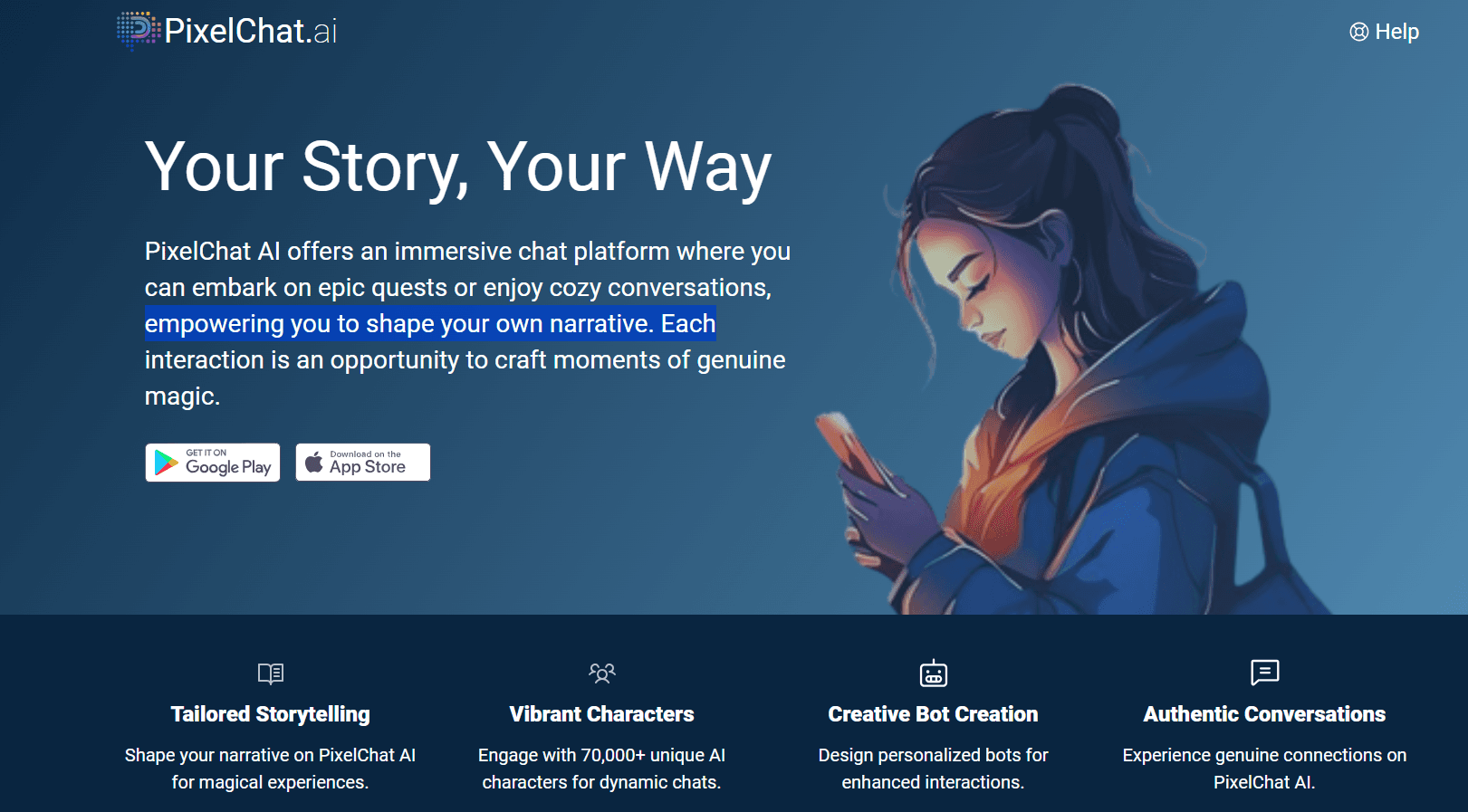
PixelChat.ai is a browser-based AI chat platform built around characters. You pick a bot from a library of around a million community-made creations, or design your own, then carry on a conversation that the AI keeps going in character. The pitch is simple: it's for roleplay, storytelling, and casual chat, and you can start typing without setting up an account.
Most people come for the roleplay. Characters span anime, fantasy, romance, gaming, and slice-of-life setups, and you can filter by tag or search by name to find something specific. If nothing fits, the built-in creator tool lets you write a personality, a greeting, and a backstory, then publish the bot publicly or keep it private.
The catch is that the best parts sit behind a paywall. Longer memory, richer responses, voice, and image generation all need a subscription. On the free plan your characters forget earlier parts of a conversation sooner, and you see ads between chats. That's fine for trying things out, less so for long, plot-heavy stories.
Getting Started
- Open pixelchat.ai in a browser or install the Android app. You can browse and chat without signing up.
- Pick a character from the homepage, or use search and tags to narrow the list, and open a chat.
- Type your reply. The character answers in its own voice and pulls context from earlier messages.
- Want your own? Choose Create Chatbot and fill in name, title, greeting, personality, and avatar.
- Set the character to Public, Unlisted, or Private, then start chatting or share it with the community.
Product Information
A quick look at PixelChat.ai's pricing, supported platforms, and performance.
Best for
The users, tasks, and scenarios where this tool fits best.
Users
- Roleplayers
- Writers
- Language learners
Tasks
- Casual back-and-forth chat
- Building a custom AI chatbot
- Multi-character scenes
- Steering a story
Scenarios
- Killing twenty minutes on a commute
- Drafting a first-person narrative voice
- Exploring a fandom idea
Key features
Character Library and Discovery
The homepage opens onto a catalog of roughly a million user-made characters, which is what most people mean by a character AI chatbot library. Filter by tags, sort by trending or most popular, or search a creator's name. Every character carries a title and tags so you can judge the tone before you start.
Custom Character Creator
The bot builder walks you through name, title, greeting, personality, and avatar. You can generate an avatar with the built-in image tool or upload your own. Visibility controls let a character go public to everyone, stay unlisted behind a link, or remain private. Advanced attributes add deeper behavioral detail for people who want it.
Context Memory Tiers
Free chats run on a smaller memory window, so characters drop earlier details sooner. Paid tiers push that to 4K, 8K, and up to 32K tokens, and add a Memory Manager where you pin facts you want the character to keep. More memory means longer scenes without the bot forgetting what just happened.
Group Chat
Group Chat places 2 to 10 bots in a single thread where they react to you and to each other. Small, medium, and large groups cover different scene sizes. For anyone after group chat AI, it turns a one-on-one exchange into something closer to an unfolding world.
Text-to-Speech and Conversation Images
On the top tier, characters can read their replies aloud with assigned voices. True Supporter and above also unlock Conversation Images, which generate a picture of the current scene from the character's avatar, description, and last message.
Director Mode
Director Mode hands you the controls with /cmd instructions typed on their own line. Use them to break repetition, redirect a wandering plot, or keep a character true to its personality. The AI reads the commands as guidance, not as part of your message.
Pros and cons
Pros
- No sign-up needed to browse characters or start chatting, which lowers the barrier to trying it.
- Roughly a million community characters across anime, fantasy, romance, and gaming cover most roleplay tastes.
- Group Chat with up to 10 bots supports layered scenes that single-character apps can't match.
- Director Mode gives precise control over plot and character behavior for writers who want it.
- Android app mirrors the website, so you can pick up a chat on your phone.
Cons
- The free plan caps memory and shows ads, so long, detailed stories lose earlier context and stall.
- Voice, images, and the largest model sit behind the $29.95/mo tier, which adds up if you want the full experience.
- PixelChat has left the Apple App Store, so iPhone users are stuck with the browser version.
- There's no public API, so you can't plug the characters into your own projects or workflows.
Frequently asked questions
Yes. You can browse characters and chat without paying, and no account is required to start. The free tier limits context memory and shows ads. Removing ads, longer memory, voice, and images require one of three paid subscriptions.
Related content
Explore related tools, skills, and articles for PixelChat.ai.
PixelChat.ai Alternatives

Knocket
Knocket (Tencent RTC team) · Productivity · Business · ChatbotKnocket is a free live chat and contact page tool that lets visitors message you from your website, app, or a shareable link, with every reply handled from Telegram or one inbox.
Agibot
Agibot · Productivity · AI Assistant · ChatbotAgibot is a personal AI agent for Mac that keeps running after you close the window, runs routines on a schedule, and works from Telegram or Slack with your own API keys.

Melete
Melete · Productivity · AI Assistant · ChatbotMelete is an AI workspace for teams where agents research, draft, and act in Slack, Notion, Linear, and GitHub. Shared memory and approval gates keep people in control.