
PixelForge
PixelForge · Image
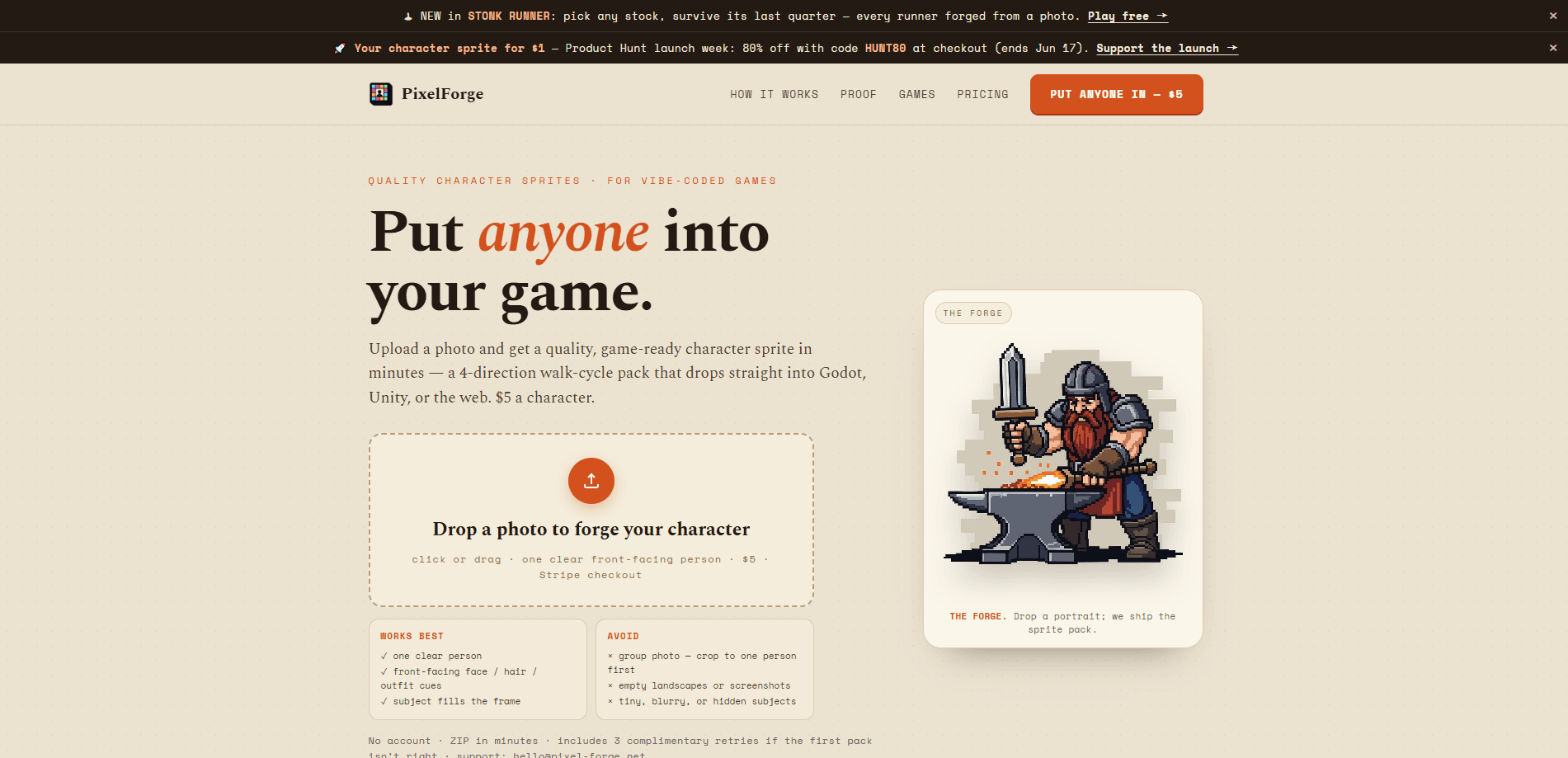
PixelForge is a photo to sprite tool that turns a single clear, front-facing photo into a game-ready character sprite pack for $5. You upload one image, and minutes later you get a 4-direction RPG walk cycle, a strict 4x4 sprite sheet, 16 transparent frames, engine-ready strips, and looping walk GIFs. There's no account and no subscription, so a solo developer can drop a playable character into a Godot, Unity, or web build without drawing a frame by hand.
About PixelForge
What Is PixelForge
PixelForge is a web-based character sprite generator built for developers who want a playable 2D game character without an art pipeline. It takes one clear portrait and returns a walk-cycle pack in the four standard RPG directions: down, left, right, and up.
The problem it solves is mundane but real. Hand-drawing an animated character means sketching poses, keeping proportions consistent across frames, and aligning feet so the character doesn't jitter as it moves. That's hours of tedious work. For one sprite. PixelForge automates the middle of that process, then finishes it with code rather than another AI pass. Your photo becomes a strict 4x4 grid, a script removes the key color, every frame's feet get aligned, and the pack ships as real transparent files.
The biggest limitation is input quality. Group photos, blurry subjects, and empty landscapes don't work. You need one clear, front-facing person who fills the frame. Does the price reflect quality? It reflects scope, not art quality. The output is a fixed format, one 4-direction walk cycle per $5 order, so it won't cover jumping, attacking, or custom animation sets.
Getting Started
- Prepare a photo with one clear, front-facing person whose face, hair, and outfit are visible and fills the frame, since a subject who only occupies a corner of the image will usually produce weak or unrecognizable results.
- Open pixel-forge.net and drop the image into the upload box (click or drag).
- Forge the character and complete the $5 Stripe checkout to start the pipeline.
- Wait a few minutes for the ZIP to arrive, then grab the sprite sheet, frames, strips, and GIFs.
- Drop the files into Godot, Unity, Phaser, GameMaker, or an HTML5 build using the included README.
Product Information
A quick look at PixelForge's pricing, supported platforms, and performance.
Best for
The users, tasks, and scenarios where this tool fits best.
Users
- Solo game developers
- Game jam participants
- Teachers and students
- Twitch and YouTube creators
Tasks
- Converting a portrait into a 4-direction walk cycle
- Building a sprite sheet for an RPG or top-down 2D game character
- Producing looping walk animations
Scenarios
- Adding an NPC to a Godot or Unity prototype set in a small town.
- Prototyping a Stonk Runner-style auto-runner where characters walk on a loop.
- Dropping a recognizable character into a browser game built with Phaser or plain HTML5.
- Testing a game idea before committing to a full art pipeline.
Key features
One Photo to a Full Sprite Pack
The core promise is simple. Upload one clear, front-facing photo and get a complete character pack back. You don't pick a style or tune parameters, because the tool handles one specific job well instead of offering a broad toolkit. That narrow focus is why the price stays at $5 a character.
Strict 4x4 Sprite Sheet
Every pack includes a strict 4x4 sheet laid out as down, left, right, up. Because the grid is fixed, the PixelForge sprite sheet maker output slices cleanly in most engines. A couple of setup lines beat a custom importer. For a developer wiring up animation states, that predictability saves real time.
Transparent Frames With Aligned Feet
The pack ships 16 per-frame PNGs with transparency and, more importantly, aligned feet. That alignment is the detail a customer named Michael K called out, saying it saved him hours of tedious editing. When feet don't line up frame to frame, a walking character slides and jitters; PixelForge fixes that before the files ever reach you. What a pain it would be otherwise.
Engine-Ready Strips and Looping GIFs
Alongside the sheet and frames, you get four horizontal direction strips that are ready to slice and four looping walk GIFs, one per direction. The GIFs are handy for previewing motion or posting a demo without opening your engine at all. Handy for a quick share.
Built for the Engines You Actually Use
The output drops into Godot, Unity, Phaser, GameMaker, and HTML5 or web projects. Think of it as a sprite generator for Godot or a Unity sprite asset source, without the Photoshop round trip. Each pack includes a README with drop-in usage notes, so the file naming and folder layout already match what these engines expect from a normal asset import.
QA Notes and Free Retries
Every pack includes a qa_notes.txt with the alignment, key-removal, and frame report. So you can see what the pipeline did. If the first result isn't right, the order includes three complimentary retries, which takes some of the risk out of a blind $5 purchase and softens the sting of a bad input photo.
Pros and cons
Pros
- Costs $5 per character with no account and no subscription.
- Returns a full walk-cycle pack in four directions, not just a single static image.
- Deterministic post-processing aligns feet and removes the key color, so the files are engine-ready.
- Three free retries cover you if the first pack doesn't look right.
- Includes a README and QA notes so you know what shipped.
Cons
- Only works with one clear, front-facing photo; group shots and blurry images fail.
- Output is limited to a 4-direction walk cycle, so no attack, jump, or custom animations.
- No free plan means you can't test the quality before paying $5.
- No API, so it can't be wired into an automated asset pipeline.
Frequently asked questions
It turns a single clear, front-facing photo into a game-ready character sprite pack. You get a 4-direction walk cycle instead of a static image. That's the whole tool.
Related content
Explore related tools, skills, and articles for PixelForge.
PixelForge Alternatives

Tractionwave
TractionWave · Image · MarketingTractionWave is an AI attention heatmap tool for static ads. Upload a PNG or JPG and it returns predicted attention, ranked hotspots, and fixes before you spend budget.

Imejis.io
Imejis.io · Image · MarketingImejis.io is an AI design studio for agents and marketing teams. Describe an image in plain words, and it writes the copy, builds the layout, reflows it to every size, then exports a finished file.

Layoutr
Van Dijk Ontwikkeling · Image · China AILayoutr is a browser floor plan tool that scales your own plan, places furniture at true size, shows the room in 3D and renders it with AI.