
Pixwith
Pixwith · Video
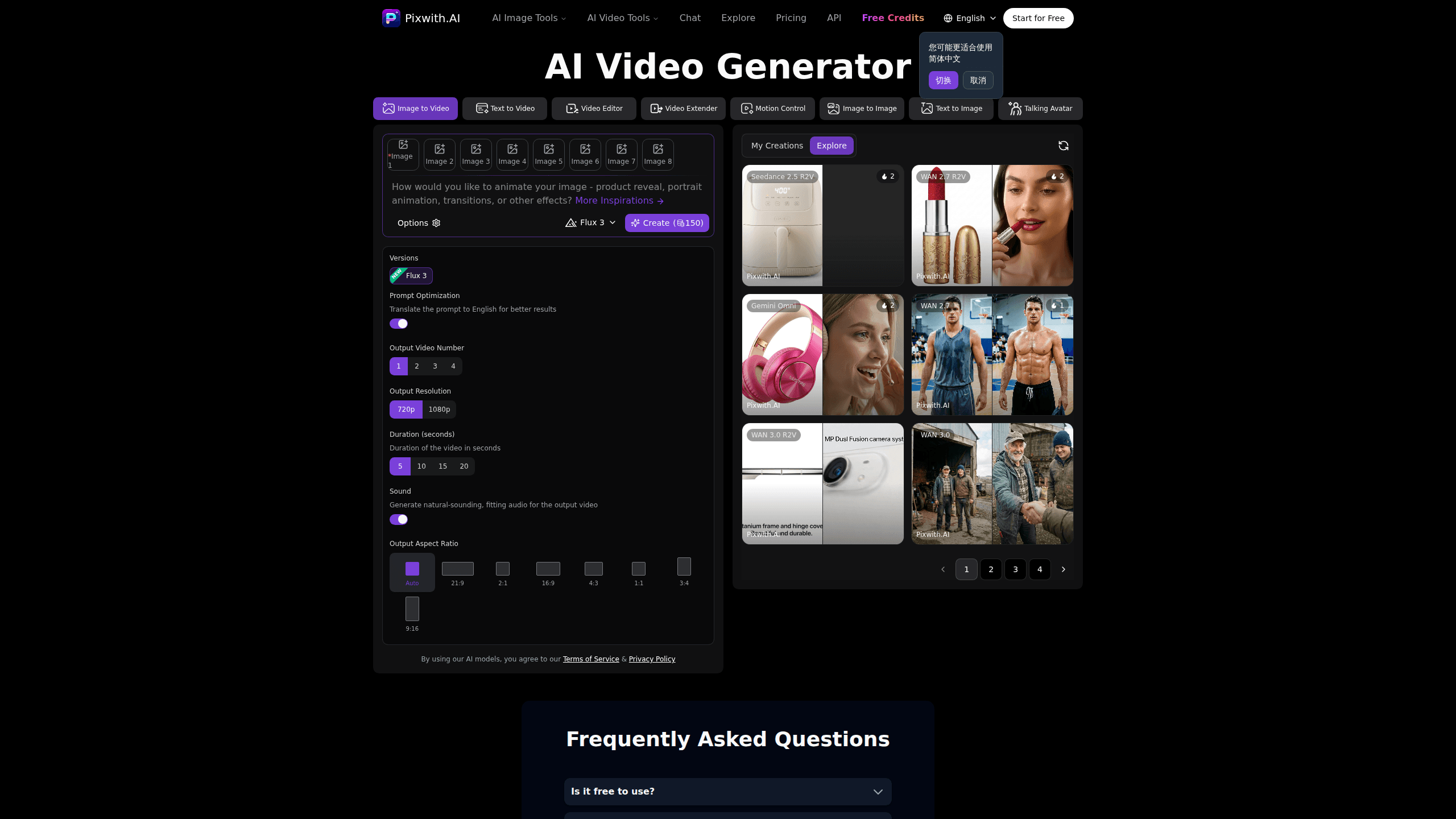
Pixwith is a browser-based AI video generator that turns text prompts or still images into short clips, and it also produces AI images. You can start with a free image model and no login, then open up premium image and video models by signing up and buying credits. It suits creators who want quick social-ready clips without installing software or managing a subscription.
About Pixwith
What Is Pixwith
Pixwith is an all-in-one AI media platform that runs entirely in your browser. It covers two jobs in one place: generating images from text, and turning text or images into videos. You don't need to install anything, and the free tier works without an account.
The main draw is the model selection. Instead of locking you into one engine, Pixwith routes your request to a range of image and video models, from fast, cheap options to premium ones like Veo, Kling, and MidJourney. Each model costs a set number of credits, so you can match quality to budget.
The catch is the credit system. Free use covers only the basic image model, and video generation always costs credits. If you want anything beyond that starter model, you'll need to sign up and buy credits, either as a subscription or a one-time pack.
Getting Started
- Open pixwith.ai and pick either the image or video generator. No login is required for the basic image model.
- Type a text prompt, or upload an image if you want image to video output.
- Choose a model and a resolution or aspect ratio. The credit cost is shown before you generate.
- Hit generate. Most images finish in 10 to 30 seconds, while videos usually take 1 to 3 minutes.
- Sign up if you want premium models, then download your result or buy credits to keep creating.
Product Information
A quick look at Pixwith's pricing, supported platforms, and performance.
Best for
The users, tasks, and scenarios where this tool fits best.
Users
- Social media creators
- Small business owners
- Marketers testing concepts
Tasks
- Text to video
- Image to video
- AI image generation
Scenarios
- Posting daily short-form content
- Quick idea validation
- One-off projects
Key features
Wide Model Library
Pixwith gives you access to a large catalog of image and video models rather than a single engine. The image side spans options like Nano Banana, Flux, and MidJourney, while the video side covers WAN, Kling, Seedance, and Veo. That range matters because different models handle different styles and motion better, and you can switch per project. Want a specific look? Pick the model that fits it.
Transparent Credit Pricing
Every model has a fixed credit cost shown before you generate, so the credit-based pricing stays clear upfront. Cheap image models start around 1 credit, while high-end video models like Veo 3.1 Pro can run into the hundreds. You won't guess what a clip will cost.
No Sign-Up to Start
The basic image model works without an account. That lowers the barrier for anyone who just wants to test a prompt. Signing up opens premium models and free credits for new users.
Text to Video and Image to Video
You can build a clip from a written description or animate an existing image. Both paths land in the same workspace, so you don't juggle separate tools for still and moving content, and you can move from a rough image prompt straight into a short video without ever leaving the tab.
Commercial Rights Included
Pixwith states that you own the images and videos you generate, including commercial rights, with no royalties. You can use them for business, resell them, or license them.
Fast Turnaround
Most images finish in 10 to 30 seconds, and videos typically take 1 to 3 minutes. The platform says performance holds steady during peak usage, which matters when you're working to a posting schedule. A batch of stills you'd normally wait on for several minutes can land while you're still writing the caption.
Pros and cons
Pros
- A broad model library lets you match engine and cost to each project.
- The free basic image model with no login makes testing easy.
- Credit costs are shown per model, so pricing is predictable.
- No daily or monthly generation caps as long as you have credits.
- Commercial rights are included, with no royalties on your output.
Cons
- Video generation always costs credits, so it isn't free despite the free tier.
- The credit system adds a mental step: you track balances and model costs before generating.
- Premium video models like Veo 3.1 Pro consume a lot of credits per clip.
- There's no downloadable app, so you need a browser and a steady connection.
Frequently asked questions
Partly. The basic image model is free and needs no login. Anything beyond that, and all video generation, requires credits, which you buy through a subscription or a one-time pack.
Related content
Explore related tools, skills, and articles for Pixwith.
Pixwith Alternatives

Vadu AI
Vadu AI · Image · VideoVadu AI is a web-based AI video generator that turns written prompts or still images into short clips, and it can also generate images on its own. You type what you want, pick a model and style, and the platform renders the result in minutes. A free plan covers light testing, while paid tiers run from $9 to $77.40 per month based on how many credits you burn.

Mykaraoke Video
MyKaraoke Video · VideoMykaraoke Video is an online karaoke video maker and lyric video maker that turns any song into a finished, lyrics-synced video right in your browser. It handles the slow part for you. The AI pulls vocals out of the mix and locks the lyrics to the beat, then lets you customize background, fonts, and colors before exporting in 1080p MP4. If you make lyric videos for social media, party nights, or music promotion, it skips the software installs and manual timing work entirely. Want a karaoke video generator that doesn't eat your whole evening? That's the pitch here.

Finalframe
Finalframe · VideoFinalframe is a set of free, browser-based tools for grabbing exact frames out of a video clip. Its best-known feature, the Final Frame Extractor, lets you extract the last frame of any video so you can use it as the starting image for AI video tools like Luma Dream Machine, Runway, or Kling. Want to keep a clip going? That last frame is your starting point. The tool runs locally in your browser, needs no sign-up, and costs nothing. A separate paid AI video-generation app from the same team is currently offline while it's rebuilt.