

Planby Now
Planby Now · Productivity
Planby Now is a no-code scheduling platform for building an interactive timeline or event schedule builder without writing code. You connect a data source like CSV, Airtable, Luma, Calendly or an AI prompt, style the result to match your brand, then either embed it into WordPress, Framer, Webflow or Bubble or publish it as a standalone hosted page. It works as event planner software for organizers, conference teams and community managers who need a live agenda that updates itself when the underlying data changes.
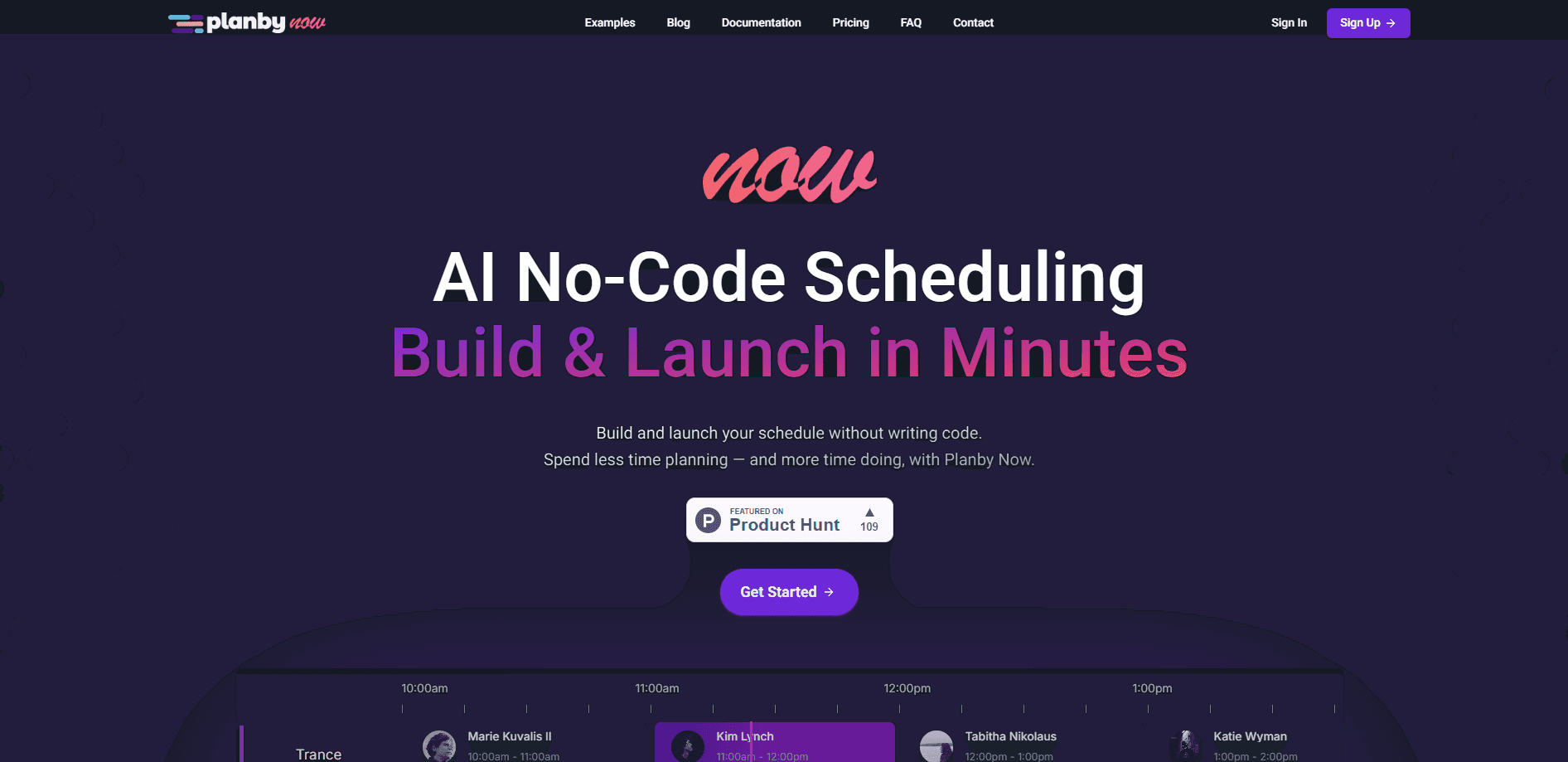
About Planby Now
What Is Planby Now
Planby Now is a presentation layer for event schedules. Instead of rebuilding an agenda by hand every time a session moves, you point it at a data source and it renders an interactive timeline you can drop into any site.
The product solves a specific, annoying problem: schedules change constantly, but the pages that display them rarely do. So what happens when a session moves an hour before doors open? With Planby Now, the schedule and the data behind it stay in sync. A room change at 9 a.m. shows up everywhere the embed lives without a developer touching the code.
The main limits are about scope. This is a scheduling and presentation tool, not a full event planner software suite with ticketing or registration. It also runs entirely in the browser, so there's nothing to install and nothing that works offline. And AI-generated schedules and most advanced layout controls sit behind paid tiers, not the free plan.
Getting Started
- Sign up at planbynow.app with an email address and pick a plan.
- Connect your data. Upload a CSV, link an Airtable base, pull from Luma or Calendly, or describe the agenda to the AI prompt.
- Customize the layout in the visual editor: adjust colors, sidebar width, timeline height and card styling to match your brand.
- Publish. Either copy one embed line into WordPress, Framer, Webflow or Bubble, or launch a hosted Planby page on your own domain.
Product Information
A quick look at Planby Now's pricing, supported platforms, and performance.
Best for
The users, tasks, and scenarios where this tool fits best.
Users
- Event organizers
- Conference and meetup teams
- Community managers and agencies
Tasks
- Embedding a live schedule
- Importing an existing agenda
- Generating a first draft
Scenarios
- Music festivals and multi-stage lineups
- Product conferences with parallel tracks
- Weekly webinars or recurring streams
Key features
Drag-and-Drop Schedule Builder
The visual builder lets you reorder sessions, stages and tracks directly on the canvas. You control the sidebar width, timeline height, item height and overall layout width, so the schedule fits your page rather than the other way around. Drag and drop and the more detailed timeline controls are on the paid tiers, so free users get a simpler starting point. No code required.
Data Import from Multiple Sources
Planby Now pulls from CSV uploads, Airtable bases, Luma and Calendly, and it exposes a REST API for custom pipelines. That range matters because most teams already keep their agenda somewhere. If your sessions live in a spreadsheet, you don't have to migrate them first. It just connects.
AI Schedule Assistant
On paid plans, you describe an event in plain language and the AI assistant generates a draft schedule you can edit. It's a fast way to get past the blank canvas for a conference or festival, and it's the feature that most directly sets the tool apart from a plain embed script.
Embed Anywhere or Host a Page
You get two publication paths. Copy one embed line into WordPress, Framer, Webflow or Bubble, or skip the website entirely and launch a branded hosted page on a Planby subdomain. That second option is handy. Custom domains are supported on paid plans.
Branding and Layout Controls
Colors, layout width, timeline height, item height and themes are all adjustable. Advanced controls like RTL support, vertical mode, group trees, timezone conversion, modal details and area highlights are reserved for paid tiers, which matters if you're running an international or right-to-left language event.
Dashboard and Team Roles
A dashboard tracks published schedules and account usage, and roles let you invite collaborators. You can see how much of your monthly entry, storage and API quota you've used without guessing. Worth checking weekly.
Pros and cons
Pros
- Single embed line works across WordPress, Framer, Webflow, Bubble and plain HTML pages.
- Schedules update automatically when the connected data changes, so no manual re-publishing.
- Free plan includes 200 schedule entries, 1 GB storage and 100k API calls per month, enough to test a real workflow.
- Import options cover CSV, Airtable, Luma and Calendly, matching where most teams already store their agenda. Setup is quick.
Cons
- It's a presentation layer only, so you still need a separate tool for ticketing, registration and attendee emails.
- Advanced features like RTL, vertical mode, timezone conversion and drag-and-drop are locked behind paid tiers, which can surprise international teams.
- There's no offline mode and no native mobile app, so everything depends on a browser and a connection.
Frequently asked questions
It builds and publishes interactive event schedules. You connect a data source, style the timeline, then embed it into a website or publish it as a hosted page that stays in sync with your data.
Related content
Explore related tools, skills, and articles for Planby Now.
Planby Now Alternatives

Swms
Swms AI · Writing · Productivity · BusinessSwms is an AI safety compliance tool that turns a plain description of a job into ready-to-use safety documents. Describe your project, trade, and known hazards, and it writes a safe work method statement, job hazard analysis, safe work procedure, RAMS, or safety data sheet in seconds. It also ships with Oscar, a chat assistant that answers workplace safety questions in any language. Teams in construction, mining, transport, and warehousing use it to cut the paperwork that usually eats into a workday.

Wordly AI Translation
Wordly · Voice & Language · ProductivityWordly AI Translation is a real-time AI translation and captioning platform built for meetings, conferences, and events. It delivers live translation, captions, transcripts, and summaries in more than 60 languages, and attendees join by scanning a QR code or opening a link instead of using dedicated headsets. The platform works with Zoom, Microsoft Teams, Google Meet, and Webex, and it's designed for organizations that want multilingual access without hiring human interpreters for every session. Simple as that.

Rows
Rows (Superhuman) · Productivity · BusinessRows is an AI spreadsheet and data analysis tool that imports live data from more than 50 sources, then lets you work with it using plain language instead of SQL queries or nested formulas. You can pull numbers out of PDFs, connect ad platforms, databases, and bank accounts, and ask the AI to build reports, merge datasets, or set up models that recalculate themselves. It runs in the browser, works like a spreadsheet, and now sits under the Superhuman umbrella.