

Planndu
Leadstepp · Productivity
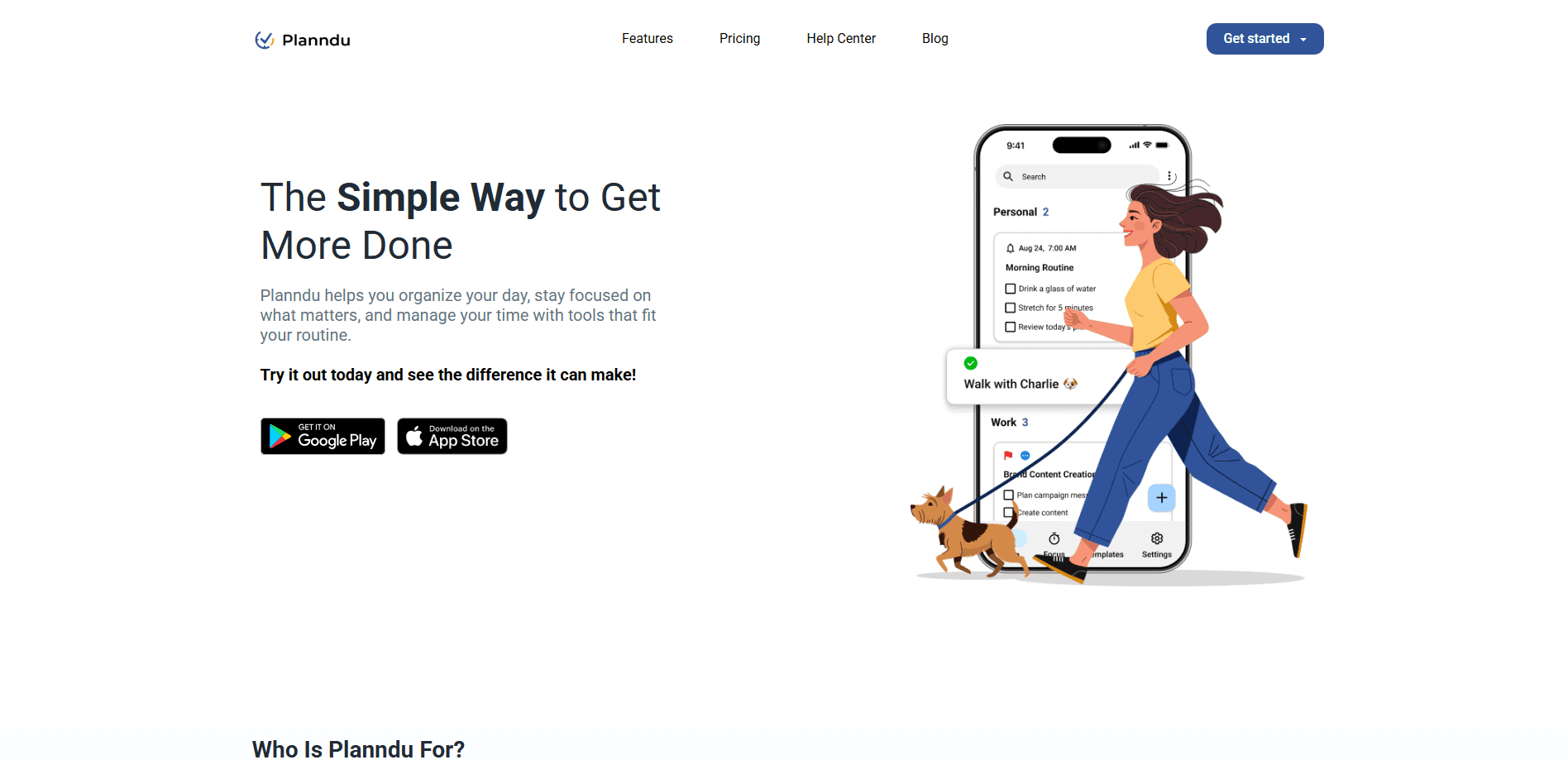
Planndu is a task management app for iPhone and Android that keeps your to-do lists, notes, and reminders on your own device. Call it a productivity app, a reminder app, or a to-do list organizer, and it still fits: it ships with AI-assisted list building, a library of time-saving templates, flexible grouping, and repeat reminders, all of which work offline with no account required. The free tier covers the basics, and a $3.99 monthly or $29.99 yearly plan unlocks task groups, sharing, and themes.
About Planndu
What Is Planndu
Planndu is a personal task planner built for people who want to dump thoughts somewhere fast and sort them later. It organizes tasks into groups like Ideas, Projects, and Errands, then lets you sort by priority, status, or time frame. Everything lives on your device, so nothing gets uploaded unless you export it yourself.
The main promise is speed and privacy at the same time. You can add a task in seconds without a login screen, and the app keeps running in a subway tunnel or on a flight. That offline-first design is a real difference from cloud-first planners, which tend to nag you about syncing the moment the signal drops. No signal? No problem.
The catch is collaboration. Planndu shares tasks only across devices on the same local network, so there is no real-time cloud sync for teams spread across cities. If your work depends on a shared project board that updates live, this app won't replace that. Not even close.
Getting Started
- Download Planndu from the App Store or Google Play and open it. No sign-up is needed to start.
- Tap the plus button and type a task, a checklist item, or a short note. Set a due date and a priority if you want one.
- Sort tasks into groups such as Ideas, Projects, and Errands, then drag and drop to reorder them.
- Turn on reminders or repeat schedules for anything recurring, like a weekly review or a daily habit.
- Upgrade to Premium from your app store account if you need task groups, local sharing, CSV export, and custom themes.
Product Information
A quick look at Planndu's pricing, supported platforms, and performance.
Best for
The users, tasks, and scenarios where this tool fits best.
Users
- Busy individuals juggling packed schedules
- Students managing coursework and study plans
- Privacy-minded users
Tasks
- Capturing stray thoughts fast
- Tracking recurring habits
- Backing up and moving your data
Scenarios
- Planning a week without Wi-Fi
- Running a personal project
- Moving tasks between your own devices
Key features
Offline-first task capture
Planndu stores your tasks and notes on the device, so the app works without an internet connection. Add a task on a plane or in a basement and it stays there until you act on it. As a to-do list organizer, that's the whole point. Cloud-only apps often lock basic editing behind a sync, and Planndu doesn't. No signal, no problem.
Flexible grouping and sorting
Tasks live in groups you define, such as Ideas, Projects, or Errands, and each one carries a priority and a status. Sort the whole list by relevance with views like This Week, Backlog, or Waiting On. Drag and drop moves items between groups in a second. When work and life pile up, this structure keeps the list from turning into a wall of text. Chaos, contained.
Template library
The app ships with pre-built templates for common lists, including grocery runs, gratitude journals, and goal trackers. Free users get three; Premium unlocks the full set. Templates matter most on day one, when you don't yet know how you want to organize things and just need a starting shape.
Repeat reminders
You can set flexible repeat schedules for tasks that come back around, so habits and recurring chores resurface on their own. As a reminder app, it does the nagging for you. A weekly review or a monthly bill won't quietly fall off the list. This is part of the Premium tier, which is worth noting before you build a routine around it.
Local sharing and CSV export
Premium lets you transfer tasks and notes across your own devices when they sit on the same network, no cloud account required. Export dumps everything into a CSV file for backup or restore, and the file works offline. If you want a full live sync across an entire team, that isn't what this is.
Theming and customization
Choose from light, dark, and custom themes, and color-code tasks and notes to fit how you think. The free plan includes one color theme; Premium opens up the rest. It's a small thing, but a planner you actually like looking at is one you keep using. That matters more than it sounds.
Pros and cons
Pros
- Works fully offline, so tasks stay available without a connection.
- No account or login required, which keeps setup minimal.
- Free tier is genuinely usable, with tasks, notes, priorities, reminders, and three templates.
- CSV export gives you real ownership of your data and an offline backup path.
- Clean grouping system with priorities and status tracking for larger workloads.
Cons
- No live cloud sync. Sharing works only across devices on the same local network, so remote teams can't use it as a shared board.
- Task groups, repeat reminders, and full templates sit behind Premium, so some core features cost money.
- No public API, which rules out custom integrations or automation for developers.
Frequently asked questions
Planndu is a task management app for capturing to-dos, notes, and reminders and organizing them into groups. It suits personal planning, habit tracking, and simple project work, and it runs entirely on your device.
Related content
Explore related tools, skills, and articles for Planndu.
Planndu Alternatives

Swms
Swms AI · Writing · Productivity · BusinessSwms is an AI safety compliance tool that turns a plain description of a job into ready-to-use safety documents. Describe your project, trade, and known hazards, and it writes a safe work method statement, job hazard analysis, safe work procedure, RAMS, or safety data sheet in seconds. It also ships with Oscar, a chat assistant that answers workplace safety questions in any language. Teams in construction, mining, transport, and warehousing use it to cut the paperwork that usually eats into a workday.

Wordly AI Translation
Wordly · Voice & Language · ProductivityWordly AI Translation is a real-time AI translation and captioning platform built for meetings, conferences, and events. It delivers live translation, captions, transcripts, and summaries in more than 60 languages, and attendees join by scanning a QR code or opening a link instead of using dedicated headsets. The platform works with Zoom, Microsoft Teams, Google Meet, and Webex, and it's designed for organizations that want multilingual access without hiring human interpreters for every session. Simple as that.

Rows
Rows (Superhuman) · Productivity · BusinessRows is an AI spreadsheet and data analysis tool that imports live data from more than 50 sources, then lets you work with it using plain language instead of SQL queries or nested formulas. You can pull numbers out of PDFs, connect ad platforms, databases, and bank accounts, and ask the AI to build reports, merge datasets, or set up models that recalculate themselves. It runs in the browser, works like a spreadsheet, and now sits under the Superhuman umbrella.