

Pluno
Pluno · Productivity · Business
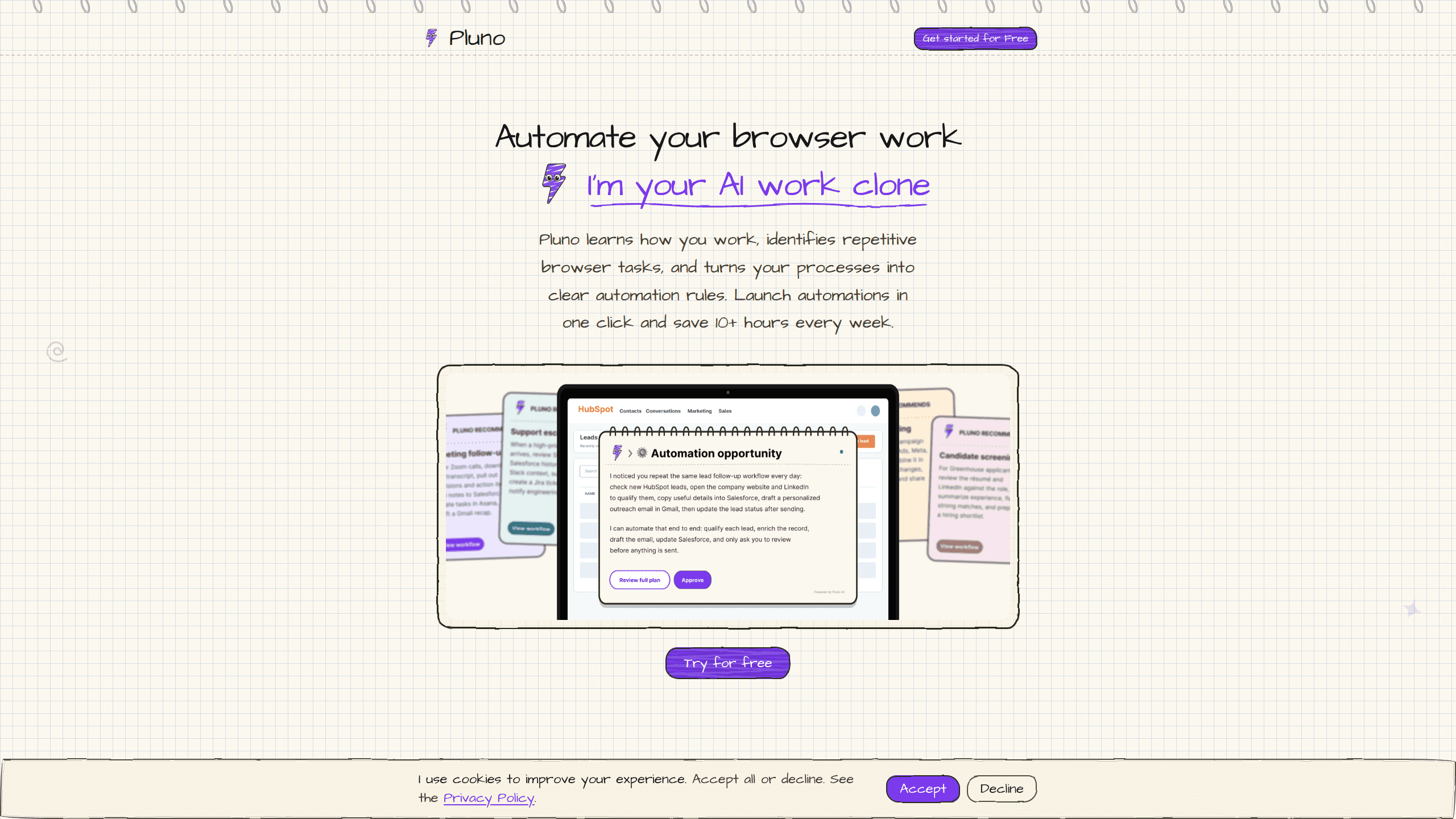
Pluno is an AI browser agent that runs automation tasks by talking to the APIs behind web apps instead of driving a cursor around the screen. You describe the job in plain language, and Pluno carries it out across the tools your team already uses. It suits support teams, ops staff, and solo builders who want repeatable work handled without babysitting every click. Setup is quick. The payoff depends on your apps.
About Pluno
What Is Pluno
Pluno is a browser agent built around a simple idea: most web apps already expose the interfaces an agent needs, so teaching software to hunt for buttons is wasted effort. Instead of taking a screenshot, guessing where the "Submit" button sits, and transferring that guess into a click, Pluno sends structured requests straight to the app and reads structured answers back. That's the whole pitch. Everything else follows from it.
That shortcut changes the cost of automation in a way you can feel. Every step a screenshot-based agent takes burns tokens on seeing the page. You pay that overhead on every single action. Pluno skips the picture entirely, so a long task that normally racks up dozens of screen reads runs on a fraction of the work. The company behind it claims 10 times faster with 10 times fewer tokens for web app tasks. That figure comes from the vendor's own comparison, not an independent benchmark.
The catch is real, and worth knowing before you commit. Because Pluno depends on API access rather than visual clicks, a task stalls the moment an app doesn't expose the right endpoint, hides it behind a login wall, or blocks automated traffic. It's strong on modern SaaS tools with open interfaces. It's weaker on clunky internal portals that only work through the UI. Pluno is one of several names pushing this approach, and it sits in the same space as browser automation libraries such as Browser Use, but it's packaged as a hosted agent rather than a coding framework.
Getting Started
- Create a Pluno account at the official site and pick the browser agent workspace.
- Connect the web apps you want automated, granting the API access Pluno needs for each one.
- Describe your first task in plain language, naming the app and the outcome you want rather than the clicks.
- Set a model key and base URL if your setup asks for one, since Pluno routes requests through a configured language model.
- Run the task, review the output, and save the workflow so you can trigger it again later.
Product Information
A quick look at Pluno's pricing, supported platforms, and performance.
Best for
The users, tasks, and scenarios where this tool fits best.
Users
- Support teams on B2B tools
- Operations staff running daily recurring work
- Solo builders and small teams
Tasks
- Pulling data from a SaaS dashboard into a report
- Filling in forms across connected apps
- Checking order or account status on request
Scenarios
- Handling support tickets that repeat every day
- Early research on a new product or vendor
- Kicking off a workflow after hours
Key features
API-first task execution
Pluno's core move is to treat a web app as a set of callable endpoints rather than a picture to interpret. It sends structured requests and reads structured responses, which removes the screen-recognition step that eats time and tokens in click-based agents. In practice a task that used to take many screen reads can run as a short chain of direct calls. No screenshots. No guessing coordinates.
Plain-language task input
You describe what you want done, not the sequence of clicks to get there. That keeps setup within reach for people who never wrote a script. A task definition reads more like an instruction to a colleague than a config file. The trade-off is that vague instructions still produce vague results, so clear goals matter. What does a good instruction look like? Name the app and the outcome, skip the how.
Support ticket handling
Pluno is positioned around resolving technical B2B tickets rather than just answering FAQs, which is a meaningfully harder job. It can work through multi-step issues that need a lookup here and an update there, the kind that normally bounce between a support rep and an internal tool. Teams still report some edge cases need manual handling, so treat it as a first pass rather than a full replacement. That's a fair trade. It clears the routine, flagged.
Workflow reuse
Once a task works, you can save and re-trigger it instead of rebuilding it each time. That turns a one-off fix into a repeatable routine, which is where the value compounds for teams with steady, predictable workloads. It's also where a broken integration hurts most, since every saved workflow that depends on a changed endpoint needs attention. Keep an eye on those endpoints. A silent change breaks saved work.
Model configuration
Pluno routes its work through a language model you configure, so you supply the API key and endpoint for the model it calls. That gives teams control over which model powers the agent and how much they pay per run. It also means an incorrect key or endpoint blocks the whole task before it starts, which is a common setup snag rather than a product flaw. Get it right once. Then forget it.
Web app integrations
The agent leans on connections to the tools a team already uses, including support platforms and internal dashboards that expose APIs. Coverage is strongest on modern SaaS products and thinner on older systems that only speak through their interface. Check your tools first. If they lack APIs, Pluno can't help.
Pros and cons
Pros
- Cuts the token overhead of browser automation by skipping screenshot-based page reading.
- Task setup uses plain language, so you don't need to write code to get started.
- Handles multi-step support tickets rather than only simple FAQ answers.
- Saved workflows make recurring tasks quick to re-run.
- Free tier lets you test the approach before paying.
Cons
- Relies on API access, so tasks stall on apps that only work through the UI. That means no automation for internal portals with locked-down interfaces.
- Vendor performance claims around speed and token savings come from the company itself and aren't independently verified. Treat them as directional.
- Some edge cases still need a human, which limits it as a full replacement for support staff.
- Setup depends on getting the model key and endpoint right. A wrong value blocks every task before it runs.
- Coverage is uneven across apps, so value depends on whether your specific tools expose usable APIs.
Frequently asked questions
Pluno runs automation tasks inside web apps by talking to their APIs instead of clicking through their screens. You describe the job in plain language, and the agent carries it out across the apps you've connected.
Related content
Explore related tools, skills, and articles for Pluno.
Pluno Alternatives

Swms
Swms AI · Writing · Productivity · BusinessSwms is an AI safety compliance tool that turns a plain description of a job into ready-to-use safety documents. Describe your project, trade, and known hazards, and it writes a safe work method statement, job hazard analysis, safe work procedure, RAMS, or safety data sheet in seconds. It also ships with Oscar, a chat assistant that answers workplace safety questions in any language. Teams in construction, mining, transport, and warehousing use it to cut the paperwork that usually eats into a workday.

Wordly AI Translation
Wordly · Voice & Language · ProductivityWordly AI Translation is a real-time AI translation and captioning platform built for meetings, conferences, and events. It delivers live translation, captions, transcripts, and summaries in more than 60 languages, and attendees join by scanning a QR code or opening a link instead of using dedicated headsets. The platform works with Zoom, Microsoft Teams, Google Meet, and Webex, and it's designed for organizations that want multilingual access without hiring human interpreters for every session. Simple as that.

Rows
Rows (Superhuman) · Productivity · BusinessRows is an AI spreadsheet and data analysis tool that imports live data from more than 50 sources, then lets you work with it using plain language instead of SQL queries or nested formulas. You can pull numbers out of PDFs, connect ad platforms, databases, and bank accounts, and ask the AI to build reports, merge datasets, or set up models that recalculate themselves. It runs in the browser, works like a spreadsheet, and now sits under the Superhuman umbrella.