

PMB | Local-first memory for AI
PMB (pmbai.dev) · Coding
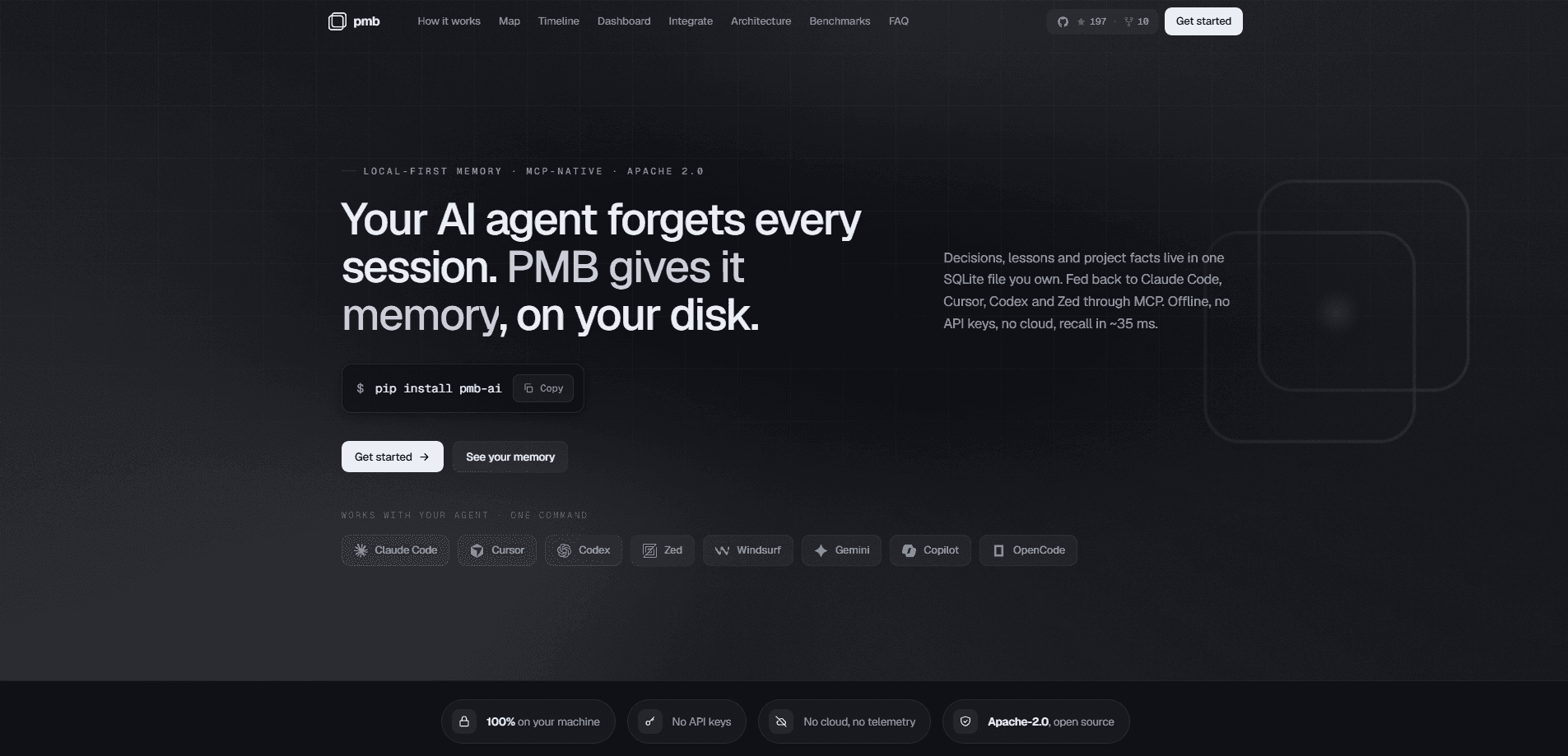
PMB (Local-first memory for AI) is an open-source memory layer that stops your AI coding agent from starting every session from zero. It stores decisions, lessons and project facts in a single SQLite file on your own disk, then feeds the relevant ones back to tools like Claude Code, Cursor, Codex and Zed through MCP. Everything runs offline. No API keys, no cloud, no telemetry. A typical recall lands in about 35 ms.
About PMB | Local-first memory for AI
What Is PMB | Local-first memory for AI
PMB is a persistent memory layer built for AI coding agents. The problem it targets is simple and familiar. You spend twenty minutes explaining your project, your conventions and a bug you fixed last week, then the chat ends and the agent forgets all of it. Next session, you explain it again. PMB keeps that knowledge in a SQLite file you own, plus a LanceDB vector store, and pulls the right pieces back into context before the model starts reasoning.
The design is local-first on purpose, not as a marketing line. Your file paths, internal protocol names and half-finished decisions never leave the machine, which matters if you work on anything sensitive. It ships under Apache-2.0 and installs with a single pip command.
There are limits worth knowing up front. PMB is aimed at coding agents that speak MCP, so it won't help a plain chatbot. It's also early-stage software, so expect rough edges in setup and the occasional config file to edit by hand. If you don't already use a coding agent daily, the payoff is smaller.
Getting Started
- Install the package with
pip install pmb-aion the machine where your agent runs. - Point PMB at a project folder and let it create the local SQLite and LanceDB stores.
- Register PMB as an MCP server in your agent (Claude Code, Cursor, Codex or Zed) so it shows up as a memory tool.
- Add the hooks so memory is injected before each prompt and journaled after the agent works.
- Open the local dashboard to browse the entity graph and timeline, then star the lessons that help and prune the ones that don't.
Product Information
A quick look at PMB | Local-first memory for AI's pricing, supported platforms, and performance.
Best for
The users, tasks, and scenarios where this tool fits best.
Users
- Solo developers running Claude Code, Cursor or Codex daily
- Teams on private or regulated code
- Developers who switch between several agents
Tasks
- Carrying architecture decisions across sessions
- Recovering past fixes
- Onboarding an agent to an existing repo
Scenarios
- Long-running projects where context outlives a single chat window
- Offline or air-gapped work on a laptop
- Trying a second coding agent without losing history
Key features
Auto-recall on every prompt
PMB classifies each message in under a millisecond and fetches the matching lessons, decisions and a project overview before the agent reasons. Nothing depends on the model remembering to call a tool. The read path carries no LLM call, so recall stays cheap and fast. You don't manage it. It just happens.
Hybrid recall with ranked results
Search fuses BM25 keyword matching, dense vectors and an entity graph, with an optional rerank step, combined through Reciprocal-Rank-Fusion. According to the vendor, this lands at 94.5% recall@10. In practice you get one ranked list instead of guessing which retrieval mode to trust. One call, one answer.
Sub-millisecond async writes
The MCP tool returns instantly. PMB writes to SQLite first, then runs the embedding and LanceDB insert on a background thread. That means recording a decision never stalls the turn you're in the middle of.
Lessons that get scored
Every rule is tracked by whether the agent actually follows it, and useful lessons get starred while ignored ones get flagged dead so you can go back and remove them. The follow-rate readout is the honest part of the system. It tells you which memories aren't earning their keep.
Entity graph and timeline dashboard
The local dashboard renders your memory as a graph where facts, files and entities are nodes sized by importance, plus a git-style timeline of decisions and events newest-first. Hovering a node dims the rest and lights up neighbors. It's a real view served from your machine, not a mockup. Want to see how your project's knowledge connects? Hover a node and the graph answers.
Cross-agent shared memory
Claude Code, Cursor, Codex and Zed all read from the same store. Switching agents costs you nothing because your context lives with the project. That's the feature that makes the layer useful rather than just tidy.
Pros and cons
Pros
- Fully local and offline, so sensitive code and internal names never leave your disk.
- Open source under Apache-2.0 with no cloud, no API keys and no telemetry to sign up for.
- Shared memory across Claude Code, Cursor, Codex and Zed means switching tools keeps your context.
- Fast recall and instant async writes keep the memory layer out of your way during a task.
- The follow-rate scoring gives you a real signal on which memories to keep or delete.
Cons
- Only useful if your agent speaks MCP. Plain chatbots and non-MCP tools get nothing from it.
- Early-stage software means setup can need a manual config edit. Expect some rough edges.
- The dashboard and graph are most valuable once you've accumulated weeks of data. Day-one value is modest.
- No hosted API. That rules out teams that want a managed memory service instead of a local one.
Frequently asked questions
PMB gives an AI coding agent long-term memory so it remembers your decisions, conventions and past bugs between sessions. Instead of re-explaining your project every time you open a chat, the agent starts with the relevant context already loaded.
Related content
Explore related tools, skills, and articles for PMB | Local-first memory for AI.
PMB | Local-first memory for AI Alternatives
Forefront
Forefront · CodingForefront is a web platform for building with open-source AI. It lets you fine-tune leading open-source language models on your own data, evaluate how they perform, and run them through an API or export them to host yourself. Developers who want the convenience of a closed-source platform but insist on owning their models and data are the target audience here.

Startkit
StartKit.AI · CodingStartkit is a boilerplate for building AI SaaS and AI wrapper products. Think of it as an AI startup boilerplate with the boring parts already wired up: authentication, Stripe and Lemon Squeezy payments, usage limits, transactional email, and an AI API starter that talks to OpenAI, Anthropic, Groq, or Llama. You clone the repo, set your price, and start on the part of your product that people actually pay for. It's Next.js under React and Tailwind, so most of the boilerplate code already feels familiar.
Testim
Tricentis · CodingTestim is an AI-powered test automation platform for building and running end-to-end tests across web, mobile, and Salesforce applications. It leans on machine learning to keep tests stable when an interface changes, so teams spend less time fixing broken selectors. Not bad for an automated testing tool you can start using today. You create tests by recording actions in a browser, then optionally add JavaScript when you need more control. It's a solid pick for busy QA teams.