

AI Background - Pokecut Studio
Pokecut · Image
Pokecut AI Image Generator turns text prompts into watermark-free art in seconds. It suits creators and small sellers who want free images without a signup.
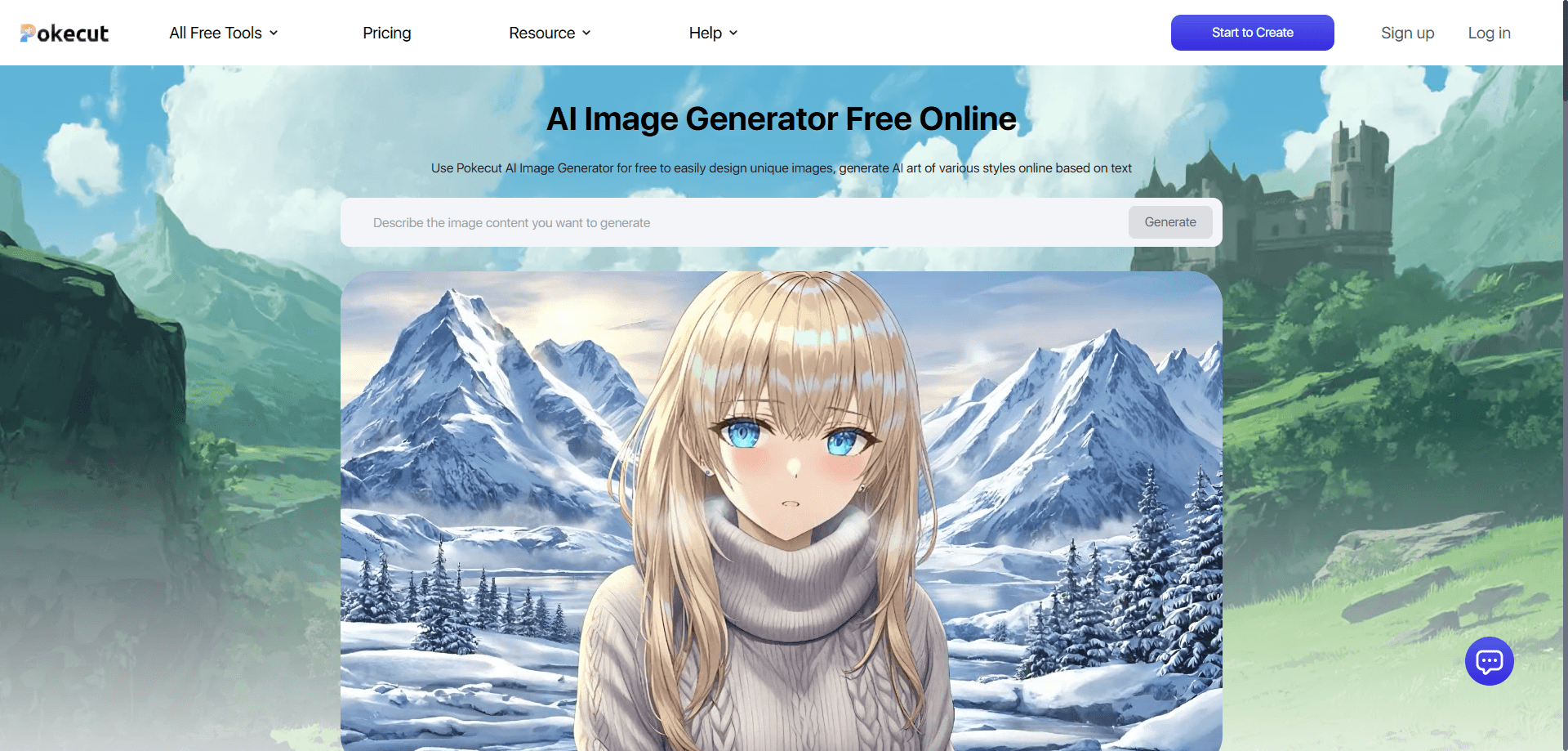
About AI Background - Pokecut Studio
What Is Pokecut AI Image Generator
Pokecut AI Image Generator is a free text-to-image tool that runs in a browser and in the Pokecut Studio app on Android and iOS. You type an idea, pick a model and a canvas size, and it returns finished artwork. The pitch is simple: no account, no watermarks, no forced download.
The tool sits inside a wider Pokecut editor that already handles background removal, photo enhancement, and image extension. That means you can generate a picture and then clean it up without leaving the site. The generator also leans on third-party models rather than one in-house engine, so you can move between lifelike photography and bold illustration from the same prompt box.
The main limit is credits. Fine art generation is free to try, but heavier models and high-resolution output draw on a credit balance that refills with a subscription or a one-time pack. Serious, high-volume users will pay something. The free tier is real all the same, and it covers everyday personal work.
Getting Started
- Open the AI Image Generator page in a browser, or install the Pokecut Studio app on Android or iOS.
- Type your idea into the prompt box, or pick one of the ready-made hot prompts on the page.
- Choose a model, a style, and an output size.
- Add a reference photo if you want the result to follow an existing look.
- Generate, preview the result, then download it without a watermark.
Product Information
A quick look at AI Background - Pokecut Studio's pricing, supported platforms, and performance.
Best for
The users, tasks, and scenarios where this tool fits best.
Users
- Social media creators
- Small online sellers
- Hobbyist artists
- Marketers without a design team
Tasks
- Turning a text idea into art
- Swapping or removing a background
- Restyling an upload
- Resizing for a platform
- Drafting character concepts
Scenarios
- Posting daily content on a tight schedule
- Launching a product page with no photo budget
- Testing a campaign look before committing
Key features
Text-to-image generation
The core of the tool is a prompt box that turns a description into finished art. You write what you want, and it returns an image in around three seconds, according to Pokecut. You can type in plain English or in another language, and the model fills in the professional detail on its own. For anyone who needs a quick visual, that means no photo shoot and no design software.
Multiple AI models in one place
Pokecut does not lock you to a single engine. You can switch between Seedream for lifelike 2K to 4K photography, Nano Banana for clean text and logos inside an image, GPT Image 2 for polished branded visuals, and Pokecut's own Basic and Pro models for budget-friendly work. The Pro model also holds a character's look steady when you use a reference photo. Having several models in one tool saves a second subscription.
More than 100 art styles
A single prompt can come out as realistic, 3D, comic, cyberpunk, or pixel art. You pick a style from a menu rather than write a long prompt to force it. That lowers the skill needed to get a specific look, and it makes the same idea reusable across very different projects. For social posts and marketing banners, the style menu is the fastest way to match a brand's feel.
Image-to-image and reference uploads
You can upload a picture and let the generator work from it instead of starting from words. That helps when you want a new take on an existing concept or need to keep a set of images visually consistent. It is also the path to character consistency, since the Pro model tracks the reference closely. For anyone who struggles to describe every detail in text, this is the shortcut.
Watermark-free downloads
Every image you download leaves the site clean, with no logo stamped on top, per Pokecut's own description. The company states you can use generated images for legal commercial projects. That matters for sellers and freelancers who cannot send a client a watermarked draft. You get the file ready to publish, not a preview to pay off later.
Built-in editing tools
The generator sits next to a full editor that works as a background remover, extends an image, enhances old photos, and batches edits. Generating art and cleaning it up live in the same place, so there is no export step to a second app. That round trip is the part that slows most free workflows, and Pokecut cuts it out. The same suite doubles as a general AI photo generator for uploads you already own.
Pros and cons
Pros
- Free to start, with no signup required to generate a first image.
- More than 100 styles and eight output sizes cover most creative and platform needs.
- Several advanced models, including Seedream, Nano Banana, and GPT Image 2, sit under one roof.
- Downloads come out watermark-free and clear for legal commercial use.
- Editing tools like background removal and image extension live beside the generator, so there is no extra app.
Cons
- Credits run out on heavier models, so free generation is limited in practice.
- High-resolution and premium model output sit behind a paid plan or a credit pack.
- The tool leans on third-party models, so the exact output changes as those models change.
- There is no public API, which rules it out for developers who want to build on top of it.
Frequently asked questions
Yes. Pokecut provides free credits, and you can generate personal artwork without making an account. Heavier models and high-resolution downloads use more credits, and those refill through a plan or a one-time pack once the free credits run out.
Related content
Explore related tools, skills, and articles for AI Background - Pokecut Studio.
AI Background - Pokecut Studio Alternatives

X Ray Interpreter
X-ray Interpreter · ImageX Ray Interpreter is a web-based AI radiology tool that turns X-rays, CT scans, MRI, ultrasound, and PET images into plain-language reports. You upload a scan, get a preliminary X-ray interpretation in moments, then ask follow-up questions if something needs explaining. It works as a second opinion and a learning aid, not as a medical diagnosis.

Aieasypic
AIEasyPic · ImageAIEasyPic is an AI image generator that turns plain text prompts into finished artwork in seconds. You can also train custom models on your own photos, swap faces in existing images, and create short video clips from text, all from a browser. It suits casual creators who want quick visuals and hobbyists who want to build a personal model without touching any code.

Chargen
Chargen · ImageChargen is an AI character generator and worldbuilding toolkit built for Dungeons & Dragons and other tabletop RPGs. It turns a one-line idea into a painted character portrait, spins up NPCs, monsters, maps and encounters from the same session, and keeps every creature's details close at hand. The tabletop RPG art side runs on a credit system called Gold, while the text generators stay free for everyone.