

Pollo AI
COCOSOFT TECHNOLOGY PTE. LTD. · Video · China AI
Pollo AI is an AI video generator that turns text, images, and reference clips into short videos, backed by models like Veo, Sora, Kling, and Wan, plus its own image and avatar tools.
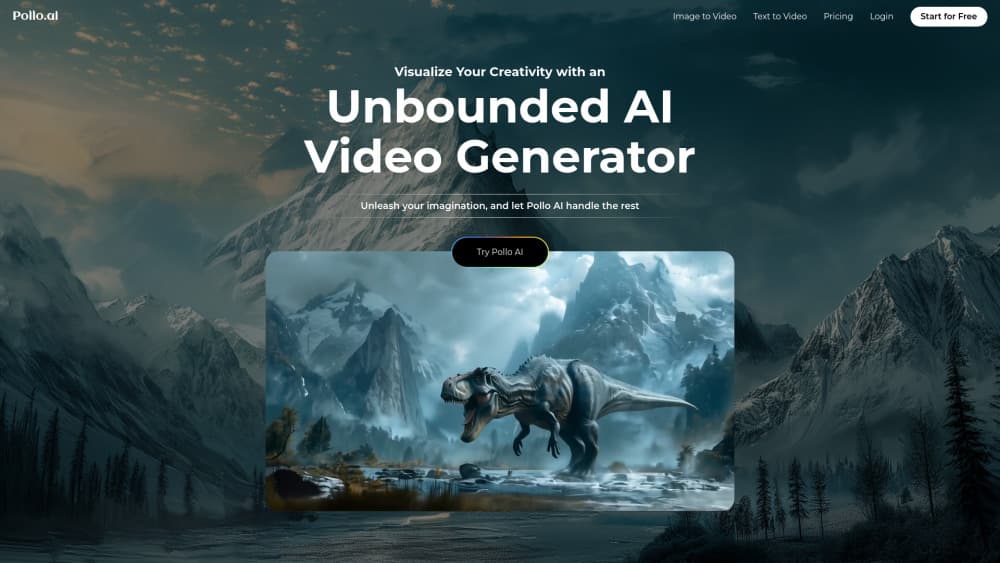
About Pollo AI
What Is Pollo AI
Pollo AI is a web-based creative platform for making videos and images with AI. You type a prompt or upload a photo, pick a model, and the site returns a short clip or picture in a minute or two. It launched in October 2024 and now serves more than 10 million users. The appeal is breadth: instead of subscribing to a dozen separate tools, you reach Veo, Sora, Kling, Seedance, Wan, and Pollo's own model from one dashboard.
It isn't only a video generator. The platform bundles AI image generation, an avatar and talking-head creator, a voice and sound-effect tool, and a batch of editing helpers like background removal and video upscaling. For a solo creator, that means the whole job, from still image to finished clip, stays on one site.
The main limits are credits and cost. Free users get a fixed pool of generations, and heavy use burns through paid credits quickly because video models cost more than image models. Output length also sits at the short end, so Pollo suits ad-length clips and social videos more than long films.
Getting Started
- Create an account at pollo.ai with your email, Google, or an Apple login, and claim the free starter credits.
- Pick a workspace from the top menu, such as AI Video, AI Image, or Marketing Studio, then choose a model.
- Enter a text prompt, or upload an image or reference clip, and set the length, aspect ratio, and resolution.
- Press generate and wait for the render, then tweak the result or apply a tool like upscaling or background removal.
- Download the file, or open Pollo Agent to describe a whole project in a sentence and let it assemble the assets.
Product Information
A quick look at Pollo AI's pricing, supported platforms, and performance.
Best for
The users, tasks, and scenarios where this tool fits best.
Users
- Social media creators
- Small business owners
- Marketers and ad teams
- Hobbyists and first-time AI users
Tasks
- Turning a still image into motion
- Drafting an ad from a URL
- Creating avatar and talking-head video
- Generating images to pair with video
Scenarios
- Filling a weekly social calendar when you need ten posts and have no filming time.
- Launching a small product with a quick promo video built from existing product photos.
- Making a talking-head explainer for a course or onboarding page without booking a studio.
- Testing a campaign idea before spending money on a real shoot.
Key features
Multi-model video generation
The core draw is access to many models under one subscription. Text to video, image to video, and reference to video all run here, with names like Veo 3, Sora 2, Kling 3.0, Seedance 2.5, Wan 3.0, and Pollo's own 2.5 model on the menu. New models tend to land on the platform shortly after release, so you can switch workflows without changing tools or re-uploading your files.
Pollo Agent for end-to-end creation
Pollo Agent takes a brief, a URL, a script, or a reference image and returns a finished piece rather than a single clip. You describe what you want, and the agent plans the project, picks the models and workflow, creates the assets, and assembles the result. It covers story videos, video ads, product visuals, and designs, which saves the back-and-forth of prompting every shot by hand.
Marketing Studio for ad creation
Marketing Studio is aimed at sellers and ad teams. It turns a product link, image, or script into ready-to-run video ads and promo assets, with presets for TikTok, Instagram, YouTube, Facebook, and marketplaces like Amazon and Shopify. There are dedicated tools for URL to video, virtual try-on, product shots, and UGC-style creatives, so a listing page can become a clip without a shoot.
AI image generation and photo editing
Alongside video, Pollo runs a full image suite. It generates images from text, edits existing photos, and packs tools like a watermark remover, magic eraser, background remover, and image upscaler. The image models include GPT Image, Nano Banana, Seedream, and Flux, so you can build a thumbnail or poster inside the same account you use for video.
Avatar, voice, and audio tools
The avatar section builds presenters, product avatars, and talking heads from a script or photo. On the audio side, you get a voice generator, voice cloning, text to speech, and a sound-effect generator. Dubbing a clip or adding a voiceover doesn't require a separate subscription, which keeps a lot of one-person productions inside a single bill.
Editing and post-production helpers
Pollo includes practical fix-it tools for finished clips: video upscaling, video enhancement, lip sync, face swap, background removal, subtitle removal, and video extension. For most users this lightweight AI video editor replaces a separate app. It handles the common jobs: cleaning up a render, stretching a scene, or fixing a slip in the audio track.
Pros and cons
Pros
- Many leading video and image models sit under a single subscription, so you skip tool hopping.
- A free tier with starter credits makes it easy to test text to video before paying.
- Marketing Studio and Pollo Agent turn a URL or brief into a finished ad with little manual work.
- Image, video, avatar, and audio tools share one workspace and one credit pool.
- Commercial use is allowed on paid plans for ads, client work, and monetized channels.
Cons
- Credits drain fast on premium video models, so heavy use pushes you up the price ladder.
- Unused subscription credits don't roll over, so buying a bigger plan to bank generations doesn't work.
- Access to top models depends on your plan and active subscription, and unlimited mode is tied to staying subscribed.
- Outputs run short, which suits ads and social clips but not long-form video.
- Face consistency can slip when a character moves a lot, a common gripe in user reviews.
Frequently asked questions
Pollo AI is used to make short AI videos and images from text, photos, or reference clips. People use it for social content, ads, product videos, avatars, and thumbnails, all from one web platform.
Related content
Explore related tools, skills, and articles for Pollo AI.
Pollo AI Alternatives

ngram 2.0
ngram · Video · Marketingngram 2.0 is an AI video generator for teams. It turns a prompt, a screen recording, or a product URL into a narrated explainer, product demo, or AI avatar video, and every scene stays editable.

OpenScreen 2
OpenScreen (open-source project) · Video · ProductivityOpenScreen 2 is a free, open-source screen recorder and demo video editor for Windows, macOS, and Linux, with automatic zooms, styled frames, local captions, and agent edits.

Skreno
Skreno · Video · ProductivitySkreno is a browser screen recorder that captures a tab, a window or your whole display, then attaches AI transcripts, summaries and console logs to one share link.