

Porosheets
Porosheets · Leaning
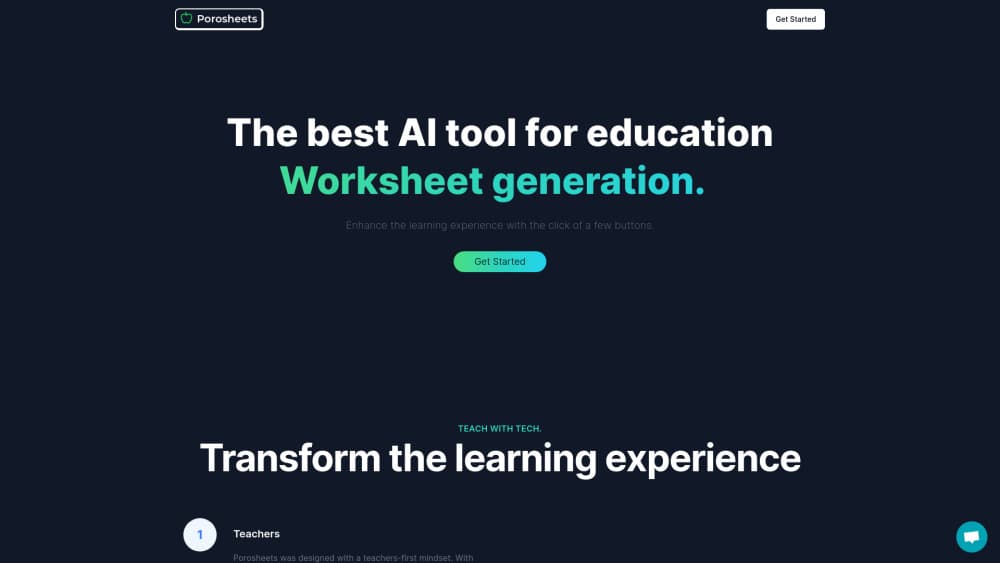
Porosheets is an AI worksheet generator for teachers. It turns one lesson into printable worksheets, quizzes, slides, and lesson plans in about 20 seconds, then files them on the day you teach.
About Porosheets
What Is Porosheets
Porosheets is a browser based teaching workspace built around one idea: the printable you hand out should stay attached to the lesson it belongs to. You pick a class, pick a lesson, and ask for what you need. The worksheet, the quiz, the slides, and the answer keys all land on that lesson instead of a downloads folder you'll never open again.
The subjects run from math and science to ELA, history, biology, and chemistry, covering elementary through high school. There are 38 curriculum maps, including Common Core, Ontario, British Columbia, and Alberta, and each expectation links back to the lessons you actually taught. If you need curriculum aligned worksheets rather than generic ones, that mapping is what makes the difference. A week board runs Monday through Friday for every class, so Friday afternoon you can see what's ready and what's still open.
It isn't a chatbot, and it won't design a poster. Everything it produces is text based print material, which means you still read the questions before class. Teachers who use it say they edit about one item in ten, usually for wording rather than content.
Getting Started
- Create an account with an email address. The free preview lesson doesn't ask for a card.
- Pick a class and a slot on the week board, or jump straight to a topic like grade 7 fractions.
- Choose what to make: worksheet, quiz, slides, lesson plan, rubric, exit ticket, homework, or test.
- Read the draft, fix what needs fixing, then export a PDF or copy the share link. Answer keys stay in your account.
Product Information
A quick look at Porosheets's pricing, supported platforms, and performance.
Best for
The users, tasks, and scenarios where this tool fits best.
Users
- Elementary teachers
- Middle and high school subject teachers
- ESL and newcomer teachers
- Department heads
Tasks
- Producing a full week of printable worksheets
- Differentiating a single assignment
- Writing sub plans
- Quick checks for understanding
Scenarios
- Sunday night planning
- A mixed ability classroom
- Covering a standard you haven't taught before
- Handing work to a student who missed class
Key features
One lesson, several output types
A single lesson entry can produce a worksheet, a quiz, a slide deck, a lesson plan, a rubric, an exit ticket, homework, or a test. The quiz generator pulls from the same lesson content, so students see the same vocabulary in the practice and the check. The point is fewer tools open at once. You choose the format from one form and the result attaches to that day.
Support and advanced versions from one source
Take a finished worksheet and convert it into a support version, an advanced version, an easier pass, a harder pass, or a translation. The questions stay on the same lesson, so you aren't rebuilding a document every time a class splits by reading level. This is the feature teachers bring up most often.
Week board as the working surface
Each class gets a Monday to Friday board. Lessons, quizzes, and printables sit on the day they'll be used, which turns planning into a visual check rather than a folder hunt. Files that don't belong to a lesson yet can wait in a library.
Curriculum maps for 38 frameworks
Common Core, Ontario, British Columbia, Alberta, and 34 others are mapped to expectations. You can see what has been taught and what is still open across the year, and jump from an expectation to the lesson that covers it.
Answer keys generated with the questions
The key is written alongside the worksheet rather than after the fact, and it stays in your account. Printing the student copy doesn't expose the answers, and sharing a link doesn't either.
Classroom tools inside the same tab
A timer, a student picker that avoids repeats, a group maker, a microphone based noise meter, a whiteboard, a QR code display, big text for the projector, a traffic light, dice, and a scoreboard. None of them need a separate login, which is the reason they get used.
Pros and cons
Pros
- Generates a worksheet, a quiz, and a lesson plan from one lesson entry, with the answer key included, so the bulk of the writing is done before you open a document.
- The support and advanced versions solve differentiation without duplicating prep, and students at different reading levels get the same looking handout.
- Curriculum maps cover 38 frameworks, which helps when a standard has to be evidenced at the end of a term.
- Files stay on the lesson they belong to, and PDF export plus share links mean no student accounts to manage.
Cons
- Output is text only. There are no illustration tools, no poster design, and no drag and drop layout editor, so visual material still needs another app.
- Compared with other teacher AI tools, there is no student facing side at all, so anything that requires students to log in and submit work has to run somewhere else.
- Every generated item needs a read before class. The questions are usually sound, but wording and difficulty still need a teacher's judgment.
- There is no public API and no documented integration with Google Classroom or an LMS, which rules it out for schools that want automated roster sync.
Frequently asked questions
Worksheets, quizzes, slide decks, lesson plans, rubrics, exit tickets, homework, and tests, all as printable PDFs or share links. It's an AI worksheet generator first, and the other formats come from the same lesson.
Related content
Explore related tools, skills, and articles for Porosheets.
Porosheets Alternatives
Coddy
Coddy · Coding · LeaningCoddy is a gamified platform to learn to code through short interactive lessons in 20+ languages, with a browser editor, an AI tutor and free certificates.

Marv
Cameron (independent developer) · Coding · Productivity · LeaningMarv is an AI cursor companion for Windows and Mac. It sees your screen, answers out loud, and draws arrows and highlights that show you the next click.

Teachoo
iAsk AI · Leaning · ChatbotTeachoo is a free AI homework helper that walks students through math, science, writing and coding problems one step at a time, with photo input, hints and flashcards.