

PosterMyWall
PosterMyWall · Image · Video · Marketing
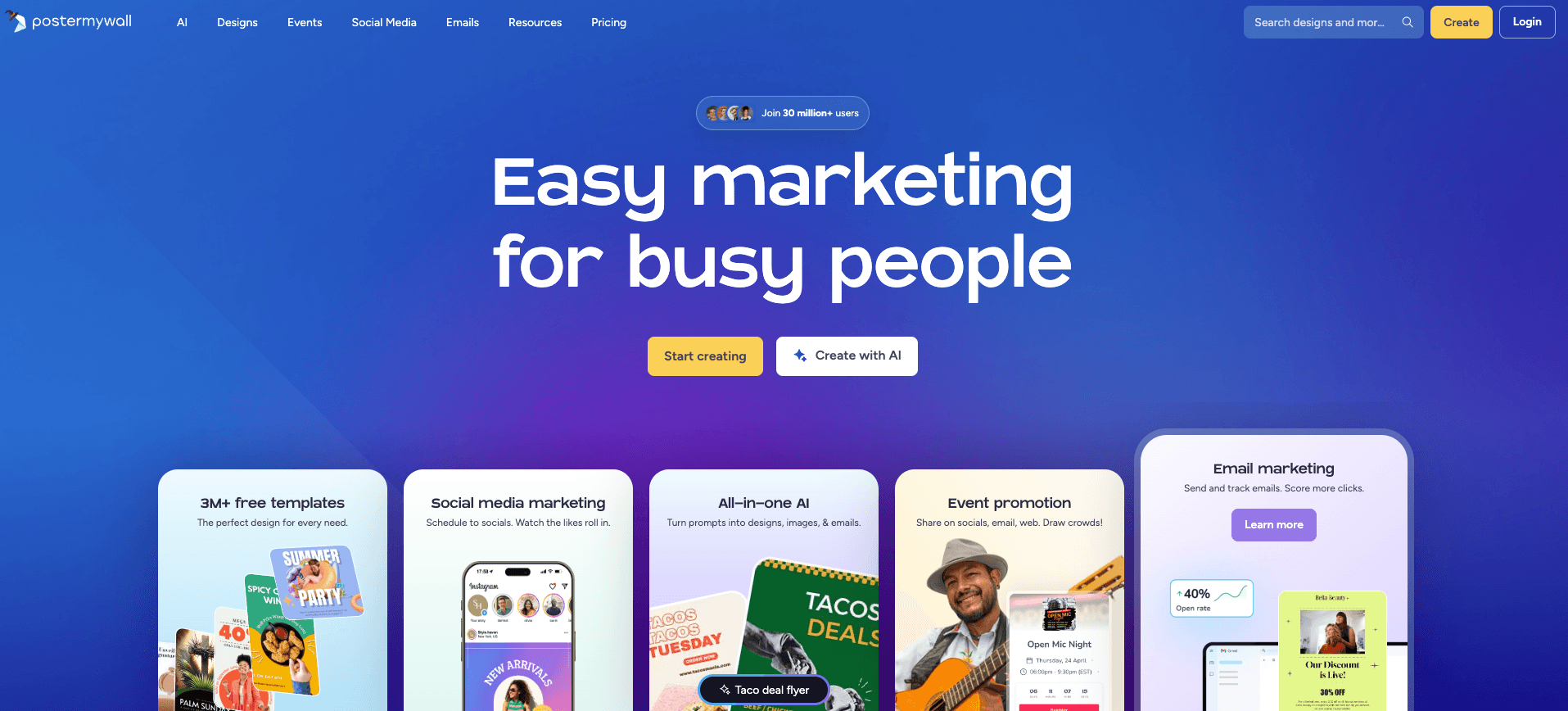
PosterMyWall is an online poster maker, flyer maker, and social media post maker rolled into one browser tool. It builds posters, flyers, social media posts, invitations, and short clips from ready-made templates. It suits small business owners, event organizers, and social media managers who need polished marketing visuals and have no designer on hand. The template library holds more than 170,000 free designs. A full editor covers text, images, stock media, and one-click animation.
About PosterMyWall
What Is PosterMyWall
PosterMyWall is a web-based design platform built for marketing graphics and short videos. You pick a template, swap in your own text and images, then download the result in the format you need. It sits in the same space as Canva and Adobe Express, but leans harder into print-ready posters, event flyers, and social media graphics than into long documents.
The core problem it solves is speed. Most people don't need a design suite. They need a birthday flyer tonight or an Instagram post before lunch. PosterMyWall handles that with drag-and-drop editing, a large template library, and a stock photo and video collection you can drop straight into a layout.
Is it as powerful as Canva or Adobe Express? No. But nobody wants a two-week learning curve to post a weekend sale graphic.
The main limits are worth knowing up front. The free version is genuinely usable, but popular templates, premium stock assets, and background removal all sit behind the paid plan. Video editing is also lighter than dedicated tools like CapCut, so if animation is your main goal, look elsewhere. This is a good design tool, and it's a serviceable one for simple promos, but it isn't a video editor.
Getting Started
- Create a free account on the PosterMyWall website, or sign in with an existing email.
- Search the template library by category (Instagram posts, posters, flyers, invitations, logos) or start from a blank canvas.
- Swap in your own text, upload images, and adjust fonts, colors, and clip art with the drag-and-drop editor.
- Use the one-click background remover or auto resize to fit your design to another platform.
- Download the finished design, or publish and schedule it to connected social accounts.
Product Information
A quick look at PosterMyWall's pricing, supported platforms, and performance.
Best for
The users, tasks, and scenarios where this tool fits best.
Users
- Small business owners
- Event organizers
- Social media managers
Tasks
- Making branded social media posts
- Building flyers and posters
- Cutting out backgrounds
Scenarios
- A shop posting a weekend sale graphic the night before, with no designer available.
- A community group producing invitations and a matching poster for one event.
- A marketer turning a single quote graphic into versions for Instagram, Facebook, and a printed handout.
Key features
170,000+ Template Library
The library covers social posts, posters, flyers, invitations, logos, and video templates. Designs stay editable, so you can change any element rather than working around a locked layout. As online graphic design tools go, the sheer range of starting points is the real draw here. Templates are tagged by category and occasion, which cuts the time spent hunting for the right starting point.
Drag-and-Drop Editor
The editor is browser-based and needs nothing installed. Text, images, shapes, and clip art move freely across the canvas, and there's a large font library to match the tone of your design. For beginners, this is the whole appeal: you don't have to learn a professional suite to make something that looks intentional. It just works.
Background Remover
One click removes a background from a photo, so you can place the subject on a new color, image, or video. It's the kind of tool that used to need Photoshop, now handled automatically. It's a paid feature, and the results are reliable on simple subjects but can wobble on fine detail like hair. Clean haircuts cut out fine; flyaway strands not so much.
Auto Resize
One click resizes your canvas. An Instagram story becomes a printed poster becomes a Facebook cover; the same campaign usually needs several sizes, and rebuilding each one by hand is the slow and tedious part of design work that eats an afternoon. Layout adjustments are automatic. Complex designs may still need a quick manual check.
Animation and Video Templates
PosterMyWall animates a static design with one click, turning it into motion for stories and feed posts. There are also dedicated video templates for short promos. It's enough for simple promo clips, but not a replacement for a full video editor if you need serious trimming, sound design, or multi-clip timelines. Keep expectations low here.
Stock Photos and Video Library
A built-in collection of stock photos and video clips saves you sourcing assets elsewhere. Premium items are marked, and the rest are free to use in your designs. It keeps the whole workflow inside one tab instead of juggling a stock site, a design editor, and a download folder all on separate screens. Big deal when you're building ten posts at once.
Social Publishing and Scheduling
You can publish and schedule your finished designs straight to connected social accounts. That turns PosterMyWall from a design tool into a light publishing tool, which is useful for anyone who runs a posting calendar and wants to batch a week of content in one sitting instead of scrambling for a graphic every morning before the audience wakes up. Connected accounts and scheduling options depend on your plan.
Pros and cons
Pros
- Large free template library spanning social posts, posters, flyers, and video.
- One-click background remover and auto resize cut out work that normally needs a design suite.
- Browser-based editing runs on any platform, with companion iOS and Android apps.
- Free plan is usable enough to finish real projects before you pay.
Cons
- Premium templates, stock assets, and background removal are locked behind the paid plan, so the free tier feels limited once you want finished polish.
- Video editing is basic, so anyone needing multi-clip timelines or advanced sound work will outgrow it fast.
- Print-ready exports and higher resolutions push you toward a paid tier, which matters if physical output is the goal.
Frequently asked questions
It's used to design and publish marketing graphics: social media posts, posters, flyers, invitations, logos, and short videos. You start from a template, customize it, then download or schedule it. That's the whole loop.
Related content
Explore related tools, skills, and articles for PosterMyWall.
PosterMyWall Alternatives

X Ray Interpreter
X-ray Interpreter · ImageX Ray Interpreter is a web-based AI radiology tool that turns X-rays, CT scans, MRI, ultrasound, and PET images into plain-language reports. You upload a scan, get a preliminary X-ray interpretation in moments, then ask follow-up questions if something needs explaining. It works as a second opinion and a learning aid, not as a medical diagnosis.

Aieasypic
AIEasyPic · ImageAIEasyPic is an AI image generator that turns plain text prompts into finished artwork in seconds. You can also train custom models on your own photos, swap faces in existing images, and create short video clips from text, all from a browser. It suits casual creators who want quick visuals and hobbyists who want to build a personal model without touching any code.

Chargen
Chargen · ImageChargen is an AI character generator and worldbuilding toolkit built for Dungeons & Dragons and other tabletop RPGs. It turns a one-line idea into a painted character portrait, spins up NPCs, monsters, maps and encounters from the same session, and keeps every creature's details close at hand. The tabletop RPG art side runs on a credit system called Gold, while the text generators stay free for everyone.