

PPTalker
PPTalker · Video · Productivity
PPTalker turns PowerPoint, PDF and HTML slide decks into narrated videos. It generates AI voiceovers and subtitles, and clones your own voice on higher plans.
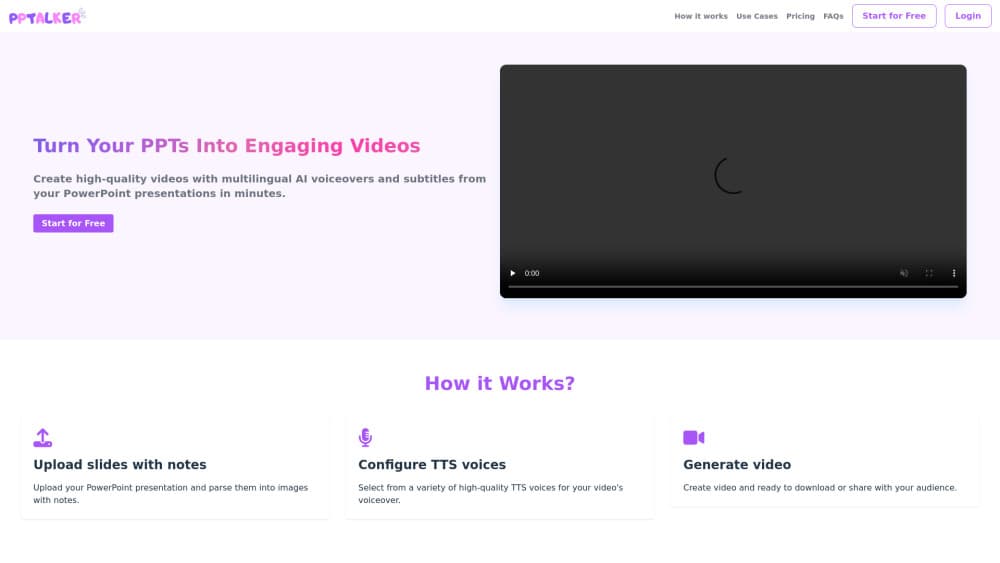
About PPTalker
What Is PPTalker
PPTalker is a web tool that converts slide decks into finished videos. You upload a PowerPoint, a PDF or an HTML presentation, and it extracts each slide, writes speaker notes and attaches a voiceover with timed subtitles. The output is a shareable video rather than a slide file.
This PPTalker review looks at where the tool fits as a presentation video maker. Turning a deck into a video normally means recording narration, syncing slides to audio and captioning the result by hand. PPTalker runs those steps in one pass, so a lecture, a product demo or a training module comes out with narration already in place. The product also ships an MCP server and a Claude Skill, so an AI agent can generate slides and hand them straight to PPTalker for a finished video.
Two things are worth knowing early. The free plan caps you at five minutes of video per month and adds a watermark, so it works as a trial rather than a production tier. And voice cloning, the feature that makes the narration sound like a specific person, sits on the top plan only.
Getting Started
- Create an account, then upload a .ppt, .pptx, .pdf or .html file up to 50 MB
- Let PPTalker extract the slides and draft speaker notes for each page
- Pick a voice from the library or adjust speed, and add your own voice sample if you are on a plan that supports cloning
- Generate the video, then download or share it with narration, subtitles and slide transitions in place
Product Information
A quick look at PPTalker's pricing, supported platforms, and performance.
Best for
The users, tasks, and scenarios where this tool fits best.
Users
- Teachers and lecturers
- Corporate trainers
- Marketing and sales teams
- E-learning developers
- AI agent users
Tasks
- Slides to video conversion
- AI voiceover generation
- Voice cloning
- Auto subtitles
- Multilingual narration
- Agent-driven production
Scenarios
- A teacher records a semester of lectures but has no video editing time
- A company trains new hires in several regions
- A startup needs a product explainer for its site
- A course developer needs captions for accessibility
- A developer uses Claude Code to build a deck
Key features
Convert PowerPoint, PDF and HTML Decks
PPTalker accepts .ppt, .pptx, .pdf and .html files up to 50 MB. HTML decks built with Slidev, reveal.js or any framework that uses .slide or section.slide markup are detected and converted page by page. The tool reads each slide, pulls out the content and treats it as the base for narration, so the source format matters less than the finished video. For animated content, each slide is captured as a high-resolution static image, and the team suggests splitting heavy animation across slides.
AI Voiceover in 20+ Languages
Narration is the core of the product. PPTalker offers more than 50 voices across 20+ languages, with natural intonation that avoids the flat tone of older text-to-speech. You choose a voice, and speed adjusts to match the pace you want for the room, whether that is a slow classroom walk-through or a quick demo. Multilingual support means one deck can be re-rendered in English, Chinese, Japanese, Spanish and more with a single switch, which is often the feature that decides a purchase for teams working across regions.
Voice Cloning and Custom Voices
On the Max plan, you can clone a voice. A short recording of about 20 seconds is enough to build a digital copy that narrates in your tone, and the plan allows up to three custom cloned voices. The quality tracks the source: clean audio, fluent delivery and consistent pronunciation give the best result, while a noisy reference introduces trailing noise or odd pauses. It is the feature that lets a presenter appear in every video without recording each one.
Auto-Generated Speaker Notes and Subtitles
PPTalker writes speaker notes from the slide content, so a deck with bullet points becomes a script with sentences. From that script it generates subtitles, timed and formatted to match the narration. Both come out of the same pass, which removes the usual handoff between a script writer and a captioner. Free accounts get limited notes and 1,000 characters per script, while Pro and Max raise the limit to 20,000 characters.
HD Video Output and Slide Transitions
The finished video exports at high resolution with slide transitions and styling applied. The goal is a file that looks produced rather than stitched together, so it can go straight to a course platform or a landing page. Failed generations and previews do not consume credits, which means you can iterate on a voice or a script without paying for each attempt.
MCP Server and Claude Skill for AI Agents
PPTalker ships an integration for AI agents. Its MCP server works with Claude Code, Cursor and any MCP client, and a companion Skill runs the same flow. An agent can generate HTML slides, upload them and return a narrated video without a person clicking through the app. For developers building content pipelines, this turns video production into a call inside a larger workflow rather than a separate manual task.
Pros and cons
Pros
- Turns an existing deck into a narrated video in one pass, with notes and subtitles included
- Accepts PowerPoint, PDF and HTML sources, so Slidev and reveal.js decks work without conversion
- Voice library covers 50+ voices across 20+ languages
- MCP server and Claude Skill let an agent produce video with no manual steps
- Failed generations and previews do not use credits
- Payments run through Lemon Squeezy, and invoices can be generated after purchase
Cons
- Free plan caps video at five minutes per month and adds a watermark
- Animated slides are flattened to static images, so heavy motion needs manual splitting
- Voice cloning sits on the Max plan only and allows up to three cloned voices
- Text-heavy decks stay limited on the free tier, with 1,000 characters per script against 20,000 on paid plans
Frequently asked questions
PPTalker turns slide decks into narrated videos. You upload a PowerPoint, PDF or HTML presentation, and it extracts the slides, writes speaker notes and adds an AI voiceover with timed subtitles. The result is a video with narration and captions already built in, ready to share or download.
Related content
Explore related tools, skills, and articles for PPTalker.
PPTalker Alternatives
Griffin by Tavus
Tavus · Voice & Language · Video · ChatbotGriffin by Tavus is the first Human Interaction Model: a full-duplex, video-to-video system that watches, listens, and answers during a live video call in real time.

Syllaby AI Avatar 2.0
Syllaby · Video · MarketingSyllaby AI Avatar 2.0 turns a script into a presenter-led video with a reusable AI avatar, natural voice, B-roll and automatic subtitles, all in one browser workflow.

Vitra.ai
Vitra.ai · Voice & Language · Video · MarketingVitra.ai is an agentic content platform that creates, translates, reviews, and publishes video, images, documents, and app content in 120 languages from one shared brief.