
ProdShort
ProdShort · Video · Productivity
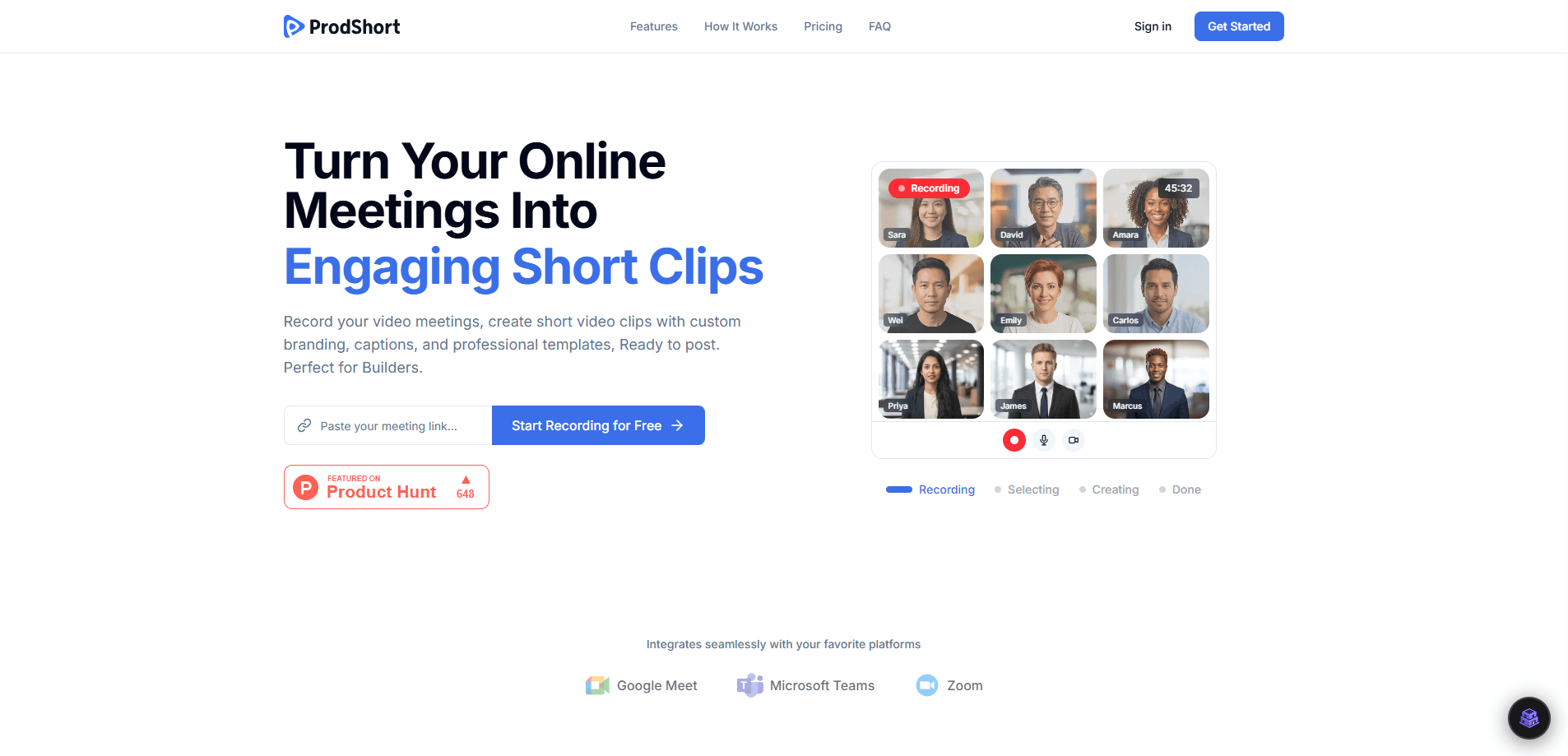
ProdShort is an AI video editing tool that records your online meetings and turns them into short, branded video clips for social media. It connects to Google Meet, Zoom and Teams, writes captions per platform, and publishes the results to LinkedIn, TikTok and Instagram. The idea is simple. Your best material is already happening on calls, so ProdShort helps you release what you've already recorded instead of asking you to write and film something new from scratch.
About ProdShort
What Is ProdShort
ProdShort is a web-based service for founders, coaches and consultants who talk for a living. It records a meeting, finds the moments worth sharing, and edits them into vertical clips with animated captions and your own logo. You don't cut anything by hand.
So what stops most people from posting? Editing eats their week. ProdShort treats a recorded call as the raw material and skips the timeline work entirely. The trade-off is real. You're limited to what a meeting platform can capture, so a quick phone clip won't have the same path through the tool.
The main constraint is scope. ProdShort is built around meeting recordings, not general-purpose editing. It won't replace a full video editor for cinematic projects, and it's a subscription with no free tier. The cheapest plan also leaves a watermark on your exports.
Getting Started
- Create an account at prodshort.com. No credit card is needed to try it.
- Connect your meeting platform, then record a call or point ProdShort at an existing recording.
- Let the editor pick the shareable moments and generate captions for each platform.
- Adjust branding: add your logo and remove the watermark on a paid plan.
- Publish the clips to LinkedIn, TikTok or Instagram, or export them for another channel.
Product Information
A quick look at ProdShort's pricing, supported platforms, and performance.
Best for
The users, tasks, and scenarios where this tool fits best.
Users
- Founders who speak on weekly calls and want a steady stream of posts without setting up a camera or learning an editor, as long as they're comfortable recording their meetings.
- Coaches and consultants who repeat the same advice in every session and would rather document it once than rewrite it for each channel.
- Operators and experts who answer questions well out loud but freeze up writing, and want that spoken knowledge to live somewhere clients can find it.
Tasks
- Converting a recorded sales call into a short clip with captions you can post the same day.
- Repurposing a workshop or client session into several vertical clips for social media.
- Keeping a consistent posting rhythm on LinkedIn when you have no time to edit.
Scenarios
- A founder finishes a call and wants a clip live before the next meeting starts.
- A coach builds a backlog of short clips from past sessions instead of filming new ones.
- A consultant turns a one-off explanation into a shareable asset that keeps working after the call ends.
Key features
Automatic Clip Selection From Recordings
ProdShort reviews a recorded meeting and pulls out the moments worth keeping, then cuts them into short-form video clips you can post the same day. You don't scrub through an hour of footage looking for a soundbite. The tool does the first pass. You decide what ships.
AI Captions Written Per Platform
Captions aren't one generic file dumped everywhere. ProdShort writes captions tuned to each destination, so a LinkedIn clip and a TikTok clip read differently. Animated captions come with the package. They're the reason most clips hold attention on mute.
Branding Controls
On paid plans you add a custom logo and branding, and the ProdShort watermark comes off. That matters if you're posting as a business rather than testing the tool on a few calls. The cheapest tier keeps the watermark. Fine for trials, not for a client-facing feed.
Meeting Platform Connections
ProdShort works with Google Meet, Zoom and Teams, so it fits the meeting tools you and your team already run every week. You record the call as you normally would and let the service handle the cutting. No separate screen recorder to install or manage.
Direct Publishing to Social Channels
Once a clip is ready, ProdShort publishes to LinkedIn, TikTok and Instagram without a download-and-reupload step. Founder and Studio plans include this. The entry-level Indie plan is built for trying the tool, not for running a publishing schedule.
Usage Tiers That Scale
The plans split by exports and meetings per month. Indie allows 5 exports and 5 meetings with 30-day history. Founder allows 40 exports and unlimited meetings with 90-day history. Studio removes the export and meeting caps and extends history to 180 days, which is the tier you want once posting has become a weekly habit rather than a one-off test.
Pros and cons
Pros
- Turns meetings you already recorded into publishable clips, so content creation starts from material you have sitting in your meeting history rather than from a blank timeline.
- Captions are written per platform, which saves the fiddly step of adapting one clip for LinkedIn, TikTok and Instagram by hand.
- Works with Google Meet, Zoom and Teams, covering the meeting tools most teams already run.
- Publishing goes straight to social channels, cutting out the export-and-reupload loop.
- Paid tiers let you add your own logo and drop the watermark, so clips look like they belong to your brand.
Cons
- No free plan. You can try it without a card, but every tier is a paid subscription, so there's no permanent free version.
- The Indie plan caps you at 5 exports and 5 meetings a month and keeps the ProdShort watermark, which limits serious use.
- It only works with meeting recordings, so if your footage comes from a camera or phone, ProdShort won't help.
Frequently asked questions
ProdShort records online meetings and converts them into short-form video clips with AI captions and branding, ready to post to social media. It handles the editing and publishing steps so you don't have to cut clips by hand.
Related content
Explore related tools, skills, and articles for ProdShort.
ProdShort Alternatives

ngram 2.0
ngram · Video · Marketingngram 2.0 is an AI video generator for teams. It turns a prompt, a screen recording, or a product URL into a narrated explainer, product demo, or AI avatar video, and every scene stays editable.

OpenScreen 2
OpenScreen (open-source project) · Video · ProductivityOpenScreen 2 is a free, open-source screen recorder and demo video editor for Windows, macOS, and Linux, with automatic zooms, styled frames, local captions, and agent edits.

Skreno
Skreno · Video · ProductivitySkreno is a browser screen recorder that captures a tab, a window or your whole display, then attaches AI transcripts, summaries and console logs to one share link.