

Projekt
Projekt · Image · Coding
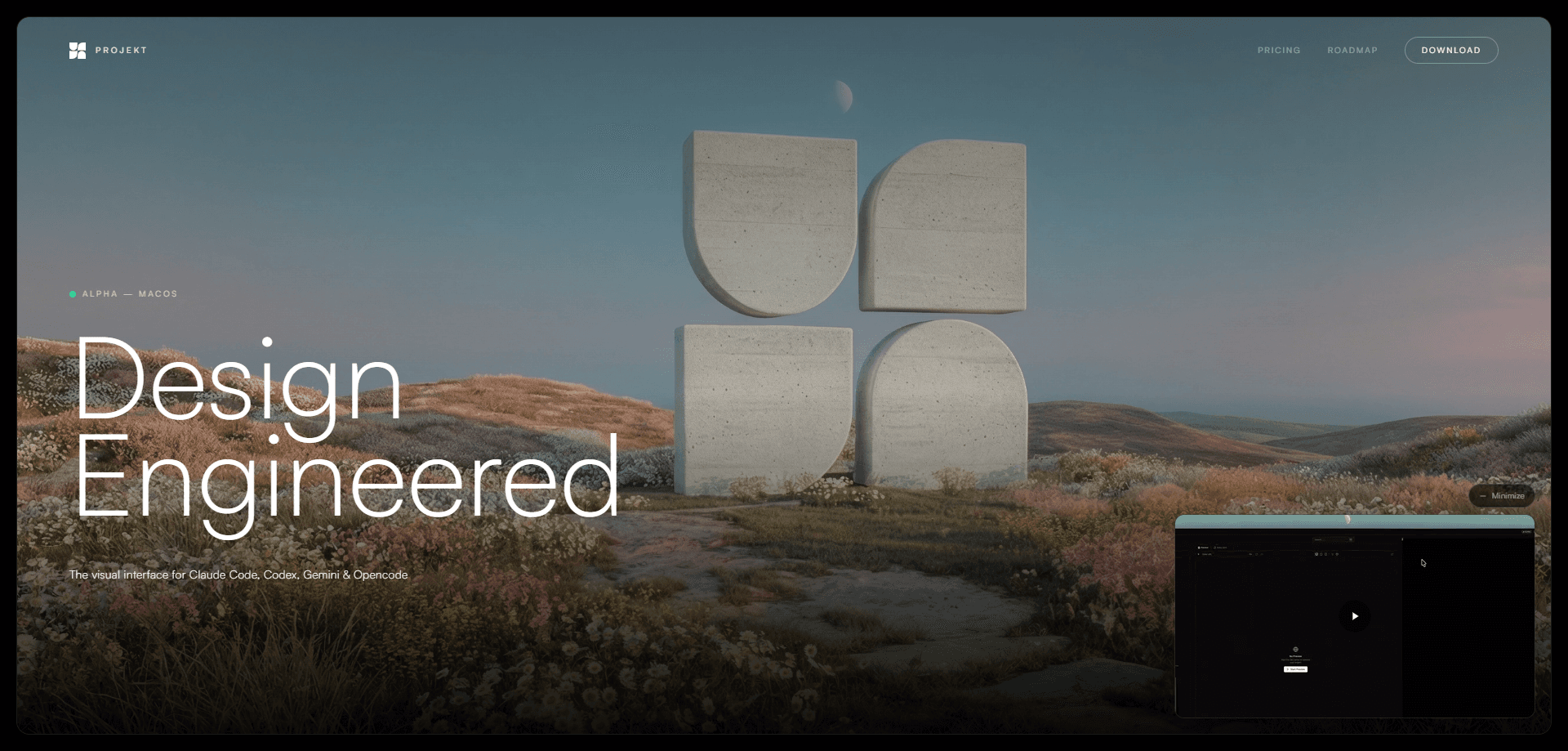
Projekt is a visual workspace for people who build with AI coding agents. It wraps tools like Claude Code, Codex, Gemini CLI, and Opencode in a single interface with a live preview and an editable DOM. You describe what you want in plain language, watch the page update as the agent writes code, then click any element to tweak it by hand. The pitch is simple. Keep the speed of prompt-first building without giving up direct control over the result.
About Projekt
What Is Projekt
Projekt is a desktop-style AI coding workspace that puts a preview, an editable DOM, and your choice of coding agent in the same window. You connect the agent you already pay for, point Projekt at a project folder, and start describing changes in natural language. That's it.
The problem it solves is simple. There's a gap between "the agent wrote the code" and "the page looks right." Most AI coding tools stop at the terminal or the editor. Projekt keeps a running browser preview next to the conversation. Every change shows up immediately, so you judge it visually instead of reading through a diff.
The biggest limit is that Projekt isn't a coding agent itself. It has no model of its own. None. You bring your own agent and your own API keys, or your subscriptions. If you don't already have a setup like Claude Code or Codex, Projekt won't do much on its own. It's also a workspace for web front ends first. If your work is mostly backend or mobile, the preview won't help as much.
Getting Started
- Install Projekt, then add the AI coding agents you want to use, such as Claude Code, Codex, Gemini CLI, or Opencode.
- Connect your own API keys or subscriptions for those agents.
- Point Projekt at an existing folder or start a new project from a prompt, with no config or boilerplate.
- Describe the change you want and watch the live preview update as the agent writes the code.
- Select any element, edit it inline or adjust styles visually, then commit and deploy.
Product Information
A quick look at Projekt's pricing, supported platforms, and performance.
Best for
The users, tasks, and scenarios where this tool fits best.
Users
- Product designers who can prompt but don't want to live in a code editor
- Front-end developers already paying for a coding agent
- Founders and indie builders shipping landing pages
Tasks
- Building and iterating on web UI
- Revising an existing site
- Prototyping a layout from a rough idea
Scenarios
- Pushing a landing page toward launch and fixing small visual details before deploy, since you can edit inline and commit from the same window.
- A quick client demo where you need something clickable today, not a full design spec.
- Cleaning up an inherited codebase, where seeing each change live beats reading diffs you didn't write.
Key features
Bring Your Own Agent
Projekt doesn't bundle a model. You log in and install the coding agents you already use, including Claude Code, Codex, Gemini CLI, and Opencode, then connect your own keys. The workspace stays the same if you switch agents later. That's the point.
Real-Time Preview
Every change the agent makes shows up in a live preview as the code is written. No waiting for a build. No refreshing the browser. You watch the page take shape step by step, which makes it obvious when the agent misreads what you asked for.
Editable DOM
You can select any element on the previewed page and edit it directly, or adjust styles by hand. This is where it beats a pure chat-to-code tool. The agent gets you most of the way. You finish the rest visually rather than writing another prompt.
Prompt-First Interface
The main way you work is by describing what you want. Then you watch. The interface pairs your prompt with the agent's activity, so you see it analyzing the project, creating components, and writing styles as those steps happen.
No Setup, No Boilerplate
You can point Projekt at any folder and start working, or spin up a new project from a prompt. There's no scaffolding step. No config file to fill in first. It lowers the barrier for jumping into an existing codebase.
Built-In Git and Deploy
When the result looks right, Projekt shows the changed files and lets you commit from the same window, with the goal of moving straight to deploy. Keeping version control next to the preview means you don't lose the "this looked good, ship it" moment to a context switch.
Pros and cons
Pros
- Live preview plus an editable DOM covers both the prompt-first flow and last-mile visual fixes in one place.
- Works with the agents you already use and pay for, so there's no new subscription to the model layer.
- Opens any project folder without setup or boilerplate, which makes it easy to try on real work.
- Git changes are visible in the workspace, so committing happens right after you approve the preview.
Cons
- No built-in model means you can't use it at all without a separate coding agent and its keys, which adds setup for newcomers.
- Preview-driven flow is aimed at web front ends, so backend-heavy or mobile projects get less out of it.
- The tool is early and its public pricing details aren't clear, so you should confirm current plans and platform support on the official site before committing.
Frequently asked questions
Projekt is a visual workspace for building web front ends with AI coding agents. You prompt an agent, watch a live preview, and refine the page by editing elements directly.
Related content
Explore related tools, skills, and articles for Projekt.
Projekt Alternatives

X Ray Interpreter
X-ray Interpreter · ImageX Ray Interpreter is a web-based AI radiology tool that turns X-rays, CT scans, MRI, ultrasound, and PET images into plain-language reports. You upload a scan, get a preliminary X-ray interpretation in moments, then ask follow-up questions if something needs explaining. It works as a second opinion and a learning aid, not as a medical diagnosis.

Aieasypic
AIEasyPic · ImageAIEasyPic is an AI image generator that turns plain text prompts into finished artwork in seconds. You can also train custom models on your own photos, swap faces in existing images, and create short video clips from text, all from a browser. It suits casual creators who want quick visuals and hobbyists who want to build a personal model without touching any code.

Chargen
Chargen · ImageChargen is an AI character generator and worldbuilding toolkit built for Dungeons & Dragons and other tabletop RPGs. It turns a one-line idea into a painted character portrait, spins up NPCs, monsters, maps and encounters from the same session, and keeps every creature's details close at hand. The tabletop RPG art side runs on a credit system called Gold, while the text generators stay free for everyone.