

Prompt Coder
FU YUHAN · Coding
Prompt Coder turns UI screenshots into detailed, framework-specific code prompts you can paste into AI coding editors like Cursor, Bolt or Windsurf.
About Prompt Coder
What Is Prompt Coder
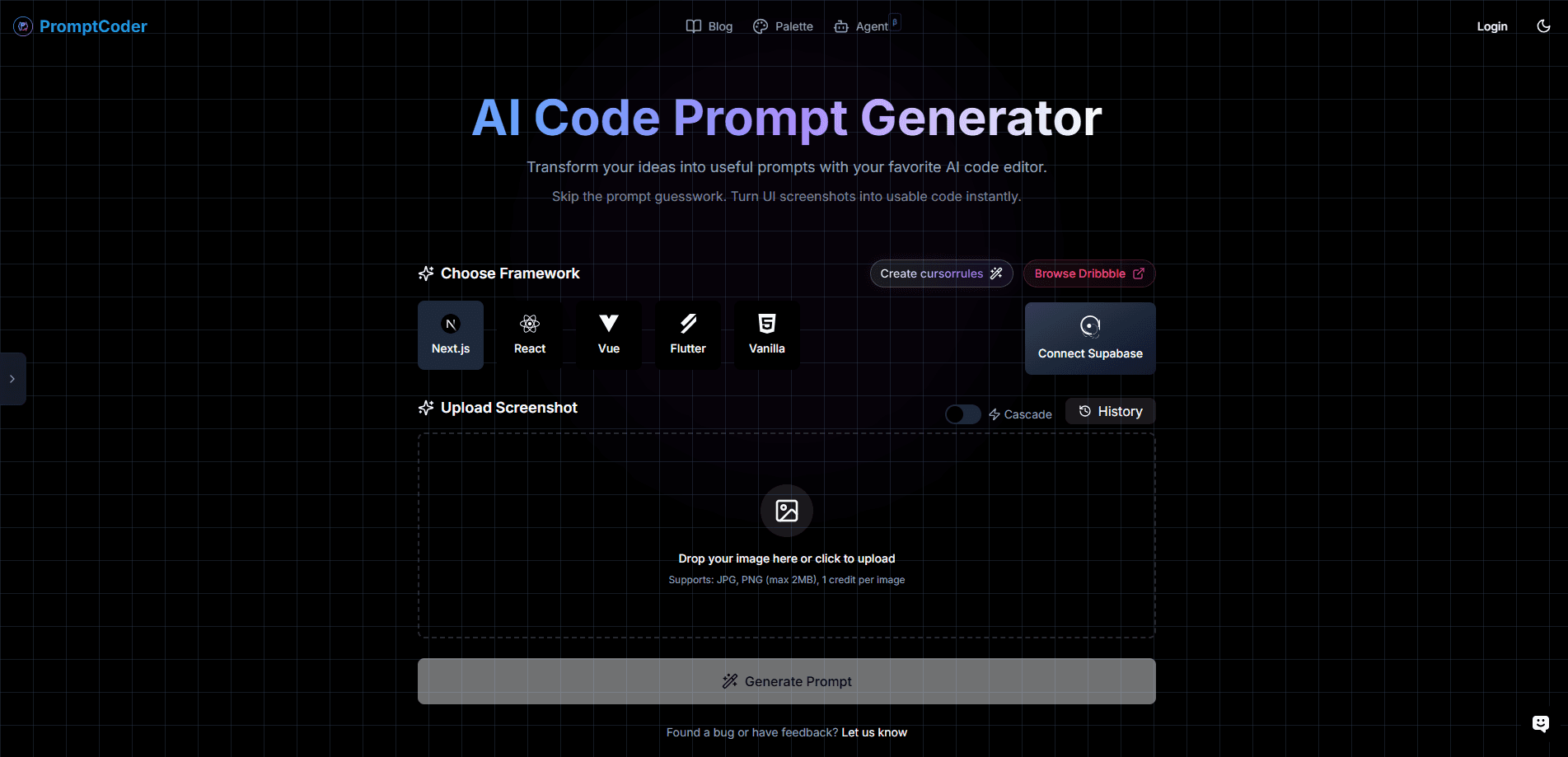
Prompt Coder is an AI code prompt generator that reads a screenshot of a user interface and writes the code prompt you need to rebuild it. You upload a design image, pick a framework, and the service returns a structured prompt that describes the layout, components and styling in enough detail for an AI coding assistant to act on. It's built for people who work with AI editors and keep losing time turning a mockup into a clear instruction.
This PromptCoder review covers what the tool actually produces. The output is a prompt, not finished code. That's the point. Tools like Cursor, Bolt, Windsurf and Trae write better code when the instruction is specific, and a screenshot on its own leaves too much for the model to guess. Prompt Coder fills that gap by describing the UI in the assistant's language, so the first attempt lands closer to the design.
Two things to know before you start. You pay per image with credit packs, and pricing is listed in Chinese yuan on the official site. And the tool is designed around front-end frameworks, so it fits web and mobile UI work far better than it fits backend tasks.
Getting Started
- Sign up with an email account and collect the free credit that comes with registration
- Upload a UI screenshot in JPG or PNG, up to 2MB per image
- Choose your target framework, such as Next.js, React, Vue, Svelte or Angular
- Generate the prompt, then copy it with the screenshot attached and paste it into your AI code editor
Product Information
A quick look at Prompt Coder's pricing, supported platforms, and performance.
Best for
The users, tasks, and scenarios where this tool fits best.
Users
- Front-end developers
- UI and UX designers
- Solo builders and indie hackers
- Students and learners
Tasks
- Screenshot to prompt conversion
- Framework-specific instructions
- Cursor rules creation
- Design to code handoff
- Iterating on existing pages
Scenarios
- You find a UI you like online
- You're starting a new screen
- Your AI assistant keeps misreading a mockup
- You want consistent output across a project
- You're prototyping for a client
Key features
Screenshot to Prompt Conversion
The core feature takes a UI screenshot and returns a detailed prompt describing the interface. The service reads layout, hierarchy, components and styling, then writes the description in the terms an AI coding assistant expects. You get a paragraph-level brief rather than a vague summary, which is what makes the difference on the first generation attempt.
Multi-Framework Support
Prompt Coder generates prompts tuned to specific stacks, and the official site lists Next.js, React, Vue, Svelte and Angular. Each framework gets its own conventions, so a React prompt leans on components and hooks while a Vue prompt follows its own patterns. The result is an instruction your assistant can follow without you rewriting the scaffolding yourself.
Cursorrules Generator
The tool can produce cursorrules that match your project, letting you set a consistent style for how your AI editor writes code. Cursor rules tell the model which patterns to follow, so a reusable rule file keeps new pages in step with the rest of the codebase. It's aimed at teams and solo developers who want predictable output over a long project.
Cascade Mode and Assistant Integration
The service ships a Cascade mode alongside its main generator, and the changelog notes a newer assistant feature called Aurora. Generated prompts are built for the popular AI editors, including Cursor, Bolt, Windsurf, Trae and GitHub Copilot. You copy the prompt with the screenshot attached and carry it straight into the tool you already use.
History and Credit Management
Every account keeps a history of the prompts you generate, so you can return to an earlier design without starting over. Usage runs on credits, one per image, and the history view pairs with that model so you can track what you've spent. Managing prompts this way keeps a prototyping session organized rather than scattered across notes.
Fast Cloud Processing
Prompt Coder runs on a distributed pipeline and advertises results in about five seconds per image. The company also states a 90%+ accuracy rate at reading design elements. That figure is its own claim, not an independent benchmark. For quick iteration, the short turnaround means you can test several screens in one sitting.
Pros and cons
Pros
- Turns a screenshot into a usable prompt in seconds, which removes the blank-page moment before a build
- Framework-specific output means less rewriting when you move a design into a real stack
- Pay-as-you-go credits fit occasional use, with no monthly subscription to keep paying
- Works with the AI editors developers already run, including Cursor, Bolt, Windsurf and Trae
- A free credit at signup lets you test the workflow before spending anything
Cons
- It produces prompts, not finished code, so you still need an AI coding assistant to get a build
- Pricing is listed in Chinese yuan, which adds a currency step for users outside China
- Image uploads are capped at 2MB, so very large or high-resolution mockups need resizing first
- There's no public API, so the tool stays a manual step rather than part of an automated pipeline
Frequently asked questions
Prompt Coder converts UI screenshots into detailed code prompts. As a front-end code generator, you upload a design image, choose a framework like React or Next.js, and it returns a structured description of the layout and components that you paste into an AI coding assistant such as Cursor or Bolt.
Related content
Explore related tools, skills, and articles for Prompt Coder.
Prompt Coder Alternatives
Forefront
Forefront · CodingForefront is a web platform for building with open-source AI. It lets you fine-tune leading open-source language models on your own data, evaluate how they perform, and run them through an API or export them to host yourself. Developers who want the convenience of a closed-source platform but insist on owning their models and data are the target audience here.

Startkit
StartKit.AI · CodingStartkit is a boilerplate for building AI SaaS and AI wrapper products. Think of it as an AI startup boilerplate with the boring parts already wired up: authentication, Stripe and Lemon Squeezy payments, usage limits, transactional email, and an AI API starter that talks to OpenAI, Anthropic, Groq, or Llama. You clone the repo, set your price, and start on the part of your product that people actually pay for. It's Next.js under React and Tailwind, so most of the boilerplate code already feels familiar.
Testim
Tricentis · CodingTestim is an AI-powered test automation platform for building and running end-to-end tests across web, mobile, and Salesforce applications. It leans on machine learning to keep tests stable when an interface changes, so teams spend less time fixing broken selectors. Not bad for an automated testing tool you can start using today. You create tests by recording actions in a browser, then optionally add JavaScript when you need more control. It's a solid pick for busy QA teams.