

Proofrr
Proofrr · Productivity · Business
Proofrr is a creative collaboration platform that keeps design feedback, reviews, and approvals in one workspace. Freelancers, agencies, and marketing teams use it to comment directly on designs, screens, and prototypes, then move work from review to sign-off without chasing email threads. It replaces scattered screenshots and long comment chains with a single dashboard where files, conversations, and approvals stay connected. Think of it as proofing software with a full review loop built in.
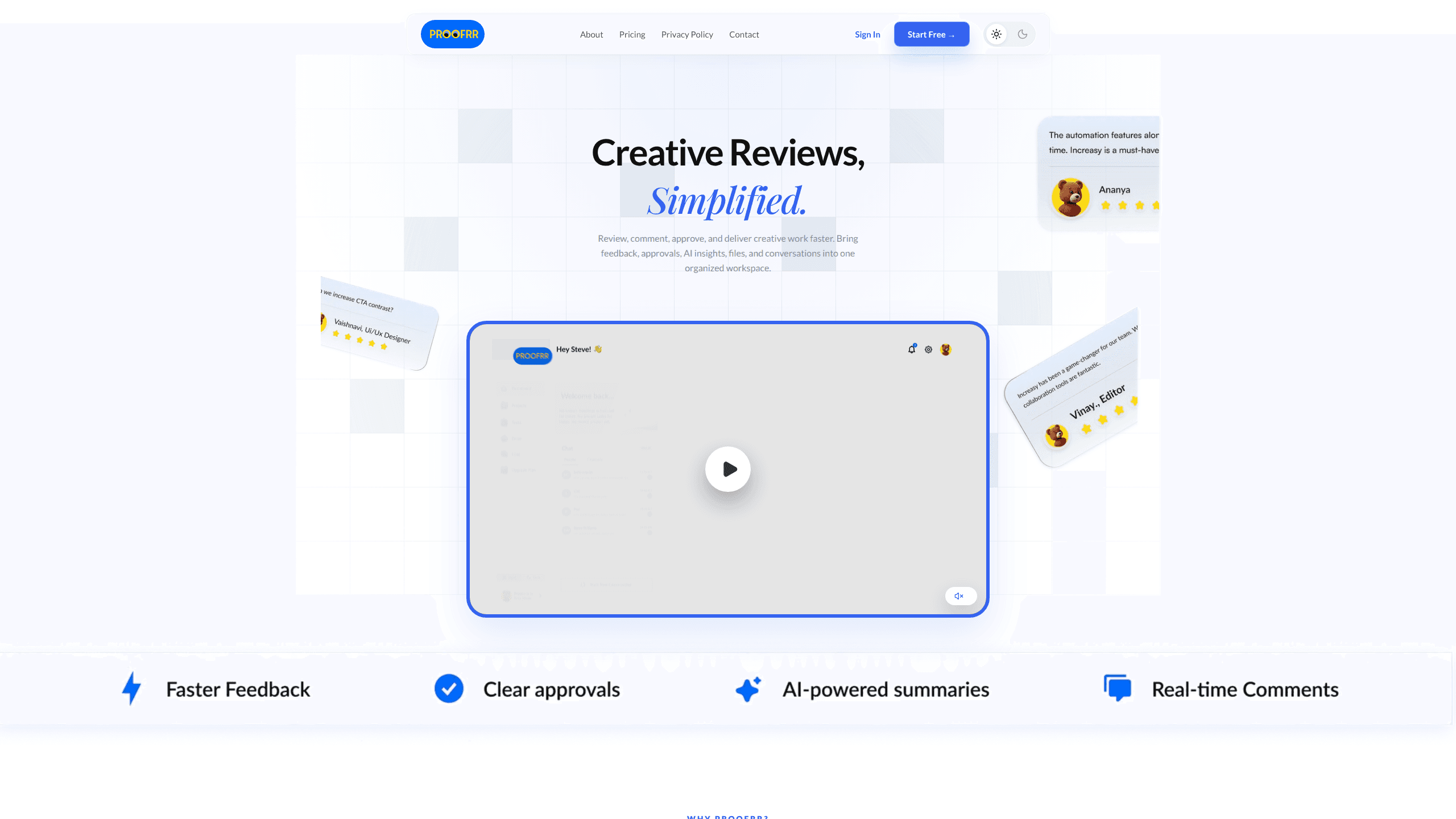
About Proofrr
What Is Proofrr
Proofrr is a web-based workspace built for the messy middle of creative work: the back-and-forth between a draft and a finished piece. Instead of collecting feedback in email, chat, and comment threads, it puts reviewers, designers, and approvers in the same place. You see a design, leave a comment on the exact spot that needs work, and mark the version approved when it's ready.
The pitch is narrow on purpose. Proofrr isn't a general project manager wearing a design hat. It's aimed at teams whose bottleneck is review, not planning. That focus shows in the core loop: upload work, get contextual comments, track changes across iterations, and lock in sign-off. Fewer revisions follow. Less guessing about which version is final.
The main limits are practical ones. Storage and user counts are capped by plan, so a large agency with heavy file volume will likely need the Enterprise tier or expect to hit ceilings. It's also built around visual and creative review, so if your work isn't design, video, or document approval, the specialized features may be more than you need.
Getting Started
- Create an account on the Proofrr site and start on the Free plan to test the workspace.
- Set up a project and invite the reviewers and approvers who need access.
- Upload the design, screen, or prototype you want feedback on.
- Leave contextual comments directly on the artwork and assign changes to the right person.
- Track versions as feedback is resolved, then mark the piece approved once everyone signs off.
Product Information
A quick look at Proofrr's pricing, supported platforms, and performance.
Best for
The users, tasks, and scenarios where this tool fits best.
Users
- Freelance designers
- Marketing teams
- Agencies
Tasks
- Collecting contextual design feedback
- Tracking revisions across iterations
- Getting formal sign-off
Scenarios
- Running a client review cycle on a new landing page
- Coordinating a campaign asset across several people
- Managing multiple agency projects at once
Key features
Contextual Feedback on Designs
The core of Proofrr is commenting where it matters. Reviewers leave feedback directly on a design, screen, or prototype, so a note about a headline or button sits right on that element instead of in a separate thread. That cuts the "which part are you talking about?" problem that slows most review cycles. No screenshots needed.
Real-Time Collaboration
Feedback and updates appear as they happen, which keeps reviewers and designers working from the same version. When several people weigh in at once, everyone sees the same comments, so nobody duplicates a note or argues over which draft is current. It's the feature that makes review feel like a live session rather than a slow relay.
Version and Revision Tracking
Proofrr keeps feedback and changes organized across iterations. You can see what was raised, what's been resolved, and what still needs attention, which turns a messy revision history into a clear list. For agencies running many projects, this is the part that keeps approvals from slipping. It's the real workhorse.
One Workspace for Files and Approvals
Files, feedback, and approvals live in one dashboard rather than spread across tools. Each project holds its own work and conversation, so you don't lose context when switching between clients or campaigns. The goal is one place to check instead of five. Simple as that.
Integrations with Existing Tools
Proofrr is designed to sit in the middle of your existing process rather than replace it. It connects with the tools teams already use for files, calendars, calls, AI, and delivery, so your current workflow keeps running while reviews move into one place. The value is less tool-switching, not more. It works the way a good design collaboration tool should.
Briefs and Project Management Extras
Beyond review, Proofrr bundles lightweight project tools such as briefs, a project manager view, a notepad, and a task tracker. These handle the planning around a project, so you don't need a separate system just to organize briefs and to-dos. They're supporting features rather than the main draw. Still, they keep the workspace self-contained.
Pros and cons
Pros
- Contextual comments on designs cut the ambiguity that plagues email-based feedback. Clean and simple.
- Real-time collaboration keeps everyone on the same version during active reviews. No version confusion.
- Version tracking keeps a clear record of what changed and what's approved.
- A single dashboard reduces tool-switching for reviews, files, and approvals.
- A free plan with 3 users and 5 projects lets small teams test it before paying.
Cons
- The Free plan caps storage at 100MB, which fills up fast with design files or video.
- User limits scale slowly, so growing teams may need the Pro or Enterprise tier sooner than expected.
- API availability isn't clearly documented, which matters if you need to connect it to custom systems.
- No public mobile app means review is desktop-first. Plan for that.
Frequently asked questions
Proofrr is used to review, comment on, and approve creative work in one place. Designers, marketers, and clients use it to collect feedback on designs, screens, and prototypes and to track approvals. It's design review software that replaces scattered email threads and screenshots.
Related content
Explore related tools, skills, and articles for Proofrr.
Proofrr Alternatives

Swms
Swms AI · Writing · Productivity · BusinessSwms is an AI safety compliance tool that turns a plain description of a job into ready-to-use safety documents. Describe your project, trade, and known hazards, and it writes a safe work method statement, job hazard analysis, safe work procedure, RAMS, or safety data sheet in seconds. It also ships with Oscar, a chat assistant that answers workplace safety questions in any language. Teams in construction, mining, transport, and warehousing use it to cut the paperwork that usually eats into a workday.

Wordly AI Translation
Wordly · Voice & Language · ProductivityWordly AI Translation is a real-time AI translation and captioning platform built for meetings, conferences, and events. It delivers live translation, captions, transcripts, and summaries in more than 60 languages, and attendees join by scanning a QR code or opening a link instead of using dedicated headsets. The platform works with Zoom, Microsoft Teams, Google Meet, and Webex, and it's designed for organizations that want multilingual access without hiring human interpreters for every session. Simple as that.

Rows
Rows (Superhuman) · Productivity · BusinessRows is an AI spreadsheet and data analysis tool that imports live data from more than 50 sources, then lets you work with it using plain language instead of SQL queries or nested formulas. You can pull numbers out of PDFs, connect ad platforms, databases, and bank accounts, and ask the AI to build reports, merge datasets, or set up models that recalculate themselves. It runs in the browser, works like a spreadsheet, and now sits under the Superhuman umbrella.