

PseudoEditor
PseudoEditor · Coding
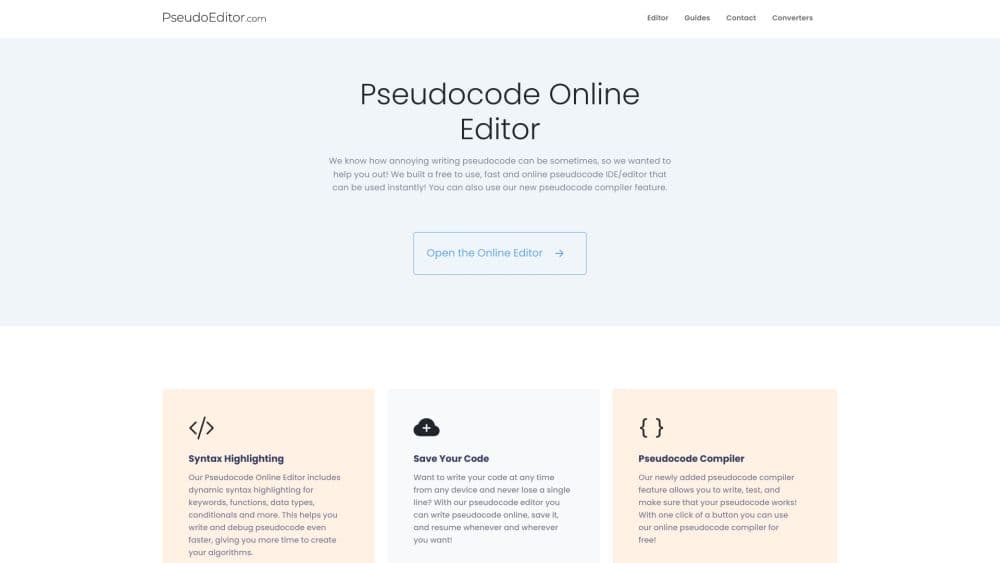
PseudoEditor is a browser based pseudocode editor and compiler for computer science students. It adds syntax highlighting, instant execution, an AI tutor and code converters.
About PseudoEditor
What Is PseudoEditor
PseudoEditor is an online IDE for pseudocode, built around a compiler rather than a text box. The site was built in 2020 by a computer science student who wanted to write pseudocode the way he wrote Python, in an IDE with highlighting and error checking rather than in a plain notepad file. It has grown since into a practice platform used by thousands of students and teachers every day, with more than 20,000 registered users and 50,000 saved projects according to the company.
The problem it solves is narrow but real. Pseudocode has no single standard, and exam boards treat syntax as marks. Students who practise in a word processor never find out that their loop has no exit condition until an examiner tells them. Here the code runs, errors get flagged before submission, and the syntax can be locked to a specific board such as CIE 9618, OCR J277, AQA, Edexcel or IB.
Two limits are worth knowing before signing up. Everything happens in a browser tab, so there's no mobile app and no offline mode. And the AI features sit behind a one time Pro payment of $9.99, not in the free editor.
Getting Started
- Open pseudoeditor.com and choose the free editor. Writing and compiling pseudocode works without an account.
- Create an account if you want projects saved across devices, practice questions or the AI tools.
- Pick your exam board in the editor settings so autocomplete and error checks follow that syntax.
- Write the algorithm, then hit run to watch the output and trace values as the code executes.
- Save the project, or buy the $9.99 Pro pass to unlock the tutor, the converters and unlimited AI use.
Product Information
A quick look at PseudoEditor's pricing, supported platforms, and performance.
Best for
The users, tasks, and scenarios where this tool fits best.
Users
- Computer science students preparing for AQA, OCR, CIE or IB exams
- Teachers running a class
- Self taught beginners learning programming logic
- Tutors and teaching assistants
Tasks
- Turning a written algorithm into runnable code from a pseudocode draft
- Checking whether a loop or function actually terminates
- Working through exam style problems
- Practising under time pressure
- Converting a flowchart into pseudocode
Scenarios
- The week before a computer science paper
- A classroom with mixed ability levels
- A homework submission that keeps losing marks on syntax
- A first programming course where students haven't picked a language yet
Key features
Pseudocode Compiler and Instant Execution
Hit run and the editor compiles the pseudocode in a fraction of a second, printing output and showing how variables change line by line. That turns a static draft into something you can test. For a student working through a sorting exercise, watching values move through each pass explains the algorithm faster than reading about it.
Exam Board Specific Syntax
The editor enforces the pseudocode conventions of CIE 9618, OCR J277, AQA, Edexcel and IB. Autocomplete and error checks follow the selected specification, so a loop written the OCR way gets accepted and a mixed up variant gets flagged. This matters because pieces of a solution can be worth marks on their own.
AI Tutor and Code Fixer
The AI pseudocode tutor in Pro asks guiding questions instead of pasting the answer. Ask why a while loop never ends and it points at the counter that isn't incrementing, then asks what statement should go before the closing line. The code fixer handles the other direction, taking broken pseudocode and returning a working version with the changes explained.
Code Converters
A converter takes a pseudocode listing and rewrites it as Python, Java, C# or C++. The output is a starting point for the real implementation, so a student can move from the exam version to something that runs in a real language without retyping the logic by hand.
Practice Questions and Timed Mock Exams
More than 50 interactive questions are sorted by topic and difficulty, with visible test cases and a hidden edge case so a solution can't pass by guessing. A solution gets checked automatically and saved. Timed mock exams bundle those questions into a paper that runs against the clock, which is closer to the real thing than a practice sheet.
Flowcharts and Project Saving
The flowchart to pseudocode tool lets students draw the logic as a diagram, then produce a listing that starts from that structure. That suits lessons which begin with a picture rather than with text. Projects are stored online and open on any device, so a student can start at school and finish at home without emailing files around.
Pros and cons
Pros
- The compiler runs in the browser with nothing to install, so it works on school laptops and Chromebooks.
- Board specific syntax checking catches the errors that cost marks in exams, which a generic IDE leaves alone.
- Pro is a one time $9.99 payment with a 7 day money back guarantee, not a subscription that bills every month.
- The AI tutor explains a bug in steps instead of dumping a finished answer, which keeps the learning part intact.
- Students and teachers can save pseudocode projects online and pick them up on another device.
Cons
- There's no API and no offline version, so the editor stops working when the connection drops or a school network blocks the site.
- The AI tutor, converters and practice bank all need the Pro pass. On the free plan you get the editor and the compiler only.
- Syntax tailoring is built around international exam boards, so students following a national curriculum with its own pseudocode conventions may find the checks don't match their syllabus.
- Nothing installs on a phone or tablet as an app, and the browser layout on a small screen is cramped for long algorithms.
Frequently asked questions
It's an online editor for writing and running pseudocode. You type an algorithm, the compiler checks and executes it, and the output shows up in a console. Students use it for coursework, revision and practice problems, and teachers use it to set work without installing anything on school machines.
Related content
Explore related tools, skills, and articles for PseudoEditor.
PseudoEditor Alternatives
Forefront
Forefront · CodingForefront is a web platform for building with open-source AI. It lets you fine-tune leading open-source language models on your own data, evaluate how they perform, and run them through an API or export them to host yourself. Developers who want the convenience of a closed-source platform but insist on owning their models and data are the target audience here.

Startkit
StartKit.AI · CodingStartkit is a boilerplate for building AI SaaS and AI wrapper products. Think of it as an AI startup boilerplate with the boring parts already wired up: authentication, Stripe and Lemon Squeezy payments, usage limits, transactional email, and an AI API starter that talks to OpenAI, Anthropic, Groq, or Llama. You clone the repo, set your price, and start on the part of your product that people actually pay for. It's Next.js under React and Tailwind, so most of the boilerplate code already feels familiar.
Testim
Tricentis · CodingTestim is an AI-powered test automation platform for building and running end-to-end tests across web, mobile, and Salesforce applications. It leans on machine learning to keep tests stable when an interface changes, so teams spend less time fixing broken selectors. Not bad for an automated testing tool you can start using today. You create tests by recording actions in a browser, then optionally add JavaScript when you need more control. It's a solid pick for busy QA teams.