

Pxbee
Chengdu Everimaging Science & Technology Co., Ltd. · Image
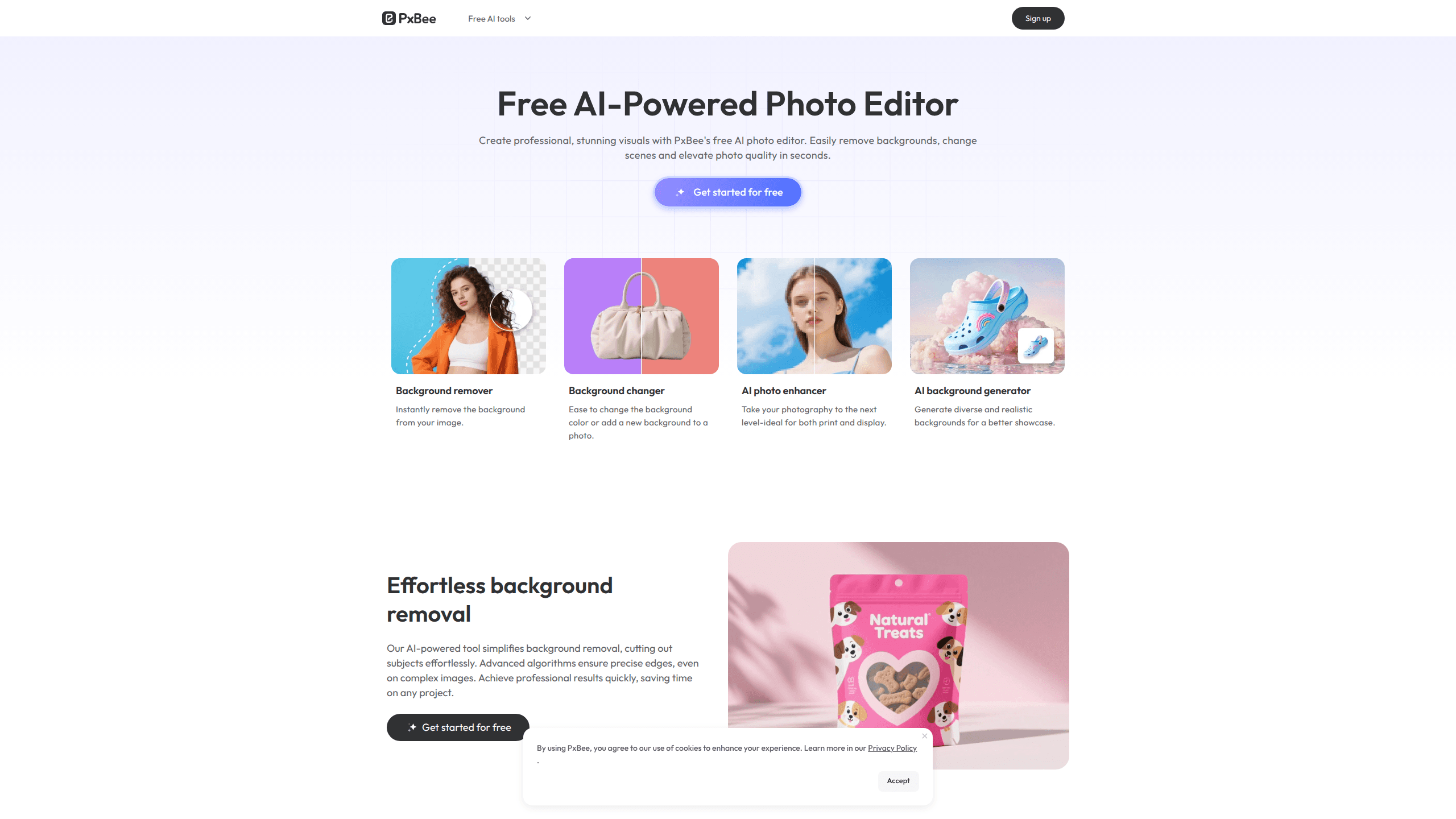
Pxbee is a free AI photo editor for anyone who needs clean product shots, sharper photos, or new backgrounds without opening Photoshop. It runs entirely in the browser, bundles a background remover, a photo enhancer, and an AI background changer in one place, and it doesn't ask you to install anything or sign up before your first edit. The trade-off is that serious work still depends on timing and plan limits, which we cover below.
About Pxbee
What Is Pxbee
Pxbee is a web-based AI photo editor built by Chengdu Everimaging, the same studio behind Fotor. It handles a handful of jobs people repeat every week: cutting a subject out of a photo, swapping the background, and making a blurry image look presentable again.
Need to remove a background online in seconds? That's the main draw here. Think of it as a set of single-purpose tools, each one quick and each one focused.
Speed beats depth here. Drop in a file. The AI handles the editing. Good fit for sellers listing products on marketplaces, where speed matters more than pixel-perfect control, and a poor fit for anyone who wants to adjust individual layers or mask a subject by hand across a long session.
The biggest limitation is scope. Pxbee is a tool collection, not a full editing suite, and most advanced options sit behind an account or a paid plan. If your project needs precise retouching, you'll outgrow it fast.
Getting Started
- Open the tool you need, like the background remover or the photo enhancer, directly on the Pxbee site.
- Upload a JPG, JPEG, PNG, HEIF, HEIC, or WEBP file. No download and no sign-up is required for basic edits.
- Let the AI process the image, then fine-tune or pick a generated background if you want one.
- Preview the result and download it. Some outputs are capped unless you move to a paid plan.
Product Information
A quick look at Pxbee's pricing, supported platforms, and performance.
Best for
The users, tasks, and scenarios where this tool fits best.
Users
- Online sellers
- Social media creators
- Small business owners
Tasks
- Removing backgrounds
- Upscaling images
- Swapping scenes
Scenarios
- Turning a phone snapshot into a marketplace-ready listing before a deadline.
- Cleaning up real estate or catalog photos for a website refresh.
- Prepping marketing visuals for a campaign when there's no time for a full edit.
Key features
AI Background Remover
The bg remover cuts a subject out of any photo and returns a transparent PNG. It handles complex edges well, including hair and fine product details, which is the part most cheap background remover tools get wrong because they either leave a halo around the subject or chew into the edges and make the cutout look like it was done with scissors by someone in a hurry. You can then export on white or transparent, ready for a marketplace listing or a design file.
AI Background Changer
Instead of only deleting the background, Pxbee generates new scenes behind your subject. This is the feature that sets it apart for product mockups and lifestyle shots, since you don't need to build a real set, hire a photographer, or hunt for a stock photo that happens to match the lighting and angle of your original shot.
Photo Enhancer and Upscaler
The photo enhancer sharpens blurry shots, removes digital noise, corrects weak lighting, and upscales low-resolution files toward HD or 4K. It works on portraits, product photos, landscapes, and artwork. The goal is natural results, not the plasticky, over-smoothed look that some upscalers leave behind, where skin turns to wax and every texture flattens into the same soft blur that makes a photo look like it was run through a filter instead of improved.
Broad Format Support
Pxbee accepts JPG, JPEG, PNG, HEIF, HEIC, and WEBP files. HEIC support matters if you shoot on an iPhone, since that format often trips up web editors. Everything runs in the browser with no download and no local install.
One-Click Workflow
Every tool follows the same three-step path: upload, process, download. The simplicity is the point. For repetitive work like a batch of listings, that short loop saves real time compared to a full desktop editor.
Extra AI Tools
Beyond the core three, the site offers a magic eraser, AI image extender, watermark remover, unblur tool, color replace, and more. Smaller utilities, not a full suite. Still, they cover most quick fix-ups people search for.
Pros and cons
Pros
- Free to use for basic edits, with no sign-up needed to start.
- Runs fully in the browser, so there's nothing to install and nothing to update.
- Background removal handles complex edges like hair and product details.
- Upscales images to HD or 4K and keeps texture and color intact.
- Covers plenty of quick fixes, from watermark removal to sky replacement.
Cons
- It's a tool collection, not a full editor, so there's no layer or masking control.
- Free-tier outputs and processing can be capped, which shows up fast on larger workloads.
- Advanced options and higher limits sit behind a paid plan, with no clear API for automation.
Frequently asked questions
Yes, the core tools have a free tier and basic edits need no sign-up. Limits on output size, resolution, or daily use kick in on heavier jobs, and lifting them requires a paid plan.
Related content
Explore related tools, skills, and articles for Pxbee.
Pxbee Alternatives

X Ray Interpreter
X-ray Interpreter · ImageX Ray Interpreter is a web-based AI radiology tool that turns X-rays, CT scans, MRI, ultrasound, and PET images into plain-language reports. You upload a scan, get a preliminary X-ray interpretation in moments, then ask follow-up questions if something needs explaining. It works as a second opinion and a learning aid, not as a medical diagnosis.

Aieasypic
AIEasyPic · ImageAIEasyPic is an AI image generator that turns plain text prompts into finished artwork in seconds. You can also train custom models on your own photos, swap faces in existing images, and create short video clips from text, all from a browser. It suits casual creators who want quick visuals and hobbyists who want to build a personal model without touching any code.

Chargen
Chargen · ImageChargen is an AI character generator and worldbuilding toolkit built for Dungeons & Dragons and other tabletop RPGs. It turns a one-line idea into a painted character portrait, spins up NPCs, monsters, maps and encounters from the same session, and keeps every creature's details close at hand. The tabletop RPG art side runs on a credit system called Gold, while the text generators stay free for everyone.