

Qquest
Qquest.io LLC · Coding
Qquest is an AI data assistant that answers business questions in plain English. Connect a warehouse, open the Chrome extension, and get numbers back without writing a query.
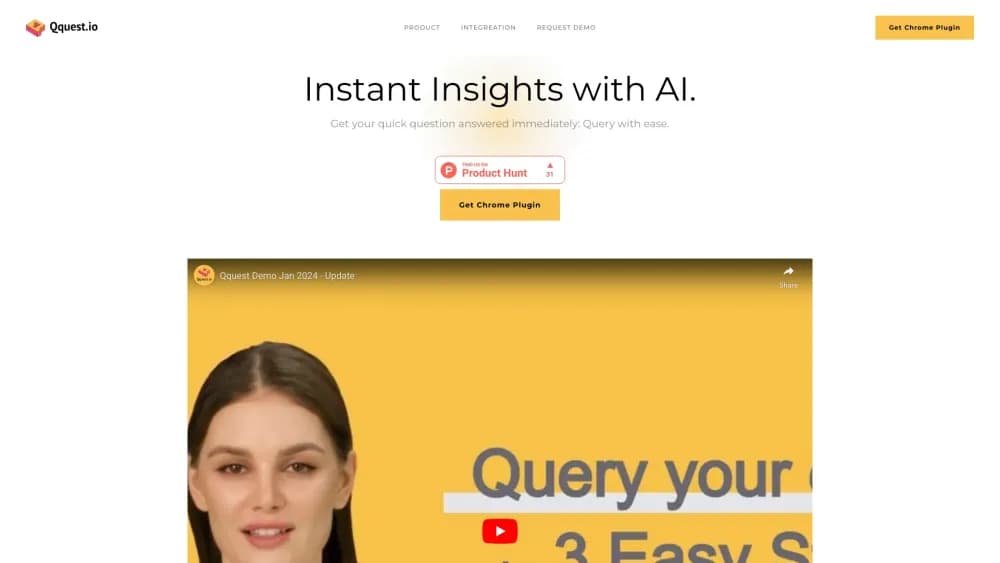
About Qquest
What Is Qquest
Qquest is an AI data query tool from Qquest.io LLC. You point it at a database, ask a question the way you would ask a colleague, and it returns an answer with the numbers behind it. The product launched in beta in 2024 and still carries that label on its own site.
The setup is aimed at two audiences. Data teams connect sources and shape how the assistant reads the business. Everyone else asks questions through a Chrome extension while they work in another tab, so they don't have to learn a BI tool or wait on the analytics queue.
Qquest is a small vendor with a narrow public footprint. Its documentation covers connections and not much else, its blog is empty, and pricing sits behind a demo request. That doesn't make it a bad tool. It does mean you should test it against your own data before you plan a rollout around it.
Getting Started
- Request a demo on qquest.io, or log in at dashboard.qquest.io if your team already has an account.
- Open the integration page and add a connection string for your warehouse, including host, port, user, password, and database name.
- In the admin portal, describe the metrics and terms your company uses so the assistant stops guessing at definitions.
- Install the Qquest Chrome extension, connect it to your workspace, and type a question.
- Check the returned figures against a query you already trust, then share the workflow with the rest of your team.
Product Information
A quick look at Qquest's pricing, supported platforms, and performance.
Best for
The users, tasks, and scenarios where this tool fits best.
Users
- Product managers who need usage numbers without filing a ticket
- Marketing and sales leads tracking campaign or pipeline figures
- Data analysts fielding the same small questions all week
Tasks
- Ad hoc questions about revenue, retention, or active users
- Explaining a metric to a colleague
- Backfilling a target list for a campaign
Scenarios
- A weekly business review where three departments report on different numbers
- A founder or ops lead at a company without a dedicated analytics team
- A pilot before buying a larger BI platform
Key features
Plain Language Queries
The core of the product is a chat box that takes a normal question and turns it into a database query. You don't write joins or remember column names. Qquest needs a connection to your warehouse and a clear enough question, and it handles the translation. Answers come back as text, usually with the figure you asked for and enough context to check it.
Chrome Extension Workspace
The Chrome extension for data queries puts the assistant beside whatever you have open. Instead of switching to a separate analytics tab, you ask from the page you're on and keep your place. That matters for sales or support staff who live inside a CRM or an inbox. The extension is the main way most business users will touch the product.
Admin Portal and Assistant Training
Data leaders get a separate admin view at dashboard.qquest.io. There you connect sources and teach the assistant how your company names things, from product lines to revenue definitions. A generic model guesses at those meanings. A trained one repeats your version, which is the difference between a plausible number and a usable one.
Six Database Integrations
Qquest lists connections for MySQL, PostgreSQL, SQL Server, BigQuery, Snowflake, and Amazon Redshift. That covers the common transactional databases and the three big cloud warehouses, so most mid-sized teams will find their source on the list. Advertising platforms, product analytics tools, and CRMs appear only as a request form on the site, not as shipped integrations.
Department Level Customization
The same assistant can answer differently for marketing, sales, and operations. Each function gets insights shaped around its own questions, which reduces the usual argument about whose dashboard is right. The setup cost lands on whoever configures the workspace, and the payoff shows up when a non-technical colleague gets a straight answer.
Instant Answers in the Flow of Work
Qquest is an AI analytics assistant, not a full BI platform, and it sells speed rather than deep analysis. You ask, you get a number, you keep working. That fits the long tail of small questions that never justify a dashboard. It does not replace a modeling tool, and it won't build a multi-page report for you, so teams still need a real BI layer for anything recurring and polished.
Pros and cons
Pros
- Natural language data analysis removes the SQL barrier for product, marketing, and sales staff.
- The Chrome extension keeps queries inside the tool where the question started, which cuts tab switching.
- Admin training lets a data team lock in its own metric definitions instead of accepting generic guesses.
- Connection support covers the six databases and warehouses most companies already run.
Cons
- Pricing is not published. You have to book a demo to learn what the paid tiers cost, which slows down a self-serve evaluation.
- The integration list stops at databases. Teams that keep data in Amplitude, HubSpot, or an ad platform will need a warehouse in between.
- Public documentation is thin and the blog is empty, so troubleshooting falls back to email support.
- The product is still labeled beta and the site's copyright reads 2024, which raises fair questions about how actively it's maintained.
Frequently asked questions
Qquest answers business questions by querying your connected database in plain language. You type a question, it writes and runs the query, and you get the figure back in a chat window.
Related content
Explore related tools, skills, and articles for Qquest.
Qquest Alternatives

Autonomyware
Autonomyware B.V. · Coding · BusinessAutonomyware turns a written idea into a manufacturable 3D product, handling geometry, assembly checks and export files inside one browser workspace.

GitBot
gitbot-hq · Coding · ProductivityGitBot is an open-source local server that turns Claude Code, Codex or OpenCode into reusable bots with saved instructions, approval rules and threads you can resume later.

Timeless Code
Timeless · Coding · Productivity · BusinessTimeless Code is an AI meeting notetaker that installs inside Claude Code, records calls on a Mac, and lets you ask about any transcript without leaving the terminal.